- 対象年齢4+
- カテゴリ仕事効率化
- 開発元Michael Mackintosh II
- 言語英語
- サイズ17.2 MB
App Storeの公式ページにリンクしています
Download.orgはJumpstashのファイルを一切ホストしていません。ボタンを押すと、Michael Mackintosh IIが公開しているApp Storeのアプリページが開きます。ページの最終確認:2026/11/12。
スクリーンショット
概要
開発元はこのテキストをお使いの言語で提供していません。
Two-factor codes, everywhere you sign in.
Jumpstash is a beautifully native authenticator for the entire Apple ecosystem. Glance at your wrist, AutoFill in Safari, scan on your phone - your codes are with you wherever you log in.
WHAT MAKES JUMPSTASH DIFFERENT
- APPLE WATCH COMPLICATION
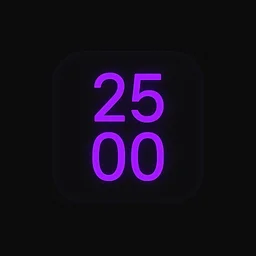
Your most-used verification code, right on your watch face. Inline, circular, or rectangular — each with a live 30-second countdown ring. No more pulling out your phone.
- SAFARI & SYSTEM AUTOFILL
Tap a verification-code field in Safari or any iOS 18+ app, choose Jumpstash, done. Zero copy-paste.
- MAC MENU-BAR APP
One click in the menu bar, see your code, copy, dismiss. No System Settings detour.
- FACE ID & TOUCH ID LOCK
Codes hide behind biometric authentication. Backgrounding the app instantly draws a privacy curtain — no peeking from the app switcher.
- LOSSLESS BACKUP & PORTABILITY
Export every code as JSON for a perfect restore, plus standard otpauth:// URIs and QR codes. Your codes are yours — take them anywhere, anytime.
- iCLOUD KEYCHAIN SYNC
Your codes follow you across iPhone, iPad, Mac, and Apple Watch automatically — synced by Apple, end-to-end encrypted.
- PRIVATE BY DEFAULT
No accounts. No servers. No telemetry. Jumpstash never sees your secrets — they live in your iCloud Keychain, protected by Apple's own security model.
DESIGNED FOR YOU IF…
> You 2FA across dozens of services every day
> You want a glanceable code on your wrist without opening your phone
> You care about export portability and don't want to be locked into one ecosystem
> You prefer a focused, single-purpose app over a sub-feature buried in another tool
WHAT ABOUT APPLE PASSWORDS?
Apple's Passwords app does TOTP, and it does a good job. For most people, it's enough. Jumpstash exists for users who treat 2FA as a daily ritual: a watch complication for instant access, true export so your codes are never locked behind a one-way iCloud door, and a UI built around codes as the first-class experience instead of a sub-feature.
WHAT'S INSIDE
- QR code scanner with one-tap import
- otpauth:// URL handler (tap a link in Messages, Mail, or any app to import)
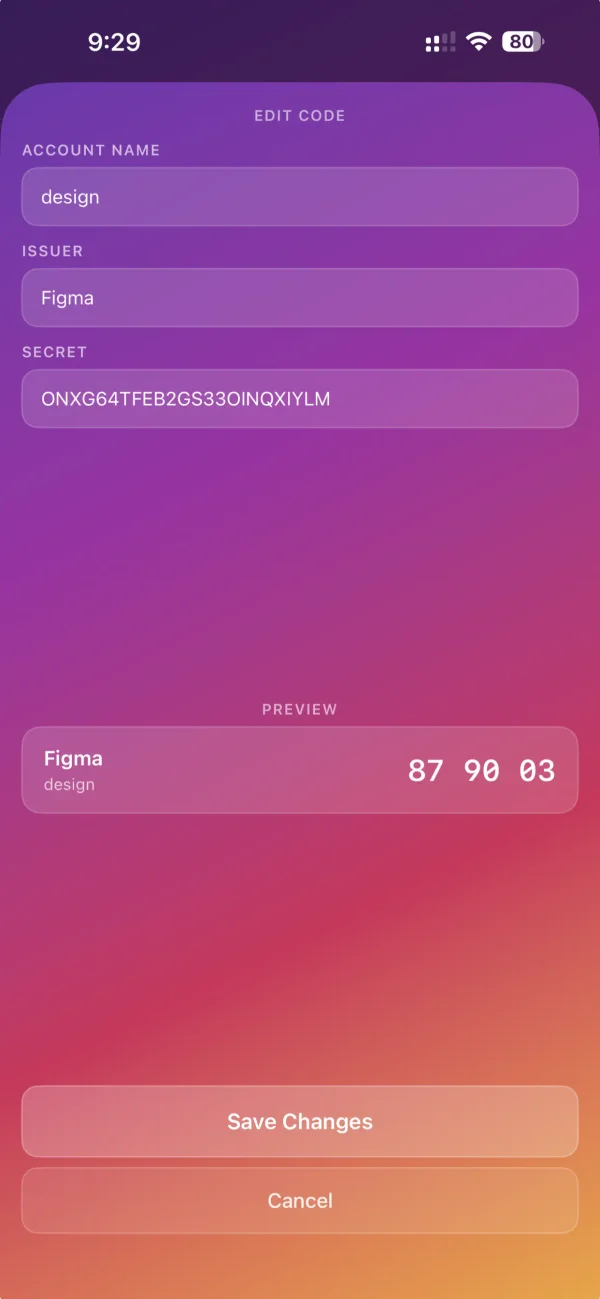
- Manual entry with a live preview that animates as you type
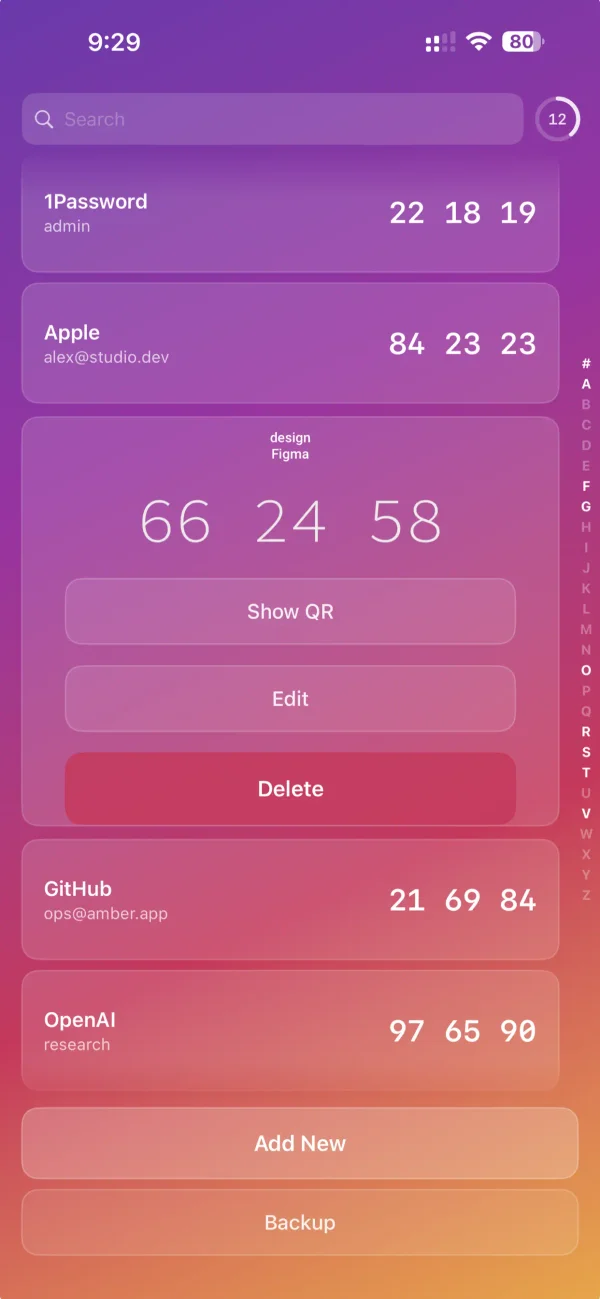
- Edit any code (name, issuer, or secret) without losing the entry
- Delete with confirmation
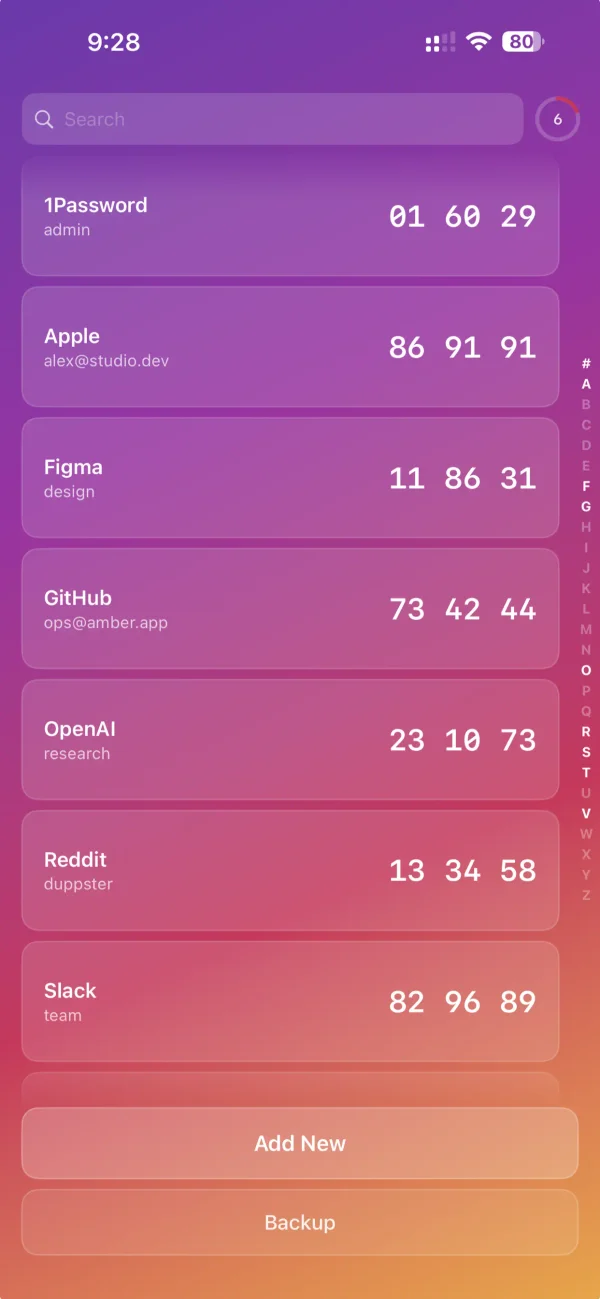
- Global search and Contacts-style #-A-Z index with drag-scrubbing for fast navigation across many codes
- Tap any code to copy it
- Live countdown ring on every card
- Support for SHA-1, SHA-256, SHA-512 algorithms
- Support for custom periods (30s, 60s) and digit lengths (6, 7, 8)
PRIVACY & SECURITY
Jumpstash uses Apple's iCloud Keychain as its sole storage and sync mechanism. Your TOTP secrets are encrypted end-to-end by Apple, available only to your devices. No analytics SDKs. No tracking. No accounts to create. No servers to trust.
Made by Danger Close Security Co.
新機能
バージョン 5.0.0 · 2026/6/2
Jumpstash 5.0 is a complete reimagining — a brand new look, a brand new name, and major new capabilities on every Apple device you own.
NEW: APPLE WATCH COMPLICATION
Your most-used code is now a glance away. Pick from inline, circular, or rectangular complications — each with a live 30-second countdown ring. Stays accurate without refreshing.
NEW: SAFARI & SYSTEM AUTOFILL
Verification codes now AutoFill directly into Safari and any iOS 18+ app that asks for a one-time code. Tap the field, choose Jumpstash, done.
NEW: FACE ID & TOUCH ID LOCK
Codes are now protected by biometric authentication. App-switcher snapshots are automatically hidden behind a privacy curtain.
NEW: LOSSLESS BACKUP
Export every code as JSON for a perfect restore, plus standard otpauth:// URIs and QR codes for portability to any other authenticator.
NEW: EDIT CODES
Fix a typo, rename a service, or update a secret — without losing the entry.
NEW: A-Z INDEX
Contacts-style #-A-Z drag-scrub index for fast navigation across dozens of codes.
NEW: GLOBAL SEARCH
Search by issuer or account name from the top of every screen.
NEW: TAP TO ADD
Tap any otpauth:// link in Messages, Mail, or Notes — Jumpstash appears in iOS's "Set Up Codes In" picker and imports the code instantly.
REDESIGNED FROM THE GROUND UP
• Translucent glass card design across iPhone, iPad, Mac, and Apple Watch
• New macOS menu-bar interface with a dedicated copy button
• Live countdown ring on every code
• Story-driven add-code flow with live preview
• Brand-new gradient app icon
UNDER THE HOOD
• Atomic keychain writes for safer storage and recoverable saves
• Per-code TOTP caching for instant code generation
• Window-aligned countdown for accuracy
• iCloud Keychain remains the sole storage mechanism
If you were using Amber, welcome to the new Jumpstash. Your existing codes carry over automatically through iCloud Keychain — no migration needed.
アプリのプライバシー
このアプリのデータの取り扱いについて、Michael Mackintosh IIがApp Storeで申告している内容です。
-
データの収集なし
開発元はこのアプリからデータを収集しません。
プライバシーの取り扱いは、ご利用の機能やお客様の年齢などに応じて異なる場合があります。
情報
- 販売元
- Danger Close Security Co.
- カテゴリ
- 仕事効率化
- バージョン
- 5.0.0
- 更新日
- 2026/6/2
- リリース
- 2019/6/12
- サイズ
- 17.2 MB
- 必要条件
- iOS 16.6以降
- 対象年齢
- 4+
- 価格
- 無料
- 言語
- 英語
- 著作権
- © Mike Mackintosh