- 対象年齢4+
- カテゴリ仕事効率化
- 開発元Tobias Heckel
- 言語英語
- サイズ9.5 MB
App Storeの公式ページにリンクしています
Download.orgはKaravan - Project Managementのファイルを一切ホストしていません。ボタンを押すと、Tobias Heckelが公開しているApp Storeのアプリページが開きます。ページの最終確認:2026/11/24。
スクリーンショット
概要
開発元はこのテキストをお使いの言語で提供していません。
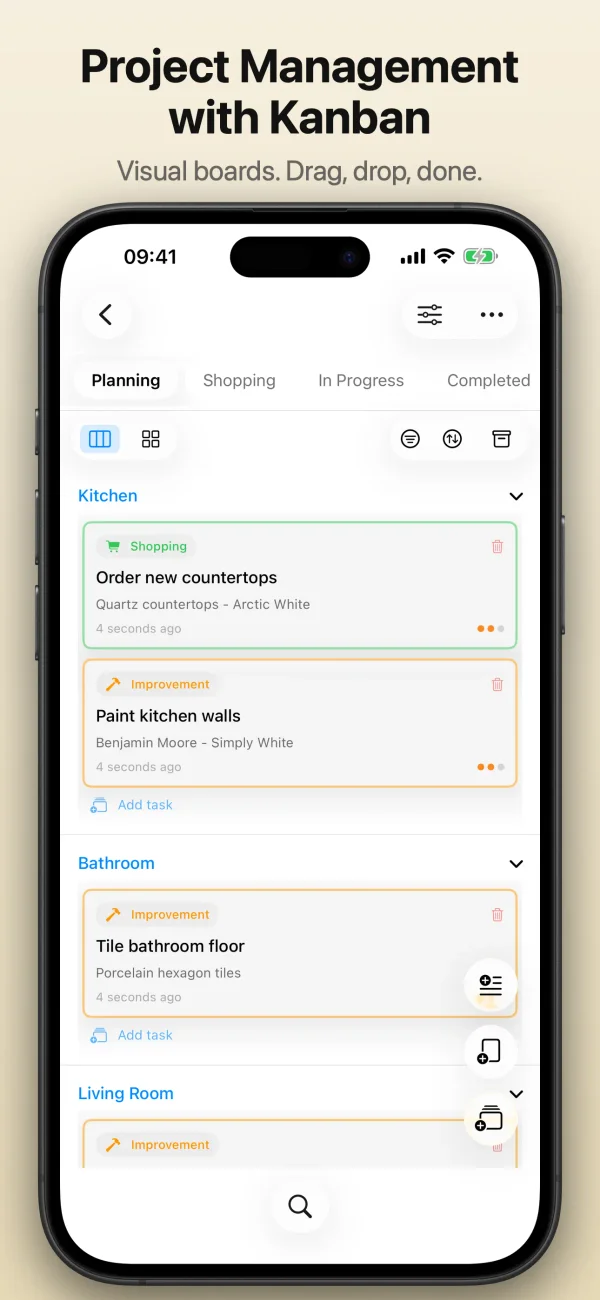
Organize projects visually with Karavan – a native Kanban board app with automatic sync.
Key Features
• Flexible Kanban boards with customizable columns, swimlanes and lane notes – switch to compact cards when you need to see more at once
• Board Backgrounds – give each board its own look with a gradient, a symbol or your own photo, in the board's color
• Task IDs & Links – every task has a short ID; copy it, or share a link that opens the task straight away
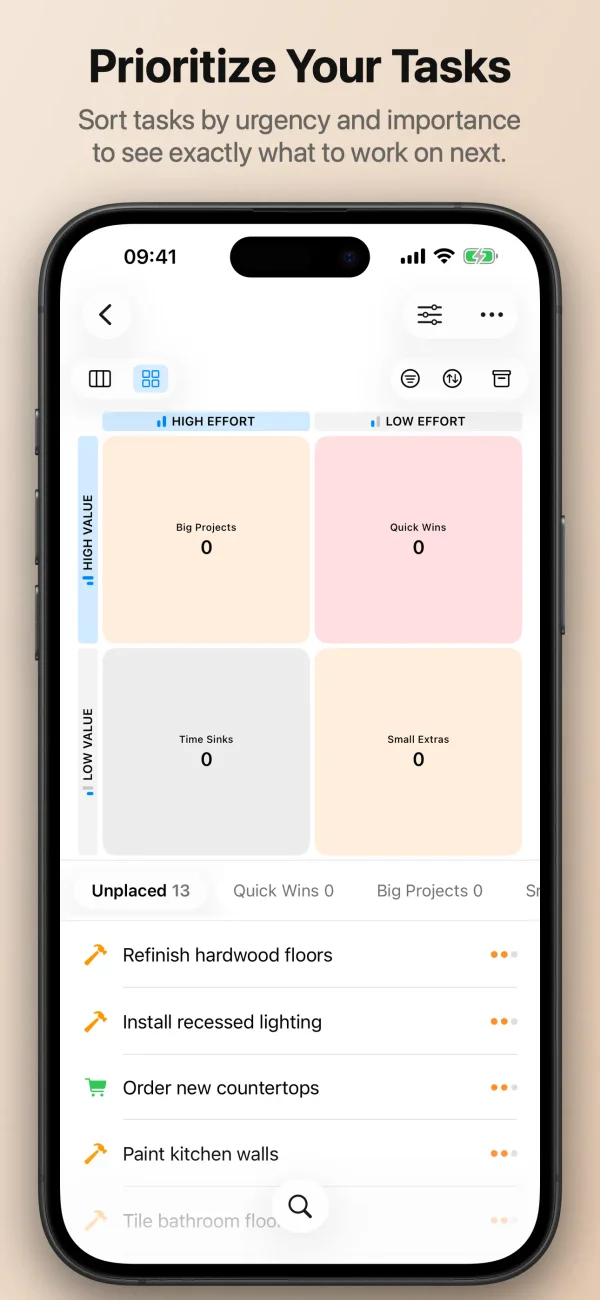
• Eisenhower Matrix – not sure what to tackle first? Switch any board to a 2×2 priority grid, drag tasks by effort and impact, and preview every change before it's applied – priorities you've set by hand are never silently overwritten
• Subtasks – break any task into a checklist, track progress right on the card, and let Karavan suggest moving a task to Finished once everything's checked off
• Attachments – attach photos and files to any task, and preview them with Quick Look
• Up Next – see your most urgent and high-priority tasks across every project in one place, and jump straight to the board
• Undo & Redo, plus a full Change Log of every change with one-tap revert
• Powerful search – find any task instantly; it scrolls into view and highlights itself so you never lose track
• Custom notification time per task, independent of its due date
• Task priorities, due dates, auto-archive, and overdue/due-soon warnings
• Configurable Finished Columns – decide exactly which columns count as done, not just the last one
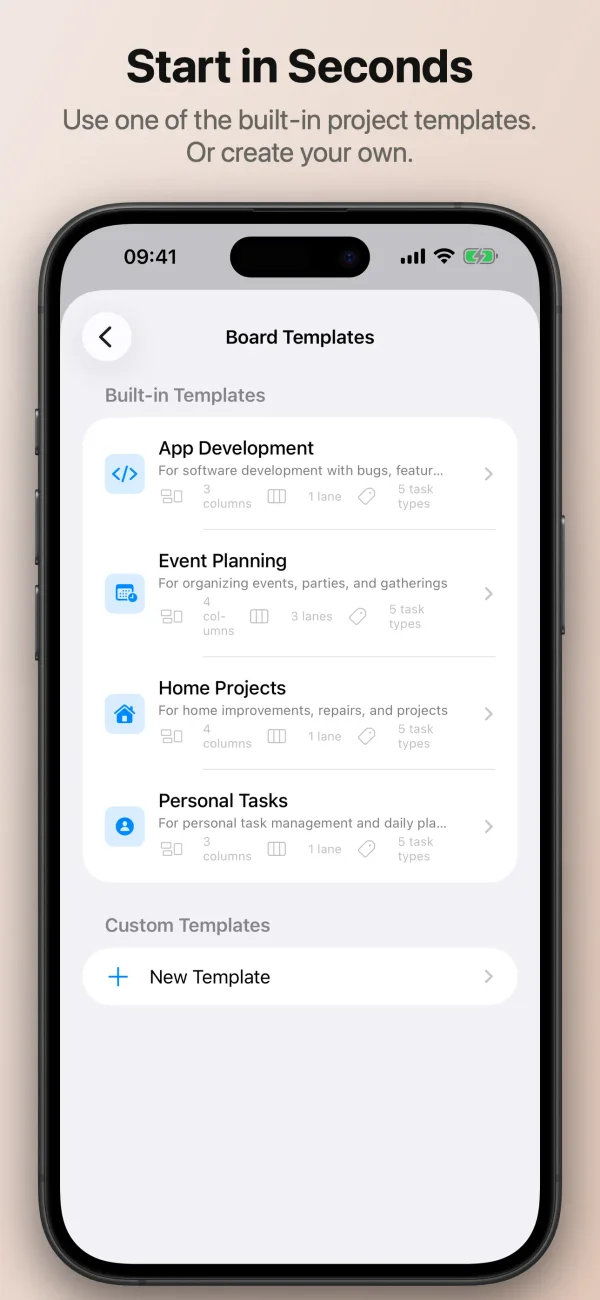
• Board templates – use the built-ins, customize them to fit your workflow, or build your own from scratch
• Custom Project Icons – drag your own photo onto a project, or pick one from Photos or Files, and it replaces the icon everywhere the project shows up
• Pin your favorite projects and give each one its own color for quick recognition
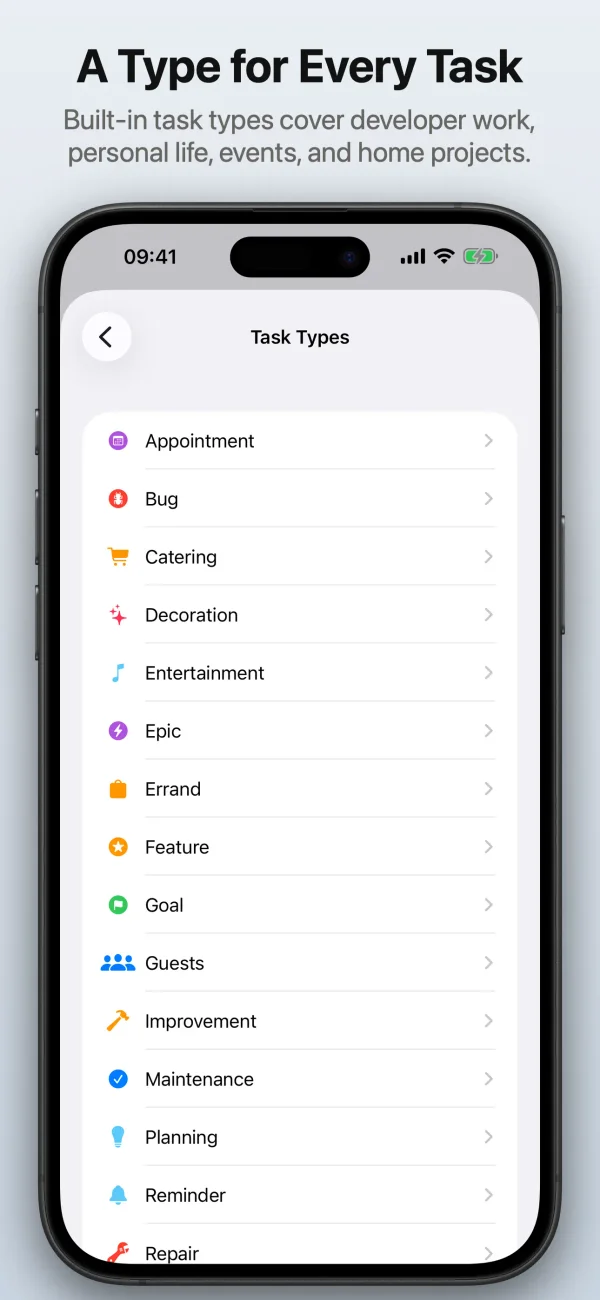
• Customizable task types – 19 built-in types or create your own with custom colors and icons from the full SF Symbols library (6,900+ icons)
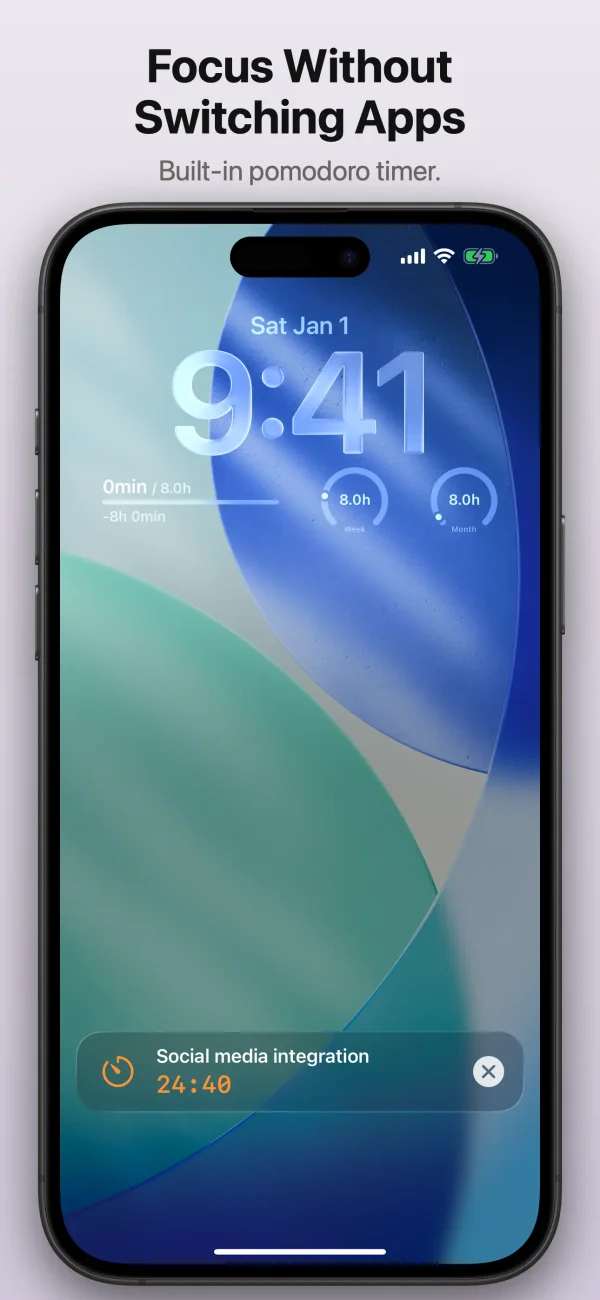
• Built-in Pomodoro timer – start a Focus Session with a tap; the timer appears on your Lock Screen and in the Dynamic Island
• Markdown support in task descriptions with live preview
• Per-board filters and sorting that persist across sessions
• Drag and drop, swipe between columns, and reorder with a tap – navigate your board however feels natural
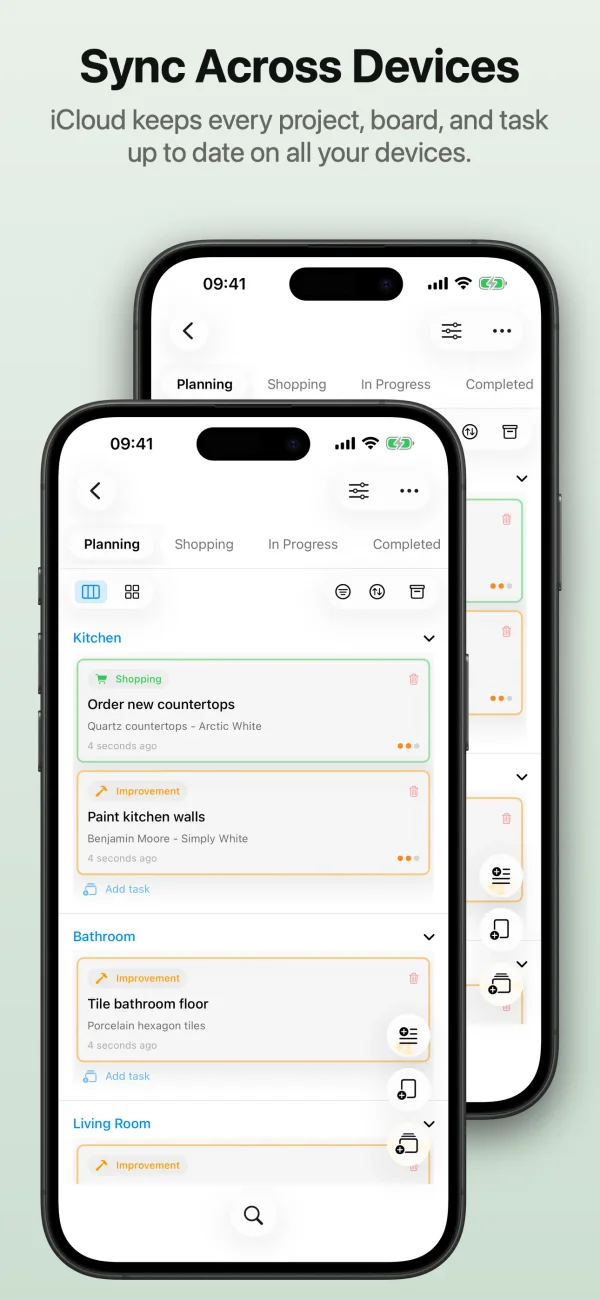
• Automatic sync across all your devices – works offline, syncs when you're back online
Perfect For: Software developers, event planners, homeowners, students, and anyone who wants visual project management without the complexity.
Questions, feedback, or suggestions?
Feel free to email us at Karavan@heckel.tech – we'd love to hear from you!
新機能
バージョン 1.11.0 · 2026/11/4
What's New in Karavan 1.11.0
Task IDs & Links
• Task IDs: Want a way to point at one exact task? Every task now has a short ID, shown on its card and in its details. Tap it to copy, or use Copy Link for a Karavan link that opens the task straight away.
• Your Board, Your Way: Each board decides whether its cards show their IDs.
Boards
• Board Backgrounds: Give each board its own look: a gradient, a symbol or your own photo, in the board's own color. Templates and the New Board wizard offer them from the start.
• Move Tasks Between Boards: Filed a task in the wrong place? Pick another project or board right in its details, and it moves there when you save.
• Lane Notes: Add a short note to a lane, like its purpose or a reminder. It shows right in the lane header. On iPhone, touch and hold a lane and choose Edit Note… to write one.
• Sensible Defaults: Choose where new tasks land: a default lane, a default column and a default task type for each lane.
• Filter by Quadrant: Narrow a board down to the tasks in one quadrant of the Matrix View, or to tasks you haven't placed yet.
• Compact Cards: Need to see more at once? On iPad, switch a lane or a column to compact single-line cards. Your iPhone shows them too.
• Tidier Lanes on iPad: When a cell overflows, it shows the first few cards and folds the rest into one summary card. A collapsed lane still shows how many tasks are in each column.
• Faster Boards: Boards open noticeably faster, and large boards no longer slow down each time a change syncs in from iCloud.
General
• Board Order: Boards in the project list follow the project's sort mode. In Manual order, tap Edit and drag them wherever you like.
• Default Priority: Do most of your tasks start out at the same priority? Set it once in Settings › General, and new tasks begin there.
• Appearance: Pick light, dark, or follow the system, right in Settings.
• iCloud Storage Full: When iCloud sync stops because your iCloud storage is full, Karavan now tells you, instead of failing silently.
Fixed
• Fixed: Picking another project or board from the menus at the top of a board now opens it, instead of leaving you on the current board.
• Fixed: Menus show their icons again on iOS 27.
• Fixed: Cards with the same position no longer swap places after a sync.
• Fixed: A task without a lane can now get one from its details.
• Fixed: The quick-action icons at the end of each Up Next row now line up from row to row.
Questions, feedback, or suggestions?
Feel free to email us at Karavan@heckel.tech – we'd love to hear from you!
アプリのプライバシー
このアプリのデータの取り扱いについて、Tobias HeckelがApp Storeで申告している内容です。
-
ユーザーに関連付けられないデータ
収集される場合がありますが、ユーザーの識別情報には関連付けられません。
- 使用状況データ
- 診断
プライバシーの取り扱いは、ご利用の機能やお客様の年齢などに応じて異なる場合があります。
情報
- 販売元
- Tobias Heckel
- カテゴリ
- 仕事効率化
- バージョン
- 1.11.0
- 更新日
- 2026/11/4
- リリース
- 2025/11/21
- サイズ
- 9.5 MB
- 必要条件
- iOS 18.6以降
- 対象年齢
- 4+
- 価格
- 無料
- 言語
- 英語
- 著作権
- © 2025-2026 Tobias Heckel