- 対象年齢4+
- カテゴリ仕事効率化
- 開発元Nico Plagemann
- 言語英語ほか1言語
- サイズ6.9 MB
App Storeの公式ページにリンクしています
Download.orgはKendoshiのファイルを一切ホストしていません。ボタンを押すと、Nico Plagemannが公開しているApp Storeのアプリページが開きます。ページの最終確認:2026/11/13。
スクリーンショット




概要
開発元はこのテキストをお使いの言語で提供していません。
Kendoshi is project management for individuals and small teams who work visually. Use it solo, or connect it to a Kendoshi team server. Projects are organised as boards with groups, status chips and tables, the day is planned in My Day, and the calendar keeps the overview. Your data lives in your iCloud, not with the developer.
SOLO OR TEAM
Solo is the normal case and works out of the box: no account, no server, no credentials. Everything stays on your devices and in your private iCloud. Team mode is optional. It needs a Kendoshi server, which you get from the developer and run yourself; team access is unlocked on that server, not in the app. There is no hosted service and no account with the developer.
PROJECTS AS BOARDS
Folders, projects, groups and tasks in a clear structure. Status, priority, due date, start date, person and custom extra columns. Reorder rows and groups by drag and drop, duplicate groups and projects as templates.
QUICK ENTRY WITH NATURAL SYNTAX
One line is enough: “Finish mix tomorrow 3pm p1 #album every week” creates the task with date, time, priority, project and recurrence. English and German are both recognised. On the Mac also available as a floating panel with a keyboard shortcut from any app.
MY DAY AND MY WORK
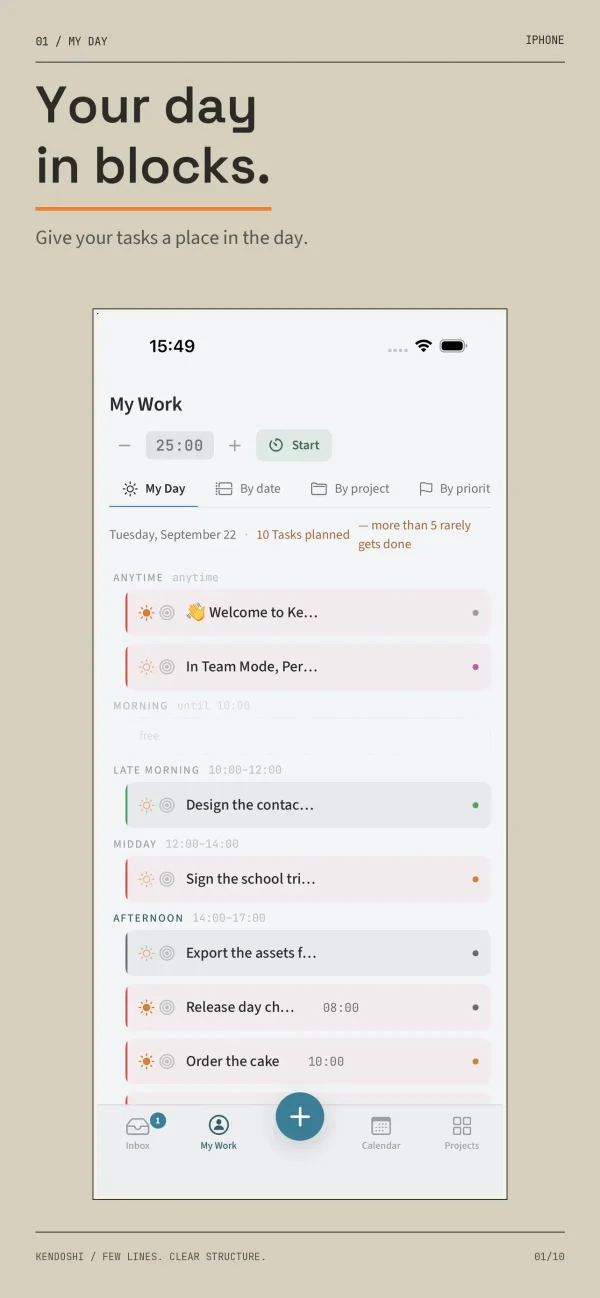
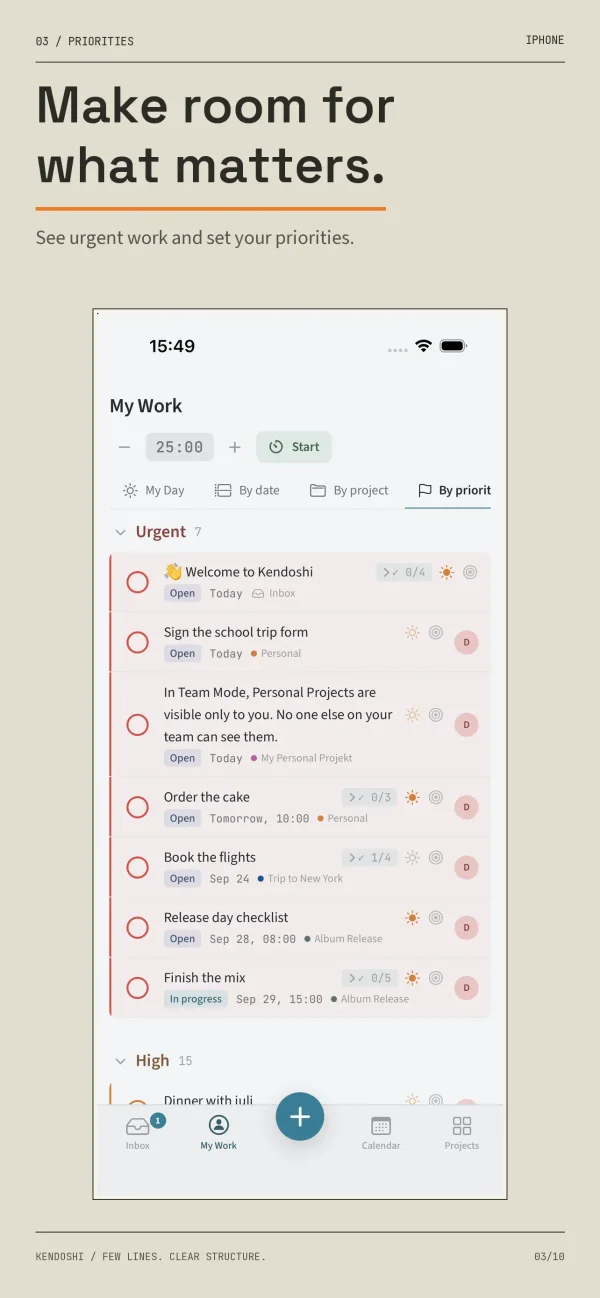
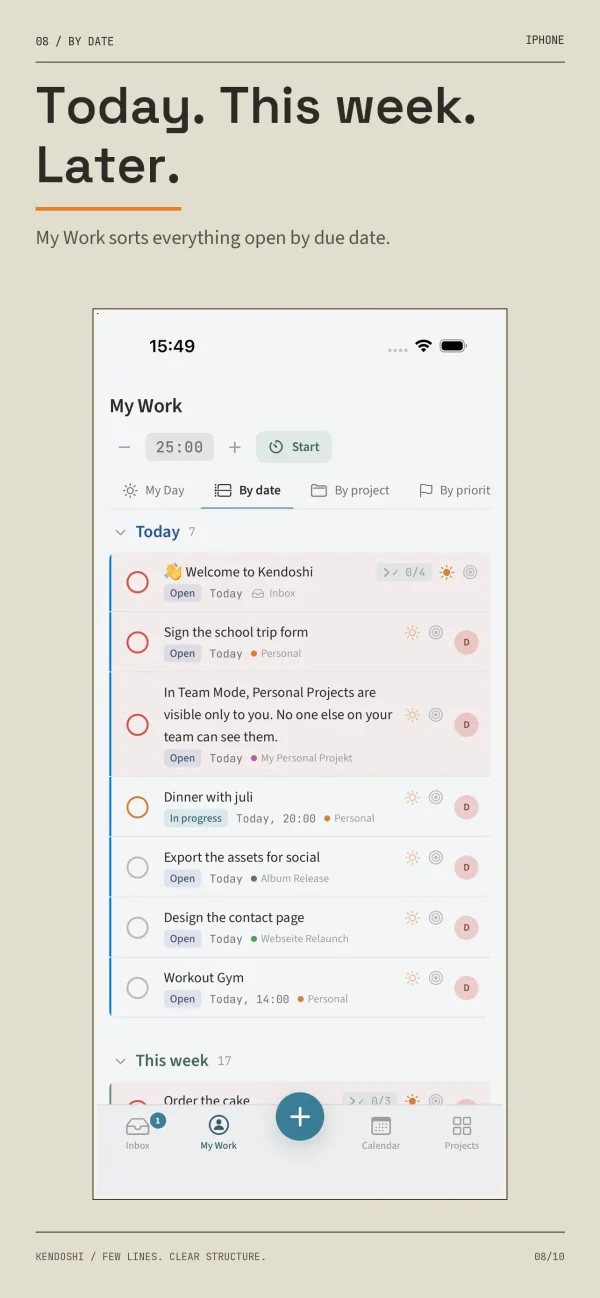
My Work collects everything open, sorted by day, date, project or priority. My Day plans your day in blocks from morning to evening and suggests matching tasks. A day block is an intention, not a new due date.
CALENDAR
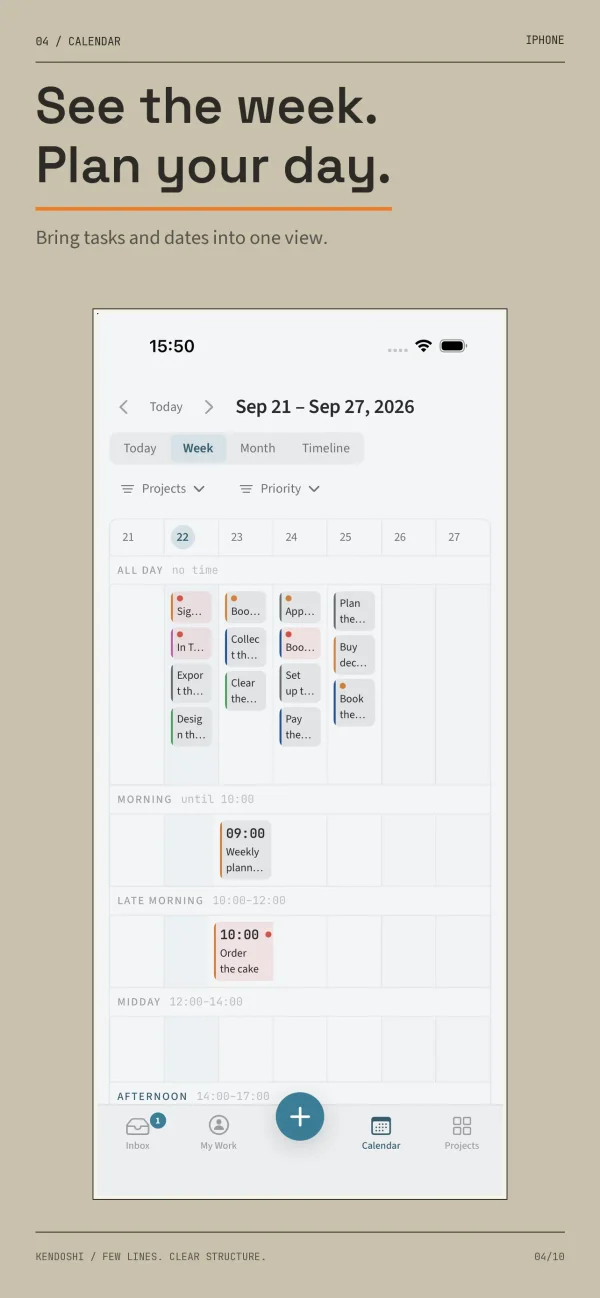
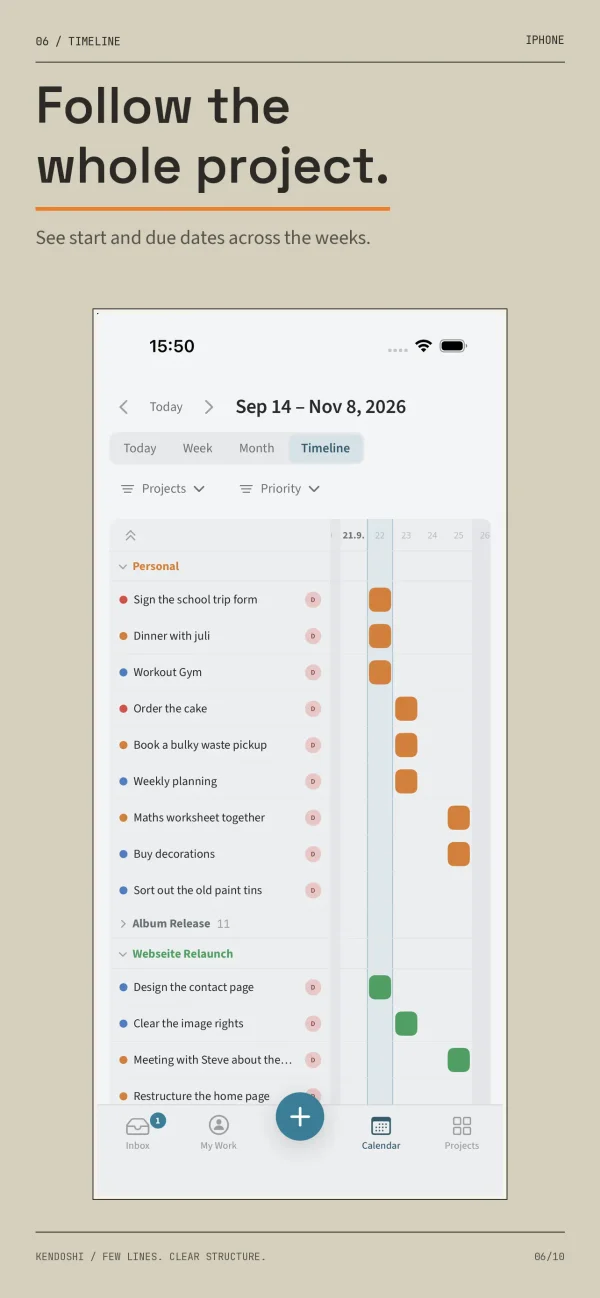
Day, week, month and timeline. Move tasks directly in the calendar, show events from Apple Calendar, subscribe to external calendars via ICS link. Scheduled tasks can also appear in Apple Calendar; in team mode, tasks are available as an ICS feed you can subscribe to in any calendar.
FOCUS EVERYWHERE
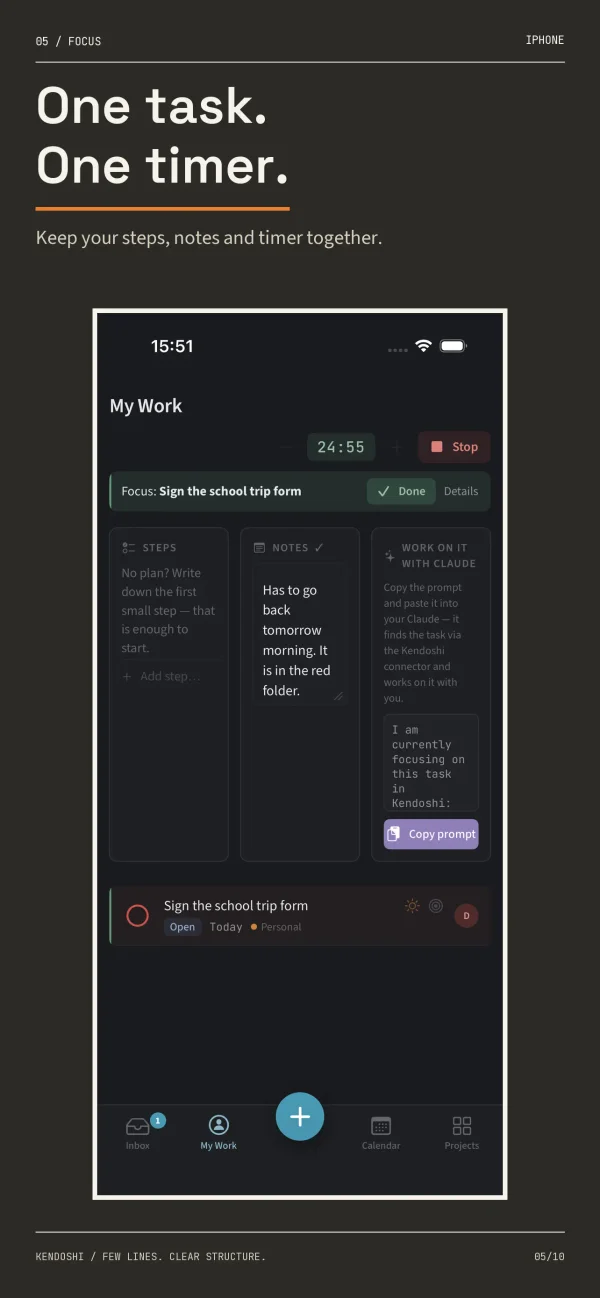
Start a 5 to 60 minute focus from any task. The time left stays in view as a small pill, on the Mac also in the menu bar. At the end choose done, 5 more minutes or a break, right in the notification too. Reminder 30 minutes before tasks with a time.
SEARCH
Use ⌘K or the magnifier to search titles, notes, subtasks and project names. In solo mode also via Spotlight, which you can turn off.
NOTES, STEPS, LINKS
Every task has formatted notes, checklists, subtasks and links. Recurring tasks automatically create the next instance when completed.
YOUR DATA, YOUR ICLOUD
In solo mode everything is stored in your private iCloud database and synced via CloudKit between Mac, iPhone and iPad. In team mode, shared projects live on your own team server. No account with the developer, no tracking, no ads. Export a backup as a file, deleted items stay in the archive for 30 days.
AI BUTTON, NO AI BUILT IN
Kendoshi does not include a language model. The AI button on every task breaks it down, clarifies it or helps you get started: without a key as a ready prompt for Claude or any other AI, with your own API key as a suggestion with a preview. Data is sent only when you click and after your consent, directly to your provider. On the Mac, in solo mode, your own AI client can also connect, locally only and off by default.
TEAM MODE IN DETAIL
You get the Kendoshi server from the developer and install it on your own machine, your own NAS or your own hosting. You unlock team access there, then connect the app to your team: shared projects, people, assignments, comments and the team ICS feed. Everyone on the team uses the same app from the App Store. Team mode is never required to use Kendoshi.
DESIGN
Calm interface with few lines, three themes (Light, Dark, Paper) and freely selectable colours. Interface in English or German, switchable at any time.
Kendoshi grew out of the daily work of a music project and independent label, where it is used by the team every day. It was built by a person with ADHD; it is not a medical application and promises no therapeutic effect.
新機能
バージョン 1.1.1 · 2026/10/6
New in Kendoshi 1.1.1
QUICK ENTRY
Month names now work, in English and German: “aug 14”, “14 aug”, “august 14th”, “14. dez”. Repeats work in English too, for example “every sat”. With the app set to English, “8/14” works as well.
Projects, groups and, in a team, people with spaces in their names are now recognized in full, for example “#Trip to New York”. The suggestion list stays open and writes the full name.
A date that does not exist, like “feb 30”, stays in the title instead of quietly jumping to another day.
FIXES
- The quick entry window (⌘⌥T) opens at full width again and grows with the suggestion list.
- Notes stay at the top of their field and no longer spill out of the panel, also after resizing the window.
- Opening a task no longer shifts the list. Wide tables used to slide sideways and cut off the titles.
- The month calendar on the iPhone shows all seven days.
- In English, Settings › iCloud now says “local”.
- Team mode: if a proxy or an older server answers “not found”, the change is kept. Kendoshi keeps trying and says so in the status line.
A quick reminder: Kendoshi 1.1 brought focus everywhere, search and the AI button.
アプリのプライバシー
このアプリのデータの取り扱いについて、Nico PlagemannがApp Storeで申告している内容です。
-
データの収集なし
開発元はこのアプリからデータを収集しません。
プライバシーの取り扱いは、ご利用の機能やお客様の年齢などに応じて異なる場合があります。
情報
- 販売元
- Nico Plagemann
- カテゴリ
- 仕事効率化
- バージョン
- 1.1.1
- 更新日
- 2026/10/6
- リリース
- 2026/9/30
- サイズ
- 6.9 MB
- 必要条件
- iOS 18.0以降
- 対象年齢
- 4+
- 価格
- 無料
- 言語
- 英語, ドイツ語
- 著作権
- © 2026 Nico Plagemann