- 対象年齢4+
- カテゴリ仕事効率化
- 開発元Wade Bruce
- 言語英語
- サイズ13.6 MB
App Storeの公式ページにリンクしています
Download.orgはKept: Screen Time Limitsのファイルを一切ホストしていません。ボタンを押すと、Wade Bruceが公開しているApp Storeのアプリページが開きます。ページの最終確認:2026/11/12。
スクリーンショット
概要
開発元はこのテキストをお使いの言語で提供していません。
Kept helps you spend less time on the apps that eat your day. Pick one app, or up to 5, and give each one a daily limit. Kept checks in while you use it, and it can block those apps for the hours you want back, like your evenings or bedtime. Everything stays on your phone, and there are no ads.
HOW IT WORKS
• Pick your apps in Apple's own picker. Kept doesn't block whole categories, and Phone, Messages, alarms, and any app you don't pick are never blocked.
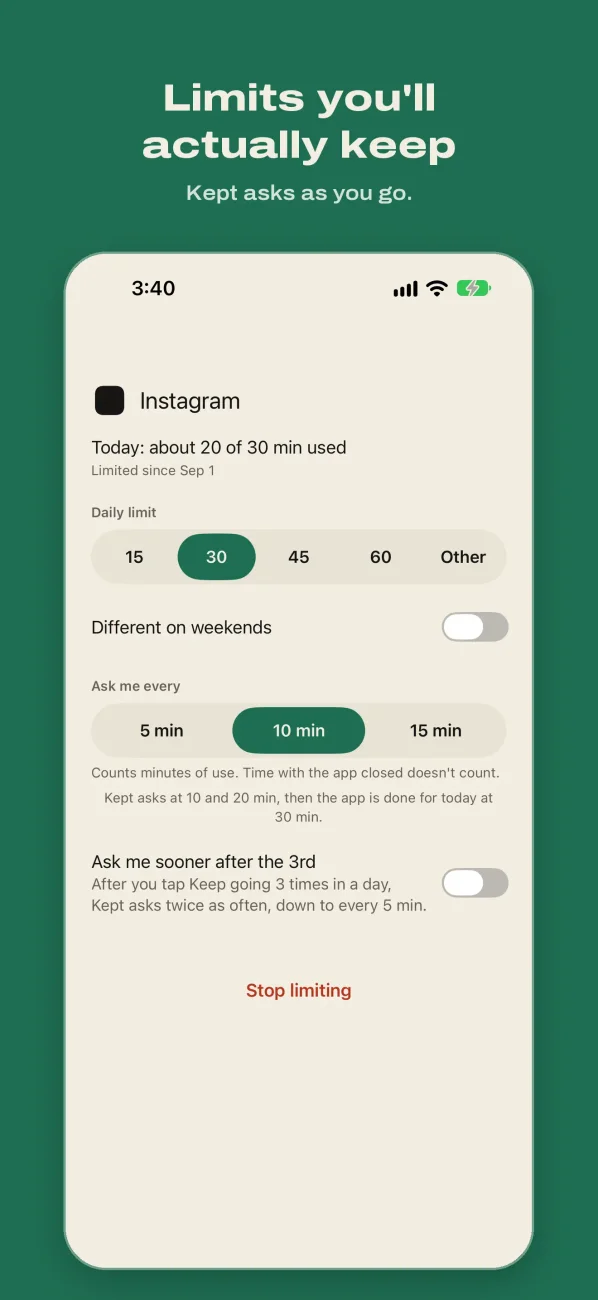
• Set a daily limit of 15, 30, or 45 minutes, 1 hour, or your own number. Under its limit, the app opens as usual. Kept asks "Keep going?" after every 5, 10, or 15 minutes of use (you pick), and it can ask more often after your 3rd Keep going of the day.
• When the limit is used up, the app stays blocked until midnight. You can get more time inside Kept. It costs a freeze if you have one. If you don't, it costs your streak and a wait that gets longer each time that day.
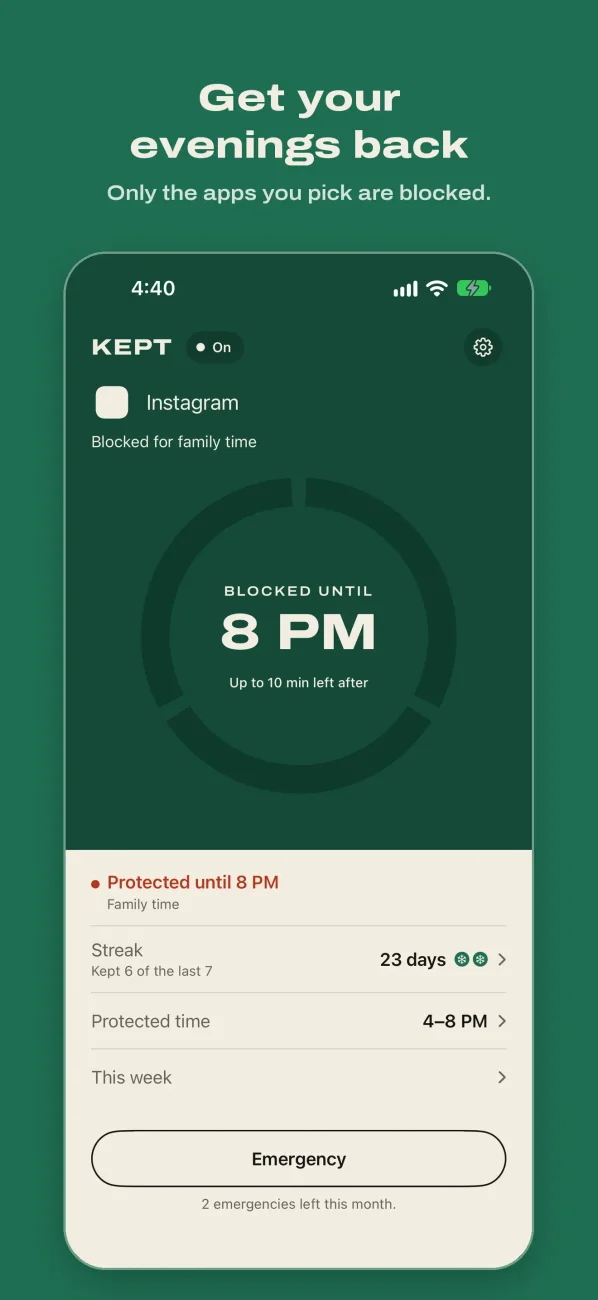
• Protected time. Set hours when your limited apps are blocked, like Evenings from 5 to 9 PM or Bedtime from 10 PM to 7 AM. An emergency of 5 or 15 minutes is the only way through. You can turn one off for today, and it comes back on at midnight.
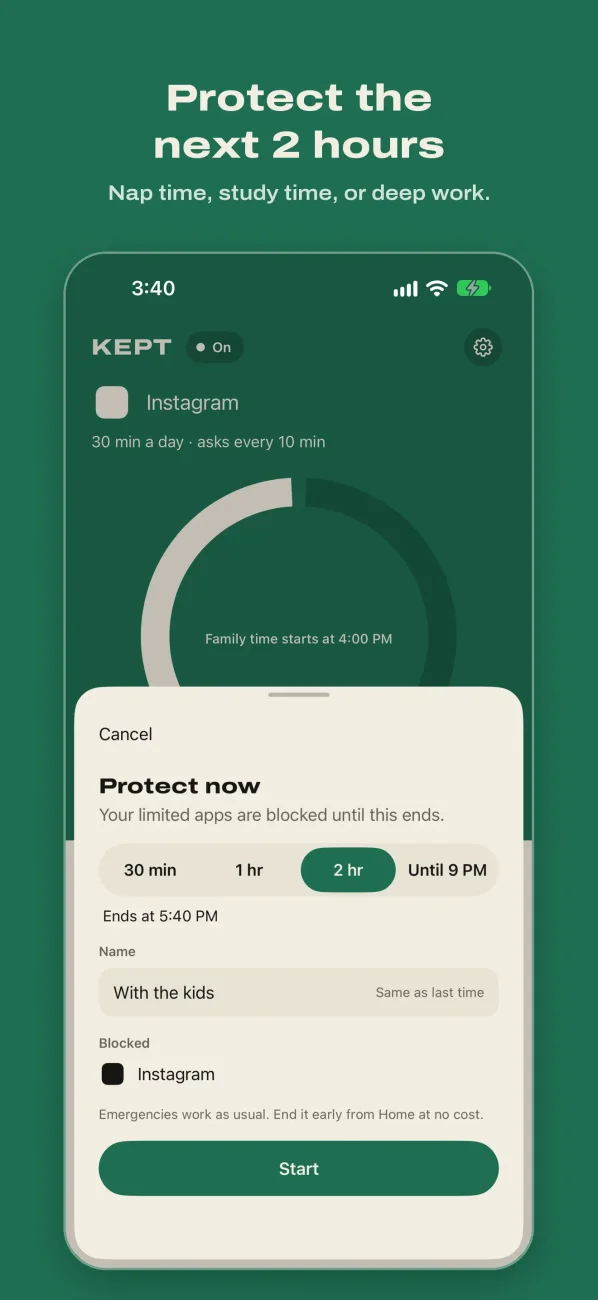
• Protect now blocks your limited apps from this minute for 30 minutes, 1 hour, 2 hours, or until 9 PM. Start it from Home, Shortcuts, or Siri, or from Control Center on iOS 18 or later. A countdown shows on your Lock Screen and in the Dynamic Island.
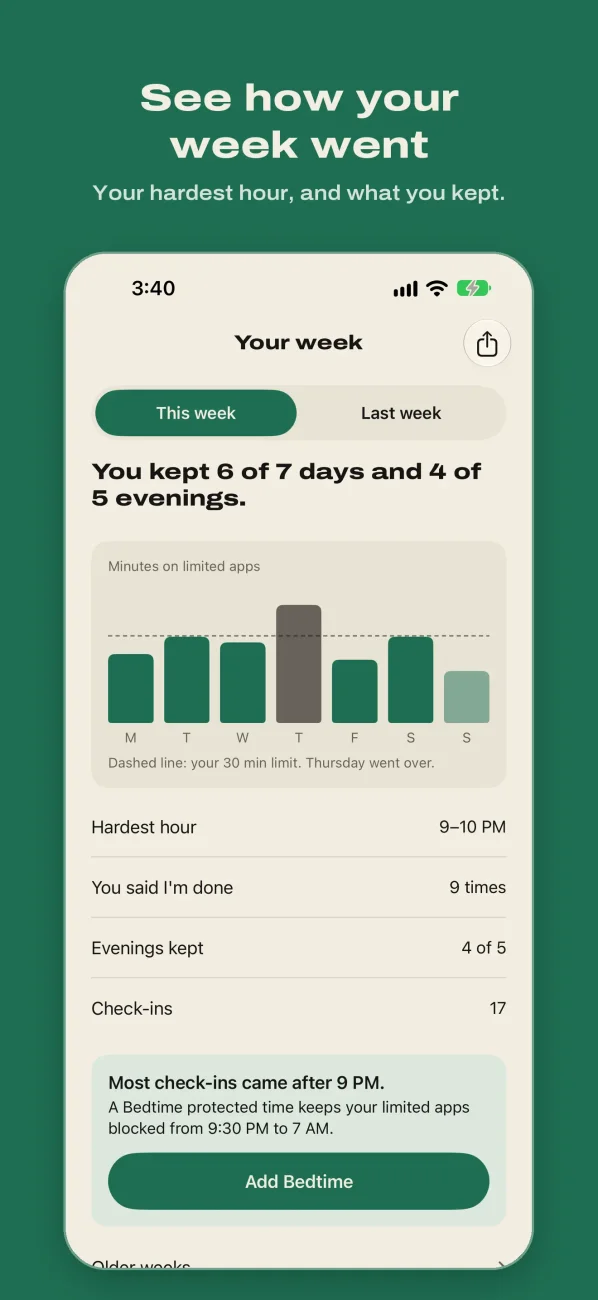
• Your week shows the days and evenings you kept, how often you said I'm done, your hardest hour, and one suggestion. A Lock Screen widget shows whether Kept is on, when protected time ends, and how many apps are done for today.
• Every day you stay within your limits adds a day to your streak. Every 7 days you earn a freeze, which gives one app another round of today's limit.
KEPT FREE AND KEPT PRO
Every new install gets all of Kept Pro free for 14 days. The trial runs inside the app. You don't add a payment method or sign up, and nothing is charged when it ends. After 14 days Kept keeps working as Kept Free, with 3 limited apps, 1 protected time, 1 freeze, and Your week for this week and last. If you set up more than that, you choose what stays, and the rest is saved for later.
Kept Pro adds a weekday and a weekend limit for each app and every past week in Your week. It also limits up to 5 apps, sets up to 5 protected times, and holds up to 3 freezes.
• Kept Pro Monthly: $2.99 per month
• Kept Pro Yearly: $19.99 per year
• Kept Pro Lifetime: $49.99, a one-time purchase
Protect now, the widget, emergencies (3 a month), and turning Kept off are free on every plan.
PRIVACY AND WAYS OUT
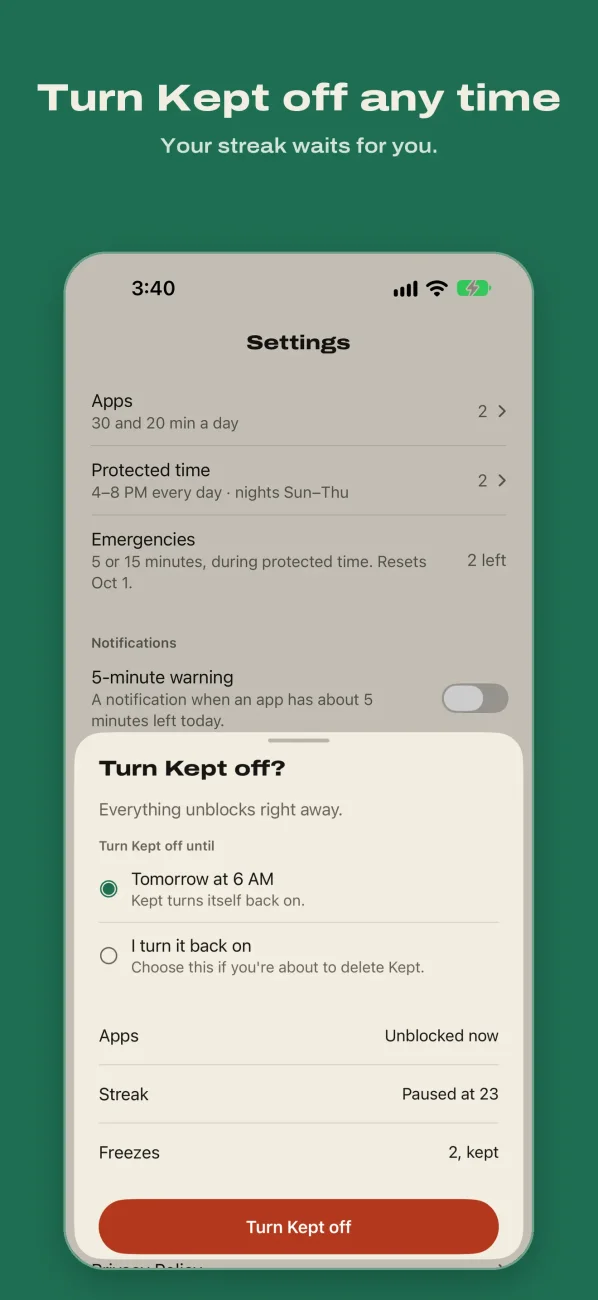
There's no account, sign-in, analytics, or tracking. Your Screen Time data stays on your iPhone, and Kept never sees your apps' names as text. Kept sends one notification at most, an optional 5-minute warning, and it's off until you turn it on. Turn Kept off in Settings and everything unblocks right away. Kept turns itself back on at 6 AM, unless you choose I turn it back on.
SUBSCRIPTION TERMS
Prices are in US dollars and may vary by country. Monthly and Yearly are auto-renewing subscriptions. Payment is charged to your Apple Account when you confirm the purchase. A subscription renews automatically unless auto-renew is turned off at least 24 hours before the end of the current period, and your account is charged for the renewal within the 24 hours before the period ends. You can manage or cancel any time in iOS Settings → your name → Subscriptions, or in Kept under Settings → Kept Pro → Manage subscription. Lifetime is paid once and never renews. Family Sharing is on for all three.
Kept uses Apple's Screen Time and needs iOS 17 or later. It's made by one person. Questions and bug reports go to kept@brucelabs.io.
Terms of Use: https://kept.brucelabs.io/terms
Privacy Policy: https://kept.brucelabs.io/privacy
Support: https://kept.brucelabs.io/support
新機能
バージョン 2.0 · 2026/10/22
Kept 2.0 can protect an hour as well as an app.
• Protect now blocks your limited apps from this minute until a time you pick: 30 min, 1 hr, 2 hr, or until 9 PM. It's free, and on Kept Free it doesn't use up your 1 protected time. Start it from Home, Shortcuts, or Siri, or from Control Center on iOS 18 or later. A countdown shows on your Lock Screen and in the Dynamic Island.
• Your week shows how the week went: days kept, evenings kept, how many times you said I'm done, your hardest hour, and one suggestion.
• A Lock Screen widget shows whether Kept is on, when protected time ends, and how many apps are done for today.
• From the 2nd check-in of the day, the check-in screen says which one it is, like "3rd check-in today." On an app's page you can turn on Ask me sooner after the 3rd.
• An emergency can be 5 or 15 minutes. A 15 uses 2 of your 3 for the month.
• Turn Kept off now asks when to come back on. Kept turns itself back on at 6 AM, unless you choose I turn it back on.
• Use a freeze now shows on Home when an app is done for today or close to its limit. Without a freeze, each wait for more time is longer than the last: 1 minute, then 3, then 5, then 10.
• Streak shows how many of the last 7 days you kept.
Kept Free now limits 3 apps, up from 2. If Kept Free paused one of your apps, turn it back on in Settings → Apps → Choose which stay.
Kept Pro adds a different limit on weekends for each app and every past week in Your week.
アプリのプライバシー
このアプリのデータの取り扱いについて、Wade BruceがApp Storeで申告している内容です。
-
データの収集なし
開発元はこのアプリからデータを収集しません。
プライバシーの取り扱いは、ご利用の機能やお客様の年齢などに応じて異なる場合があります。
情報
- 販売元
- Wade Bruce
- カテゴリ
- 仕事効率化
- バージョン
- 2.0
- 更新日
- 2026/10/22
- リリース
- 2026/10/5
- サイズ
- 13.6 MB
- 必要条件
- iOS 17.0以降
- 対象年齢
- 4+
- 価格
- 無料
- アプリ内課金
- あり
- 言語
- 英語
- 著作権
- © 2026 Wade Bruce
こちらもおすすめ
-
 GoodBully: Screen Time Limits仕事効率化
-
 Keelder: Screen Time Limit仕事効率化
-
 BlockMate: Screen Time Control仕事効率化
-
 PIM: App Blocker & Screen Time仕事効率化
-
 Morning Max: Morning Routine仕事効率化
-
 Dying Soon: スクリーンタイム管理アプリ制限 & Memento Mori
-
 AppBlock: アプリをブロックスケジュール・場所・集中
-
 Future Self: 習慣化・目標達成・日記未来の自分からの手紙とルーティン
-
 Screen Time Limit App Blocker仕事効率化
-
 DetoxScreen: スクリーンタイムスマホ依存対策・アプリ制限