Keptcase: Collection Tracker
Film, TV, Music, Books & More
iPhone, iPad向けに設計
無料 · アプリ内課金
- 対象年齢4+
- カテゴリエンターテインメント
- 開発元Pagani Enterprises LLC
- 言語英語
- サイズ45.7 MB
App Storeの公式ページにリンクしています
Download.orgはKeptcase: Collection Trackerのファイルを一切ホストしていません。ボタンを押すと、Pagani Enterprises LLCが公開しているApp Storeのアプリページが開きます。ページの最終確認:2026/11/25。
スクリーンショット
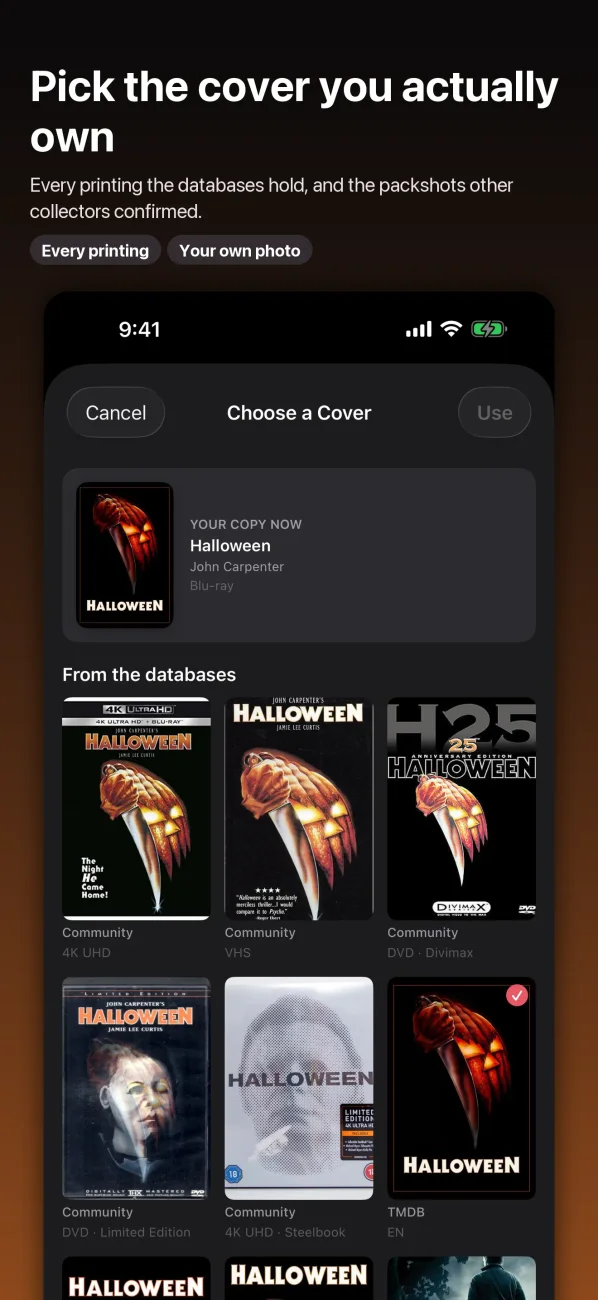
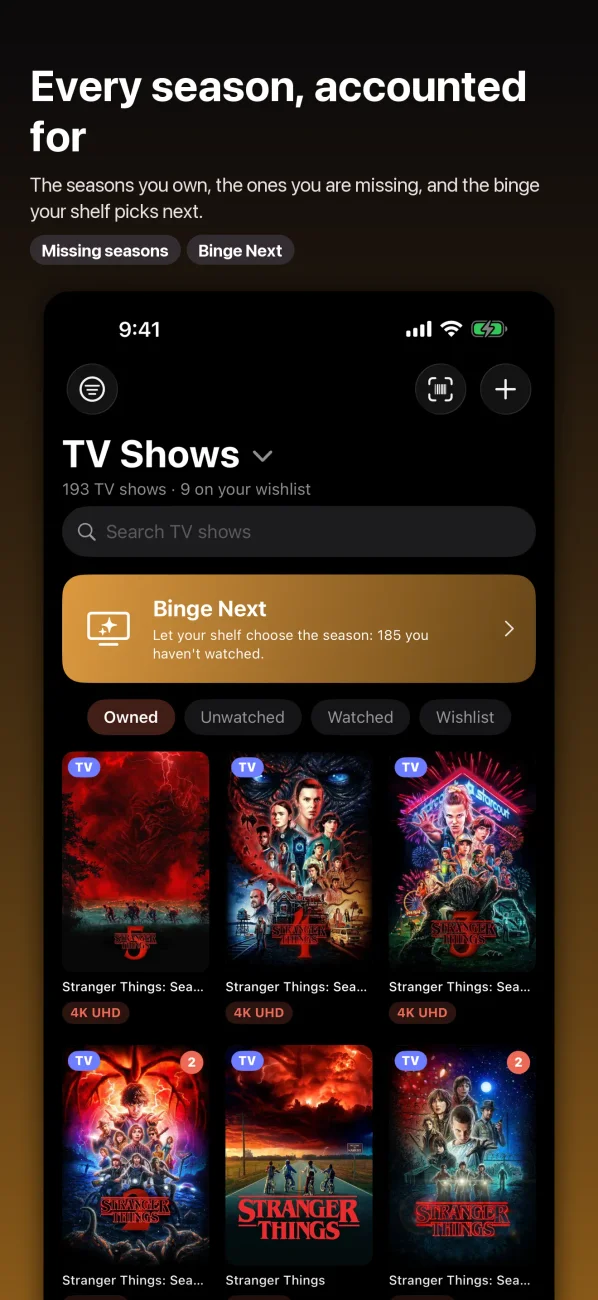
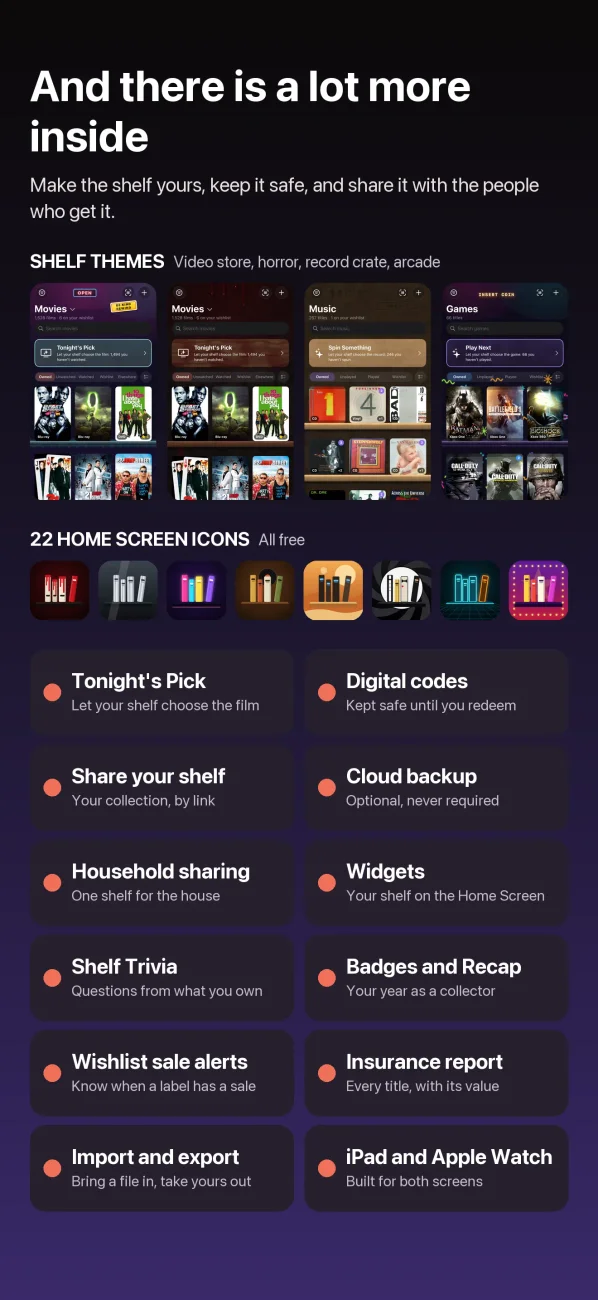
概要
開発元はこのテキストをお使いの言語で提供していません。
Keptcase is for people who still buy the disc, the record, the hardback and the cartridge and want it all catalogued properly, valued honestly and beautiful to scroll.
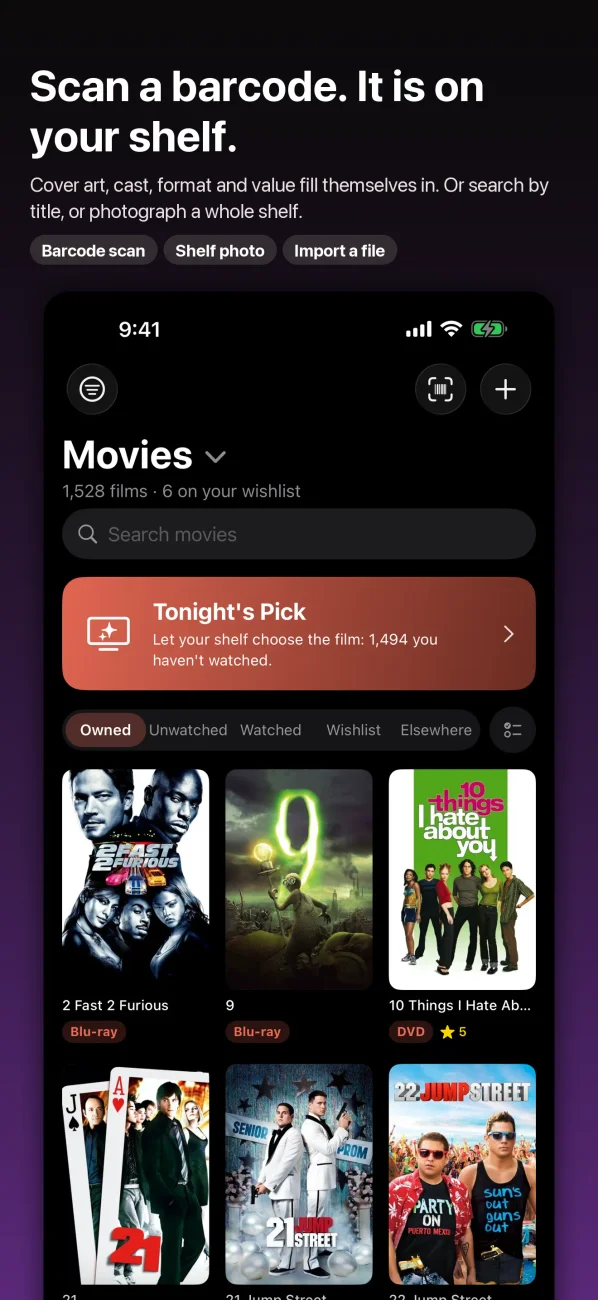
Point your camera at a barcode and the item lands on your shelf with its cover, year, cast and studio filled in. Batch mode keeps the scanner open for a haul.
THE FEAR METER
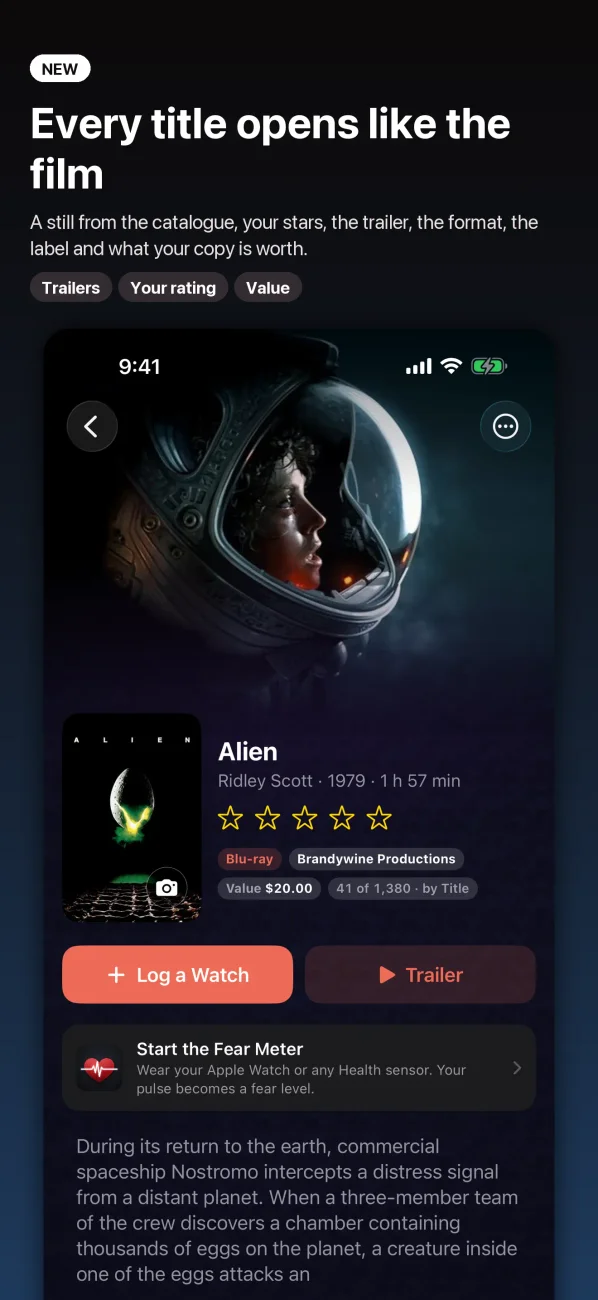
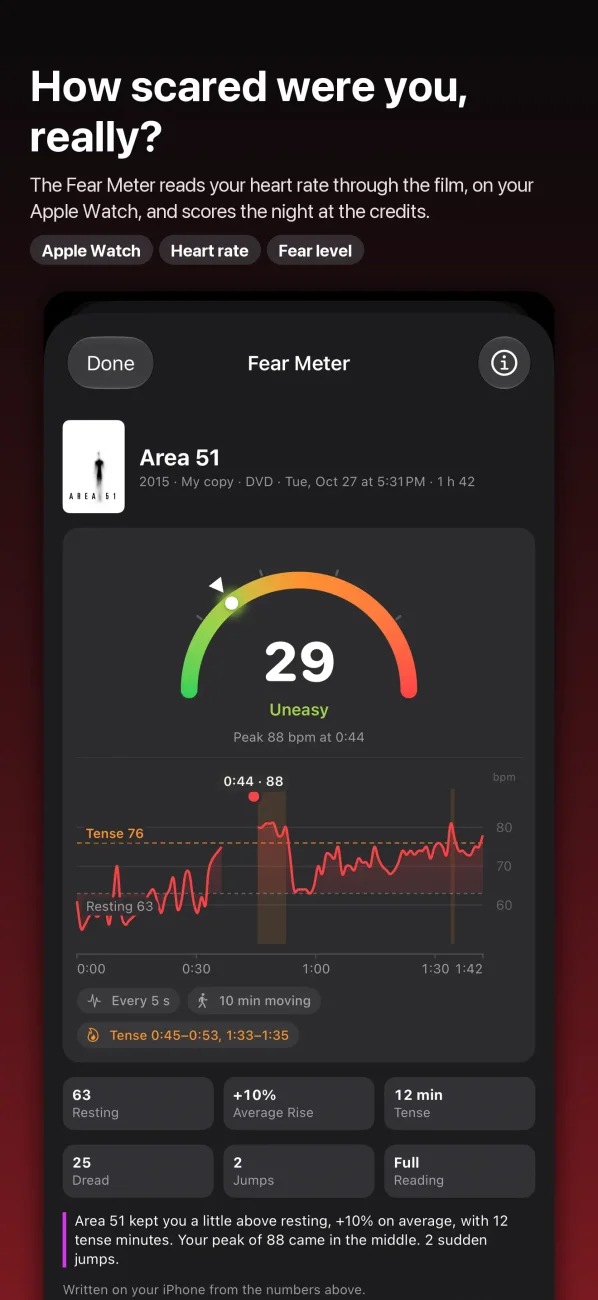
Press Start before a horror film and your Apple Watch counts your heart. At the credits Keptcase scores the night against your own resting rate: a fear level from 0 to 100, Calm to Terrified, with your peak and its minute, the curve across the film, and a card to share. Your readings never leave your iPhone.
ON YOUR APPLE WATCH
Install Keptcase from the Watch app on your iPhone and start the Fear Meter from your wrist: your unwatched horror shelf on the face, Start, Pause and Finish at a tap, the night on your Lock Screen. Any Apple Watch works through Health without it, and so does a ring, band or strap whose app writes heart rate to Health.
FOUR SHELVES, ONE APP
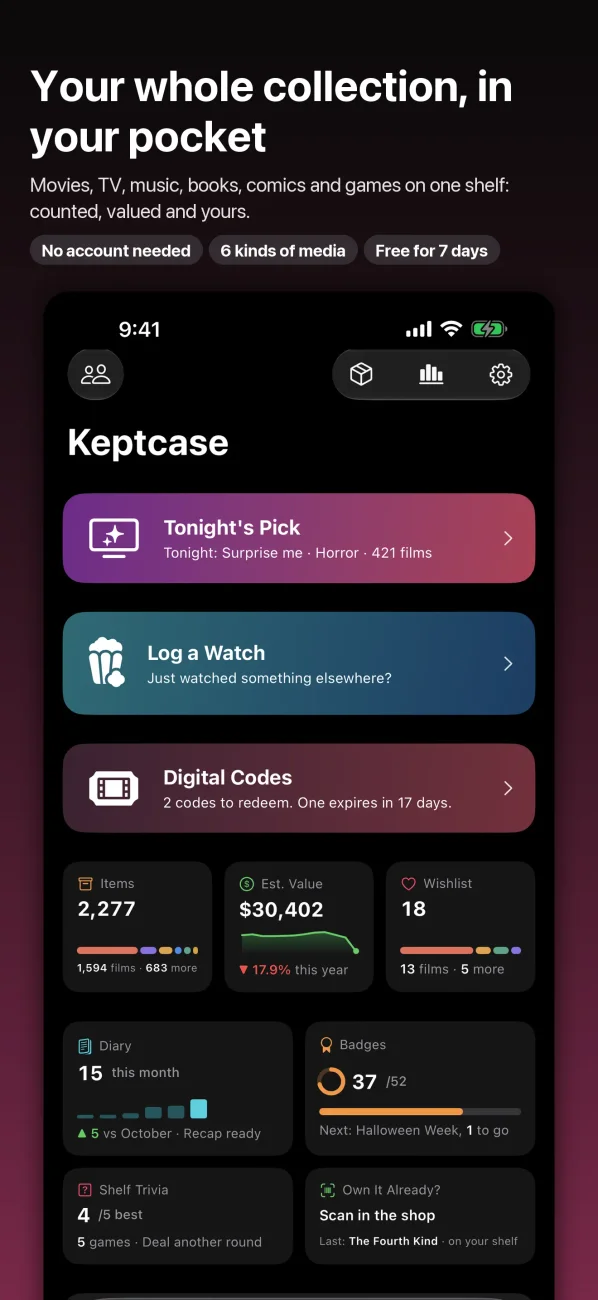
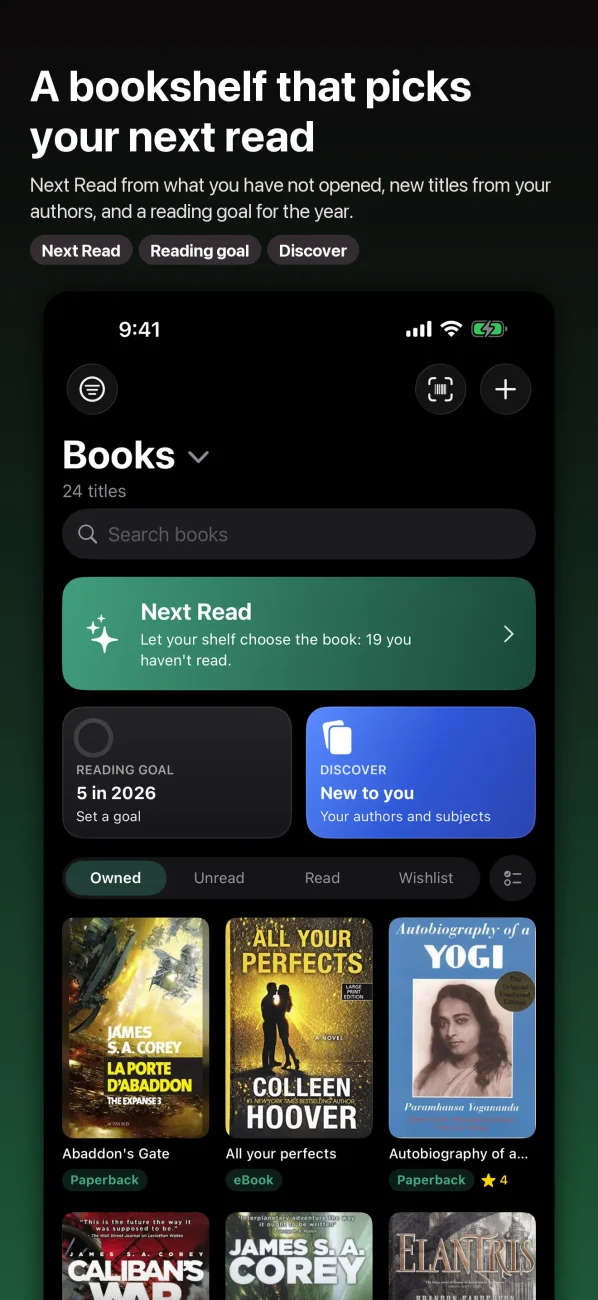
Movies and TV, music, books and comics, and games each get their own shelf with the details that matter to it: directors and studios, artists and labels, authors and publishers, platforms and regions. One subscription covers them all.
KNOW WHAT IT'S WORTH
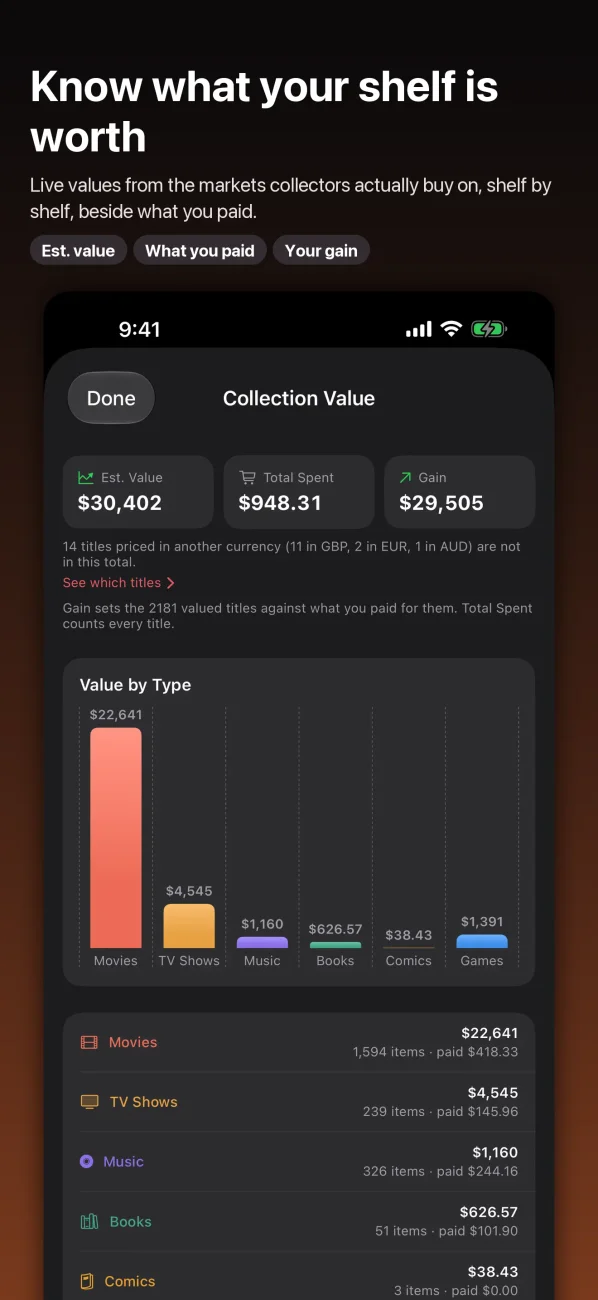
Live market values on every shelf, with no setup. See what you paid, what it's worth now, and the gain, then export a dated PDF inventory for insurance.
EVERY EDITION, COUNTED SEPARATELY
Own a film on VHS, DVD and 4K? Keptcase folds them into one card while keeping each copy's own condition, value and history. Box sets hold their contents. Filter by boutique label or studio.
THE WHOLE RUN, AND THE GAPS
Series cards lay out a run in order: the numbers you own, the ones on your wishlist, the gaps named. A show's page counts its seasons and how far you've watched.
IN THE SHOP, WONDERING IF YOU OWN IT?
Scan any barcode, type the title, or photograph the shelf, and yours answers on the spot: on your shelf, owned but not this release, or not on your shelf, with what it goes for online.
COMICS, ON THEIR OWN RACK
Single issues, trades, omnibuses and graded slabs, with publisher and writer, counted and valued apart from your books.
GO DEEPER ON EVERY TITLE
Trailers, full cast and More Like This for films; seasons and episodes for TV; platform details for games; tracklists for albums; blurbs for books. Search by actor.
NEVER BUY A DUPLICATE AGAIN
Keep a wishlist, publish a read-only web page of your shelf and send the link before a birthday. Follow other collectors' shelves.
A DIARY FOR WHAT YOU ACTUALLY WATCH
Log every watch, listen, read and play with a rating and a note. A monthly recap, a year-in-review card, stats by decade, genre and format, and collector badges.
CAN'T DECIDE? ASK THE SHELF
Tonight's Pick draws from what you own, by mood and genre. On iPhones with Apple Intelligence, ask your shelf in plain language and it answers from your own collection, entirely on device.
BRING YOUR COLLECTION WITH YOU
Import a CSV from whatever you use now, or a Letterboxd export. Re-importing is safe. Optional cloud backup restores your shelf, and every Fear Meter night, onto a new phone.
YOUR DATA IS YOURS
Your collection lives on your iPhone. Cloud backup is optional and off until you turn it on; signing in is Sign in with Apple. No tracking, no ads, nothing sold, ever.
TRY IT FOR 7 DAYS
Then $4.99 a month or $39.99 a year, one price for every shelf. If your subscription ends your collection stays on your phone to browse and export; adding, scanning, values, backup and the rest need an active subscription.
Payment is charged to your Apple Account at confirmation of purchase. Subscriptions renew automatically unless auto-renew is turned off at least 24 hours before the end of the period. Manage or cancel in your Apple Account settings.
Terms of Use: https://keptcase.app/terms
Privacy Policy: https://keptcase.app/privacy
Made by a physical media collector, for collectors.
新機能
バージョン 1.0.14 · 2026/11/23
LISTS
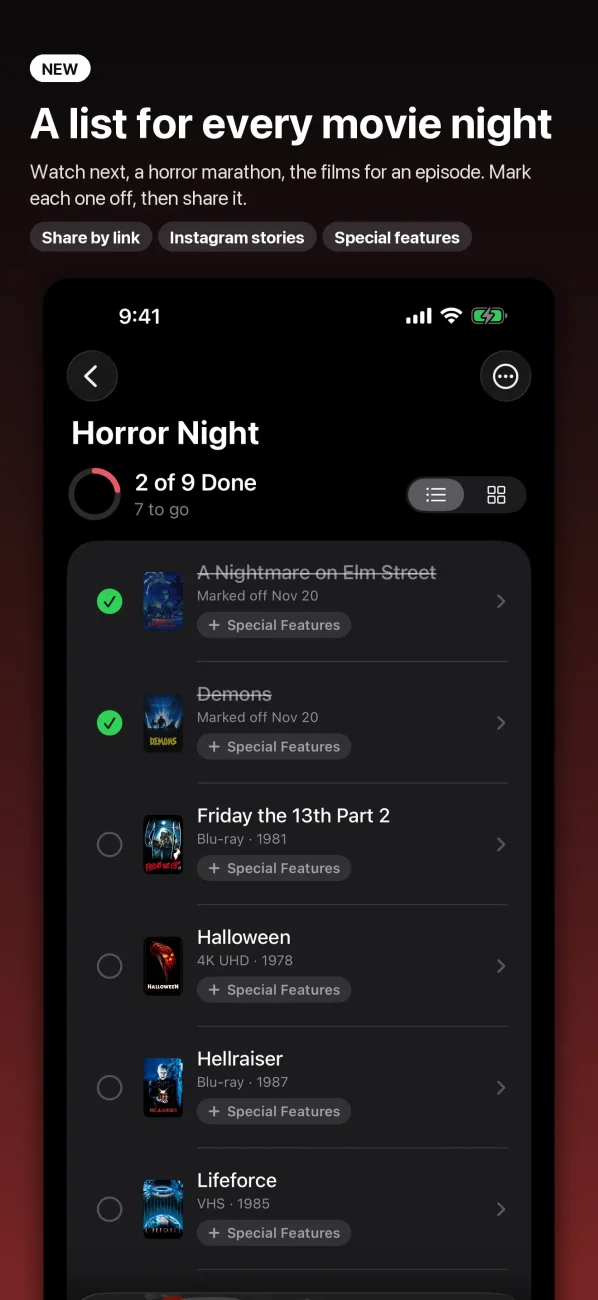
Make a list of anything: what to watch next, commentaries to hear, a holiday run, the films for a podcast episode. On any shelf, tap the round checklist button beside the status bar. A list takes titles from your shelves or ones you do not own yet, in your order, and you mark each off as you go. Under any title, list its special features and mark those off too; a box set lists its films for you. See a list as rows or as posters, and share it by link: the page shows the titles in order, never your notes. Lists are part of Keptcase Pro.
A LIST AS AN IMAGE FOR INSTAGRAM
A list's menu has Share as Image. Pick a story, a post or a square, show the covers as posters or the first titles ranked by name, and choose a background, with Holiday through the season. Share to Instagram Stories sends it straight to a story; Share to Other Apps posts or saves it.
FIND ANY TITLE WHEN YOU ADD TO A LIST
Add Titles reads your whole shelf. Search by name, director, actor, genre, label, year, format or your own tags, stack filters, and pick a whole group with Select All. On an iPhone or iPad with Apple Intelligence, type a sentence such as "80s horror I haven't watched" and tap Ask Your Shelf.
A NEW LOOK FOR EVERY TITLE'S PAGE
A film, a show or a game now opens on a wide still from the catalogue, with the cover beside the name and your stars, the format, the label and the value under it. A record, a book or a comic opens on the colors of its own cover. The buttons are larger and easier to tap. Prefer the page as it was? Settings > Preferences > Classic Item Page.
ADD TO SHELF AND REMOVE ON A WISHLIST TITLE
A title on your wishlist has two new buttons under Log a Watch: Add to Shelf when your copy arrives, and Remove to take it off the wishlist. A watch you already logged is never lost.
TWENTY-TWO ICONS FOR YOUR HOME SCREEN
Settings > Preferences > App Icon has twenty-two new looks for the Keptcase icon, each with a dark and a tinted version. All of them are free.
FASTER ADDING ON A BIG SHELF
On a shelf of a few thousand titles, opening the Add form, tapping Add and scanning in Shelf Check no longer pause.
A NEW WHAT'S NEW PAGE
Every new feature now has a picture, one sentence and a line that says where to find it. Reopen it any time: Settings > Help > What's New.
アプリのプライバシー
このアプリのデータの取り扱いについて、Pagani Enterprises LLCがApp Storeで申告している内容です。
-
ユーザーに関連付けられたデータ
収集され、ユーザーの識別情報に関連付けられる場合があります。
- 連絡先情報
- ユーザーコンテンツ
- ID
-
ユーザーに関連付けられないデータ
収集される場合がありますが、ユーザーの識別情報には関連付けられません。
- ヘルスケアとフィットネス
- ID
- 使用状況データ
- 診断
プライバシーの取り扱いは、ご利用の機能やお客様の年齢などに応じて異なる場合があります。
情報
- 販売元
- Pagani Enterprises LLC
- カテゴリ
- エンターテインメント
- バージョン
- 1.0.14
- 更新日
- 2026/11/23
- リリース
- 2026/8/18
- サイズ
- 45.7 MB
- 必要条件
- iOS 18.0以降
- 対象年齢
- 4+
- 価格
- 無料
- アプリ内課金
- あり
- 言語
- 英語
- 著作権
- © 2026 Pagani Enterprises LLC
こちらもおすすめ
-
 Cinecaseエンターテインメント
-
 MovieShelf: Media Organizerエンターテインメント
-
 Bluroll: Movie Collectorエンターテインメント
-
 Dead Media: Disc Collectionエンターテインメント
-
 Rewind: VHS & Disc Collectionエンターテインメント
-
 FilmVault Movie Collectorエンターテインメント
-
 CLZ Movies collection databaseエンターテインメント
-
 ReelSwapエンターテインメント
-
 Spine: Catalog Your Collectionエンターテインメント
-
 Arrow Video Channelエンターテインメント