
- 対象年齢4+
- カテゴリグラフィック/デザイン
- 開発元彬 李
- 言語英語ほか2言語
- サイズ156.1 MB
App Storeの公式ページにリンクしています
Download.orgはLazyTutuのファイルを一切ホストしていません。ボタンを押すと、彬 李が公開しているApp Storeのアプリページが開きます。ページの最終確認:2026/11/22。
スクリーンショット

概要
開発元はこのテキストをお使いの言語で提供していません。
Less arranging. More moments worth keeping.
LazyTutu turns your photos into long images, sticker diaries, instant-photo walls, and random collages. Pick your materials, choose a template, preview and adjust, then save or share your creation.
FIVE LOCAL TEMPLATES
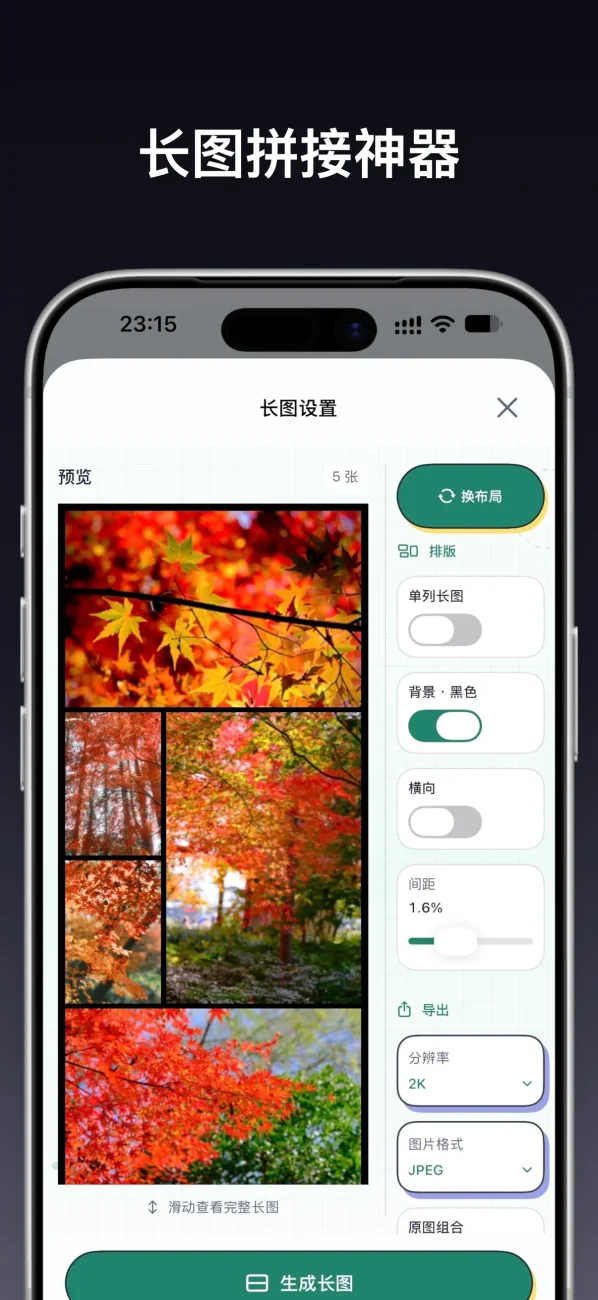
• Long Image: Combine up to 24 full photos and adjust direction, layout, background, and spacing.
• Screenshot Stitch: Align overlapping content from 2–24 screenshots of the same page to make a long screenshot.
• Sticker Diary: Choose up to 9 photos, extract subjects on your device, and arrange them with paper, outlines, and shadows.
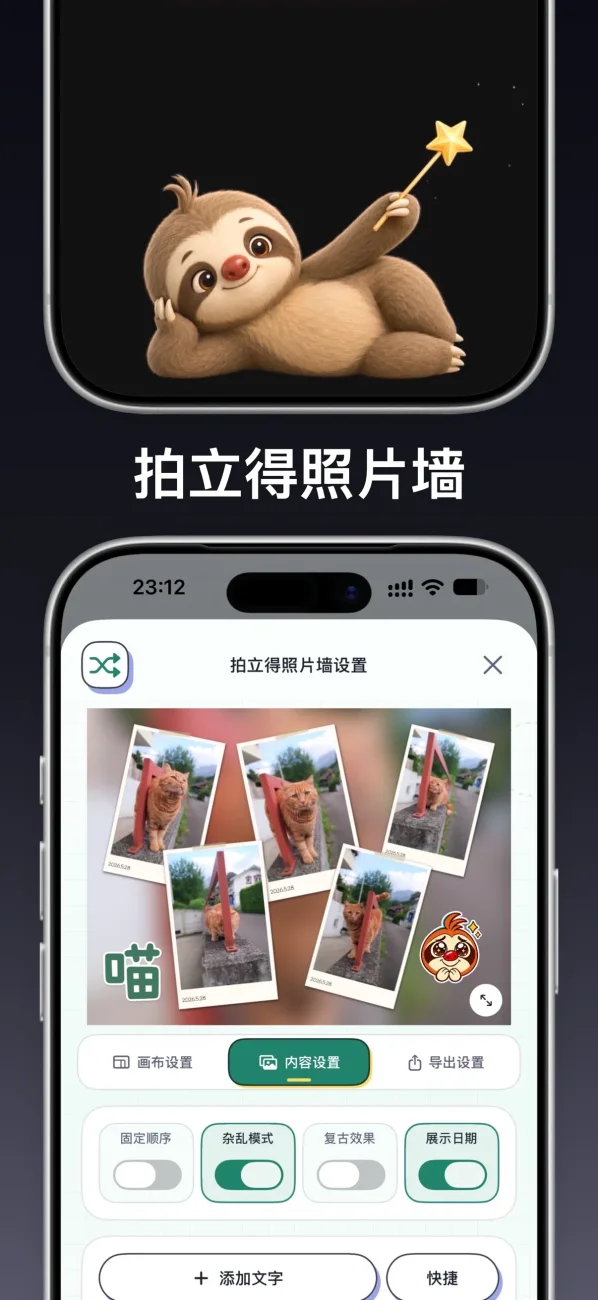
• Polaroid Photo Wall: Arrange up to 18 photos with instant-photo borders, paper colors, and different layouts.
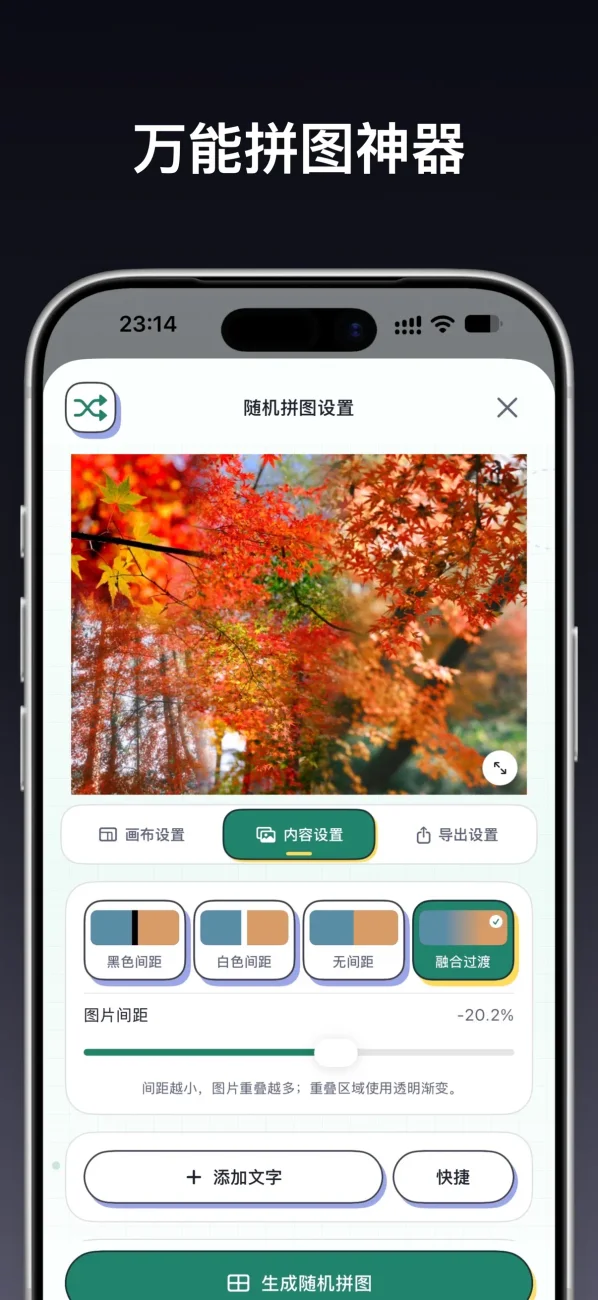
• Photo Collage: Mix up to 9 portrait and landscape photos, preview the result, and try another arrangement.
• Multiple Exposure: Try the fresh new way to play with multiple exposure.
新機能
バージョン 2.5 · 2026/11/20
LazyTutu’s new UI design version is now live.
Added “Multiple Exposure” collage templates.
Added a Photo Vault feature.
Fixed known issues and improved the interaction experience.
アプリのプライバシー
このアプリのデータの取り扱いについて、彬 李がApp Storeで申告している内容です。
-
データの収集なし
開発元はこのアプリからデータを収集しません。
プライバシーの取り扱いは、ご利用の機能やお客様の年齢などに応じて異なる場合があります。
情報
- 販売元
- 彬 李
- カテゴリ
- グラフィック/デザイン
- バージョン
- 2.5
- 更新日
- 2026/11/20
- リリース
- 2026/5/13
- サイズ
- 156.1 MB
- 必要条件
- iOS 18以降
- 対象年齢
- 4+
- 価格
- 無料
- アプリ内課金
- あり
- 言語
- 英語, 簡体字中国語, 繁体字中国語
- 著作権
- © 2026 Bin Li
こちらもおすすめ
-
 贴纸盒子将你喜爱的照片打印成贴纸
-
 Packmoji: WA Sticker PacksEmoji, Meme & Festival Packs
-
 Professional Logo Builder Proグラフィック/デザイン
-
 Livoto : ライブフォトコラージュPhoto Layout: Stitch Photos
-
 WatchParkグラフィック/デザイン
-
 Tuxu AI:AIキャンバス画像生成・編集からポスター制作まで
-
 简接 - 一键照片拼接图グラフィック/デザイン
-
 LivePop Collageグラフィック/デザイン
-
 Live PhotoをGIF・動画に変換動画から写真を切り出し
-
 CAD Converter Viewerグラフィック/デザイン