
- 対象年齢4+
- カテゴリファイナンス
- 開発元Tristar Dynamics LLC
- 言語英語ほか1言語
- サイズ38.8 MB
App Storeの公式ページにリンクしています
Download.orgはLedgiumのファイルを一切ホストしていません。ボタンを押すと、Tristar Dynamics LLCが公開しているApp Storeのアプリページが開きます。ページの最終確認:2026/11/24。
スクリーンショット



概要
開発元はこのテキストをお使いの言語で提供していません。
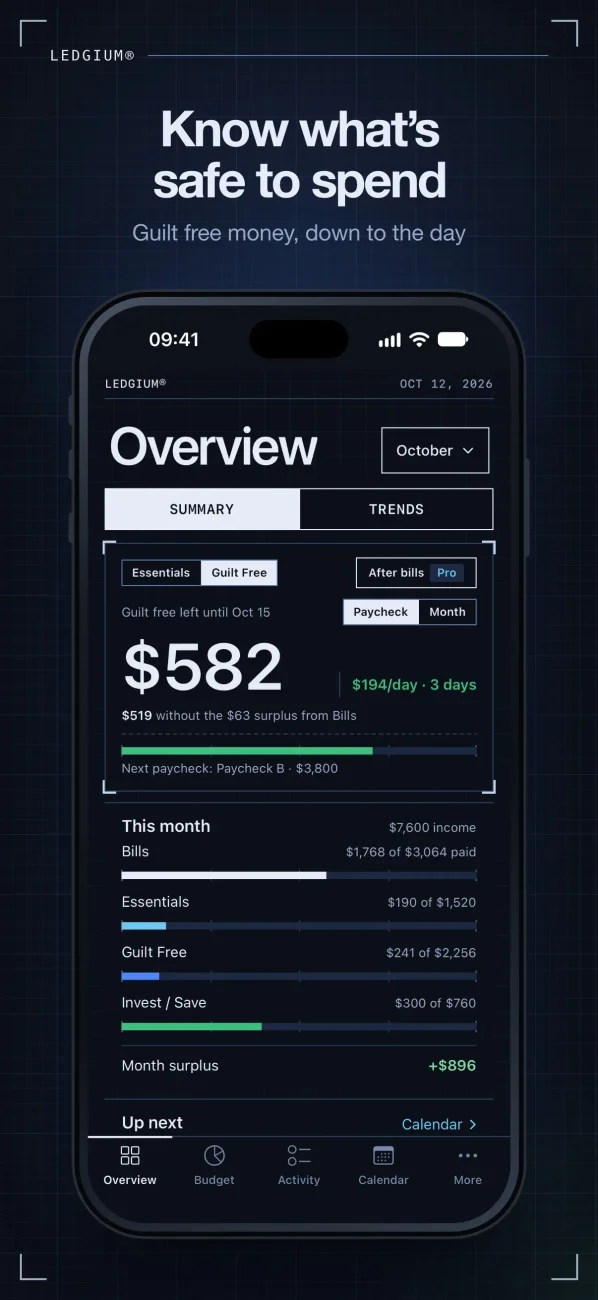
Ledgium is a paycheck planner, not a monthly budget. It answers one question at a glance: how much can I spend until my next paycheck?
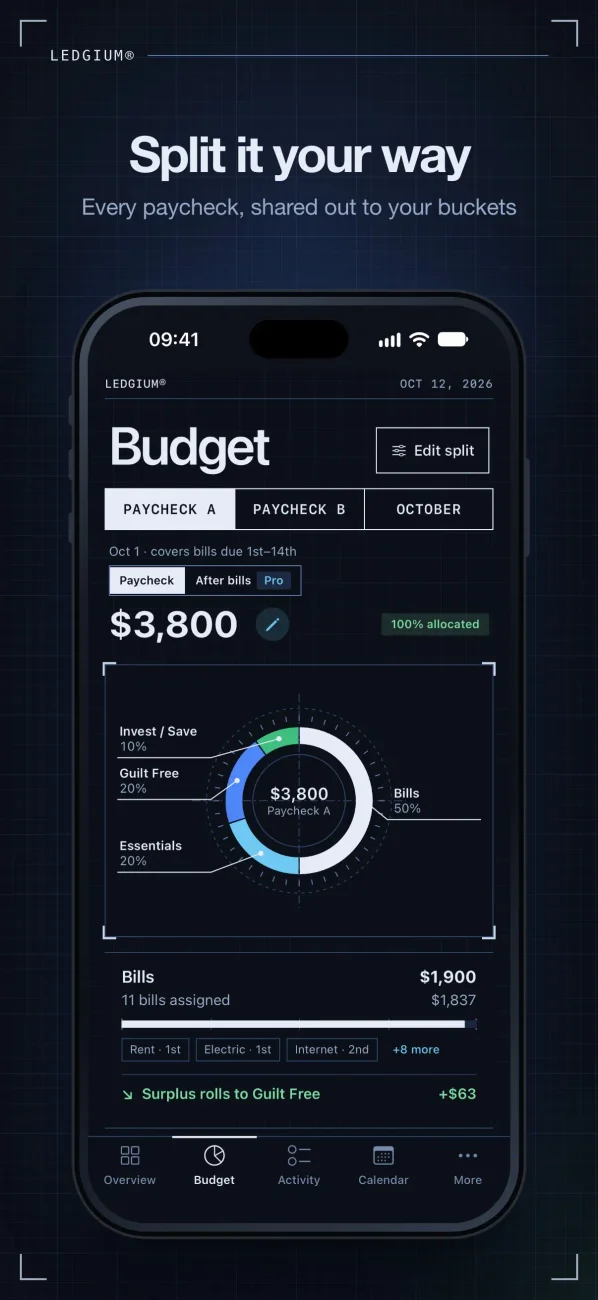
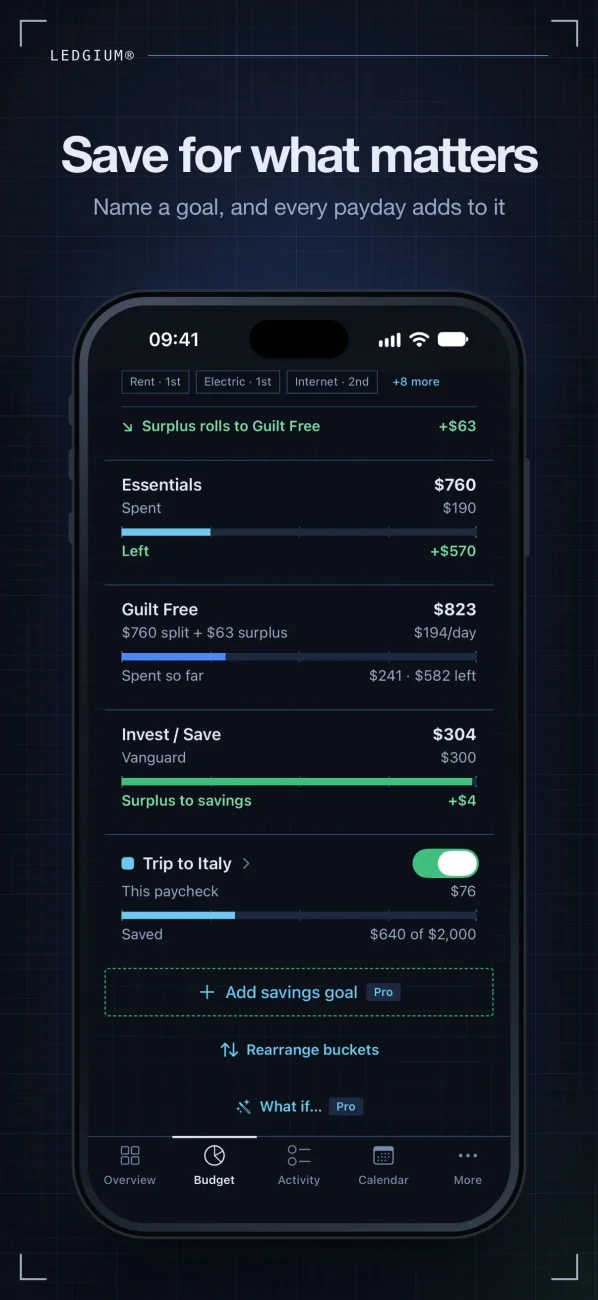
Split every paycheck by percentage into buckets: Bills, Essentials, Guilt Free, and Invest / Save to start. Recurring bills are assigned to the paycheck that lands before they're due, so you always know which paycheck covers what. Whatever your bills don't need becomes surplus and rolls where you choose.
No account. No bank sync. Your data stays on your devices and iCloud.
Drawn like a blueprint: clear lines and plain words on a dark, gridded page.
Plan each paycheck
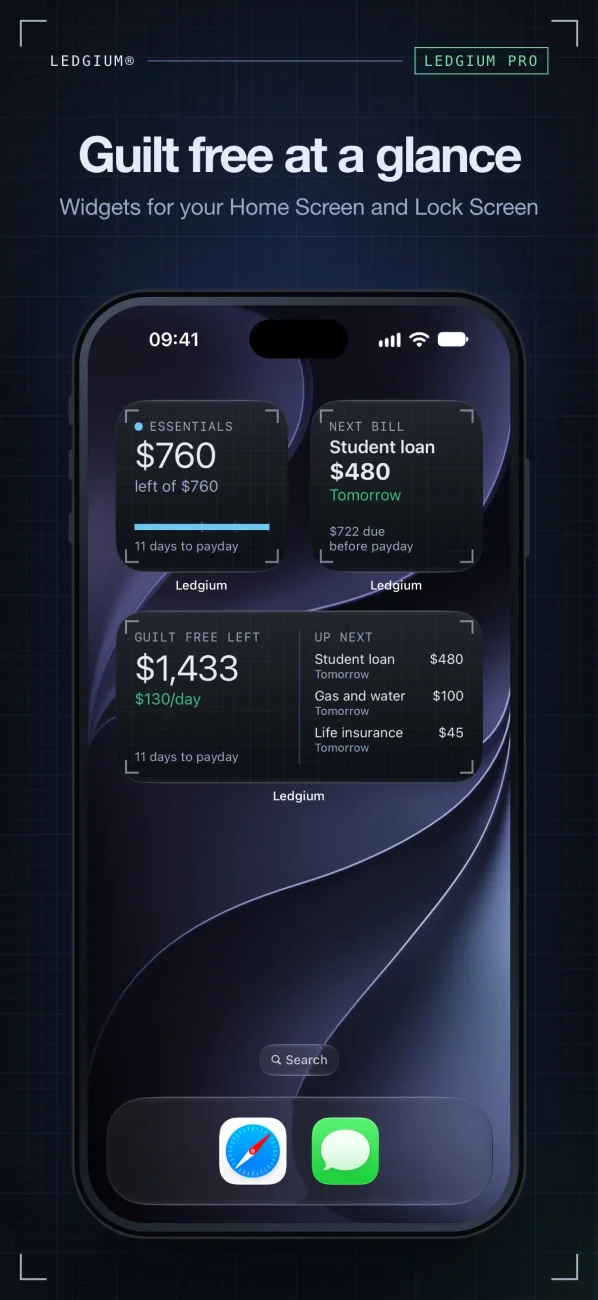
• Guilt free money left until payday, or for the whole month, and what that is per day
• Split each paycheck with sliders, or type a dollar amount and the percent follows
• Each paycheck's split drawn as a ring, with every bucket named
• Paid weekly, every two weeks, monthly, on two or more days a month, or daily on the days you work, with a split for each paycheck
• Bills assigned to the right paycheck automatically, or to the one you pick
• A bill can come out on payday instead of its due date
• Surplus rolls into guilt free, savings, a bucket you add, or the next paycheck
• Buckets in your own colors and order
• A savings goal: name it, like "Trip to Italy", set a target, and every payday adds its share. Pause it anytime.
• A payday alert the morning each paycheck lands
Track spending
• Log an expense, refund, or income in seconds
• Log purchases with Siri, or automatically each time you pay with Apple Pay (a one-time setup in the Shortcuts app)
• Spending limits for any category, like $400 a month on groceries, with a heads-up when you get close
• A monthly recap: bills paid, what was left over, and what you saved
• Spending by day and by category, with search by month, dates, or bucket
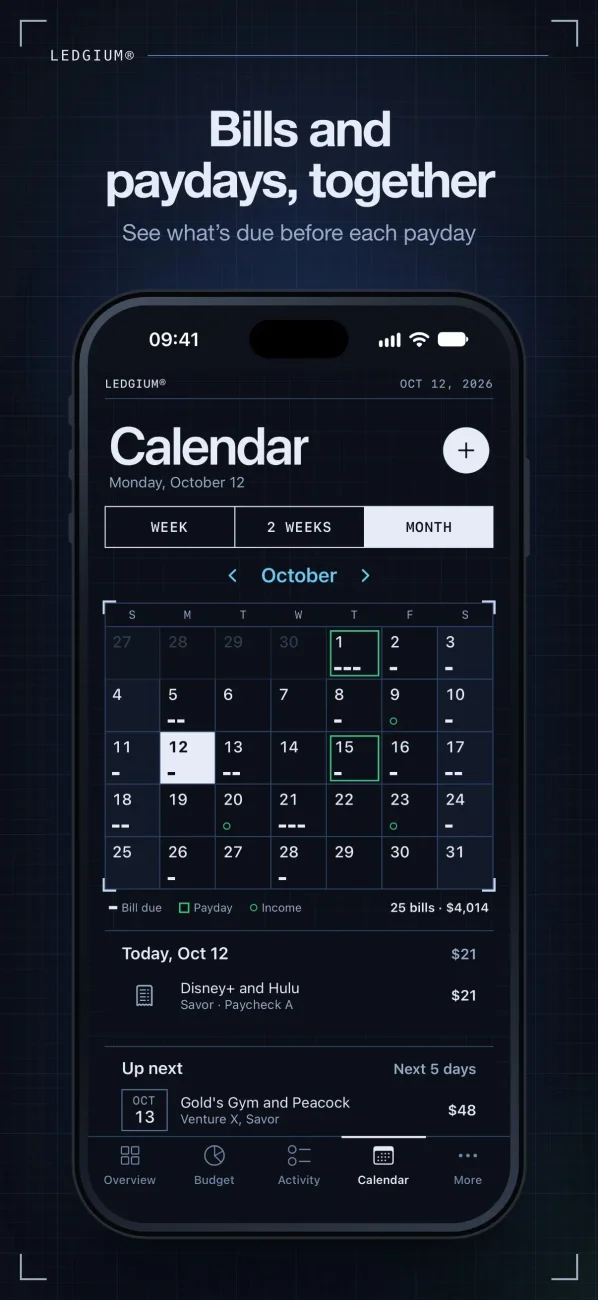
• A calendar of bills, paydays, and income by week, two weeks, or month
• Mark a bill paid, or skip one
• Other income, like a side job, split like a paycheck or sent to one bucket
Private by design
• No sign-up and no bank connection
• Syncs through your own iCloud account
• Optional Face ID lock
• Any currency: dollars, euros, pounds, pesos, yen, and more
• In English and Spanish
• Import your bills from a spreadsheet (CSV)
Ledgium Pro
• Share your budget with a partner: you both see and change the same budget on your own iPhones, and they get every Pro feature in it without buying Pro
• After bills: what stays in your account once a paycheck pays its bills and your credit cards
• Months ahead: each of the next six months' income, bills, and surplus, planned
• What if: try a raise, a new bill, or a move, and see each paycheck change before you save anything
• More than one savings goal
• Trends: three months to a year by bucket, and how fixed costs creep
• Bill reminders, and a warning when guilt free runs low
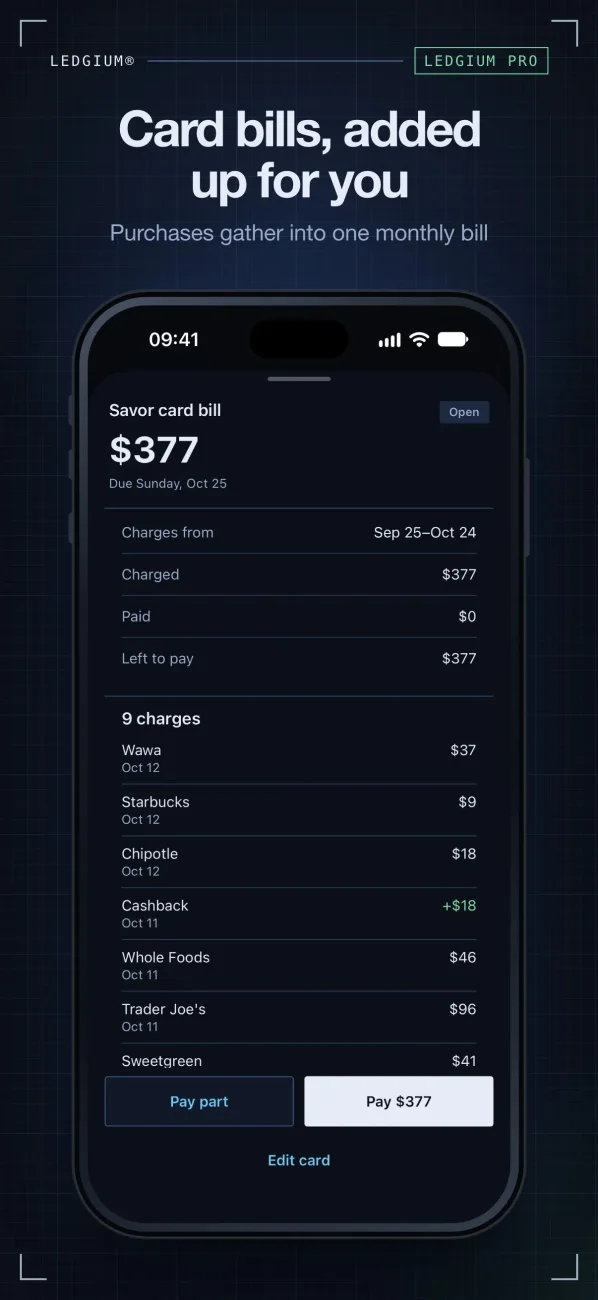
• Card bills: card purchases gather into a monthly bill that counts down as you pay it, with its due date on the calendar
• What you owe on every card, and what's due next
• Debts with your progress and an estimated payoff date
• Widgets for your Home Screen and Lock Screen: guilt free money left, your next bills, any bucket or savings goal, and your spending limits
• Guilt free money left in Control Center, on your Lock Screen, or on the Action button (iOS 18 or later)
• Apple Watch: guilt free money left and the days until payday, on your watch face
• Unlimited buckets and more than one pay schedule
• Custom paydays: pick every payday of the year
• Card guide and shared expenses
• CSV export
Pro comes monthly or yearly, each starting with a 7-day free trial, or as a one-time lifetime purchase. Payment is charged to your Apple Account. Subscriptions renew automatically unless you cancel at least 24 hours before the current period ends. Manage or cancel in Settings › Apple Account › Subscriptions.
Privacy Policy: https://ledgium.app/privacy/
Terms of Service: https://ledgium.app/terms/
新機能
バージョン 1.8 · 2026/11/23
New in 1.8:
• Ledgium is drawn like a blueprint now: off-white lines on a dark, gridded page, with clear section headings.
• Budget shows each paycheck's split as a ring, with every bucket and its share named around it.
• Progress bars, the calendar, and buttons are redrawn to match.
• Home Screen widgets have the new look too.
• A new app icon: the Ledgium safe, drawn as a blueprint.
• Ledgium now always uses its dark look, so the Appearance setting in More is gone.
• Bug fixes and performance improvements.
Everything else works just as before: your budget, buckets, bills, and settings don't change.
アプリのプライバシー
このアプリのデータの取り扱いについて、Tristar Dynamics LLCがApp Storeで申告している内容です。
-
ユーザーに関連付けられないデータ
収集される場合がありますが、ユーザーの識別情報には関連付けられません。
- 購入
- ID
プライバシーの取り扱いは、ご利用の機能やお客様の年齢などに応じて異なる場合があります。
情報
- 販売元
- Tristar Dynamics LLC
- カテゴリ
- ファイナンス
- バージョン
- 1.8
- 更新日
- 2026/11/23
- リリース
- 2026/10/7
- サイズ
- 38.8 MB
- 必要条件
- iOS 17.0以降
- 対象年齢
- 4+
- 価格
- 無料
- アプリ内課金
- あり
- 言語
- 英語, スペイン語
- 著作権
- © 2026 Tristar Dynamics LLC
こちらもおすすめ
-
 Our Budget: Expense managerファイナンス
-
 TYM: Budget & Expense Trackerファイナンス
-
 Piggipo Go Credit card trackerファイナンス
-
 EmployeeXperienceファイナンス
-
 Wealthscape℠ファイナンス
-
 Kiwipop - Payoff Credit Cardsファイナンス
-
 Andrews FCU Mobileファイナンス
-
 Toshl Finance - Best Budgetファイナンス
-
 VA Disability Payファイナンス
-
 Boom - Build credit with rent.ファイナンス