
- 対象年齢4+
- カテゴリ開発ツール
- 開発元Thomas Flood
- 言語英語
- サイズ35.7 MB
App Storeの公式ページにリンクしています
Download.orgはLert: Push Notificationsのファイルを一切ホストしていません。ボタンを押すと、Thomas Floodが公開しているApp Storeのアプリページが開きます。ページの最終確認:2026/11/18。
スクリーンショット
概要
開発元はこのテキストをお使いの言語で提供していません。
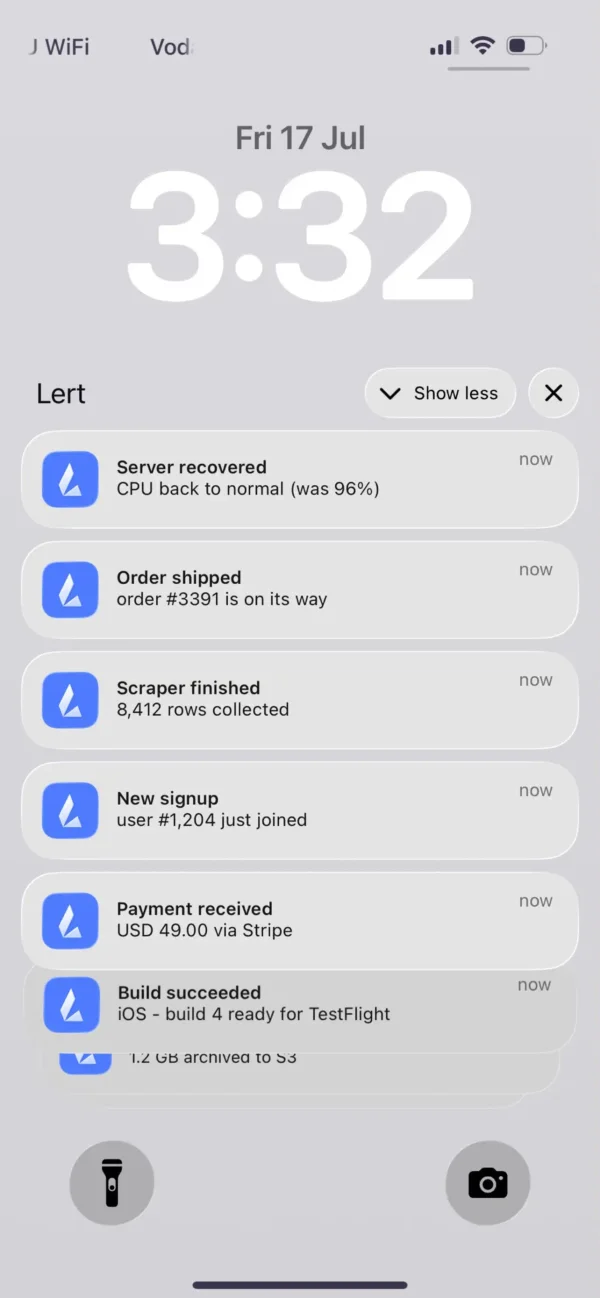
Waiting on your own code is a waste of your attention. A deploy that takes ten minutes. An AI coding agent grinding through a task. A cron job, a webhook, a scraper, a long build. Lert buzzes your phone the second any of them finishes — so you can walk away from the screen and get on with your day.
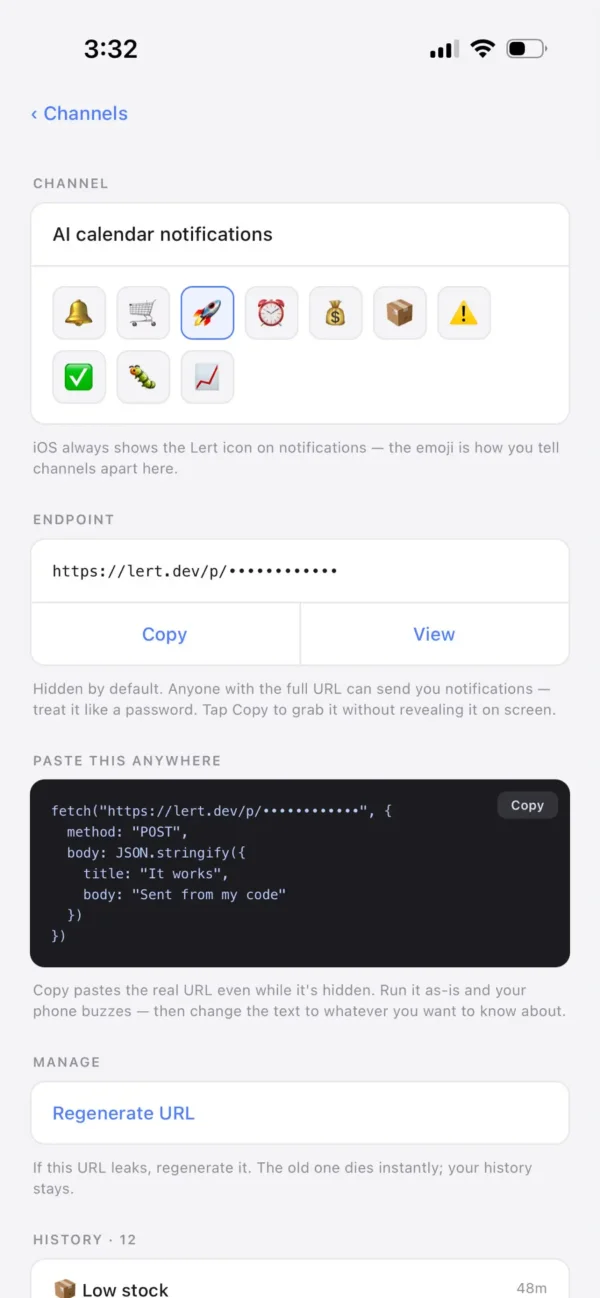
No sign-up. No API keys. No SDK. Download the app, copy your unique URL, and POST to it from anywhere. That's the entire integration:
fetch("https://lert.dev/p/your-id", {
method: "POST",
body: JSON.stringify({
title: "Deploy finished",
body: "production - 2m 14s"
})
})
No headers. No auth token. No library. The URL is the authentication — which is exactly what removes the accounts, keys, and config every other tool makes you set up.
BUILT FOR
• AI coding agents — get buzzed when your agent finishes a task, breaks, or needs your input
• Automations — cron, webhooks, and no-code automation tools
• Dashboards & monitoring — fire an alert the moment something crosses a line
• Deploys & CI — done, failed, or waiting on you
• Your own apps — an order lands, a payment clears, stock runs low
CONNECT YOUR AI ASSISTANT
Lert ships an MCP server — add one URL and your AI coding assistant can notify your phone directly, no code required. Just tell it "notify my phone when the tests pass."
FEATURES
• Unique endpoint URL, ready the moment you open the app
• One-tap copy, plus a paste-ready code snippet
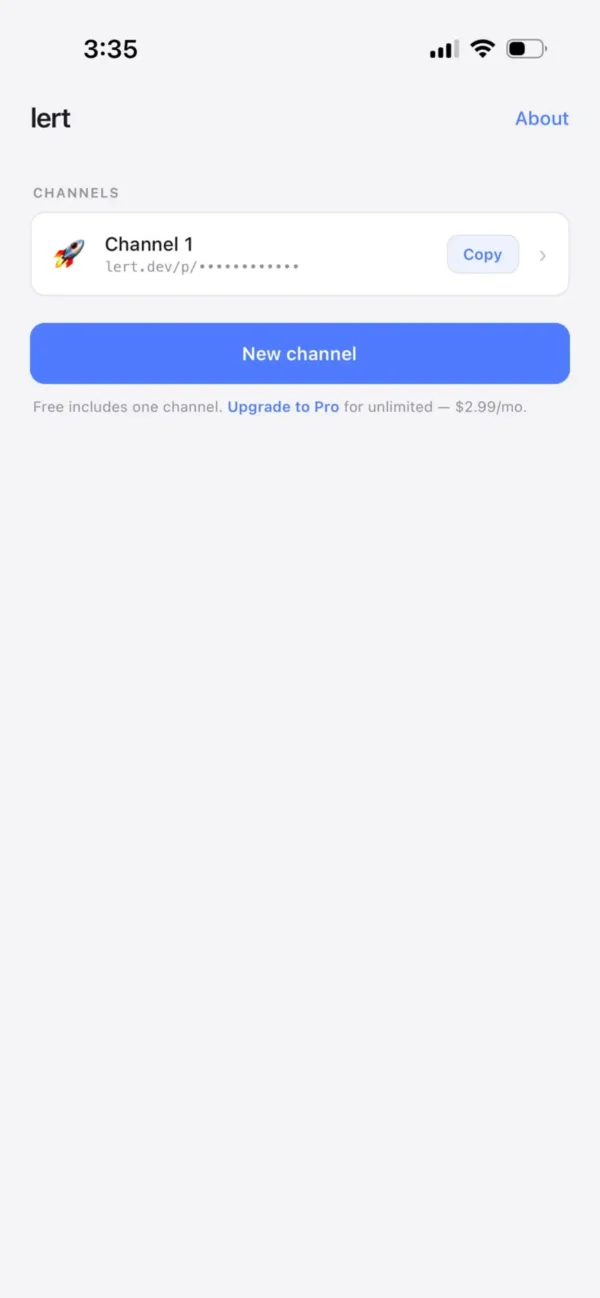
• Channels — a separate URL per project, each named with an emoji
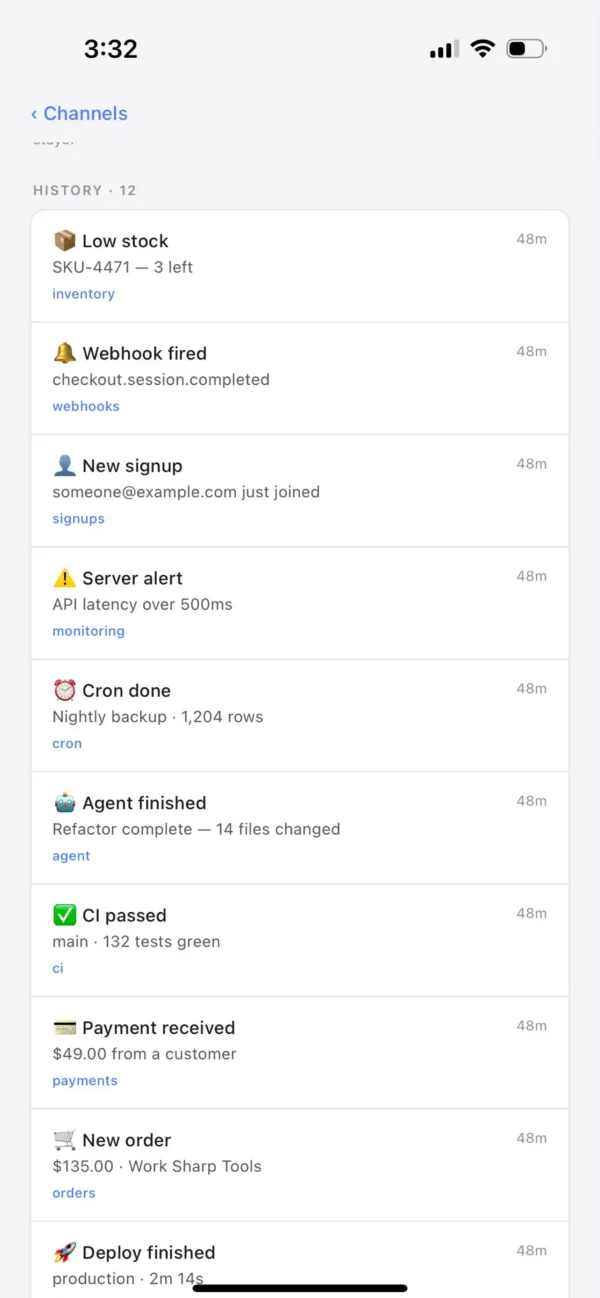
• History — your recent notifications
• Regenerate — if a URL ever leaks, kill it instantly and get a new one
• Plain text or JSON — send whichever you like
• Works with anything that can make an HTTP request
Notifications are optional. Lert asks for permission the first time you open it, and if you decline you can still explore the app, read the documentation, and manage your subscription — you can turn notifications on later at any time in Settings.
LERT PRO — SUBSCRIPTION
Lert Pro Monthly gives you unlimited channels, unlimited notifications (fair-use cap of 10,000/day), and 30-day history.
• Title: Lert Pro Monthly
• Length: 1 month (auto-renewing subscription)
• Price: US$2.99 per month (or the local equivalent)
Payment is charged to your Apple ID at confirmation of purchase. The subscription automatically renews unless it is cancelled at least 24 hours before the end of the current period. Your account is charged for renewal within 24 hours prior to the end of the current period. You can manage or cancel your subscription in Settings → your Apple ID → Subscriptions after purchase. Deleting the app does not cancel the subscription.
Lert is free forever for one channel and 50 notifications a day — no subscription required.
PRIVACY
No account, so we never learn who you are. No email, no password, no tracking, no analytics SDKs. We store your notification history to show it to you, and delete it on a schedule. Nothing is sold or shared.
Messages pass through our servers to reach your phone, so don't send secrets or sensitive personal data — treat a notification like a postcard.
Privacy Policy: https://lert.dev/privacy
Terms of Use (EULA): https://lert.dev/terms
Documentation: https://lert.dev/docs
アプリのプライバシー
このアプリのデータの取り扱いについて、Thomas FloodがApp Storeで申告している内容です。
-
ユーザーに関連付けられたデータ
収集され、ユーザーの識別情報に関連付けられる場合があります。
- 購入
- ユーザーコンテンツ
- ID
プライバシーの取り扱いは、ご利用の機能やお客様の年齢などに応じて異なる場合があります。
情報
- 販売元
- Thomas Flood
- カテゴリ
- 開発ツール
- バージョン
- 1.0
- 更新日
- 2026/7/27
- リリース
- 2026/7/27
- サイズ
- 35.7 MB
- 必要条件
- iOS 16.4以降
- 対象年齢
- 4+
- 価格
- 無料
- アプリ内課金
- あり
- 言語
- 英語
- 著作権
- © 2026 Thomas Flood
こちらもおすすめ
-
 Zenhook: Your App, Live開発ツール
-
 Data Tables for N8N開発ツール
-
 bonk: push notifications開発ツール
-
 Muxly: Native tmux & SSH開発ツール
-
 Knockbox – webhook プッシュ通知curl 一行でスマホに通知
-
 chegou — push notifications開発ツール
-
 Webhook Catcher開発ツール
-
 ActivitySmith Live Activities開発ツール
-
 Ruckus - Racket IDE開発ツール
-
 Webhook Notifications - Hook開発ツール