- 対象年齢4+
- カテゴリビジネス
- 開発元Mobile Worker Systems
- 言語英語ほか1言語
- サイズ62.7 MB
App Storeの公式ページにリンクしています
Download.orgはLine Inspectorのファイルを一切ホストしていません。ボタンを押すと、Mobile Worker Systemsが公開しているApp Storeのアプリページが開きます。ページの最終確認:2026/11/27。
スクリーンショット
概要
開発元はこのテキストをお使いの言語で提供していません。
Line Inspector is an easy-to-use, powerful and reliable solution for making field inspections, follow-up and repairs of issues.
Please note that a user account with Line Inspector is needed to use the app.
****************************
Quick and easy to create remarks
****************************
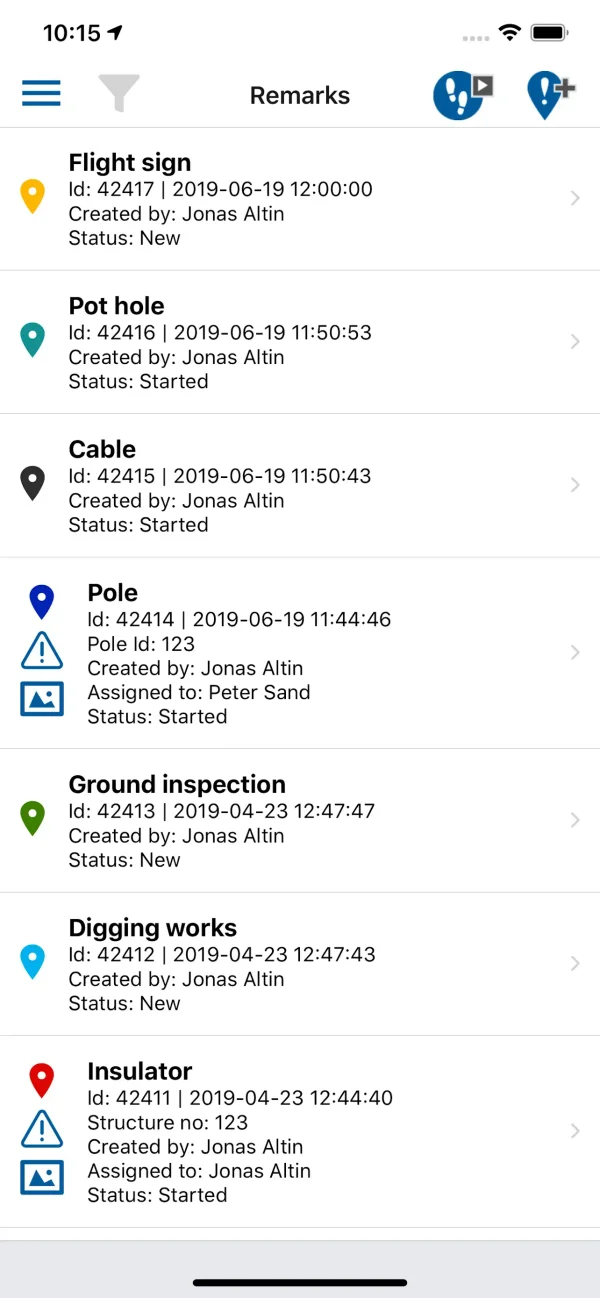
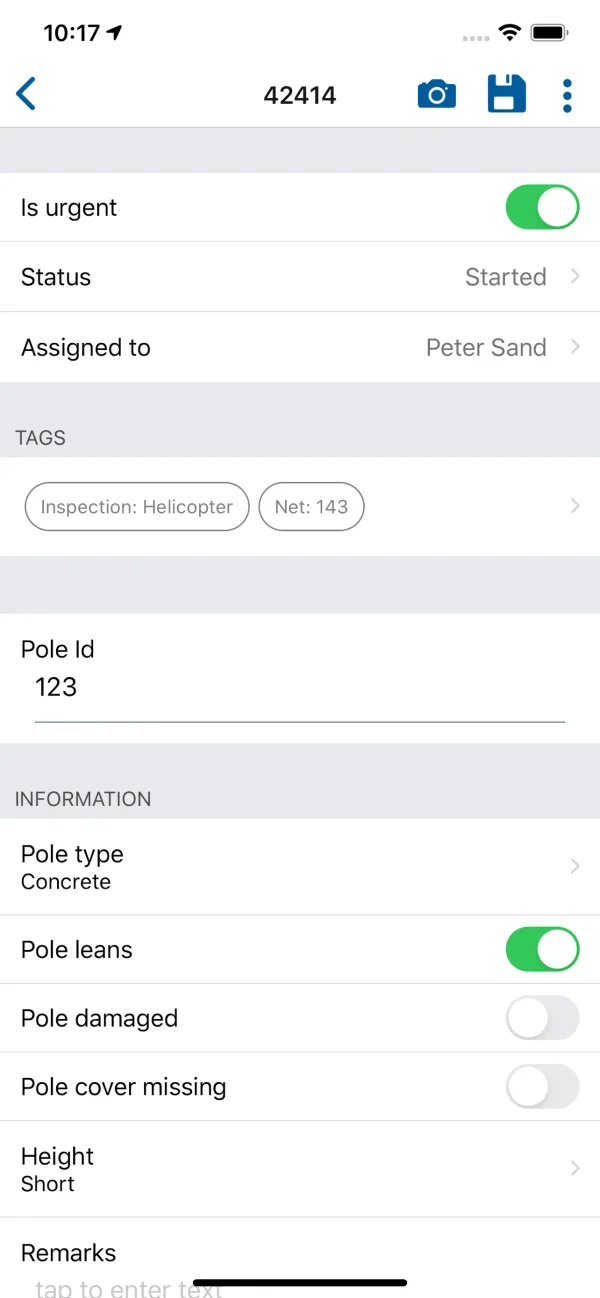
Remarks are easily created with just a few button presses. Choose a remark type from a list you define and quickly add the information that is needed to correct the issue. GPS coordinates are saved and you can also add pictures if needed.
This makes it very quick to create remarks and get precise information about the problem. You therefore save time and money both during collection of information and at later follow-up and repairs.
****************************
Exact positioning on map
****************************
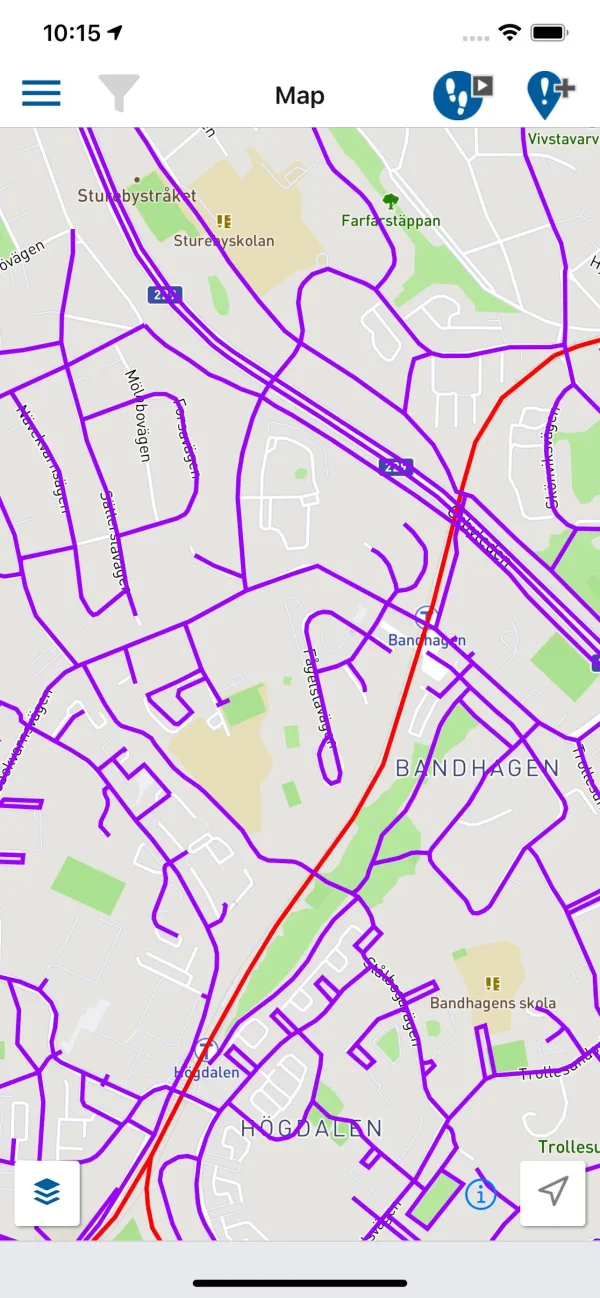
The app automatically logs the GPS coordinates for remarks so that you have exact position and can find the location again when it's time to correct the problem. It's also possible to place remarks wherever you want on the map by pointing at the location on the map.
****************************
Integrate your own map layers
****************************
If you have your own map layers with information such as power lines, stations, poles or similar, then you can easily add them via our web-based dashboard. you can also add layers for flying such as control zones and restricted areas. These are very useful during helicopter based inspections. Map layers are easily enabled and disabled in the app, so you can choose what information to see depending on what type of inspection you perform.
****************************
Add pictures to remarks
****************************
By taking pictures when you create remarks you get a better understanding of the problems. This also helps the staff that will repair or correct problems since they can make a good assessment of what needs to be done before they arrive on site.
****************************
See where inspections have been made with tracking
****************************
With the tracking feature enabled a trace line is drawn on the map, showing where the inspector has been during the inspection. This gives good overview of what has been inspected and what remains to do.
Tracks are visible directly in the app during the inspection, and it is also possible to follow the inspection in real-time in the web-based dashboard. This gives added quality assurance and security as your head office/control room has the ability to follow you in real-time (optional).
****************************
Organize collected data
****************************
Collect data that is relevant for your organization. You specify the remark types and the information you want to collect for each remark type. You can also group remarks with tags. This ensures efficient data capture with high quality.
****************************
Assign, plan and delegate
****************************
Remarks can be assigned to any user within your organisation. You can also set status for remarks (e.g. new, planned, in progress, closed). This allows you to plan who should do
****************************
Safe handling and storage of data
****************************
All data is synchronized to our servers as the remarks are created, and this means that backups of the collected data is made continuously. Information is sent encrypted with SSL and stored in the cloud. This gives high operational safety and very few interruptions for our users. All data is also available in a web interface where users can view, modify and export information.
... and many more features...
Please note: Continued use of GPS running in the background can dramatically decrease battery life.
新機能
バージョン 2.9.5 · 2026/11/26
Line Inspector 2.9.5 - What's New
• Preparations for an upcoming major system upgrade. The app can now tell you when the system is temporarily offline for the upgrade and when the new version is ready to download.
• General stability and performance enhancements.
Found an issue? Let us know via Settings → Send Feedback.
Thanks for using Line Inspector!
アプリのプライバシー
このアプリのデータの取り扱いについて、Mobile Worker SystemsがApp Storeで申告している内容です。
-
ユーザーに関連付けられたデータ
収集され、ユーザーの識別情報に関連付けられる場合があります。
- 位置情報
- ID
- 使用状況データ
- 診断
プライバシーの取り扱いは、ご利用の機能やお客様の年齢などに応じて異なる場合があります。
情報
- 販売元
- Mobile Worker Systems Sweden AB
- カテゴリ
- ビジネス
- バージョン
- 2.9.5
- 更新日
- 2026/11/26
- リリース
- 2014/3/21
- サイズ
- 62.7 MB
- 必要条件
- iOS 16.1以降
- 対象年齢
- 4+
- 価格
- 無料
- 言語
- 英語, スウェーデン語
- 著作権
- © 2012 Line Inspector