- 対象年齢9+
- カテゴリユーティリティ
- 開発元俊 王
- 言語英語
- サイズ3.7 MB
App Storeの公式ページにリンクしています
Download.orgはM-Timerのファイルを一切ホストしていません。ボタンを押すと、俊 王が公開しているApp Storeのアプリページが開きます。ページの最終確認:2026/11/21。
スクリーンショット


概要
開発元はこのテキストをお使いの言語で提供していません。
M-Timer — Track Everything, All at Once
Whether you're running, reading, baking, or juggling multiple tasks at the same time —
M-Timer gives you precise, independent timers for every activity.
Key Features
- Run up to 18 timers simultaneously — each one fully independent, start and stop anytime
- Precision to 1/100th of a second — HH:MM:SS.cc display, no 24-hour rollover
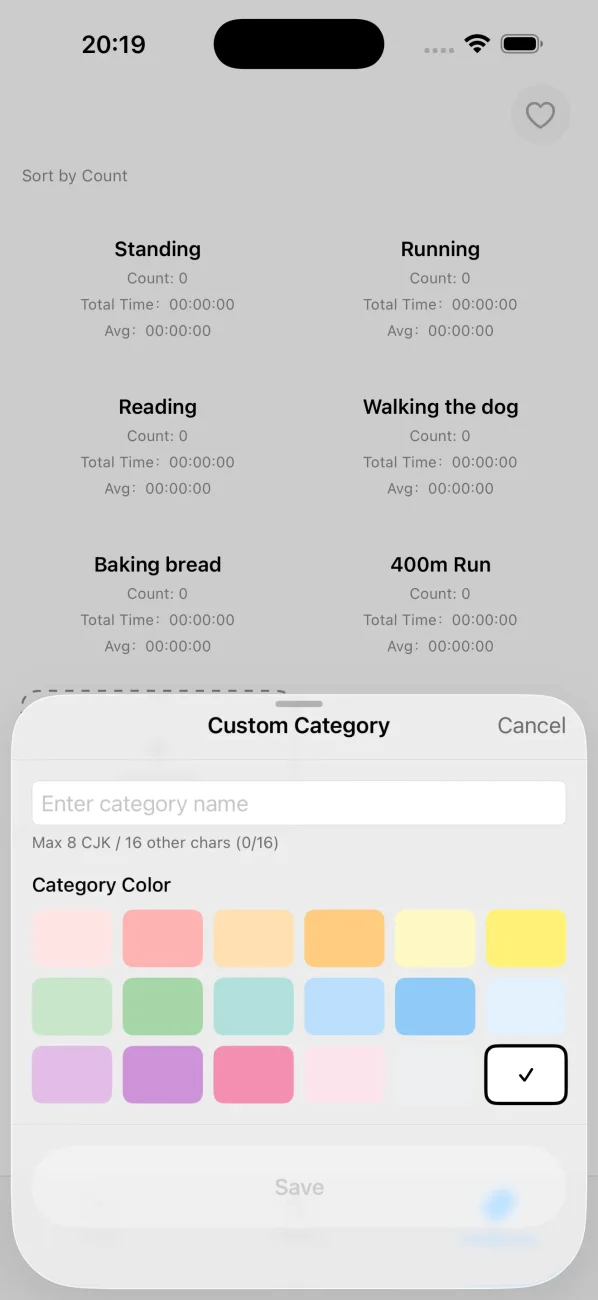
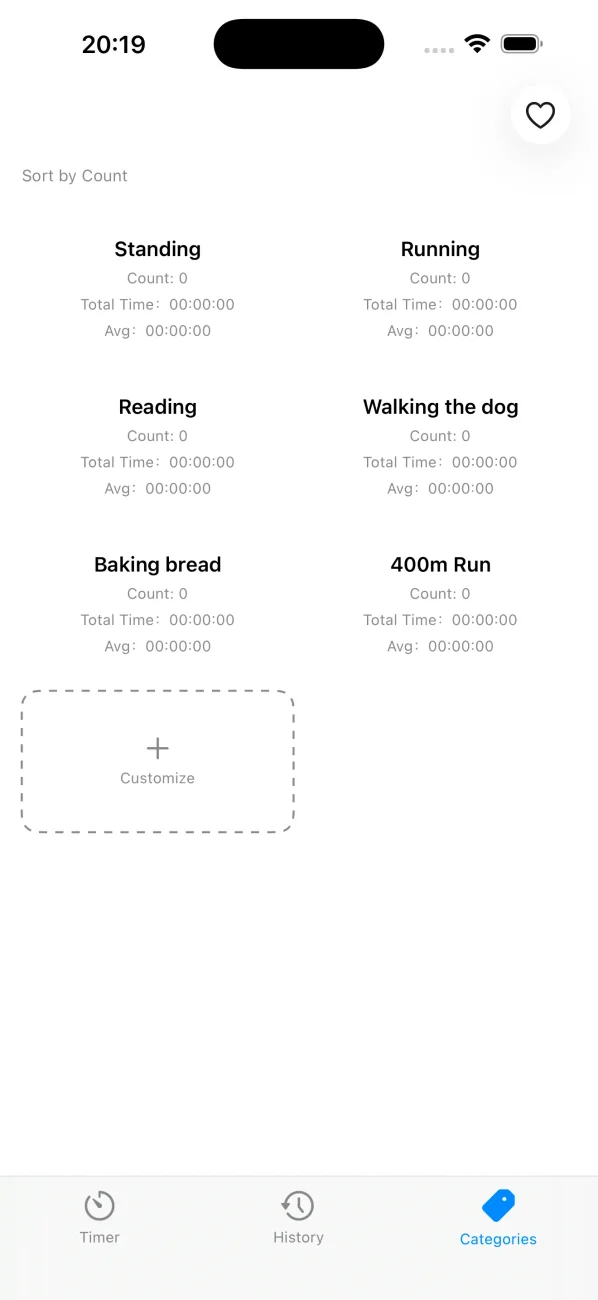
- Category management — organize timers by activity (Running, Reading, Walking the Dog, and more),
with custom colors and names
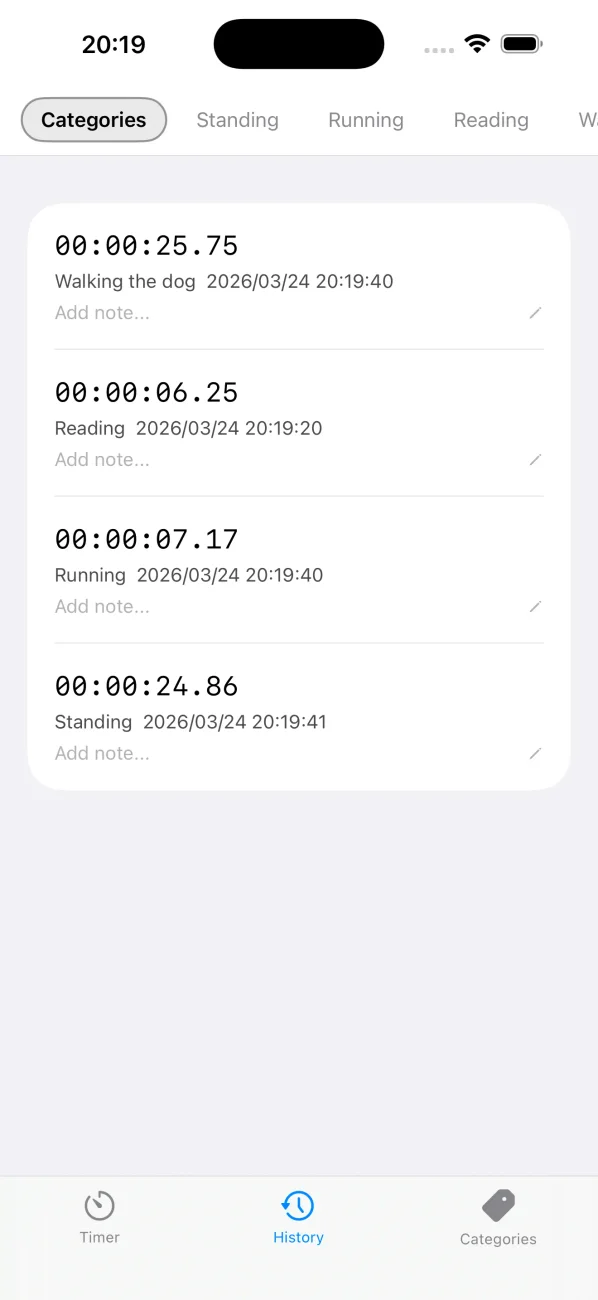
- History & notes — every stopped timer is saved automatically; filter by category, add notes,
review anytime
- Live Activity on Lock Screen & Dynamic Island — timers keep ticking on your lock screen even
when the app is in the background
- 40+ languages — fully localized, switch instantly without restarting the app
- no subscriptions, no ads, no paywalls
Great for
Workouts · Study sessions · Cooking · Daily task tracking · Lap timing;
M-Timer — 同时追踪你的每一件事
无论你在跑步、看书、烤面包,还是同时处理多项任务,M-Timer 都能帮你精准记录每一秒。
核心功能
- 多任务同时计时 — 最多同时运行 18 个计时器,彼此完全独立
- 精准到百分之一秒 — HH:MM:SS.cc 格式,超过 24 小时不换算不归零
- 分类管理 — 按跑步、看书、站立等分类组织记录,支持自定义颜色和名称
- 历史记录 — 所有停止的计时均自动保存,支持筛选、添加备注、随时回顾
- 实时锁屏显示 — 退出 App 后,计时数字持续显示在锁屏和动态岛
- 40+ 种语言 — 内置完整本地化,切换即时生效,无需重启
- 无订阅、无广告、无功能限制
适合场景
健身训练 / 学习专注 / 烹饪料理 / 日常任务管理 / 运动计圈
アプリのプライバシー
このアプリのデータの取り扱いについて、俊 王がApp Storeで申告している内容です。
-
データの収集なし
開発元はこのアプリからデータを収集しません。
プライバシーの取り扱いは、ご利用の機能やお客様の年齢などに応じて異なる場合があります。
情報
- 販売元
- 俊 王
- カテゴリ
- ユーティリティ
- バージョン
- 1.0.1
- 更新日
- 2026/3/29
- リリース
- 2026/3/29
- サイズ
- 3.7 MB
- 必要条件
- iOS 17.6以降
- 対象年齢
- 9+
- 価格
- 無料
- 言語
- 英語
- 著作権
- © Wang Jun
こちらもおすすめ
-
 Multi Timer - SLOXユーティリティ
-
 マルチステップタイマー:筋トレやボードゲームの時間管理プレゼンや勉強、料理に最適!自由に作れるインターバル時計
-
 Fuuuga: 複数タイマー・無料で簡単同時カウントポモドーロ・勉強・集中・仕事・料理・キッチン・作業通知
-
 LazyCalc – Smart Calculatorユーティリティ
-
 Multi Timer: Kitchen Timer Proユーティリティ
-
 Stopwatch - Multi & Singleユーティリティ
-
 Multitimer Countdown: CountKitユーティリティ
-
 Multi Timer & Stopwatchユーティリティ
-
 Multi Timer: 複数タイマー複数タイマーをかんたん管理
-
 DayMark -Habit Tracker & Goalsユーティリティ