- 対象年齢4+
- カテゴリ仕事効率化
- 開発元Tomer Fayer
- 言語英語
- サイズ6.5 MB
App Storeの公式ページにリンクしています
Download.orgはMacAssistのファイルを一切ホストしていません。ボタンを押すと、Tomer Fayerが公開しているApp Storeのアプリページが開きます。ページの最終確認:2026/11/6。
スクリーンショット

概要
開発元はこのテキストをお使いの言語で提供していません。
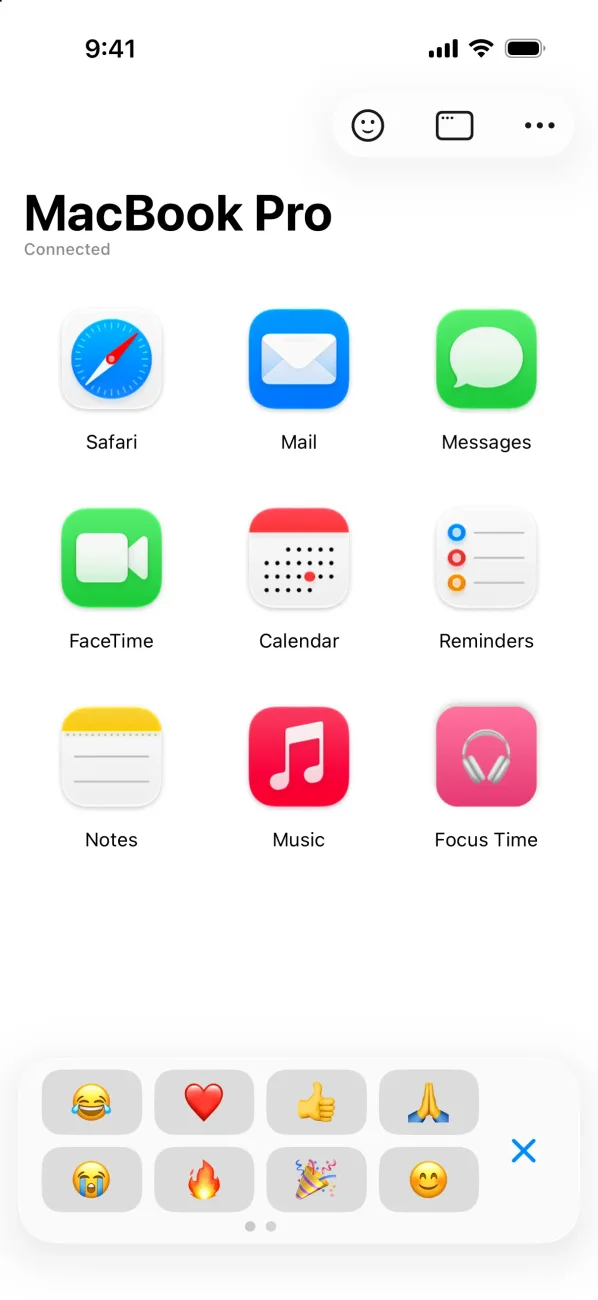
MacAssist turns your iPhone or iPad into a touch control surface for your Mac. Keep it next to your keyboard and reach your apps, emoji, and windows without hunting through menus.
YOUR MAC'S DOCK, IN REACH
The Dock along the bottom matches your Mac's Dock, with the same apps in the same order. Tap an app to bring it forward on your Mac. Dots show which apps are open.
A BAR OF YOUR OWN
Fill pages of large tiles with the apps, websites, and Shortcuts you use most. Touch and hold an app in the Dock to add it, drag tiles to rearrange them, and touch and hold a tile to move or remove it.
EMOJI WITHOUT THE HUNT
Open the Emoji Bar and tap an emoji to type it wherever you're writing on your Mac. Set up its slides of favorites on your Mac.
WINDOWS, ARRANGED
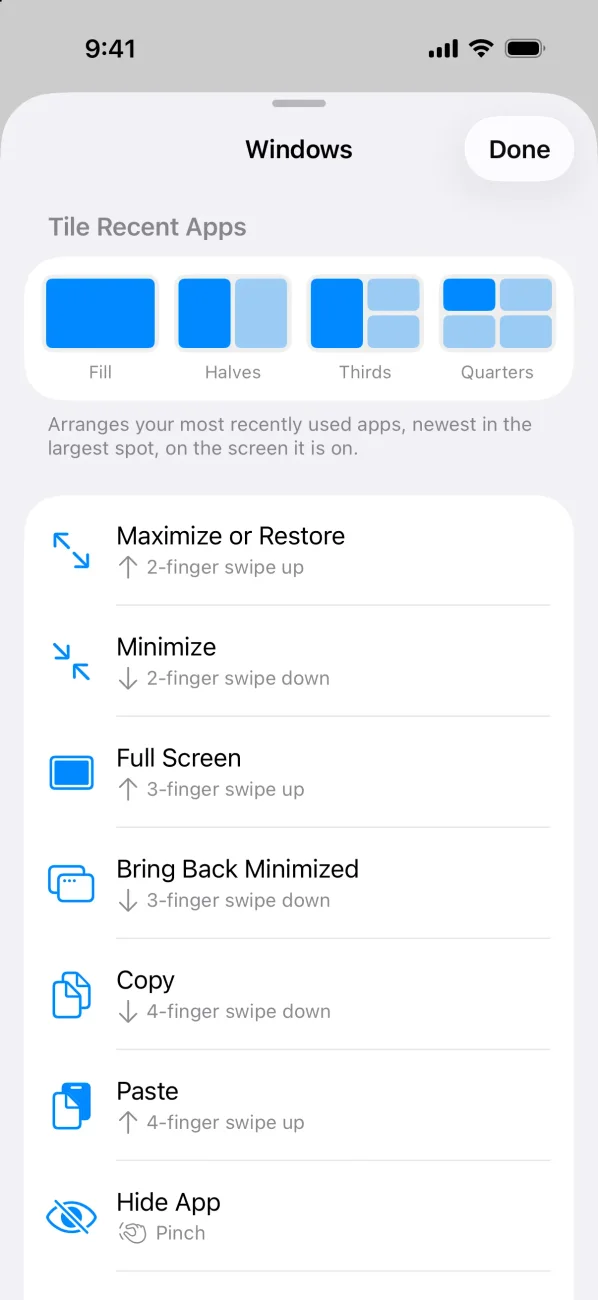
Swipe with two, three, or four fingers anywhere on the bar to maximize, minimize, or hide windows, or to switch to full screen. Tile your most recent apps side by side in halves, thirds, or quarters, or send the front window to your other display.
PRIVATE BY DESIGN
Your iPhone talks to your Mac directly over your local network. There is no server and no account. Devices pair by comparing a code on both screens, and everything they send each other is encrypted. MacAssist collects no data.
MORE
- Works on iPhone and iPad, in portrait and landscape.
- Connect an iPhone and an iPad to the same Mac at once.
- Pair with each of your Macs, and switch between them from the menu.
- Free, with every feature included.
REQUIREMENTS
MacAssist needs its free companion app running on a Mac with macOS 26 or later, on the same network as your iPhone or iPad. Arranging windows and typing emoji need Accessibility permission on the Mac, which the Mac app helps you set up.
アプリのプライバシー
このアプリのデータの取り扱いについて、Tomer FayerがApp Storeで申告している内容です。
-
データの収集なし
開発元はこのアプリからデータを収集しません。
プライバシーの取り扱いは、ご利用の機能やお客様の年齢などに応じて異なる場合があります。
情報
- 販売元
- Tomer Fayer
- カテゴリ
- 仕事効率化
- バージョン
- 1.0
- 更新日
- 2026/10/31
- リリース
- 2026/10/31
- サイズ
- 6.5 MB
- 必要条件
- iOS 26.0以降
- 対象年齢
- 4+
- 価格
- 無料
- 言語
- 英語
- 著作権
- © 2026 Glydeo