
- 対象年齢17+
- カテゴリユーティリティ
- 開発元Dhaval Panasara
- 言語英語ほか7言語
- サイズ50.2 MB
App Storeの公式ページにリンクしています
Download.orgはMailBolt: Temporary Emailのファイルを一切ホストしていません。ボタンを押すと、Dhaval Panasaraが公開しているApp Storeのアプリページが開きます。ページの最終確認:2026/11/12。
スクリーンショット
概要
開発元はこのテキストをお使いの言語で提供していません。
MailBolt: Temporary Email gives you a simple way to create temporary email addresses when you don't want to share your personal inbox. Get a ready-to-use address in seconds, receive incoming messages and manage temporary inboxes for online sign-ups, verification emails, free trials and other activities.
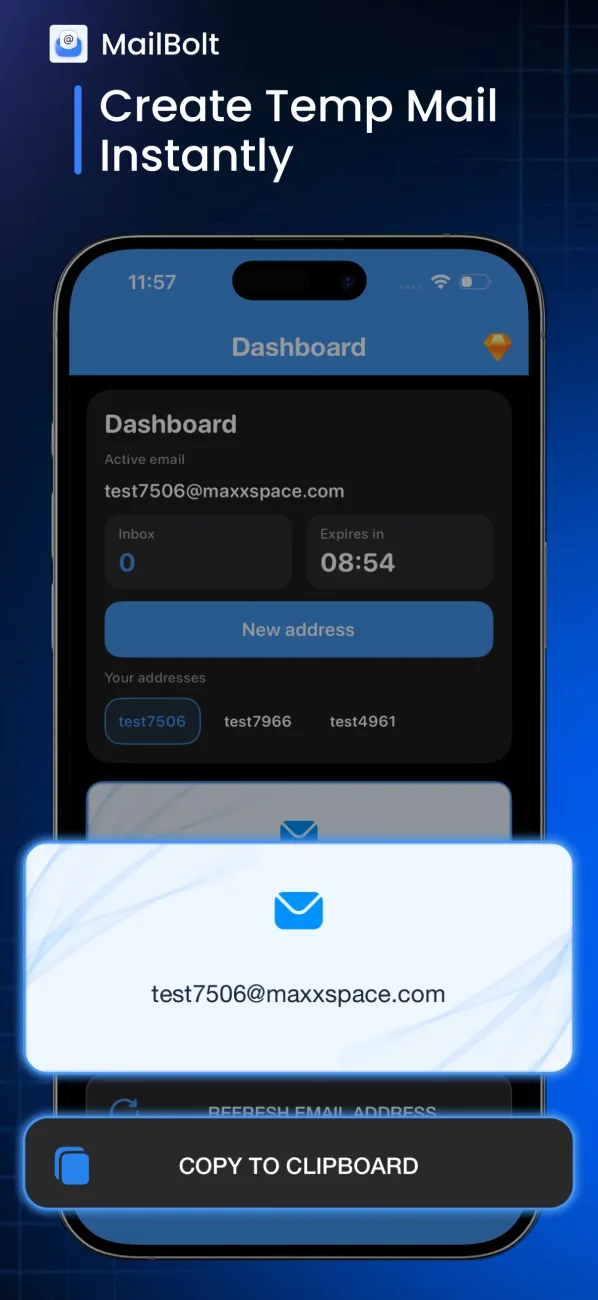
CREATE A TEMPORARY EMAIL INSTANTLY
Create a temporary email with one tap and get a ready-to-use address in seconds. The home dashboard shows your active email, inbox count and remaining email lifetime in one clear view, so you can quickly access everything you need.
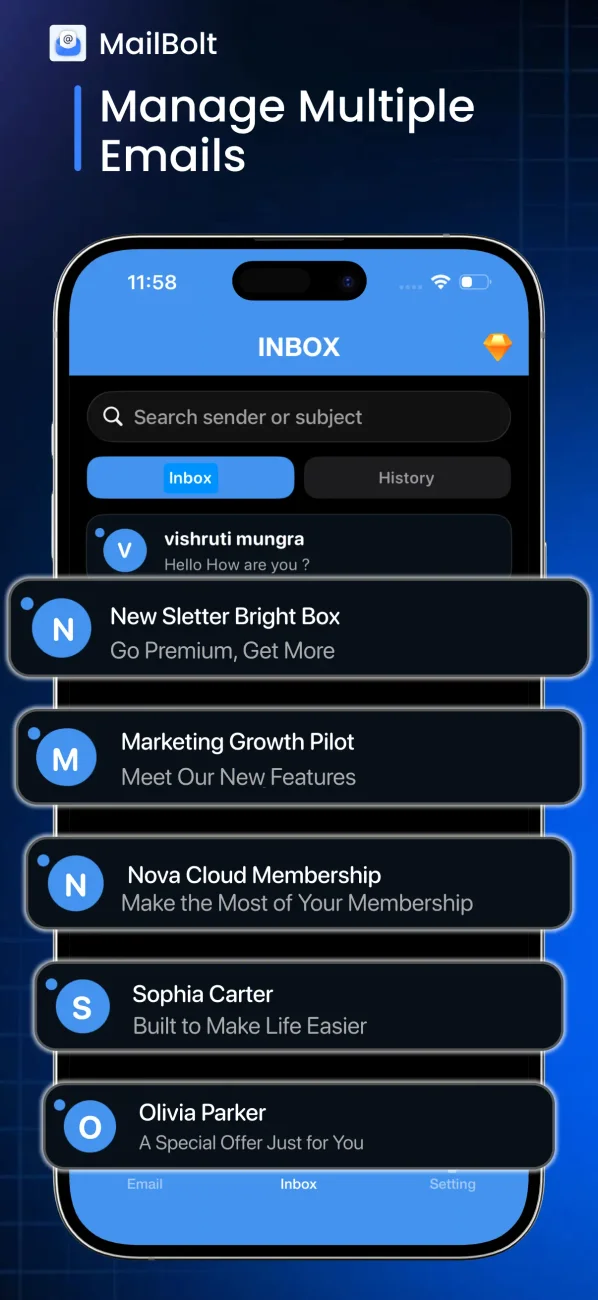
MANAGE YOUR TEMPORARY INBOX
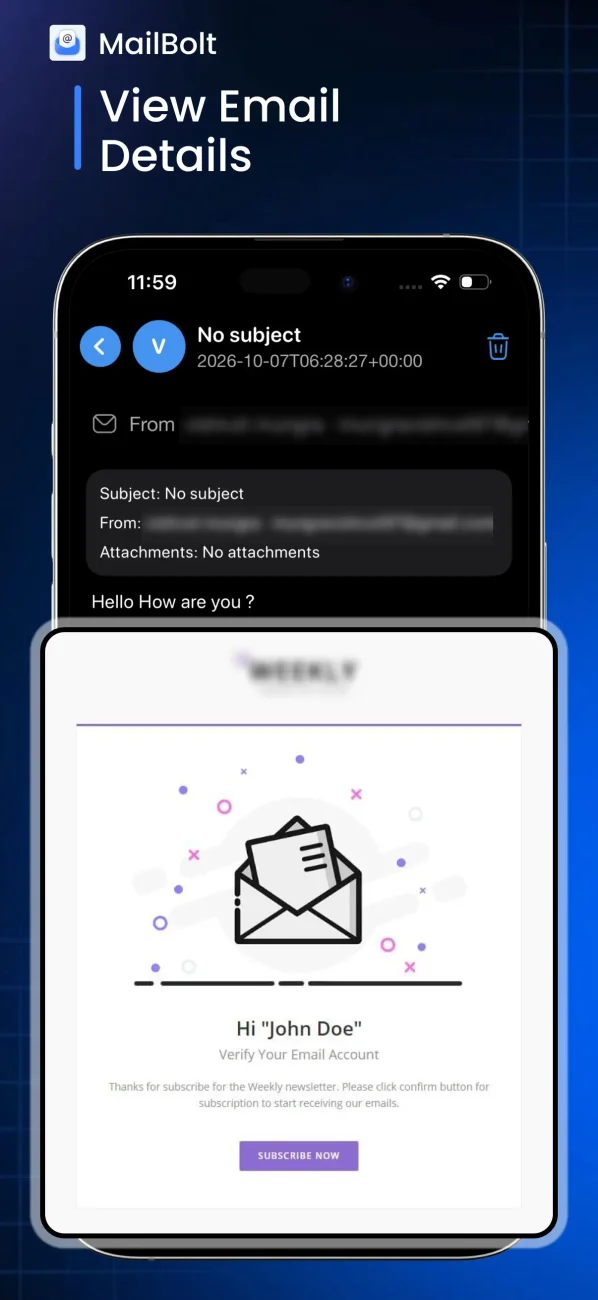
View incoming messages in a clean and organized inbox. See sender names, subjects, received times and attachments at a glance. Open emails to read their details and refresh the inbox whenever you want to check for new messages.
KEEP YOUR PERSONAL EMAIL SEPARATE
Use a temporary email when you prefer not to share your everyday address with websites and online services. MailBolt helps separate temporary online activity from your primary inbox while providing a simple, privacy-focused email experience.
MANAGE MULTIPLE EMAIL ADDRESSES
Create and manage several temporary email addresses from one app. The email switcher lets you move between active inboxes quickly, making it easier to keep different online activities organized.
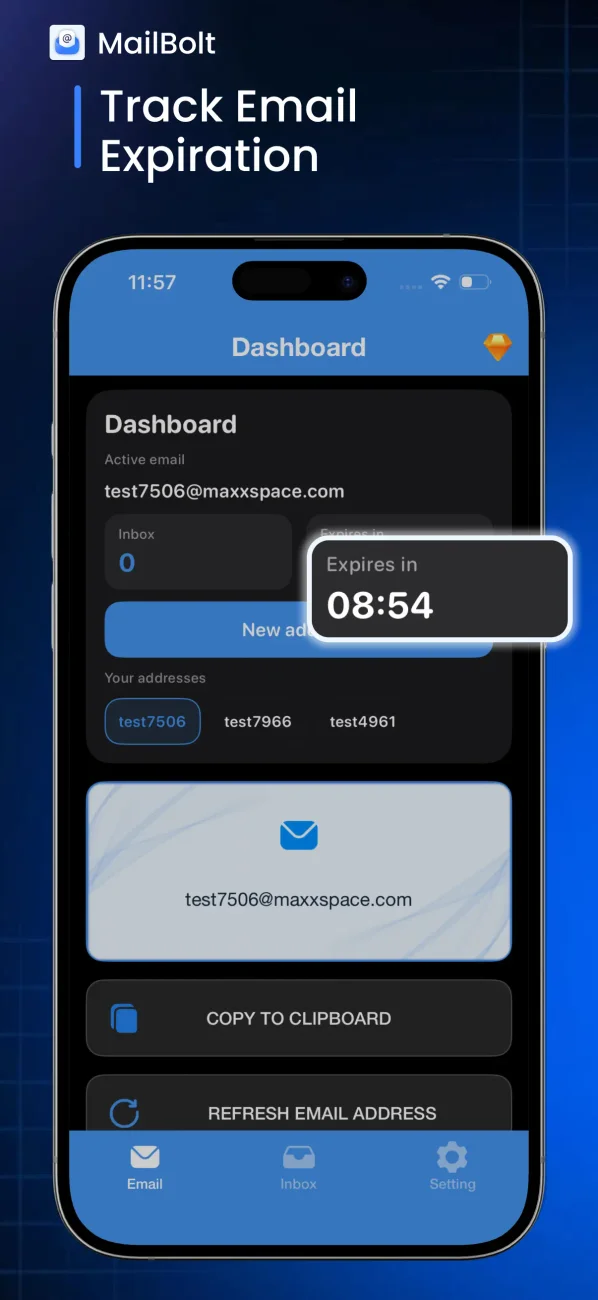
TRACK EMAIL EXPIRATION
A clear countdown timer shows how much time remains for your active email address. Auto-delete information helps you understand when a temporary inbox will expire, so you always know the status of your active address.
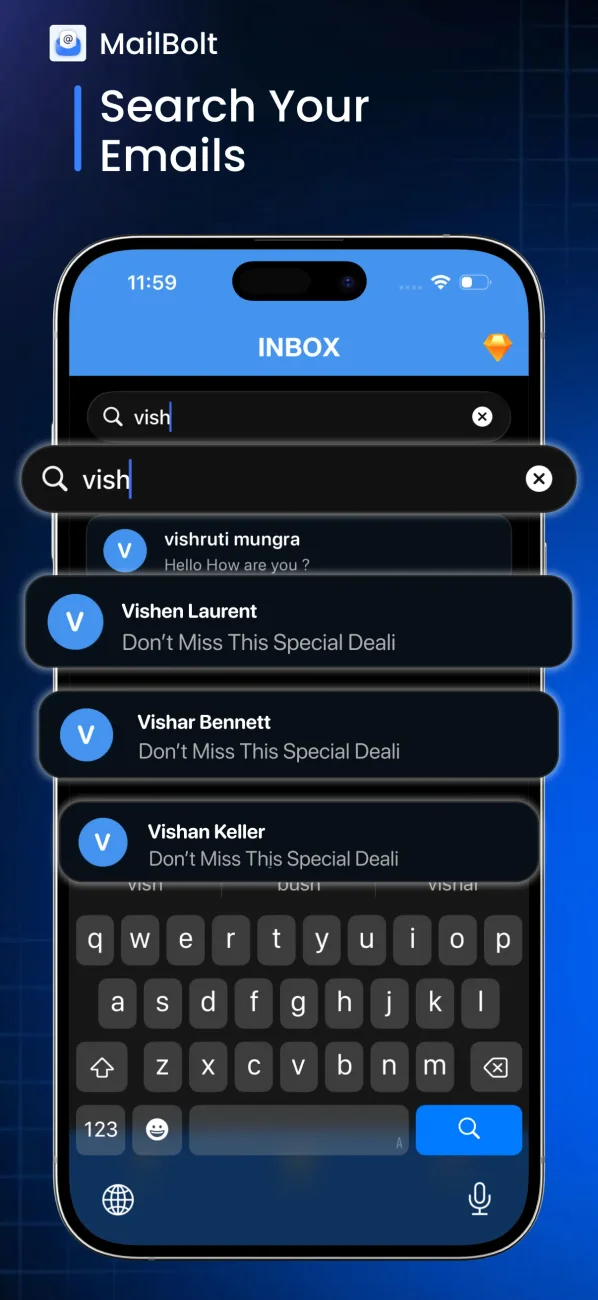
SEARCH EMAILS AND HISTORY
Find messages quickly by searching your inbox using sender names or subjects. Email History also keeps recently used temporary addresses available, making it easier to return to an address you've used before.
RECEIVE VERIFICATION EMAILS
Use your temporary inbox for website registrations, app sign-ups, account verification, free trials, newsletters and other services that require an email address. Receive incoming messages without giving out your primary email.
VIEW EMAIL ATTACHMENTS
Open supported attachments directly from received messages. Improved email details and attachment previews make it easier to view available images and files while keeping message information organized.
STAY UPDATED ON NEW MAIL
Unread email counts and new mail indicators help you notice incoming messages quickly. When an inbox has no messages, improved empty states provide clear guidance and make the next action easy to understand.
A CLEAN AND SIMPLE EMAIL EXPERIENCE
MailBolt features clean typography, rounded icons, improved spacing and simple navigation across Home, Inbox, Addresses, History and Settings. The refreshed interface keeps temporary email management straightforward and easy to navigate.
DARK MODE
Switch to a comfortable dark theme for low-light environments. Email content, inbox information and important controls remain easy to view while the interface maintains a clean and focused appearance.
PRIVACY AND SPAM PROTECTION
Temporary email can reduce the need to share your personal address with websites and online services. MailBolt provides clear privacy and spam-protection information to help you manage temporary online communication with greater control.
MailBolt is useful whenever you need a temporary address for an online registration, account verification, free trial, newsletter sign-up, website testing or another situation where you prefer not to use your everyday email.
Create an address, copy or share it, receive messages, switch between inboxes, search your emails and track expiration from one convenient app.
Download MailBolt: Temporary Email and create a temporary inbox whenever you need a convenient way to receive email without using your primary address.
Privacy Policy : https://sites.google.com/view/disposibletempmail/home
Apple Terms Of Use : https://www.apple.com/legal/internet-services/itunes/dev/stdeula/
新機能
バージョン 1.8 · 2026/10/23
• New modern dashboard with active email, inbox count and countdown timer
• Create temporary email addresses instantly with one tap
• Manage multiple disposable addresses with the new email switcher
• Improved inbox with search, unread indicators, refresh and email history
• Cleaner email details with improved sender, subject and attachment previews
• New privacy and spam-protection dashboard
• Improved empty states and simplified navigation
• Refined typography, icons and spacing throughout the app
• New dark mode for a more comfortable viewing experience
• Updated Premium screen with clearer ad-free and premium benefits
アプリのプライバシー
このアプリのデータの取り扱いについて、Dhaval PanasaraがApp Storeで申告している内容です。
-
データの収集なし
開発元はこのアプリからデータを収集しません。
プライバシーの取り扱いは、ご利用の機能やお客様の年齢などに応じて異なる場合があります。
情報
- 販売元
- Dhaval Panasara
- カテゴリ
- ユーティリティ
- バージョン
- 1.8
- 更新日
- 2026/10/23
- リリース
- 2025/3/14
- サイズ
- 50.2 MB
- 必要条件
- iOS 15.0以降
- 対象年齢
- 17+
- 価格
- 無料
- 言語
- 英語, アラビア語, ドイツ語, ヒンディー語, ポルトガル語, ロシア語, スペイン語, 繁体字中国語
- 著作権
- © Dhaval Panasara
こちらもおすすめ
-
 Temp Mail GG - Temporary Emailユーティリティ
-
 Temp Mail AZAnonymous Email Made Simple
-
 TempMail -Generate Trash Emailユーティリティ
-
 Mail Verified - FadePost Emailユーティリティ
-
 Temp Mail : Temporary Mailユーティリティ
-
 Temp Mail Pro Temporary EmailTEMPメール-10分郵便アドレス
-
 Temp Mail – Disposable Mailユーティリティ
-
 Temp Mail: TemBox Emailユーティリティ
-
 The Temp Emailユーティリティ
-
 Temp Mail Ultimateユーティリティ