
- 対象年齢4+
- カテゴリユーティリティ
- 開発元An Trinh
- 言語英語ほか52言語
- サイズ4.0 MB
App Storeの公式ページにリンクしています
Download.orgはMake It Bigのファイルを一切ホストしていません。ボタンを押すと、An Trinhが公開しているApp Storeのアプリページが開きます。ページの最終確認:2026/11/20。
スクリーンショット

概要
開発元はこのテキストをお使いの言語で提供していません。
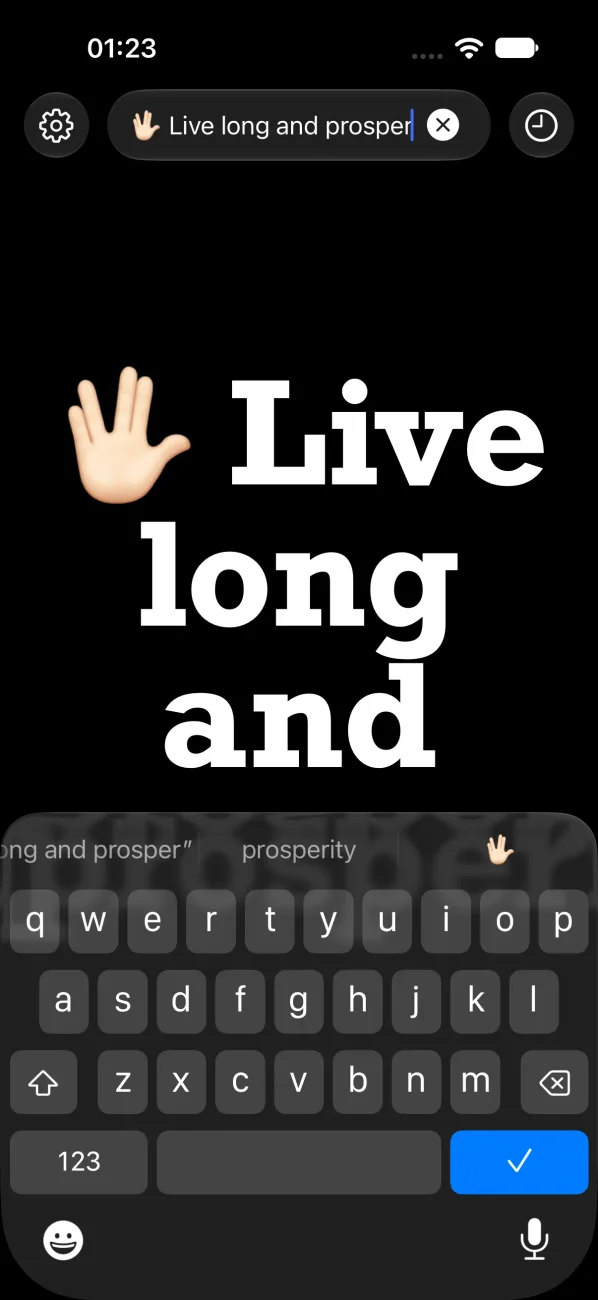
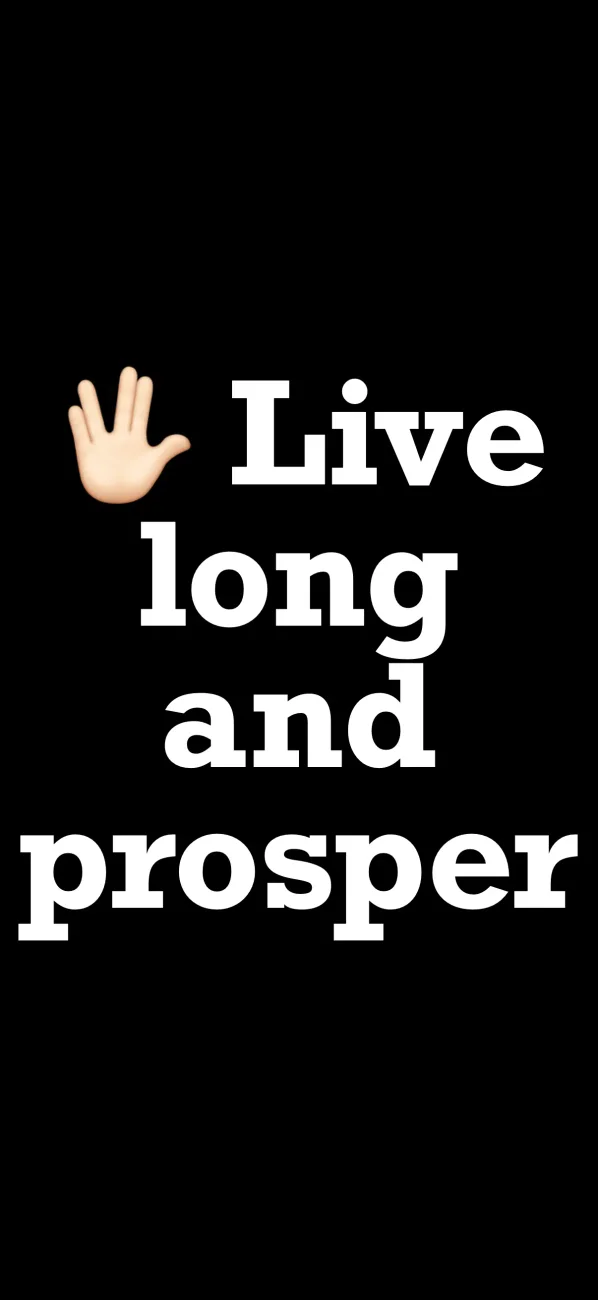
Say it without speaking. Turn your iPhone or iPad into a full-screen message with Make It Big. Type what you want to say, then tap to display it in large text that automatically fits your screen.
Show a message across a room, communicate in a noisy place, or hold up a name at an airport. Make It Big is also a simple way for Deaf, hard-of-hearing and nonverbal people, and anyone who cannot or prefers not to speak, to share a written message.
No ads. No tracking. No account needed. Works offline.
TYPE, TAP, SHOW
Tap to edit your message, then tap again to hide the keyboard and show it full screen. Short messages make the biggest impression.
FOR EVERYDAY MOMENTS
Order in a busy café, share a note at a concert, show a pickup sign or communicate somewhere quiet without saying a word.
WIDGETS, SIRI AND SHORTCUTS
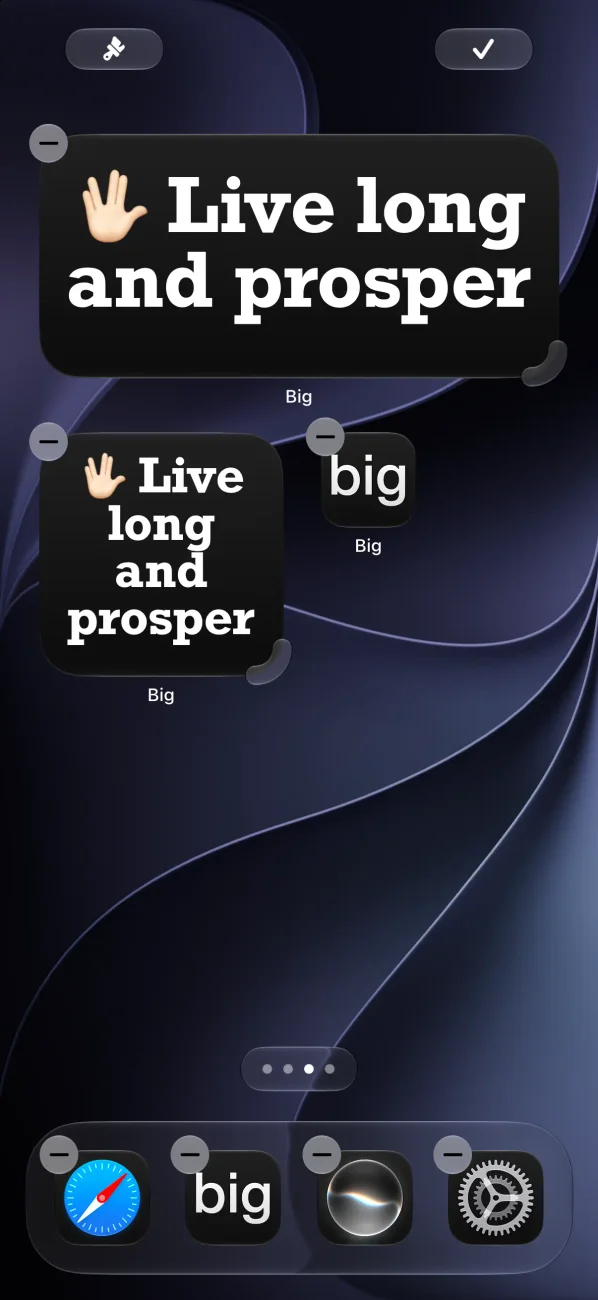
Keep your latest message handy with Home Screen and Lock Screen widgets. Use Siri or the Shortcuts app to display a message, or open Make It Big from Control Center.
PORTRAIT OR LANDSCAPE
Hold your device whichever way works best. Your message automatically resizes when you rotate the screen.
YOUR MESSAGE, YOUR STYLE
Choose a font and set your text and background colours. Swap the colours whenever you like, and turn haptic feedback on or off.
SHOW IT AGAIN
Find previous messages in Recents so you can display them again without retyping. Share individual messages as text, or share all your saved messages at once.
OPTIONAL FLASH MODE
Shake your device to flash between your text and background colours. Adjust the flash speed or turn off shake to flash in Settings.
WARNING: Flashing screens may trigger seizures in people with photosensitive epilepsy. Use flash mode responsibly.
新機能
バージョン 15 · 2026/10/25
Find your messages more easily:
• Search your recent messages to quickly find something you want to show again.
• See how many messages are in Recents, or match your search.
We’ve also made a few improvements and fixes:
• Added a glass background and an easier-to-see clear button to the message field on iOS 26 and later. The button now highlights when you tap it.
• Refined Settings with clearer icons and an animation when swapping your text and background colours.
• Fixed an issue where the button to close Settings could be hard to see with certain colour and light or dark mode combinations.
• If your chosen font is no longer available, Make It Big now uses the default font instead of closing unexpectedly.
• Fixed an issue with changing the app icon on iPhone and iPad.
• The option to email the developer now only appears when Mail is set up on your device.
Missed our last update?
We added support for Duo devices, more widget sizes, and new ways to open Make It Big from Control Center or show a message using Siri and Shortcuts. You can also share all your recent messages at once.
アプリのプライバシー
このアプリのデータの取り扱いについて、An TrinhがApp Storeで申告している内容です。
-
データの収集なし
開発元はこのアプリからデータを収集しません。
プライバシーの取り扱いは、ご利用の機能やお客様の年齢などに応じて異なる場合があります。
情報
- 販売元
- An Trinh
- カテゴリ
- ユーティリティ
- バージョン
- 15
- 更新日
- 2026/10/25
- リリース
- 2011/11/15
- サイズ
- 4.0 MB
- 必要条件
- iOS 17.0以降
- 対象年齢
- 4+
- 価格
- 無料
- 言語
- 英語, アフリカーンス語, アラビア語, バスク語, ベンガル語, ボスニア語, ブルガリア語, カタロニア語, クロアチア語, チェコ語, デンマーク語, オランダ語 ほか41言語
- 著作権
- © An Huggins
こちらもおすすめ
-
 LED Scroller - 電光掲示板 ledバナー電子小黒板文字流れる、 ledライト
-
 LED電光掲示板アプリ - 流れる文字・ネオン推し活の応援ボード&ファンサ作成
-
 Tab - The simple bill splitterユーティリティ
-
 LEDバナープロ - 電光掲示板ドット·マトリックスマーキーテキスト表示アプリ
-
 GetPrivacy: VPNと保護VPNで簡単アクセス
-
 カウントダウン Countdownカウントダウンウィジェットとアプリ
-
 Chooser!ユーティリティ
-
 Counter, タップカウンタースコア, 習慣, 念珠記録
-
 Remote for RokuTV, Smart TVユーティリティ
-
 Burner: Second Phone Numberユーティリティ