
- 対象年齢4+
- カテゴリ仕事効率化
- 開発元Mu-sonic
- 言語英語
- サイズ2.7 MB
App Storeの公式ページにリンクしています
Download.orgはManageable: Nested ToDo Listsのファイルを一切ホストしていません。ボタンを押すと、Mu-sonicが公開しているApp Storeのアプリページが開きます。ページの最終確認:2026/11/17。
スクリーンショット
概要
開発元はこのテキストをお使いの言語で提供していません。
• Have a goal. Make it manageable. •
Manageable helps you focus on the next task no matter how many projects you have to juggle at the same time.
Start with your projects, goals or even dreams and split each one into steps required to complete it.
Split each step further into lists of subtasks until you end up with simple actionable items.
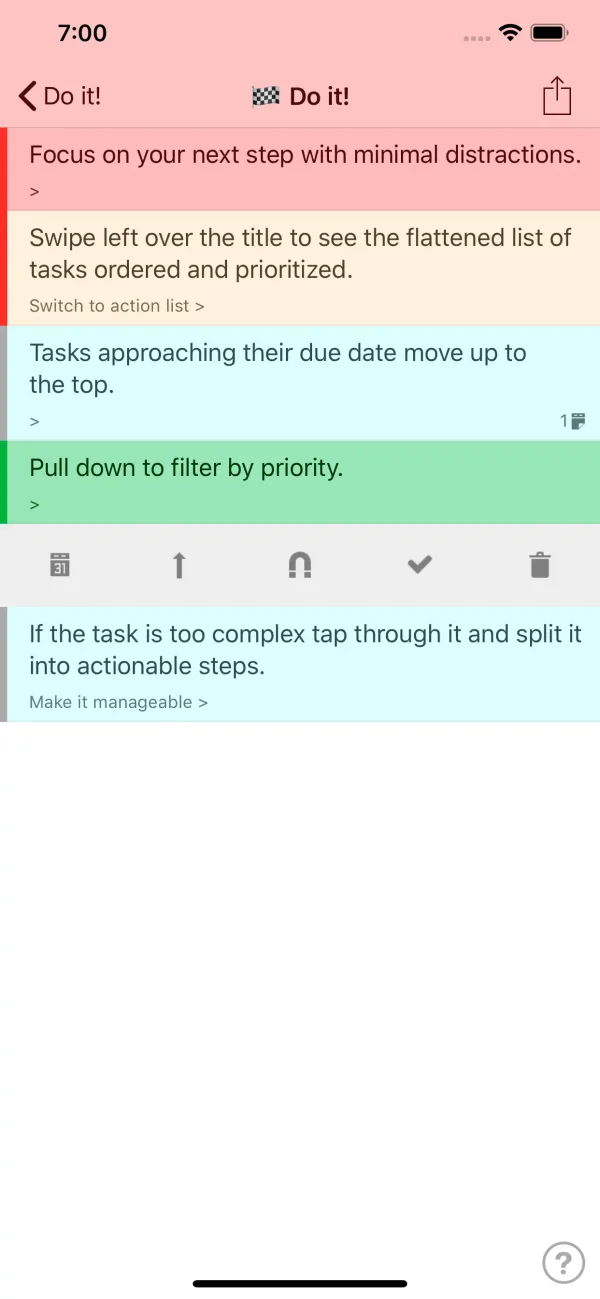
Manageable presents all your leaf items across your selected project as a flat prioritised action list, hiding complexity when you don't need it.
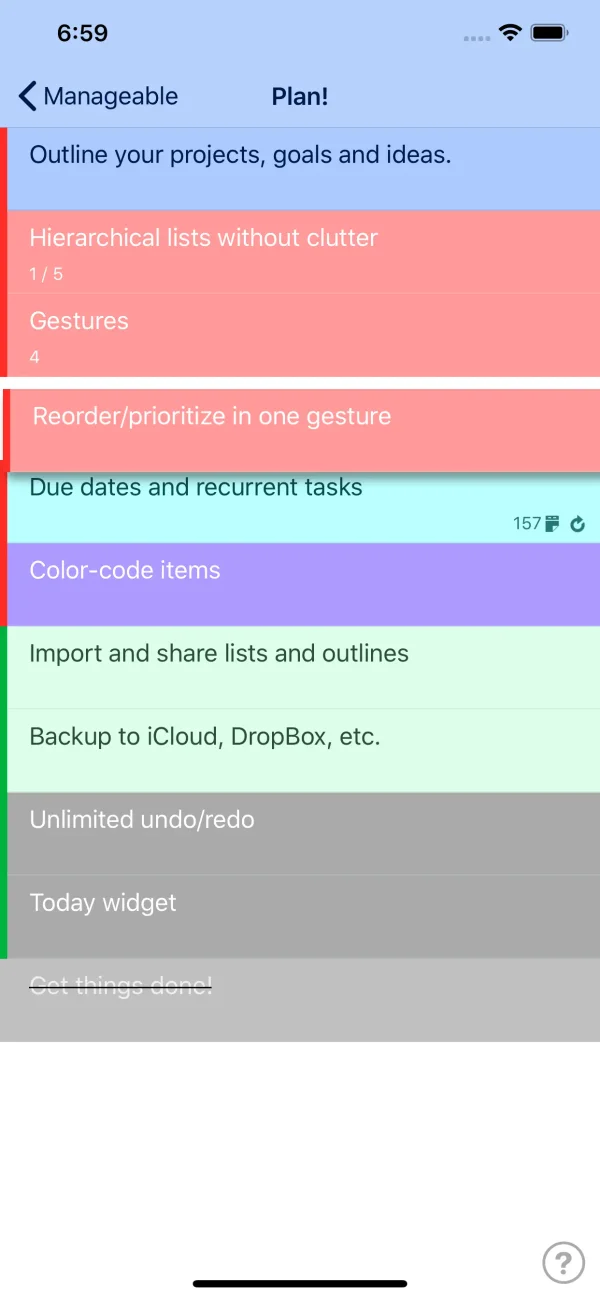
Clutter-free hierarchical lists, a breeze to build and navigate with these features:
• Clean gesture-driven interface
• Reorder and prioritize in one gesture
• Set due dates with reminders
• Set reschedule interval for recurrent tasks
• Efficient color-coding of your items
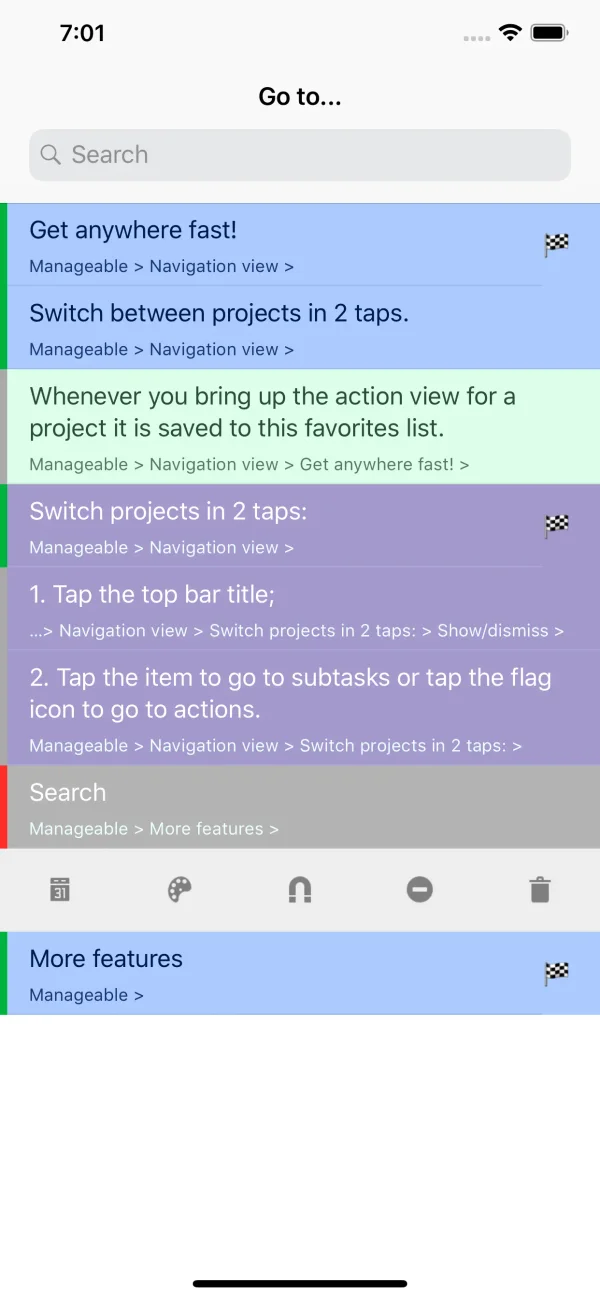
• Two-tap navigation between your active projects
• Search by multiple words or substrings
• Sync application data across different devices via Cloud Sync (available as an IAP)
• Import or share your project outlines
• Export your ordered action lists
• Backup data to file system or cloud
• Home screen and Control Center widgets
• Unlimited undo/redo
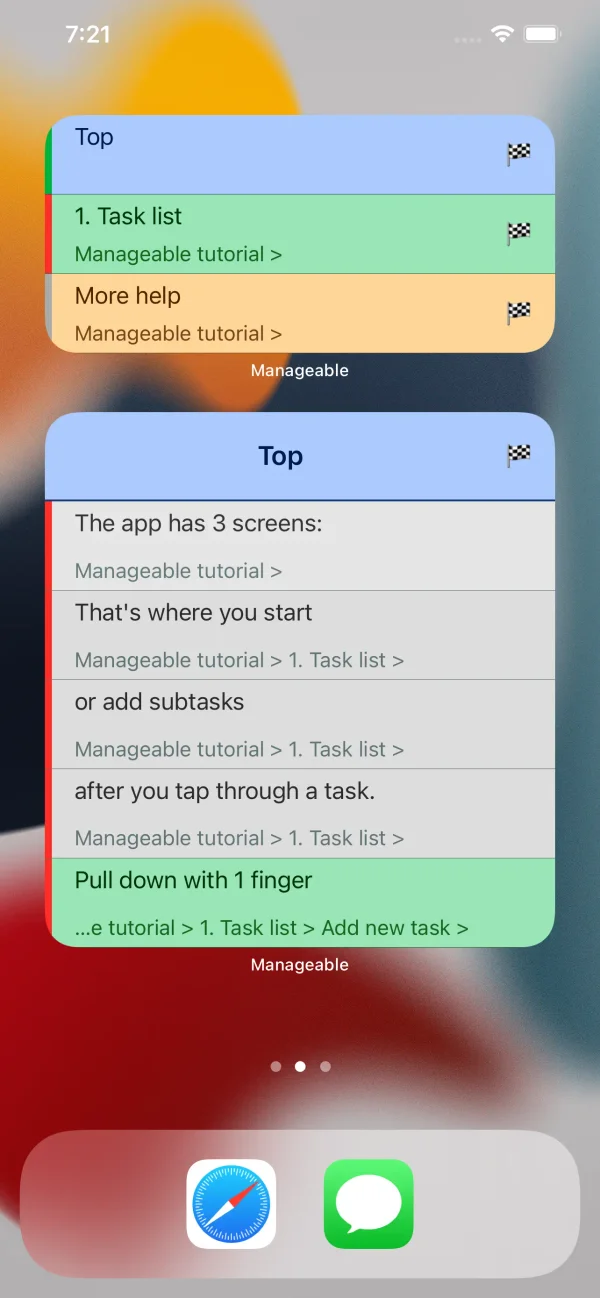
Manageable offers three widgets:
1. Favorite Projects widget lists your most active projects, i.e. those you recently opened in Action view, exactly as you see in the Navigation view.
2. Actions widget is a list of next tasks in the project of your choice. You can have several Actions lists on your home-screen for different projects.
3. Tasks Due widget shows only the tasks with the nearest due dates before they actually become due.
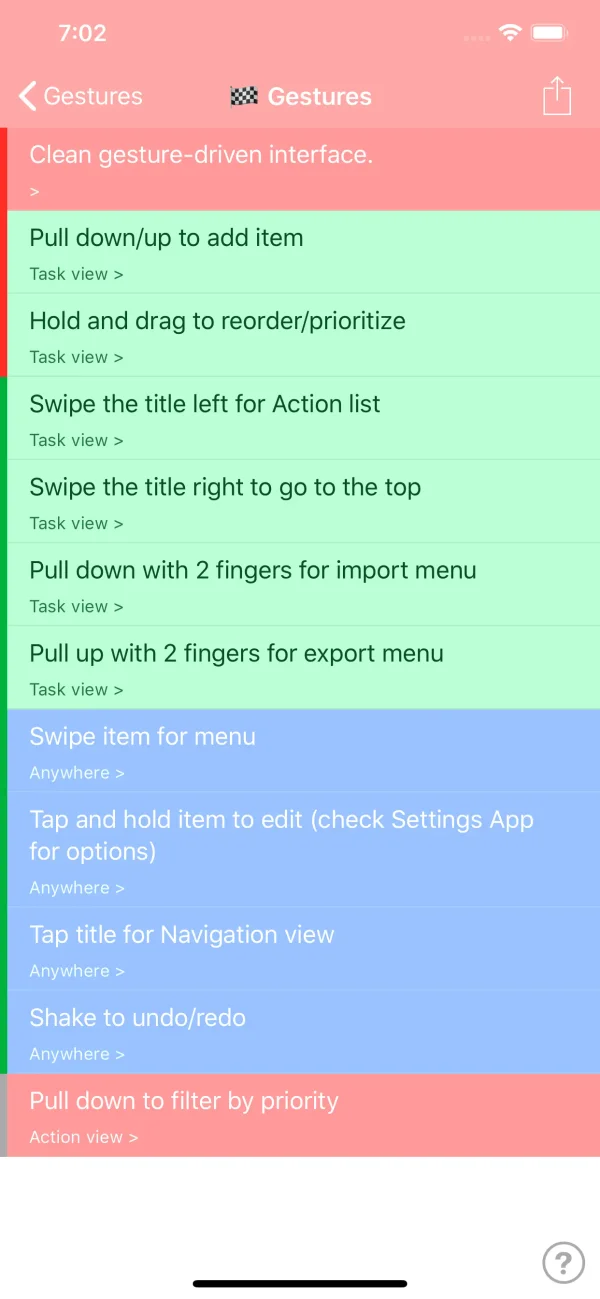
Gestures:
● In Task View
• Pull down/up to add item
• Hold and drag to reorder/prioritize
• Swipe the title left for Action list
• Swipe the title right to go to the top
• Pull down with 2 fingers for import menu
• Pull up with 2 fingers for export menu
● In Action view
• Pull down to filter by priority
● Anywhere
• Swipe item for menu
• Tap and hold item to edit
• Tap title for Navigation view, tap again to dismiss
• Pinch out/in to switch wrapping of long task names on/off
• Shake/3-finger tap to undo/redo
新機能
バージョン 2.5 · 2025/9/15
- You can now hide completed tasks in Task lists or show completed tasks in Action lists. These are 2 independent settings that you can access either in the Settings screen or directly from a list view using a two-finger long press.
- New "Export Markdown" option for Task lists (2-finger pull-up for export options).
- Both Outline and Markdown options in Task export respect "show completed tasks" setting so you can include or exclude completed tasks in your exports.
- New option to export Action lists as Markdown text grouped by path.
アプリのプライバシー
このアプリのデータの取り扱いについて、Mu-sonicがApp Storeで申告している内容です。
-
データの収集なし
開発元はこのアプリからデータを収集しません。
プライバシーの取り扱いは、ご利用の機能やお客様の年齢などに応じて異なる場合があります。
情報
- 販売元
- Mu-sonic Ltd
- カテゴリ
- 仕事効率化
- バージョン
- 2.5
- 更新日
- 2025/9/15
- リリース
- 2015/9/19
- サイズ
- 2.7 MB
- 必要条件
- iOS 17.0以降
- 対象年齢
- 4+
- 価格
- 無料
- アプリ内課金
- あり
- 言語
- 英語
- 著作権
- © 2015 Mu-sonic Ltd.
こちらもおすすめ
-
 MICRO LLM仕事効率化
-
 Schichter - Shift calendar仕事効率化
-
 Flink - デイリープランナーミニマルToDoリスト&スケジュール
-
 Voice Text仕事効率化
-
 Cloud Outliner - Nested Listsあなたのアイデアをアウトライン化し、生活を整理するツールです
-
 This Week 一週間のプランナー一週間をひと目で管理
-
 Scan2PDF Mobile仕事効率化
-
 Pensieve: Email Me Notes仕事効率化
-
 Search Ninja for Safari仕事効率化
-
 DeadLineTodo - DDL Management仕事効率化