
- 対象年齢12+
- カテゴリ仕事効率化
- 開発元Mario Mathurin
- 言語英語
- サイズ17.3 MB
App Storeの公式ページにリンクしています
Download.orgはMarzsAIのファイルを一切ホストしていません。ボタンを押すと、Mario Mathurinが公開しているApp Storeのアプリページが開きます。ページの最終確認:2026/11/22。
スクリーンショット

概要
開発元はこのテキストをお使いの言語で提供していません。
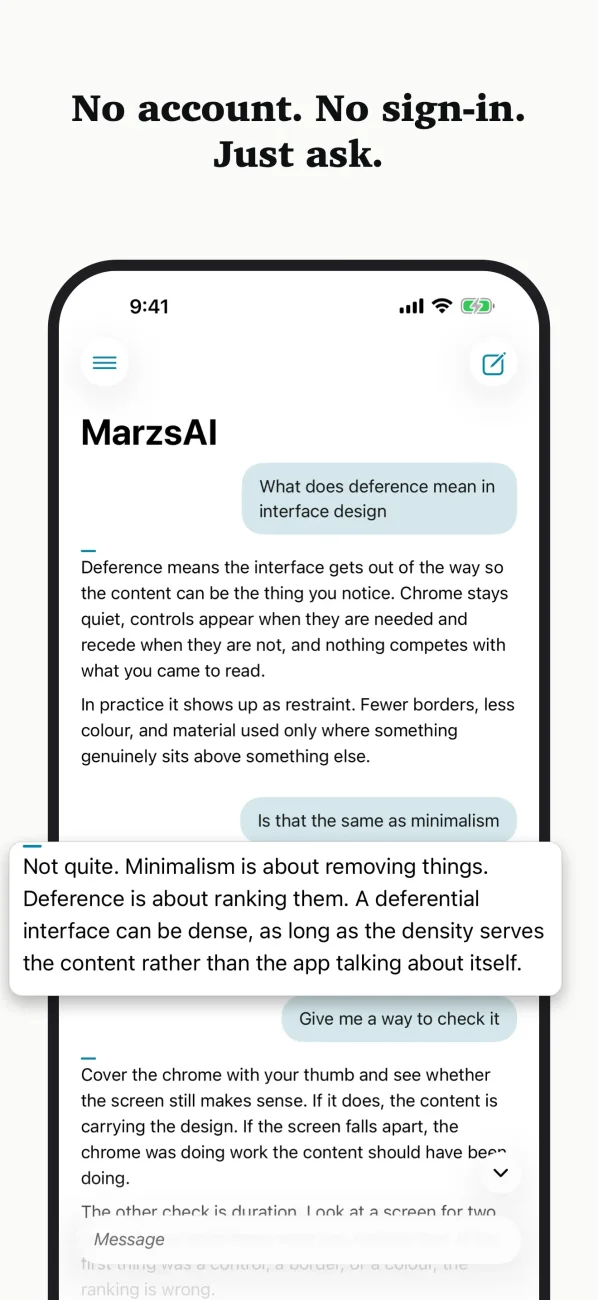
No account. No sign-in. Just ask.
MarzsAI is a chat assistant for iPhone. There is nothing to create and nothing to log into. Open it and type.
WHAT IT DOES
Ask a question and it answers, a word at a time as the reply is written. Your conversations are stored only on this phone, and you can search back through every one of them.
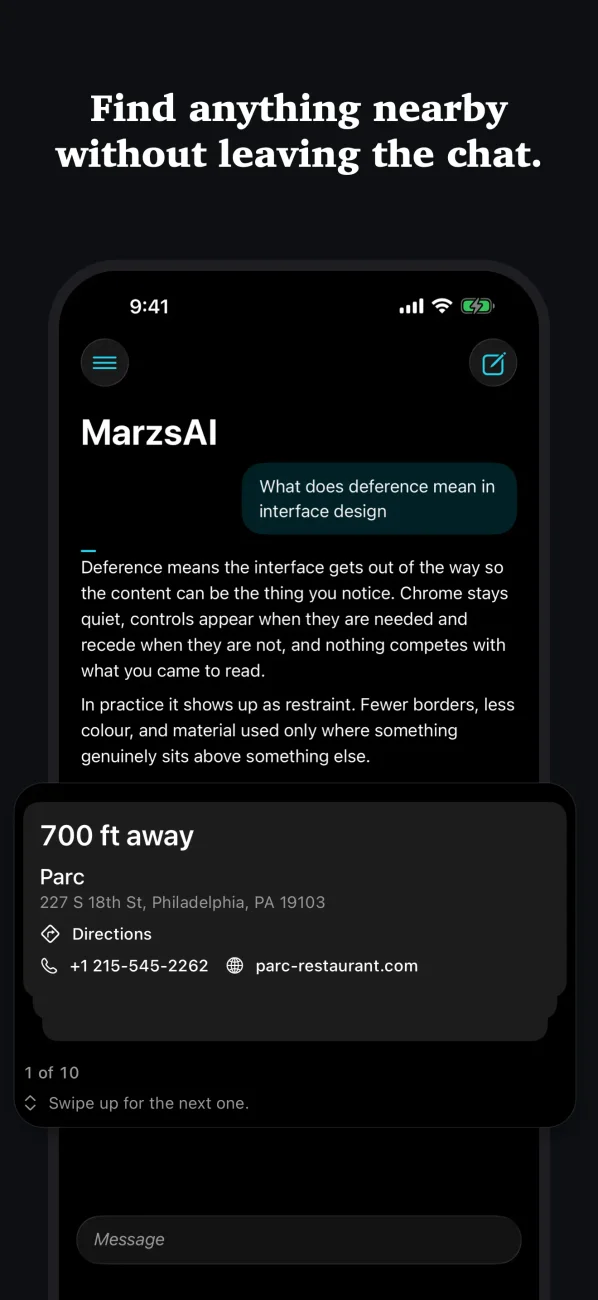
Ask for somewhere nearby and it searches without leaving the chat. Coffee, a hardware store, somewhere to eat. You get what it found with the distance to each one, and you can call the place or get directions from the same card. Say no to location and you type a town or a ZIP code instead. The search works the same either way.
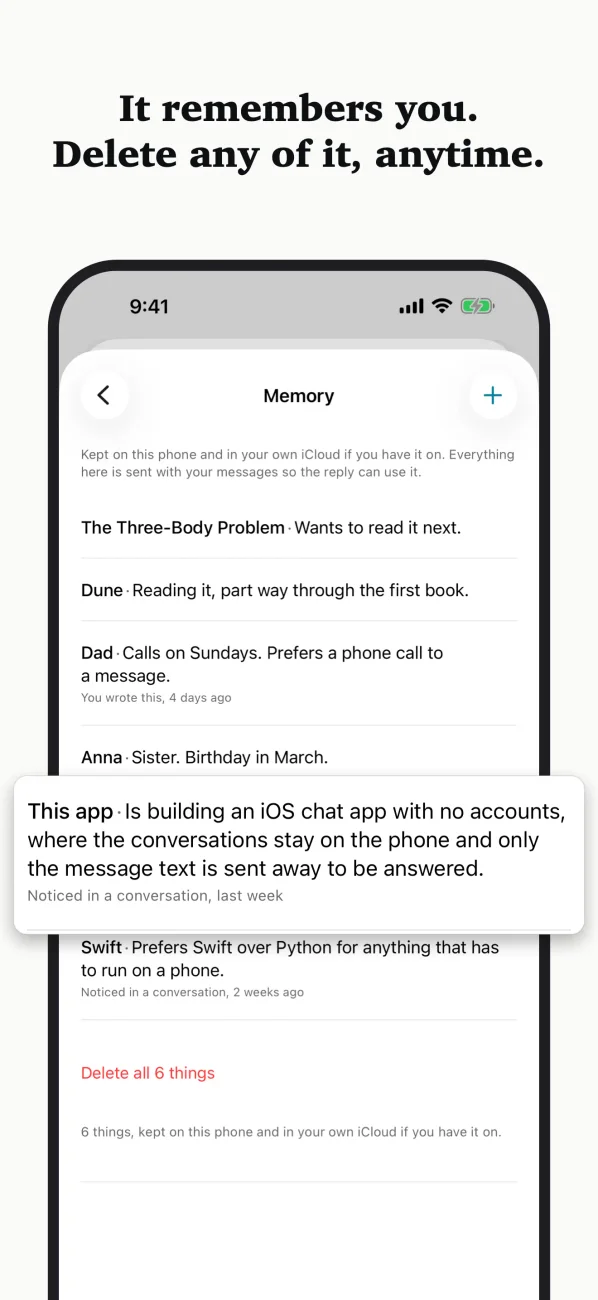
It remembers what is worth remembering between conversations. What you do, who is in your family, the thing you are allergic to. You can read the whole list in Settings, change any line of it, and delete any of it whenever you want. It is kept on this phone and in your own iCloud if you have iCloud turned on.
It keeps a few other things for you. Vehicles, with what each one cost and what you have spent on it since. Trips, which can pull in the photos you already took over the days you pick and show where and when each was taken. Reminders, which arrive as notifications. When the assistant spots a vehicle, a trip or a reminder in what you said, it offers to add it, and nothing is added until you tap it.
Two models to answer with. Considered takes longer and reasons further. Quick answers sooner and is better for short questions. You choose in Settings and you can change it whenever.
Scan a page with the camera, or attach a PDF or a text file, and ask about it. Before a document's words are sent, you see exactly what will go, and a scan's picture never leaves this phone. Your files live in Digital Files, where pictures, PDFs and text open right inside the app.
WHAT LEAVES THIS PHONE
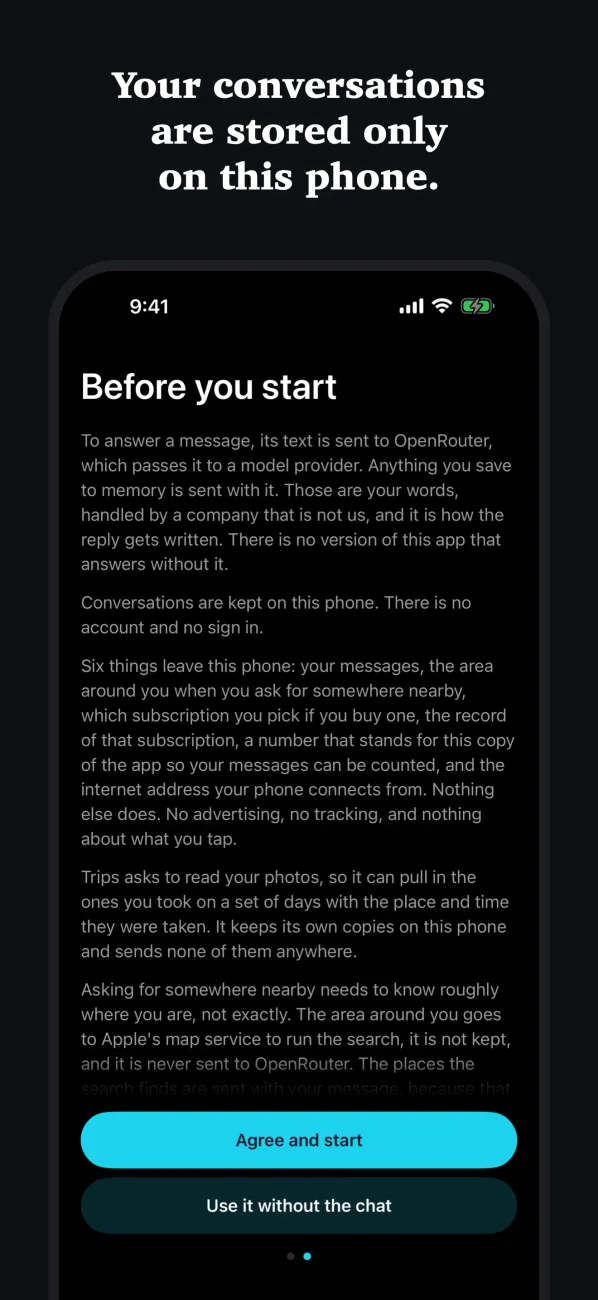
To write a reply, the app sends your message text to OpenRouter, which passes it to a model provider. Anything you save to memory is sent with it. Those are your words, handled by a company that is not us, and there is no version of this app that answers without it.
Seven things leave this phone: your messages, the photos you attach to them, the area around you when you ask for somewhere nearby, which subscription you pick if you buy one, the record of that subscription, a number that stands for this copy of the app so your messages can be counted, and the internet address your phone connects from. Nothing else does. No advertising, no tracking, and nothing about what you tap.
Asking for somewhere nearby goes to Apple's map service to run the search, and never to the model provider. Buying a subscription goes through the App Store, so your name, your address and your card never reach us.
All of this is written out on first launch, before you agree to anything, and in full in the privacy policy.
WHAT IT COSTS
25 messages a month, free. 500 a month with a subscription, and the first month is free if you have not had a trial before. Everything else in the app stays free.
Terms of Use (EULA): https://www.apple.com/legal/internet-services/itunes/dev/stdeula/
新機能
バージョン 1.6.3 · 2026/10/19
When an answer takes more than a few seconds, the title now says what MarzsAI is doing, like Searching the web, with a clock beside it. If it has to try again, it says so. Above an answer that took a while to begin, MarzsAI shows how long it worked.
While a long answer is on its way, the screen stays awake. If MarzsAI has to stop because you left the app, the reply keeps what arrived and says it stopped.
You now feel a tap when something is saved or removed, when something can't be done, and when you start a new chat. Turn them off in Settings, under Haptics.
Also: the title no longer moves up and down while an answer arrives, the notice that says how many messages are left can be closed, VoiceOver reads each card in Yours once, and on iPad the screen about what changed clears the window's buttons.
アプリのプライバシー
このアプリのデータの取り扱いについて、Mario MathurinがApp Storeで申告している内容です。
-
ユーザーに関連付けられないデータ
収集される場合がありますが、ユーザーの識別情報には関連付けられません。
- 購入
- 位置情報
- ユーザーコンテンツ
- ID
- 使用状況データ
- 診断
プライバシーの取り扱いは、ご利用の機能やお客様の年齢などに応じて異なる場合があります。
情報
- 販売元
- Mario Mathurin
- カテゴリ
- 仕事効率化
- バージョン
- 1.6.3
- 更新日
- 2026/10/19
- リリース
- 2026/9/16
- サイズ
- 17.3 MB
- 必要条件
- iOS 26.5以降
- 対象年齢
- 12+
- 価格
- 無料
- アプリ内課金
- あり
- 言語
- 英語
- 著作権
- © 2026 Mario Mathurin