- 対象年齢4+
- カテゴリ開発ツール
- 開発元AVA INDUSTRIES e.K.
- 言語英語ほか1言語
- サイズ49.3 MB
App Storeの公式ページにリンクしています
Download.orgはMASCHINEのファイルを一切ホストしていません。ボタンを押すと、AVA INDUSTRIES e.K.が公開しているApp Storeのアプリページが開きます。ページの最終確認:2026/11/18。
スクリーンショット





概要
開発元はこのテキストをお使いの言語で提供していません。
MASCHINE is your project, development, and system management hub on the iPad. Organize knowledge, files, assets, and code in shared workspaces—and connect Macs, Linux servers, and Windows PCs directly to MASCHINE.
WORKSPACES FOR YOUR TASKS
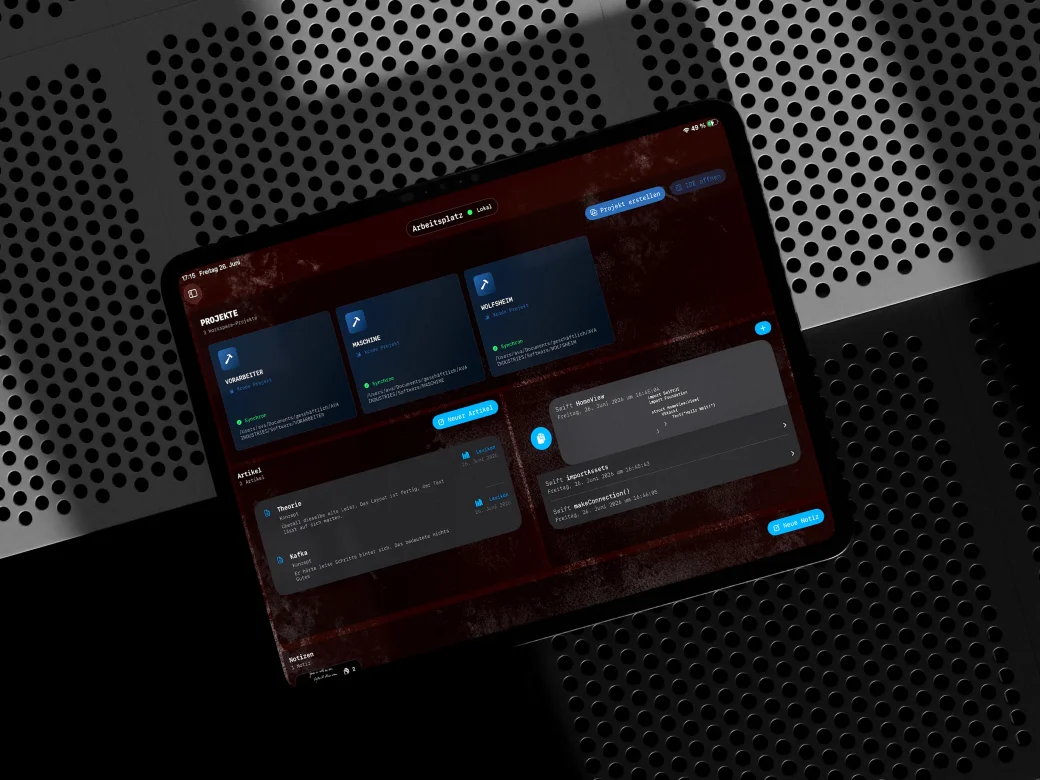
Specialized workspaces keep everything together within the context of each project or system:
• Documentation, notes, and sketches
• Code snippets and assets
• Swift, Xcode, and Python projects
• Integrated IDE with editor and diagnostics
• Connected Mac, Linux, and Windows systems
MANAGE SYSTEMS ON THE IPAD
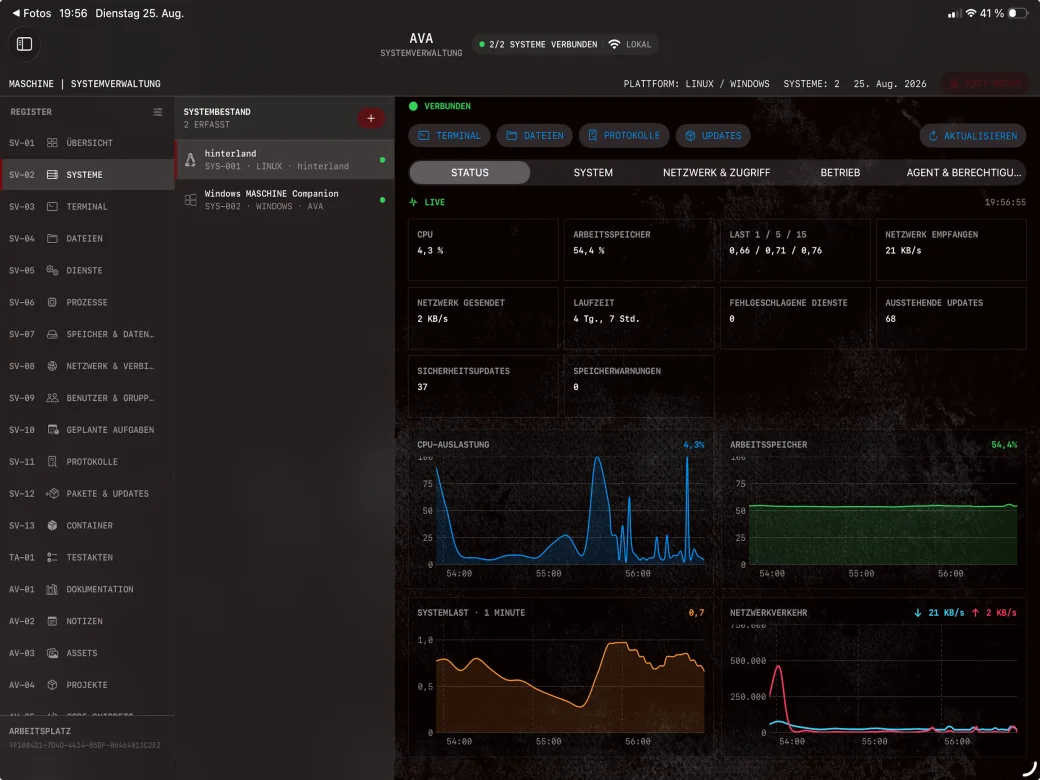
The system management workspace connects Linux servers and Windows PCs to the iPad. Manage supported areas directly in MASCHINE:
• Terminal and files
• Services and processes
• Storage and network
• Ports and firewall
• Users and groups
• Scheduled tasks
• Packages, software, and updates
• Containers and Compose projects
Live data and real-time graphs display CPU, RAM, system load, and network traffic. System reports can be generated as black-and-white PDFs.
LINUX AGENT AND WINDOWS COMPANION
The MASCHINE Linux Agent connects your own x86_64 Linux systems to MASCHINE. The Windows Companion enables system administration and file transfers for Windows PCs without having to manually log in as an administrator on a daily basis.
After a one-time pairing, devices remain assigned and can be accessed locally or via the encrypted MASCHINE Relay.
START PROJECTS DIRECTLY ON THE IPAD
The Project Assistant creates initial structures for:
• iOS, macOS, tvOS, and watchOS apps
• Swift packages
• Python programs and Python packages
The project name, bundle identifier, template, and target structure are validated before creation.
BUILD AND RUN APPLE APPS
With the MASCHINE Build Agent for macOS, you can create, build, test, and launch Apple projects directly from your iPad. Select a scheme and target device, then run apps on simulators, connected Apple devices, or macOS.
INFRASTRUCTURE AND TEST WORKFLOWS
Edit projects for Ansible, Terraform, and Docker Compose. Use test files to create repeatable test and regression workflows consisting of linked test steps.
PROCESSING FILES
Process images, PDFs, text files, archives, property lists, audio, and 3D files. MASCHINE displays the appropriate tools for the file type and preserves the original file unchanged.
RUNTIMES AND REMOTE DESKTOP
Create isolated Linux development environments on your connected Mac, open terminals, or use the Runtime desktop. Remote Desktop also allows you to access your Mac and running apps.
KNOWLEDGE THAT STAYS WITH THE PROJECT
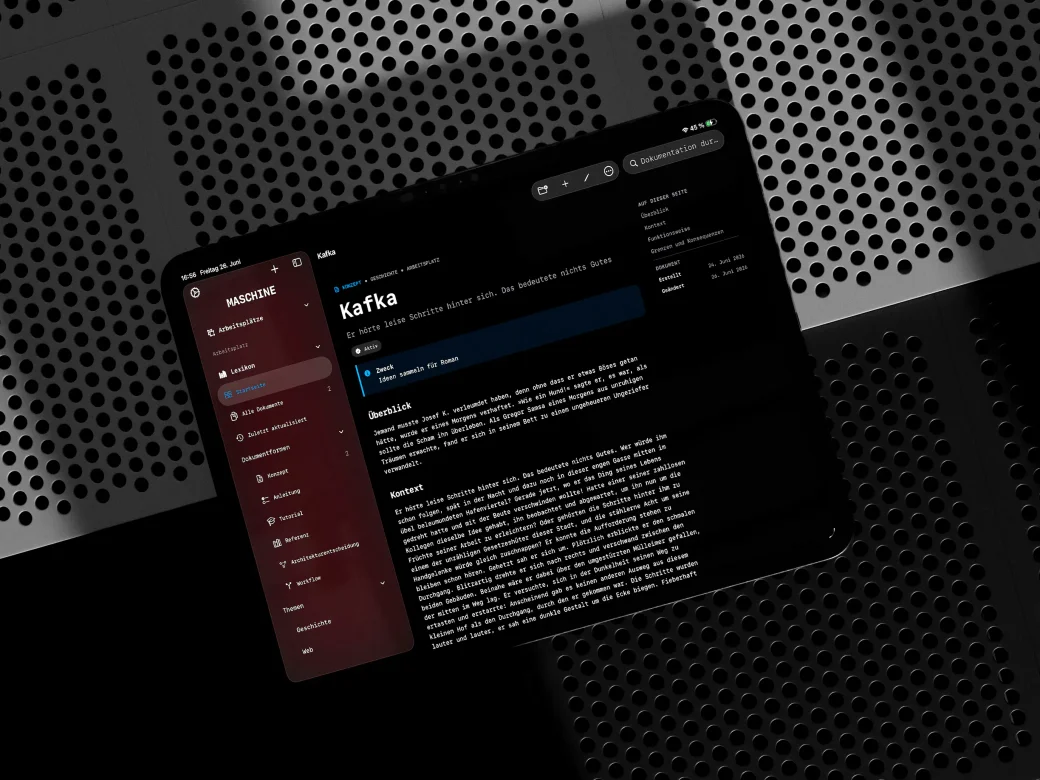
Create concepts, guides, tutorials, references, architectural decisions, and workflows. Published documents appear in the global lexicon but remain linked to your workspace.
The built-in manual explains the most important features. The feed provides updates from AVA INDUSTRIES.
LOCAL AND REMOTE
MASCHINE prefers direct connections on the local network. Supported agent tasks can be routed via the end-to-end-encrypted Relay when on the go. The status indicator shows the current connection path.
LICENSE AND AGENTS
Basic organizational functions can be used directly on the iPad. System administration, builds, runtimes, Remote Desktop, Relay, SFTP, and Windows file transfer require a monthly subscription or a lifetime license after the three-day trial period.
Build Agent, Linux Agent, and Windows Companion are provided separately via the official AVA INDUSTRIES website.
Terms of Use (EULA):
https://www.apple.com/legal/internet-services/itunes/dev/stdeula/
新機能
バージョン 1.4.0 · 2026/8/26
- A new workstation for professional system administration of Linux servers and Windows PCs
- Access systems locally or on the go via an encrypted relay connection
- Centrally monitor and manage the terminal, files, services, processes, memory, and network
- Control users, groups, scheduled tasks, packages, updates, the firewall, and containers
- Live system status with real-time graphs for CPU, RAM, system load, and network traffic
- Detailed system overviews with alerts, operational data, and key findings
- Generate black-and-white PDF system reports in the straightforward MASCHINE management style
- New test files for repeatable system checks and automated test runs
- Edit and execute infrastructure projects for Ansible, Terraform, and Docker Compose
- Existing MASCHINE features available as flexible workspace modules
- Redesigned developer workspace with a unified design and improved clarity
- Pair and manage the Mac Agent and Windows Companion directly within their respective workspaces
- Improved terminal response times and faster system and connection queries
- Extensively revised manual with clearer, user-friendly instructions
- Numerous improvements in stability, usability, presentation, and performance
アプリのプライバシー
このアプリのデータの取り扱いについて、AVA INDUSTRIES e.K.がApp Storeで申告している内容です。
-
データの収集なし
開発元はこのアプリからデータを収集しません。
プライバシーの取り扱いは、ご利用の機能やお客様の年齢などに応じて異なる場合があります。
情報
- 販売元
- AVA INDUSTRIES e.K.
- カテゴリ
- 開発ツール
- バージョン
- 1.4.0
- 更新日
- 2026/8/26
- リリース
- 2026/7/1
- サイズ
- 49.3 MB
- 必要条件
- iOS 26.0以降
- 対象年齢
- 4+
- 価格
- 無料
- アプリ内課金
- あり
- 言語
- 英語, ドイツ語
- 著作権
- ©️2026 AVA INDUSTRIES e.K.