- 対象年齢4+
- カテゴリミュージック
- 開発元巧霞 詹
- 言語フランス語ほか18言語
- サイズ636.1 MB
App Storeの公式ページにリンクしています
Download.orgはMelodaiのファイルを一切ホストしていません。ボタンを押すと、巧霞 詹が公開しているApp Storeのアプリページが開きます。ページの最終確認:2026/11/12。
スクリーンショット

概要
開発元はこのテキストをお使いの言語で提供していません。
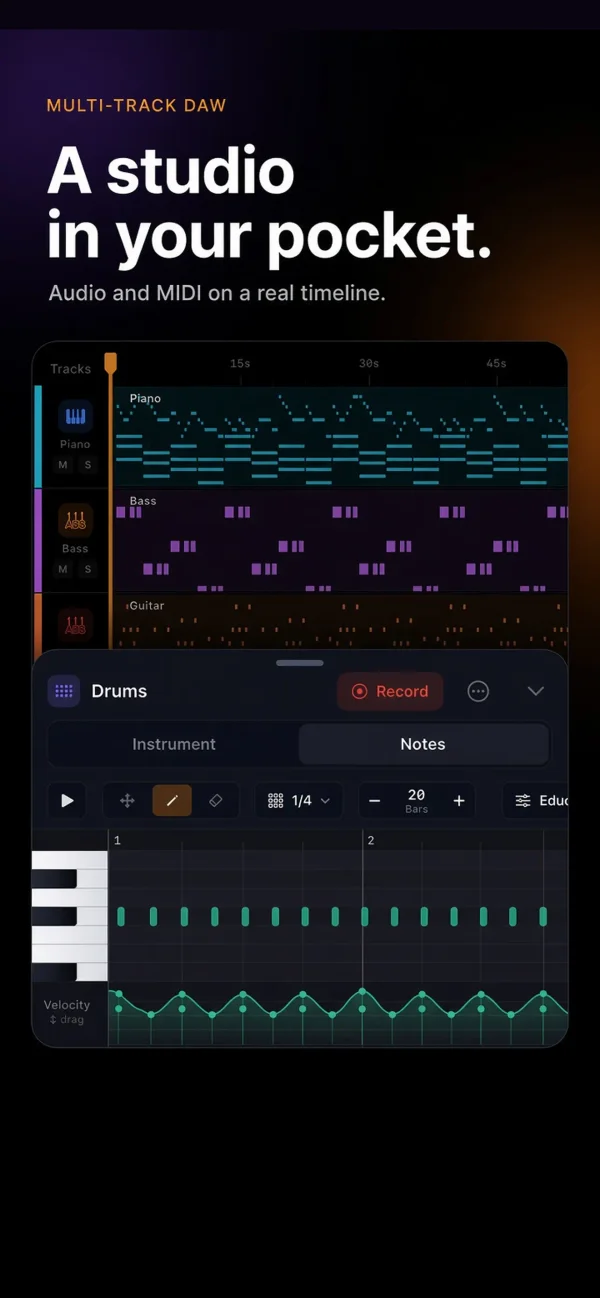
Melodai is a desktop-class DAW for iPhone, iPad, and Mac: multi-track editing, instruments you can play, a full FX rack, and on-device AI for jam, stems, and sheet scan. The mix stays on your device.
RECORD AND ARRANGE
Build a song on a real timeline. Audio, voice, loops, and MIDI tracks live in one project. Move, split, duplicate, and snap clips. Record from the mic or into the instrument you have open, with count-in and overdub. Undo walks a change back.
PLAY THE INSTRUMENTS
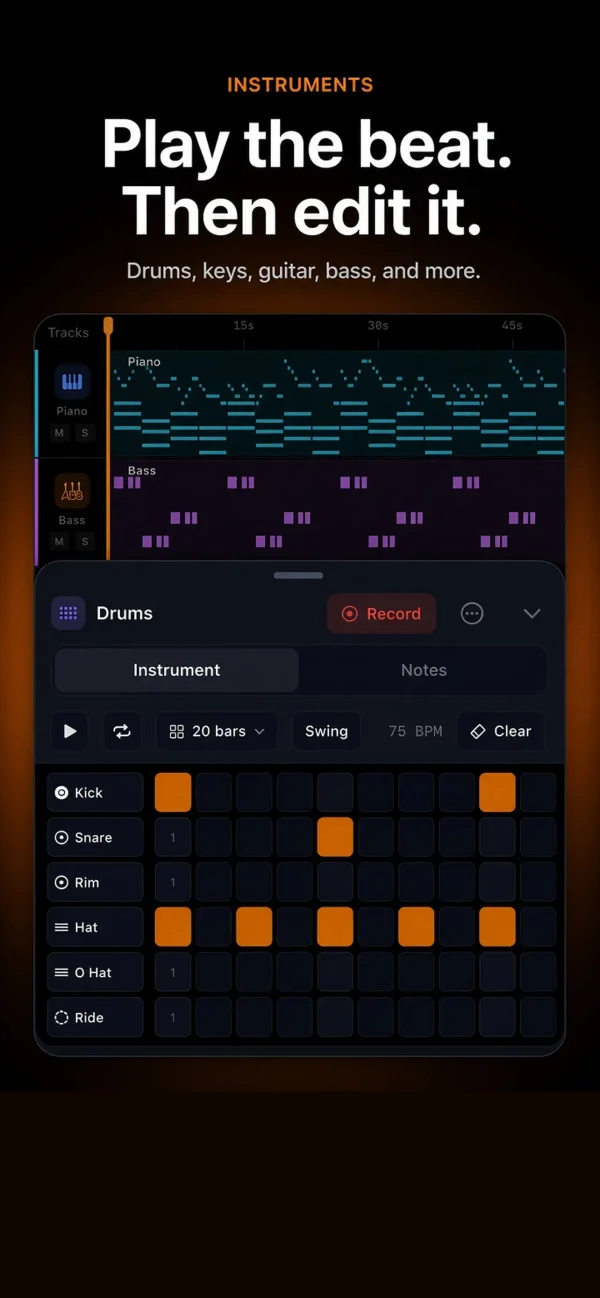
Select a track and the dock becomes the instrument: keys, drums, guitar, bass, 808, synth, violin, saxophone, or Guzheng. Tap, play, and record MIDI, then edit notes in the piano roll.
MIX AND SHAPE
A studio FX rack on every track and on the master: parametric EQ, 10-band EQ, compressor, limiter, reverb, delay, chorus, flanger, phaser, tremolo, distortion, and pitch. Drop in loops from a bundled library filed by drums, bass, keys, guitar, synth, strings, vocals, and genre. Clean a take with on-device noise reduction.
ON-DEVICE AI
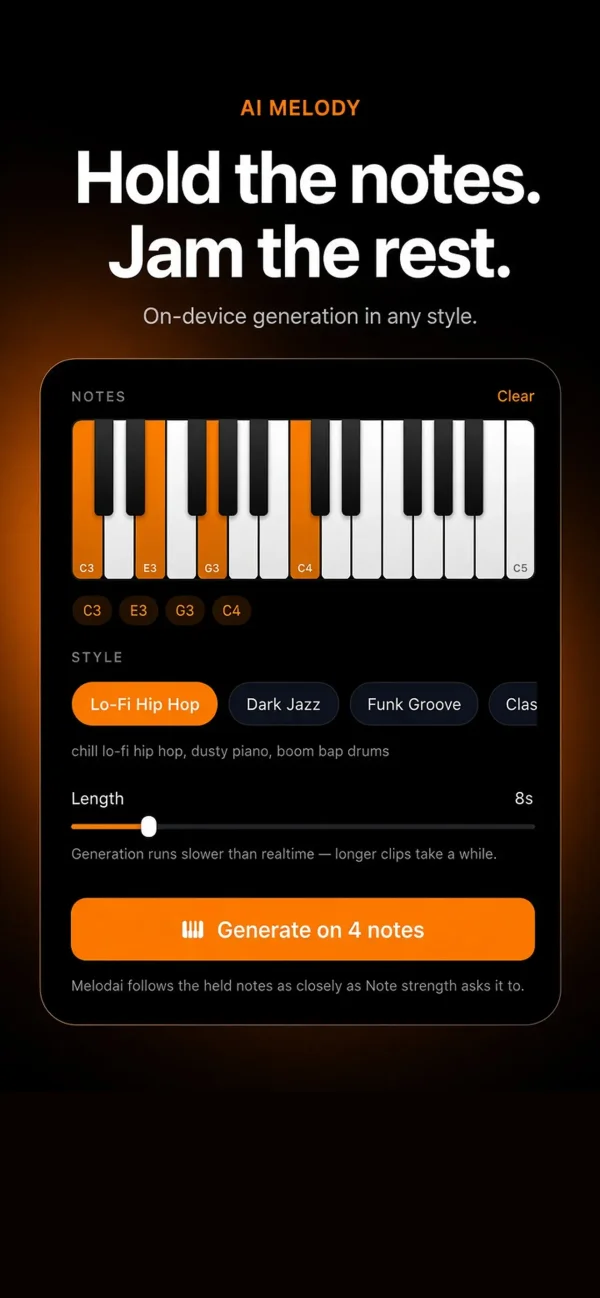
Jam: hold notes, pick a style — Lo-Fi, Dark Jazz, Trap, Orchestral, and more — and generate a take on Apple silicon.
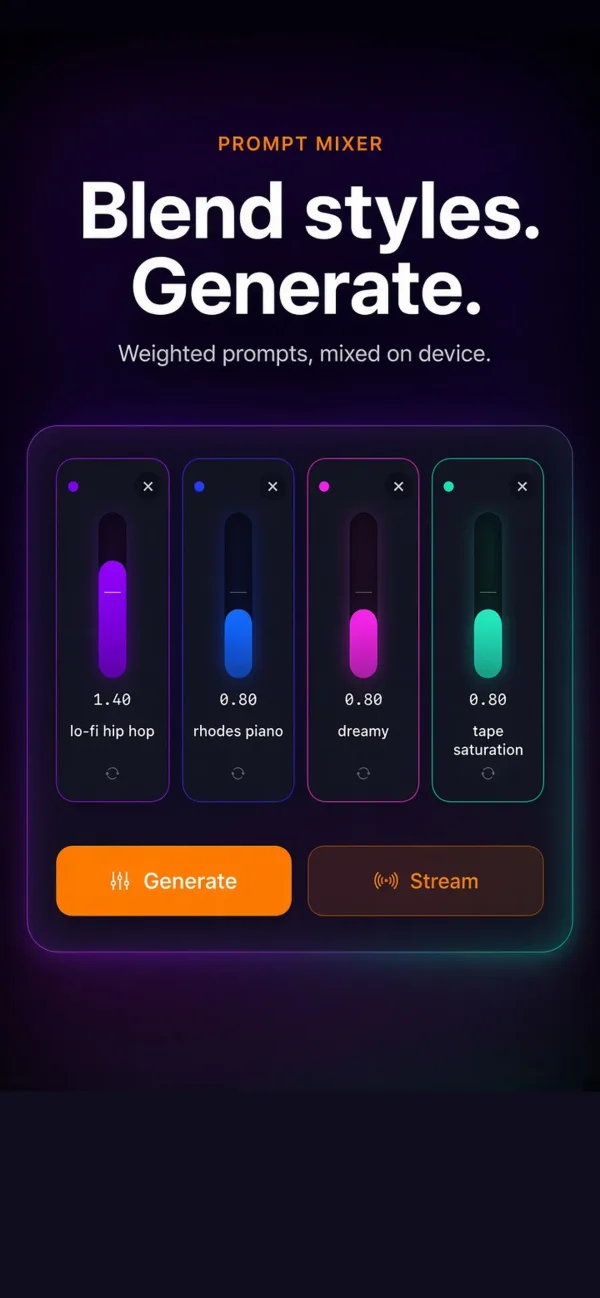
Prompt Mixer: blend style terms on faders and generate into the mix you dialled in.
Stems: split a song into bass, drums, other, and vocal, then open it as a four-track session.
Sheet scan: photograph a piano score and open MIDI you can play and edit.
MIDI import: drop a .mid file and it becomes tracks and notes, not a dead bounce.
Jam, stems, sheet scan, and noise reduction run with Core ML on your device. Your recordings are not uploaded to finish an edit. Optional text-to-arrangement compose sends only a prompt, never your audio.
EXPORT
Share MP3 or AAC. Bounce lossless WAV, AIFF, or 32-bit float CAF when the file has to leave as audio.
iPhone, iPad, and Mac. No ads, no tracking, no account.
MELODAI PRO
You can build a song for free. Pro unlocks the full instrument set, piano roll, Pro loops, Jam, Prompt Mixer, stem split, EQ, noise reduction, and lossless export. If a session uses those tools, Pro is required to export. Prices are shown in the app in your local currency.
Auto-renewable subscription
Payment is charged to your Apple ID at confirmation of purchase. The subscription renews automatically unless you cancel at least 24 hours before the end of the current period. Your account is charged for renewal within 24 hours before the period ends. Manage or cancel in your Apple ID account settings. Any unused portion of a free trial, if offered, is forfeited when you purchase a subscription.
Privacy Policy: https://melodai.youthpe.com/privacy.html
Terms of Use: https://melodai.youthpe.com/terms.html
アプリのプライバシー
このアプリのデータの取り扱いについて、巧霞 詹がApp Storeで申告している内容です。
-
データの収集なし
開発元はこのアプリからデータを収集しません。
プライバシーの取り扱いは、ご利用の機能やお客様の年齢などに応じて異なる場合があります。
情報
- 販売元
- 巧霞 詹
- カテゴリ
- ミュージック
- バージョン
- 1.0
- 更新日
- 2026/9/24
- リリース
- 2026/9/24
- サイズ
- 636.1 MB
- 必要条件
- iOS 18.0以降
- 対象年齢
- 4+
- 価格
- 無料
- アプリ内課金
- あり
- 言語
- フランス語, ドイツ語, 英語, アラビア語, 簡体字中国語, 繁体字中国語, 韓国語, スペイン語, ヒンディー語, インドネシア語, イタリア語, 日本語 ほか7言語
- 著作権
- © 2026 Melodai