
- 対象年齢4+
- カテゴリ仕事効率化
- 開発元勇 崔
- 言語英語ほか1言語
- サイズ2.3 MB
App Storeの公式ページにリンクしています
Download.orgはMeta-Dataのファイルを一切ホストしていません。ボタンを押すと、勇 崔が公開しているApp Storeのアプリページが開きます。ページの最終確認:2026/11/23。
スクリーンショット
概要
開発元はこのテキストをお使いの言語で提供していません。
===Definition data===:
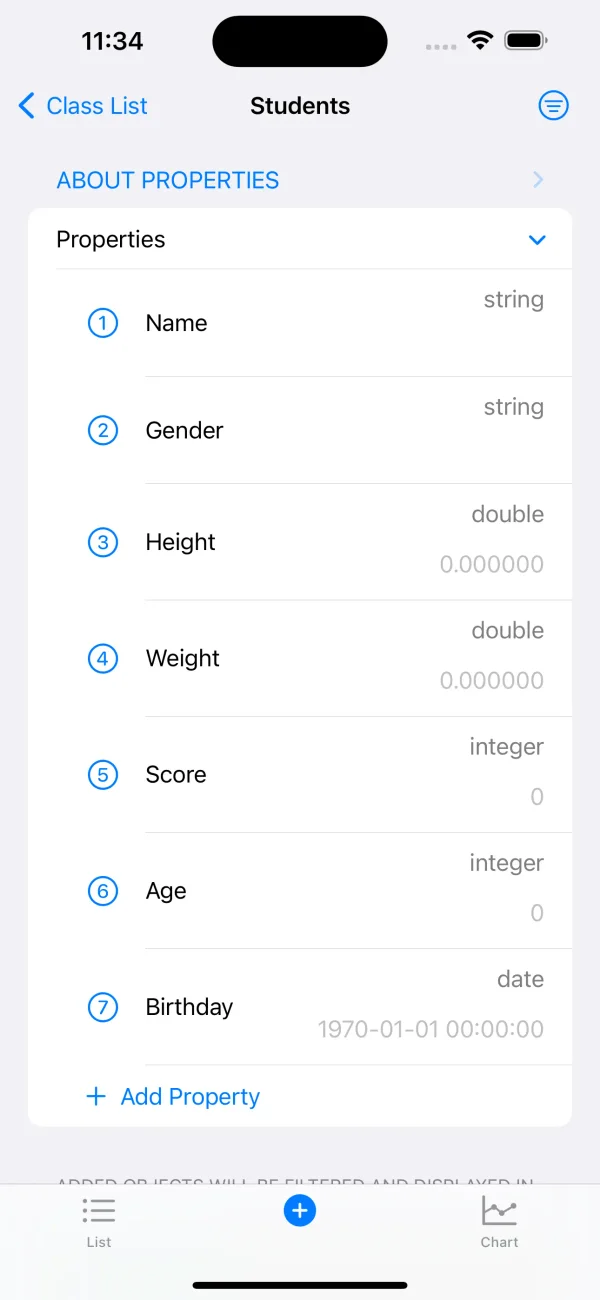
A class of data is described by defining multiple properties. The property type of data class supports integer, text, floating point number and date.
One property of the data class corresponds to one column of multi row and multi column data.
One object of the data class corresponds to one row of multi row and multi column data.
===Edit Data===:
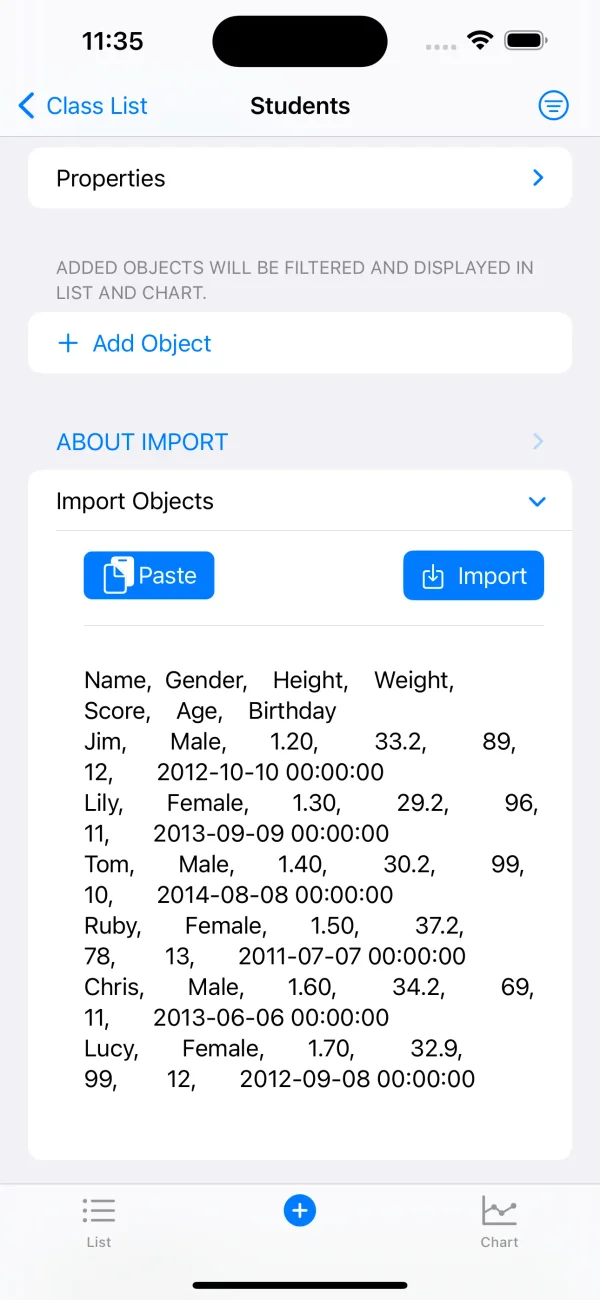
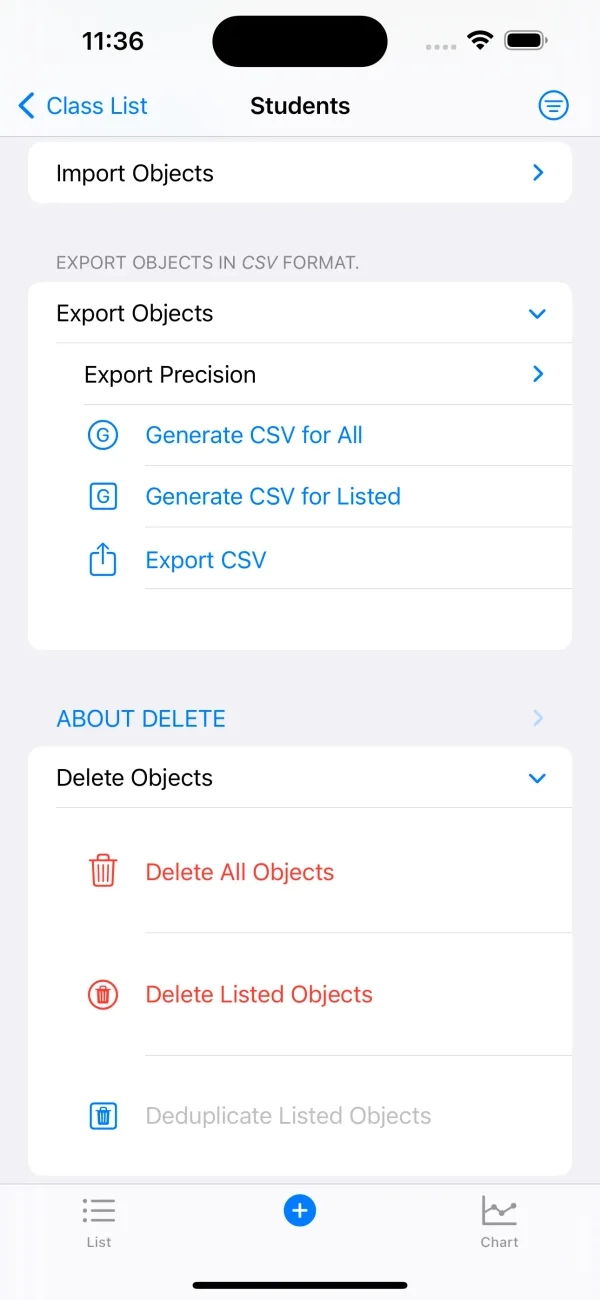
You can add and edit objects, import and export objects in CSV format.
Objects can be imported from CSV files exported from Number or Excel apps.
Or objects can be exported to CSV files to be imported into Number or Excel apps.
Import: Copy text or files in CSV format and paste them into the application.
Export: Copy the text in CSV format from the application and save it as a CSV file.
You can add notes to a single object (text and pictures are supported).
===Exploring data===:
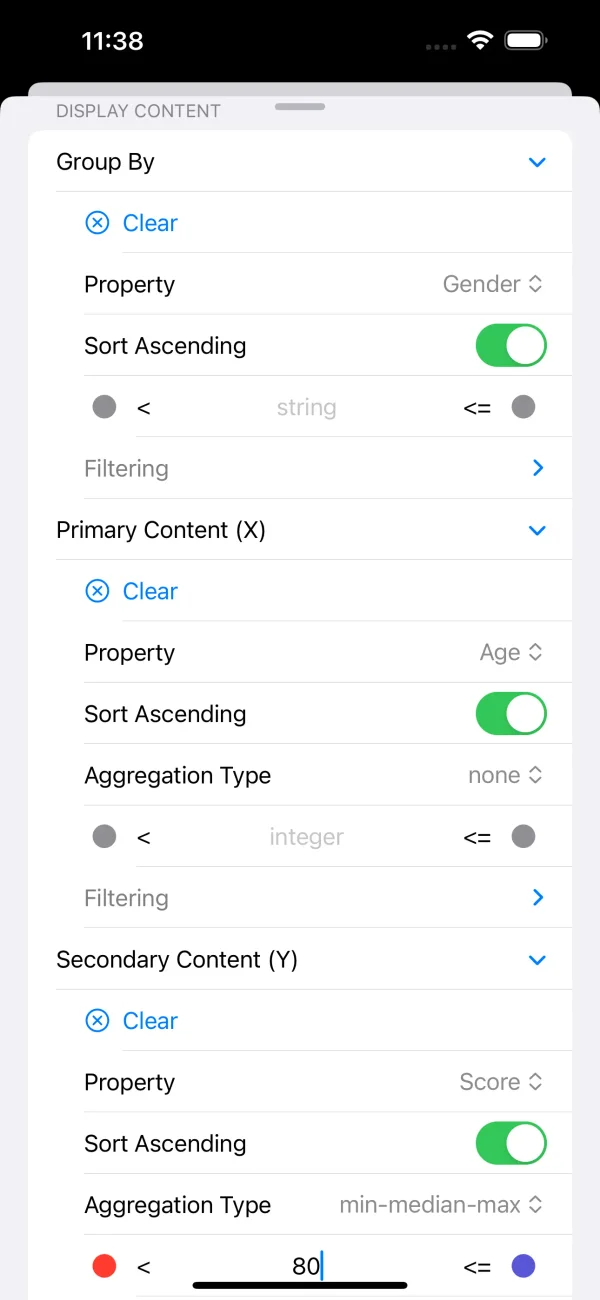
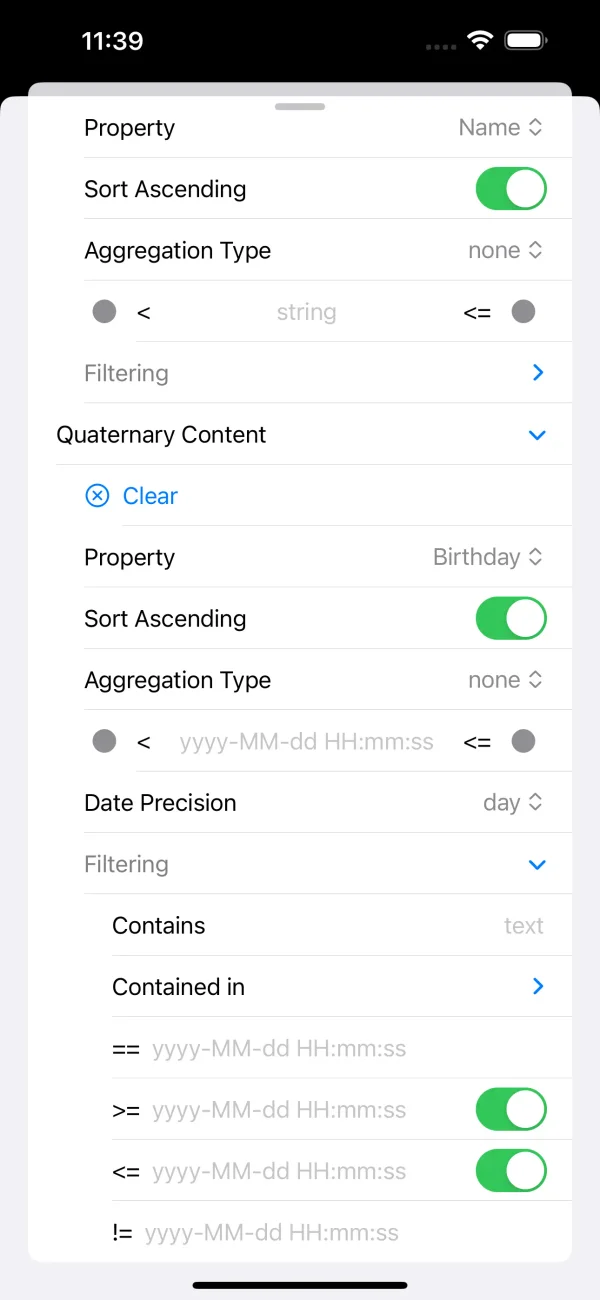
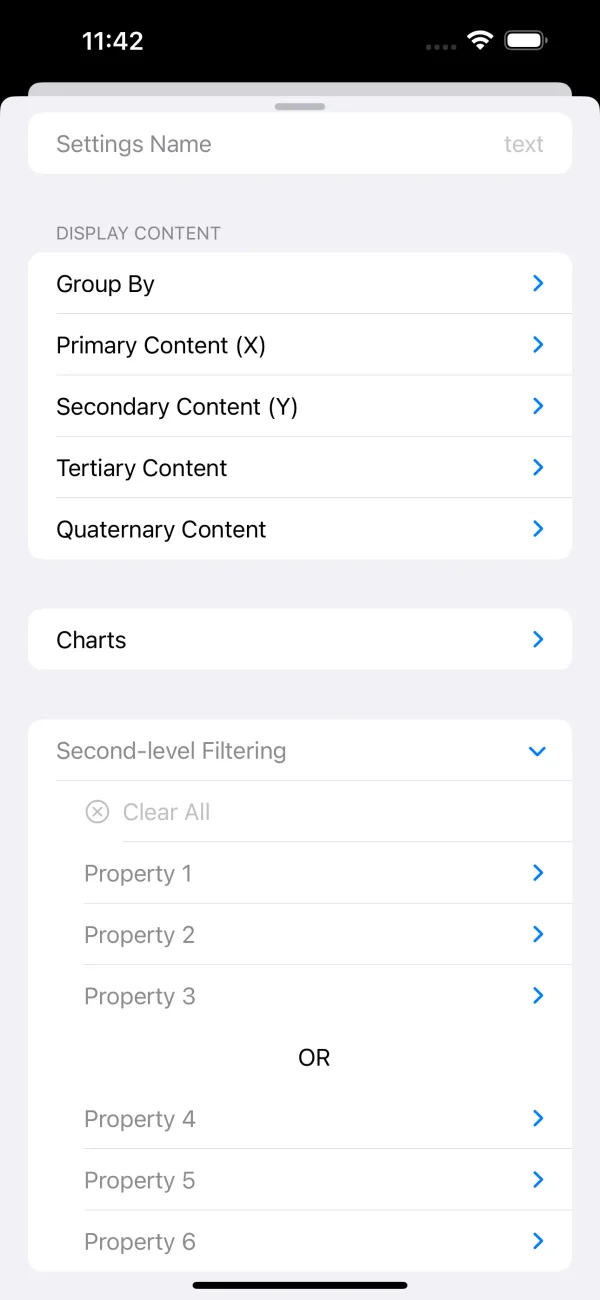
You can filter, group, sort, and display the objects of the data class according to any five properties of the data class.
Three different filtering and display settings are supported.
Support the second quick search on the filtered objects.
Filtering supports multiple conditions (text contain, contained in some text, greater than, less than, equal-to, and not-equal).
Sorting supports ascending or descending order.
Display supports list display and chart display.
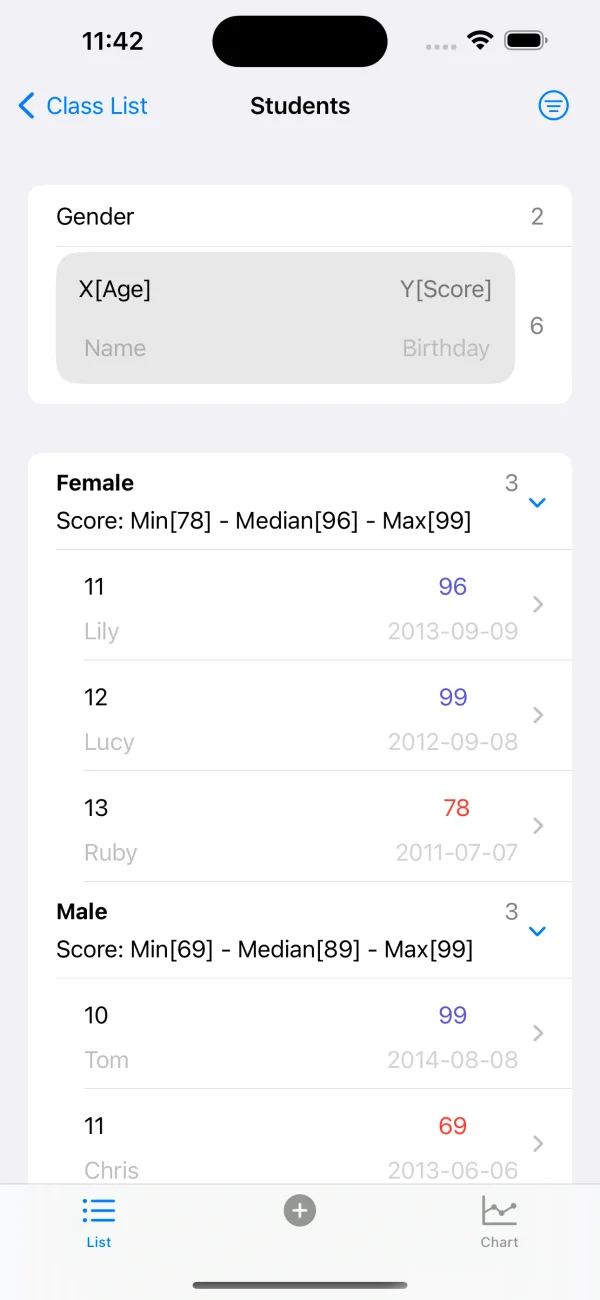
One grouping property and the other four properties you selected optionally will be displayed in the list.
You can set the aggregation type for each property of the other four properties.
Filter conditions, display color and precision can be set for each of the five properties.
The list group header displays the value of the group property and the aggregation information (count, sum, median, average etc.) of the group.
Each row of the list displays four properties of the object according to four importance levels.
Precision settings are used for grouping, filtering, and displaying.
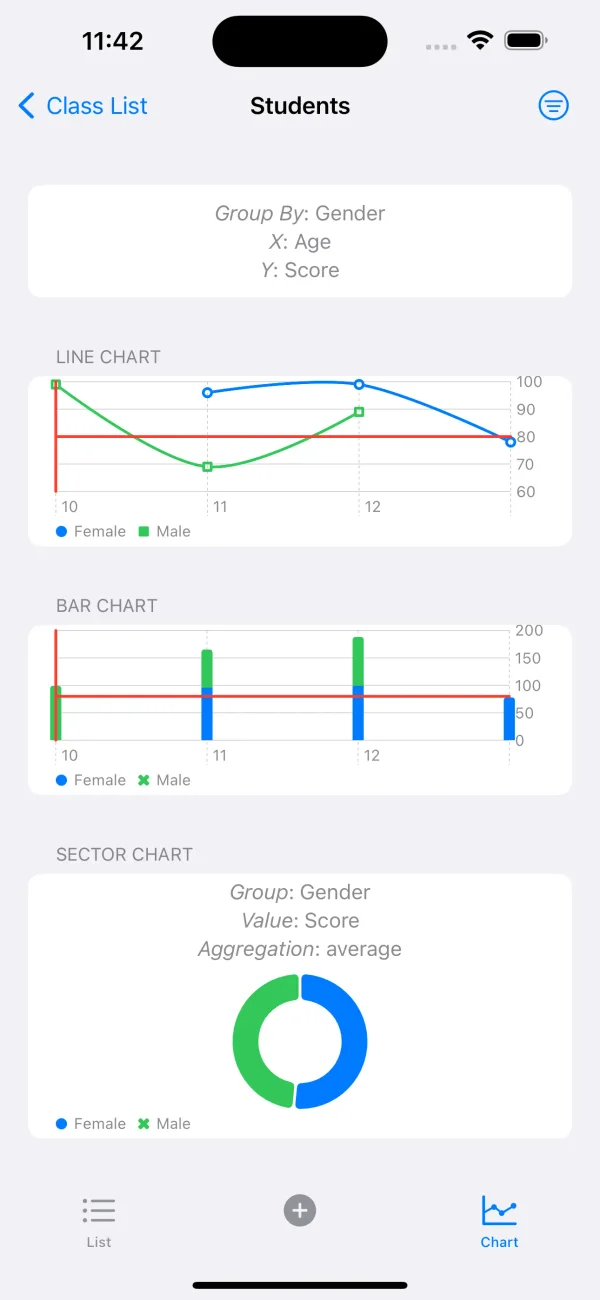
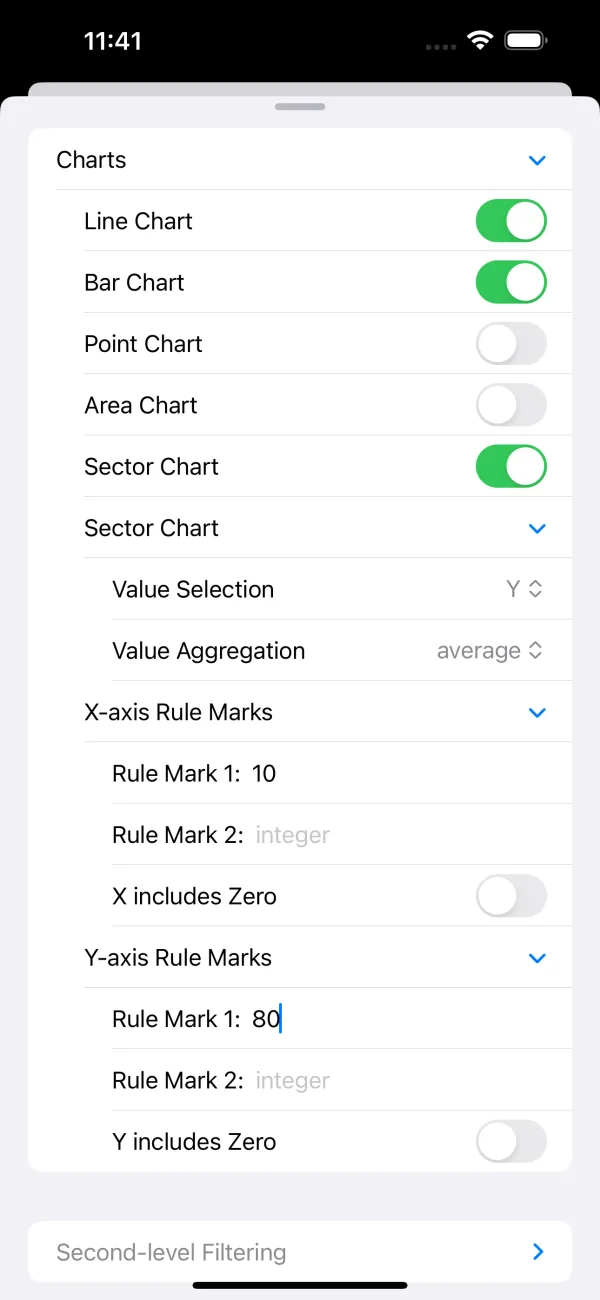
Chart display, grouped by grouping property, with the first two of the other four attributes you select as the X axis and Y axis, displays line chart, bar chart, point chart and area chart.
A sector chart is grouped by the group-by property, displaying the number of groups or the aggregated value of another property.
It means that any two properties can be used as the X axis and Y axis to draw a chart.
You can set two ruler lines for the X axis or Y axis.
=== Subscription ===:
30 objects can be created and displayed for free.
You can create 99 or 999 objects by subscribing.
After unsubscribing, you can still edit and explore the created objects.
=== EULA ===:
[standard Apple Terms of Use (EULA)](https://www.apple.com/legal/internet-services/itunes/dev/stdeula/)
新機能
バージョン 5.5 · 2026/11/20
Bug fixes.
Minor UI enhancements.
アプリのプライバシー
このアプリのデータの取り扱いについて、勇 崔がApp Storeで申告している内容です。
-
データの収集なし
開発元はこのアプリからデータを収集しません。
プライバシーの取り扱いは、ご利用の機能やお客様の年齢などに応じて異なる場合があります。
情報
- 販売元
- 勇 崔
- カテゴリ
- 仕事効率化
- バージョン
- 5.5
- 更新日
- 2026/11/20
- リリース
- 2022/12/8
- サイズ
- 2.3 MB
- 必要条件
- iOS 16.1以降
- 対象年齢
- 4+
- 価格
- 無料
- アプリ内課金
- あり
- 言語
- 英語, 簡体字中国語
- 著作権
- © 2022 Yong Cui
こちらもおすすめ
-
 Extended File Info仕事効率化
-
 スマート検索〜グーグル検索でネット情報が見つけやすくなる!何を探していますか?画像、グルメ、ニュース、買い物、旅行
-
 myTextViewer: コード&ログ表示テキスト・JSON・YAML・CSVリーダー
-
 SuperWidget - Shortcuts & APIs仕事効率化
-
 S3 Client - Files location仕事効率化
-
 FTP Client - Files location仕事効率化
-
 Adobe Analytics ダッシュボードAdobe Analytics 公式アプリ
-
 SingleFile for Safari仕事効率化
-
 Collections Database仕事効率化
-
 FileBrowserGONetwork access & media player