- 対象年齢4+
- カテゴリ仕事効率化
- 開発元根 李
- 言語英語ほか1言語
- サイズ4.2 MB
App Storeの公式ページにリンクしています
Download.orgはMicTypeのファイルを一切ホストしていません。ボタンを押すと、根 李が公開しているApp Storeのアプリページが開きます。ページの最終確認:2026/11/25。
スクリーンショット



概要
開発元はこのテキストをお使いの言語で提供していません。
MicType turns your own AI into a keyboard.
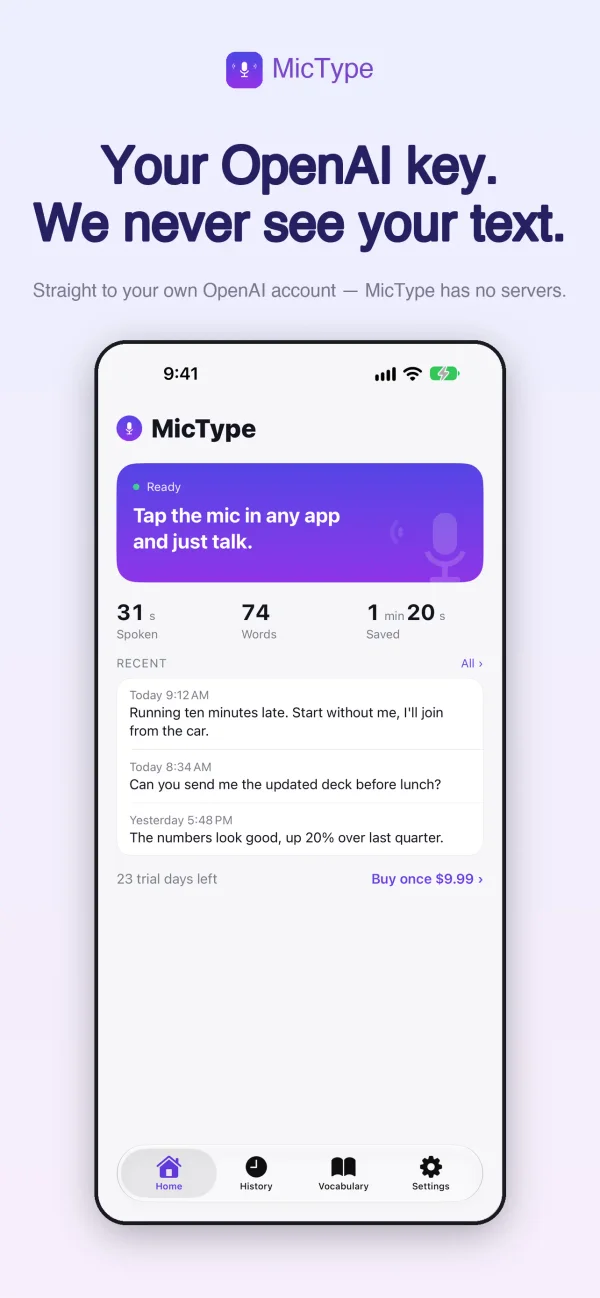
It runs on your account, not ours: you need an OpenAI API key and a connection. Without those, MicType cannot transcribe.
Speak, and it types
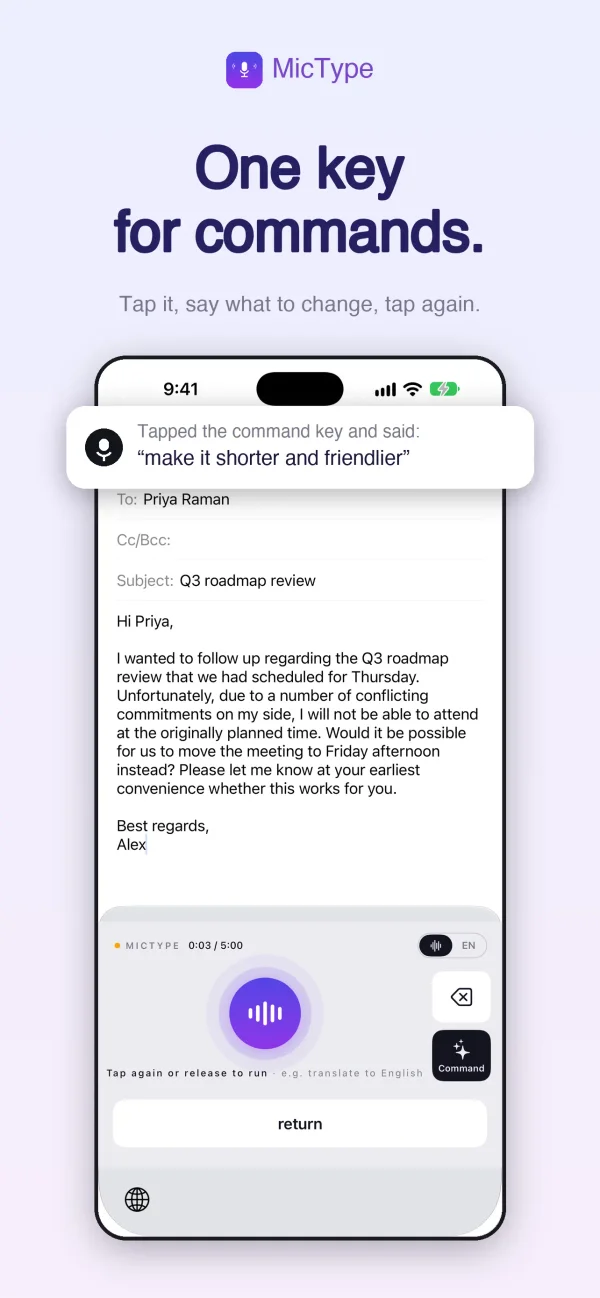
Tap the round button and talk — in any app — or hold it while you speak. Clean, punctuated, ready-to-send text lands at the cursor. Want something changed? Select the text, tap the command key and say what you want — polish, translate, rewrite, draft a reply — and the result is typed right where you are.
Face-to-face translator
Open the Apps tab, tap once, and talk with someone who speaks another language. MicType hears each sentence, shows it, translates it and reads the translation aloud on your phone. Chinese, English, French, Spanish, Arabic and Japanese.
Your AI, your key, no middleman
Connect OpenAI with your own API key. Your audio and your text go straight from your phone to OpenAI. No account, no sign-in, and no MicType server — we never receive, relay or store any of it. Before anything is sent, a plain-language disclosure tells you exactly what leaves your phone; remove your key and nothing is sent.
Accurate first
Each sentence is recognized from the whole recording after you stop, with OpenAI's most accurate transcription model, then polished. Text usually lands two to four seconds after you stop. Nothing is sent while you speak or when the keyboard merely appears.
Polish that sounds like you
Fillers and stutters go, misheard words get fixed, numbers are written the way you write them, and a long rambling note becomes clear points. Facts, questions and negations are checked before the text is inserted — if a rewrite drifts, you get your own words instead.
Teach it your words
Common names and terms — Claude, ChatGPT, LinkedIn, MBA, offer — are recognized right out of the box. Add your own names, products and jargon and they are spelled right from the start, in the recognizer itself.
Buy once, no subscription
Free for 30 days, then a single one-time purchase — no monthly, no yearly. Separately, you pay your own provider for the tokens you use.
Optimized for Chinese and mixed Chinese-English, and works in 20+ languages including Arabic. For people who want AI-assisted typing without handing their data to one more company.
新機能
バージョン 1.5.0 · 2026/11/24
New: Apps tab, with a Face-to-Face Translator.
· Talk with someone who speaks another language. Tap once and speak; MicType hears each sentence, shows it, translates it and reads the translation aloud. Tap again to stop.
· No taking turns to set up: every sentence is judged on its own. What you say goes into the other person's language; anything else comes back in yours.
· Six languages: Chinese, English, French, Spanish, Arabic and Japanese. Pick a female or male voice.
· Read-aloud uses your iPhone's own voices. Recognition and translation use your own OpenAI key, like dictation.
Your audio and text still go straight from your phone to OpenAI with your own key. MicType has no servers.
アプリのプライバシー
このアプリのデータの取り扱いについて、根 李がApp Storeで申告している内容です。
-
ユーザーに関連付けられないデータ
収集される場合がありますが、ユーザーの識別情報には関連付けられません。
- ユーザーコンテンツ
プライバシーの取り扱いは、ご利用の機能やお客様の年齢などに応じて異なる場合があります。
情報
- 販売元
- 根 李
- カテゴリ
- 仕事効率化
- バージョン
- 1.5.0
- 更新日
- 2026/11/24
- リリース
- 2026/6/25
- サイズ
- 4.2 MB
- 必要条件
- iOS 26.0以降
- 対象年齢
- 4+
- 価格
- 無料
- アプリ内課金
- あり
- 言語
- 英語, 簡体字中国語
- 著作権
- © 2026 Gen
こちらもおすすめ
-
 Kio Flow - 音声入力音声キーボード・30言語対応
-
 StaffSuite Admin仕事効率化
-
 KeySpeech: Voice Keyboard仕事効率化
-
 SpeechBee: 音声入力と読み上げ話して入力、テキストを音声で
-
 notesaid: AI文字起こし・議事録録音・要約・音声メモ
-
 Hovor: Voice to Text Keyboard仕事効率化
-
 OSGKeyboard - Agentic Keyboard仕事効率化
-
 Cerebro Keyboard: AI音声入力話して入力・文字起こしキーボード
-
 Dictura:AI音声入力キーボード話すだけで文字に、60+言語へ翻訳
-
 Voxtral Memos仕事効率化