
- 対象年齢4+
- カテゴリ仕事効率化
- 開発元Lukasz Majda
- 言語英語ほか6言語
- サイズ25.9 MB
App Storeの公式ページにリンクしています
Download.orgはMurble: AI Voice Notesのファイルを一切ホストしていません。ボタンを押すと、Lukasz Majdaが公開しているApp Storeのアプリページが開きます。ページの最終確認:2026/11/22。
スクリーンショット
概要
開発元はこのテキストをお使いの言語で提供していません。
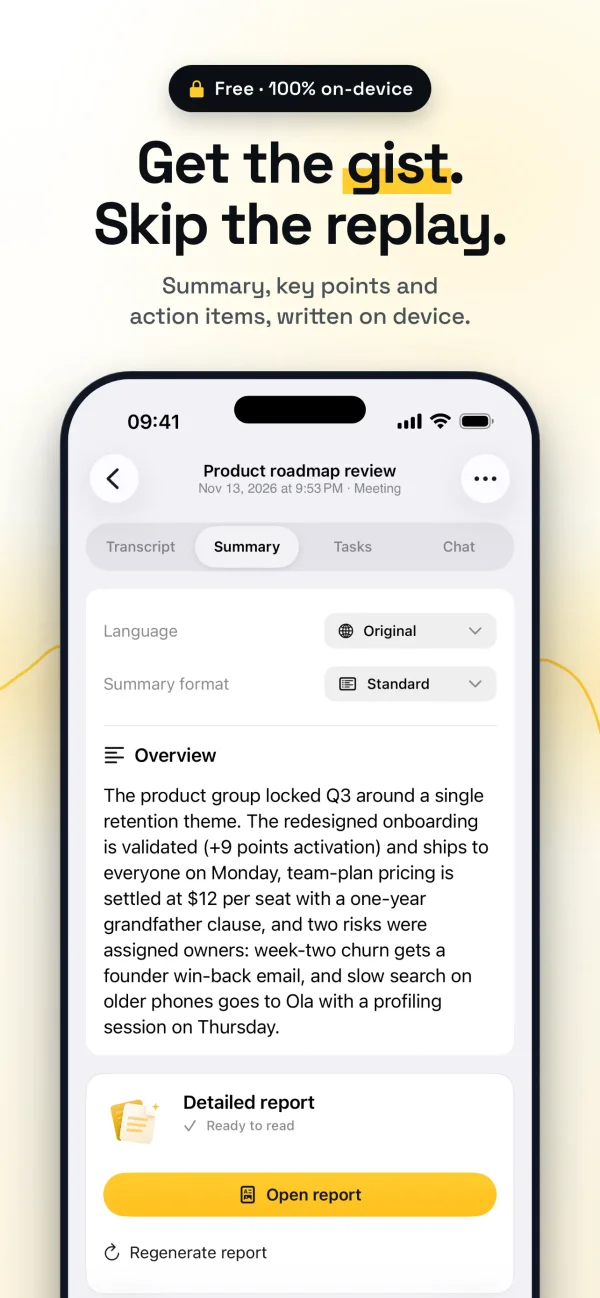
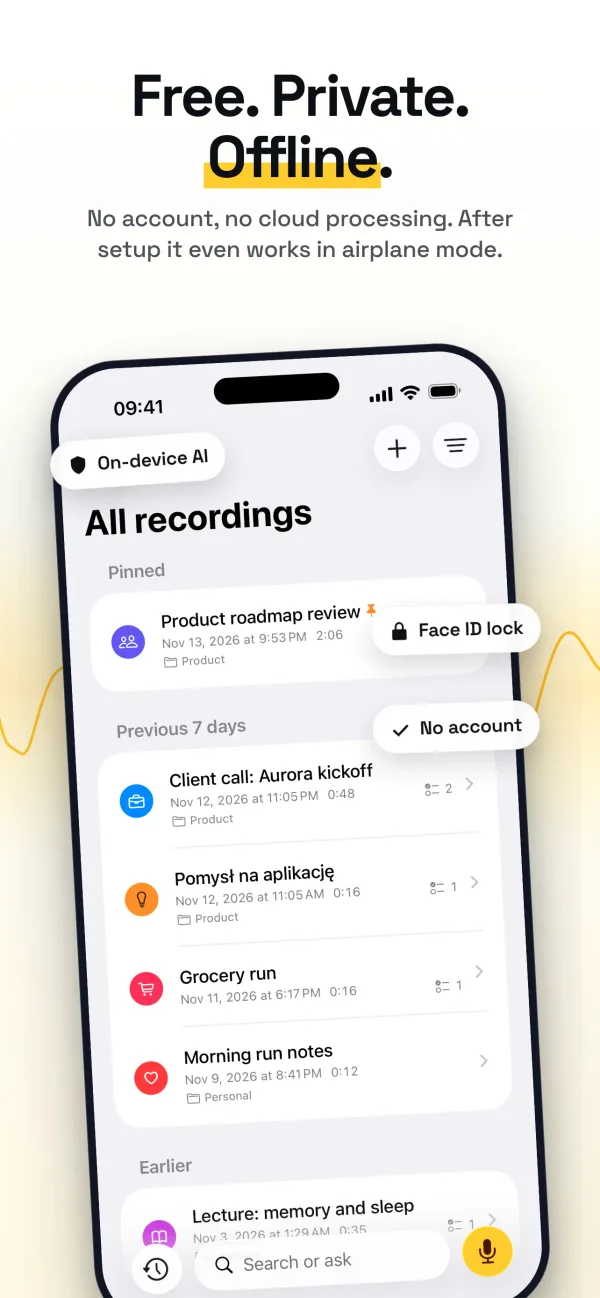
Free and unlimited: Murble turns your voice into organized notes privately on iPhone and iPad.
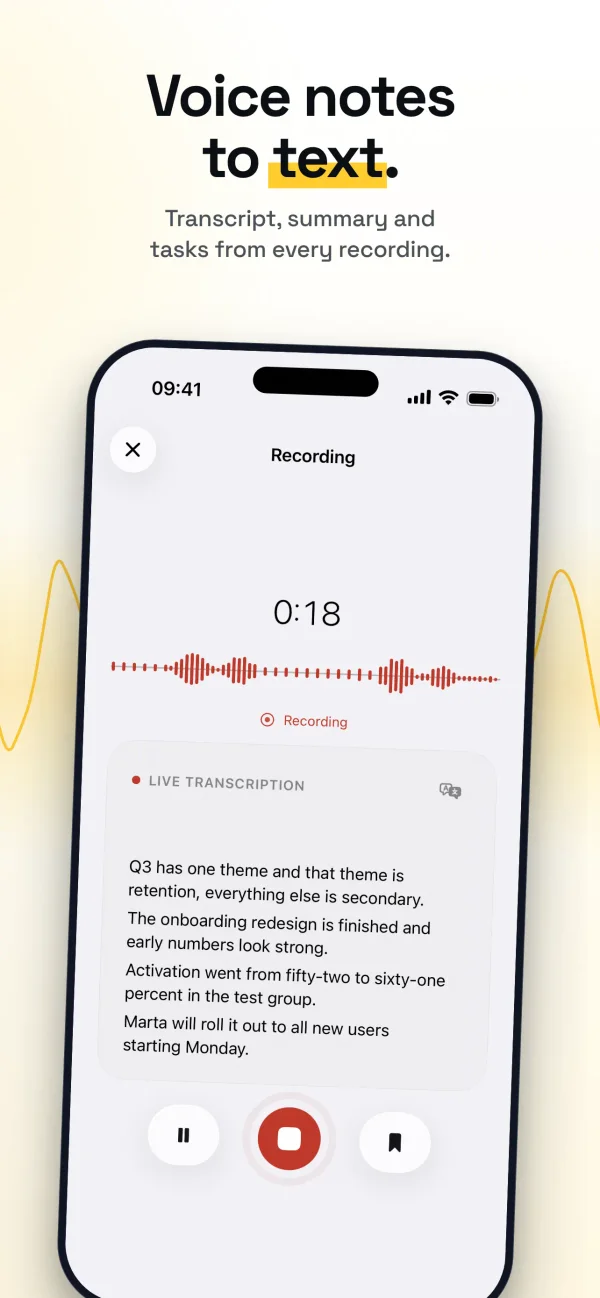
Record a thought, a meeting or a lecture. Murble transcribes it on device, writes a clear summary and finds action items. When you return, search every part of the note, combine filters, save smart folders, mark important moments and add more audio to the same note. No account. No cloud processing. No tracking.
WHAT YOU GET FREE
• Unlimited recording and on-device transcription
• AI summaries with key points and highlights, in the style you choose
• Summaries in the language you recorded in
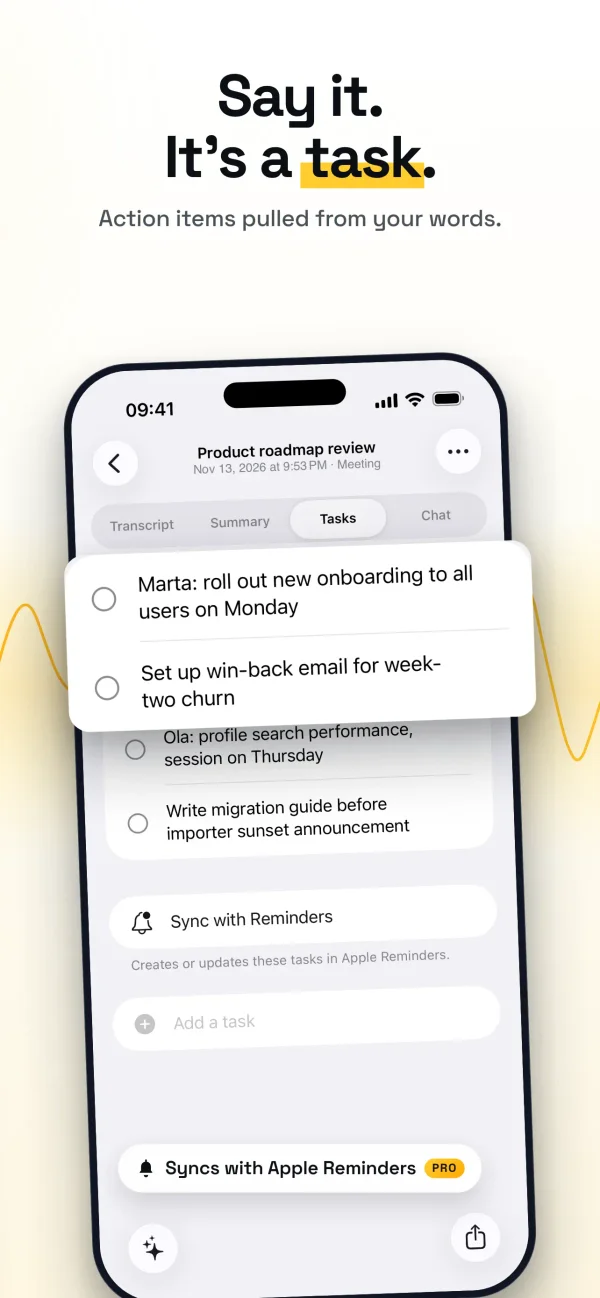
• Automatic action items you can check off
• Live transcription preview while you speak
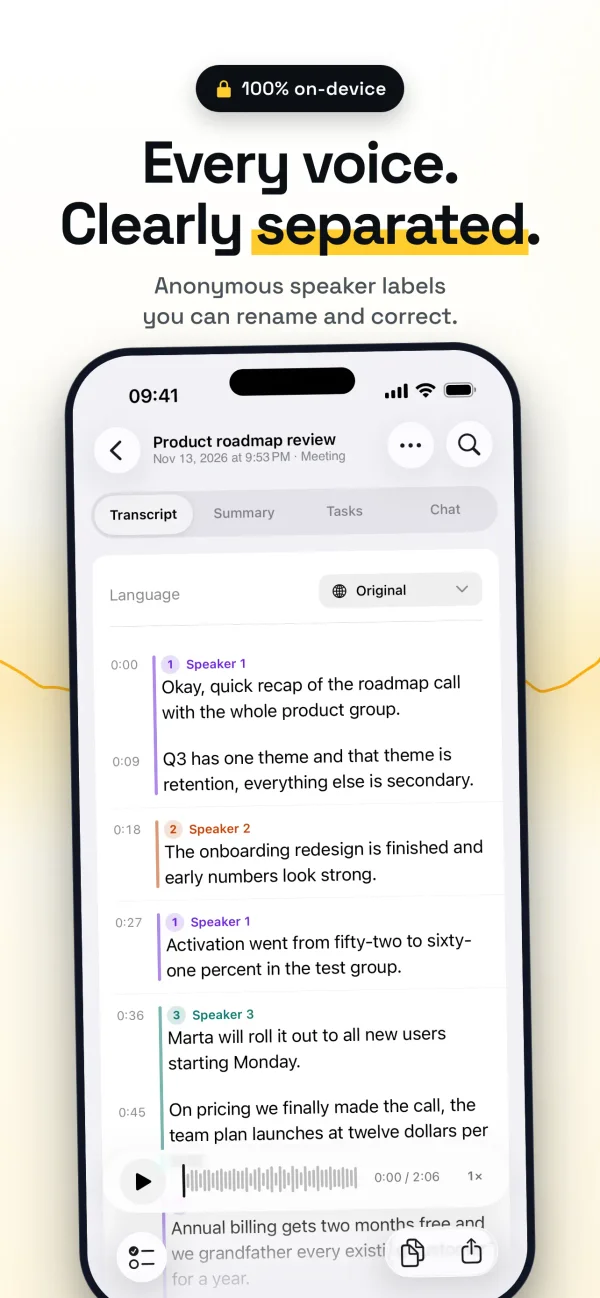
• Anonymous speaker labels you can rename, merge or split
• Text notes, Share Extension, Siri, Shortcuts, widgets and Control Center actions
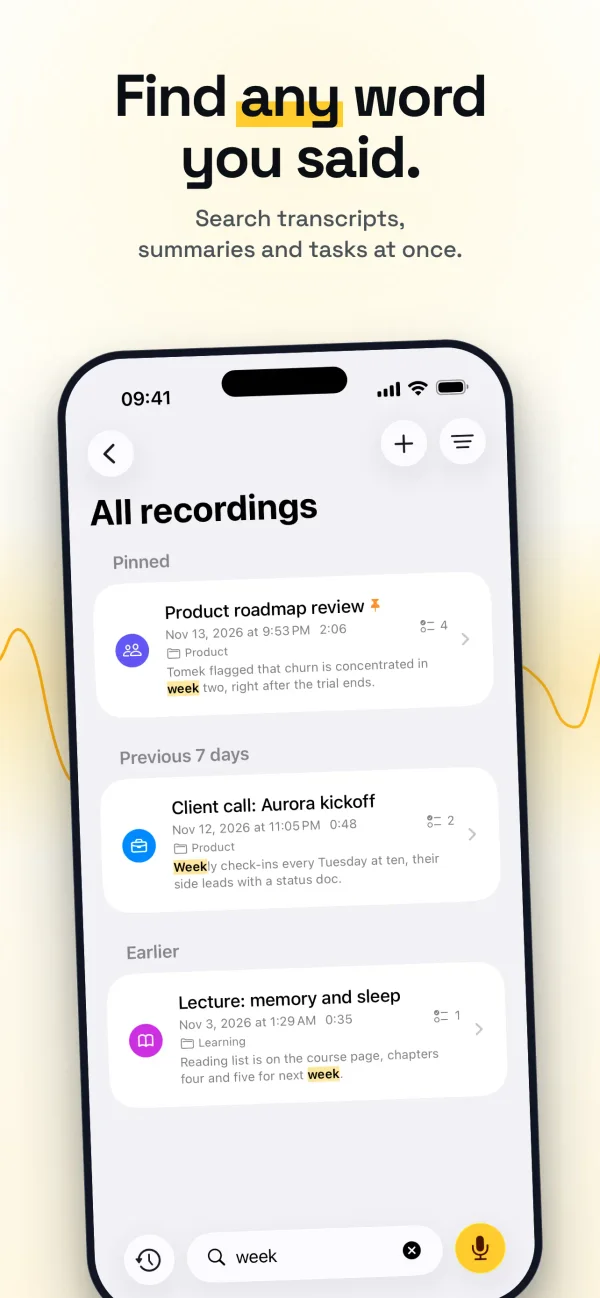
• Search that reaches summaries, action items, speaker labels and folder names
• One View menu for sorting and combinable filters, plus smart folders that keep themselves current
• Select several notes at once to pin, move or delete them together
• Markers you drop with one tap while recording, and can add or move afterwards
• Add a new take to an existing note instead of starting a second one
• A Storage screen that shows what your recordings take up, and clears audio past an age you pick
• Categories, and folders that collect the notes of the categories you pick
• Import and export (PDF, Markdown, SRT and more), also a whole folder as one file
• Face ID lock and optional auto-delete of audio
MURBLE PRO
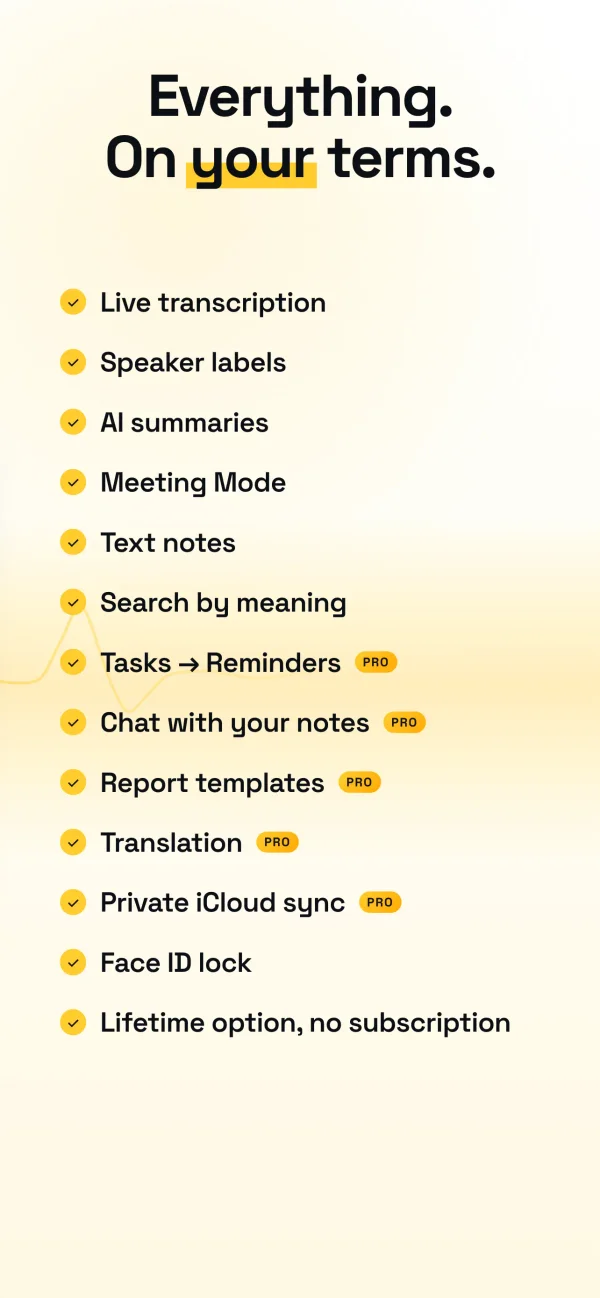
• Apple Reminders sync: send action items to Reminders, completion syncs back
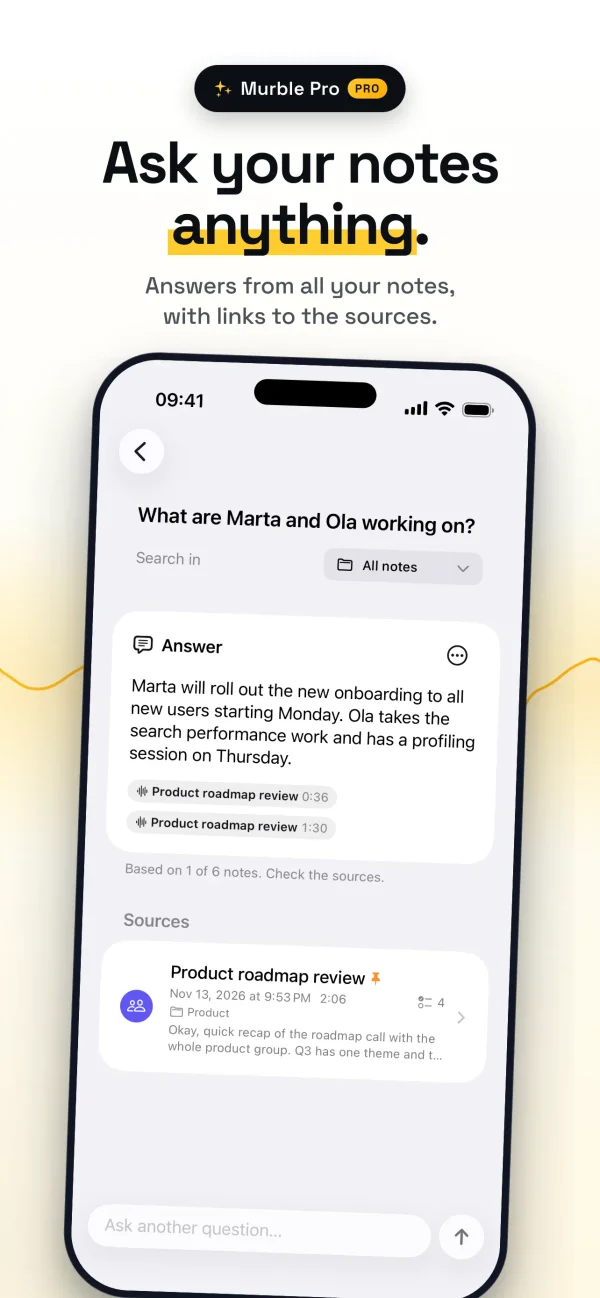
• Ask notes: ask all your notes or one folder a question and see which lines the answer comes from (three questions free)
• Chat with a note: ask questions, get answers grounded in the recording
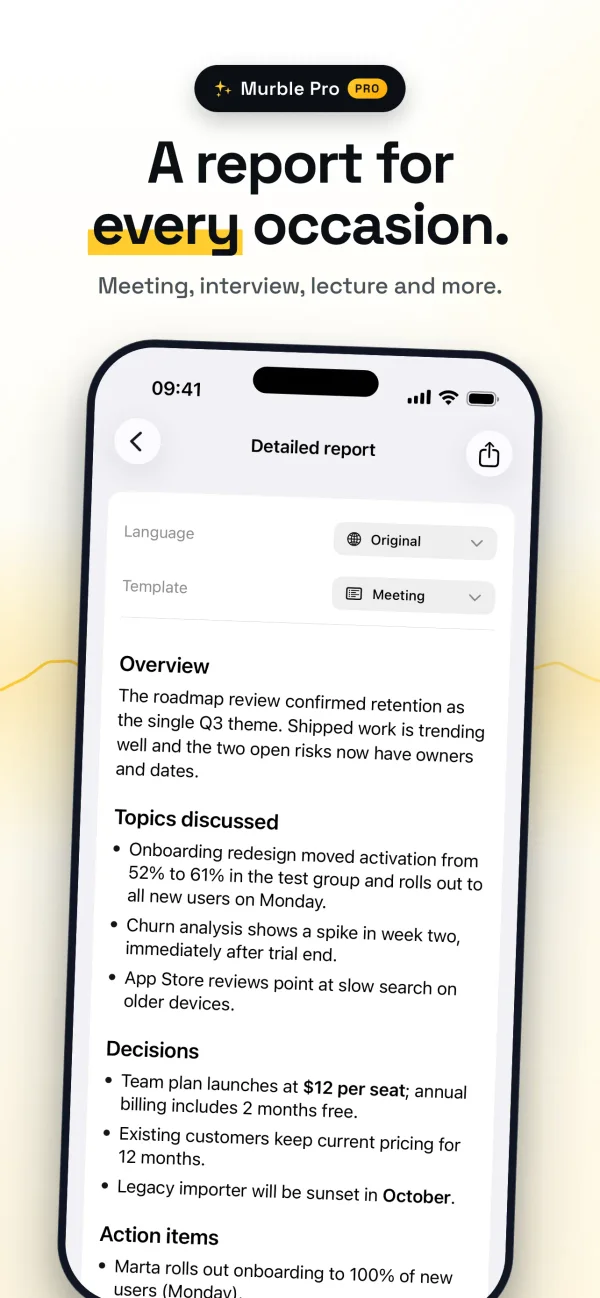
• Detailed reports with decisions and next steps, in templates for meetings, 1:1 meetings, interviews, lectures, doctor's visits and sales calls
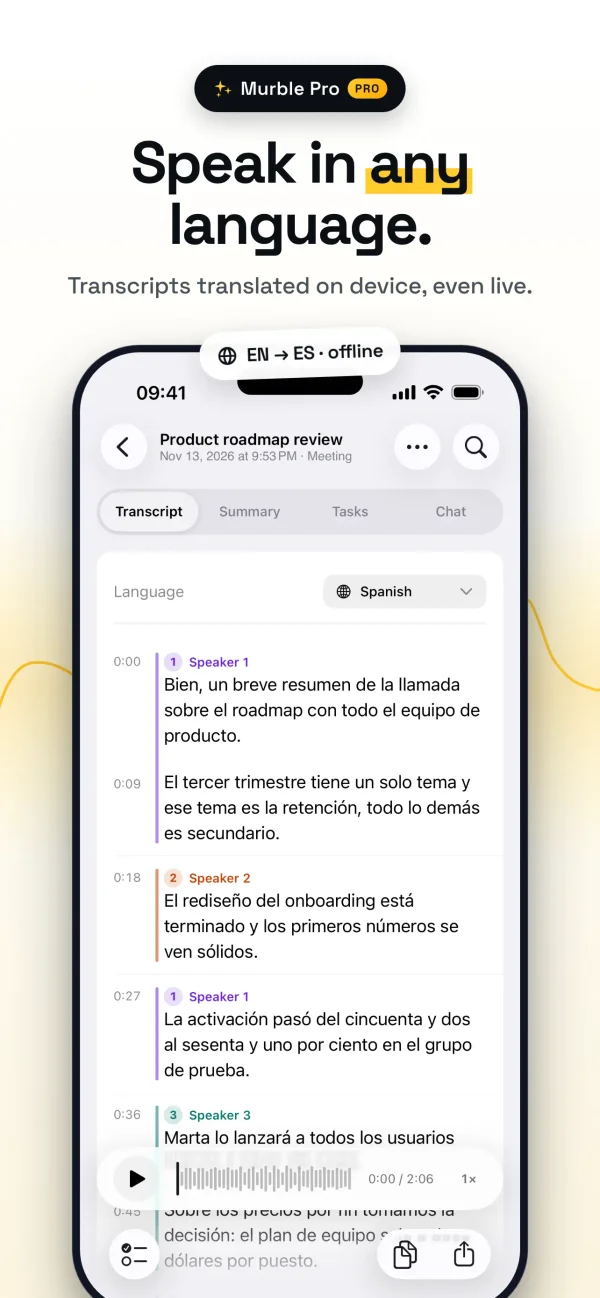
• Translations of transcripts and summaries
• Private iCloud sync across your devices: choose whether sync carries your recordings
• Prefer to pay once? Choose the lifetime option, no subscription needed
PRIVACY FIRST
Transcription and AI run on your iPhone, using Apple Intelligence or a downloadable offline model. With iCloud sync on, data is stored only in your private iCloud database. We cannot read your notes. Ever.
Murble Pro is available as a monthly or yearly subscription, or a one-time lifetime purchase. The yearly plan starts with a 14-day free trial. Payment is charged to your Apple account. Subscriptions renew automatically unless cancelled at least 24 hours before the end of the period. Terms of Use (EULA): https://getmurble.com/terms.html Privacy: https://getmurble.com/privacy.html
新機能
バージョン 1.4.5 · 2026/11/19
Ask your notes a question.
• Type a question in search, like “What did we decide about the budget?”, and tap Ask notes. Murble answers from your notes and shows where the answer comes from.
• New report templates: meeting, 1:1 meeting, interview, lecture, doctor’s visit and sales call.
• Both are part of Murble Pro, with three free questions to try. Everything stays on your device.
And a few smaller fixes.
アプリのプライバシー
このアプリのデータの取り扱いについて、Lukasz MajdaがApp Storeで申告している内容です。
-
データの収集なし
開発元はこのアプリからデータを収集しません。
プライバシーの取り扱いは、ご利用の機能やお客様の年齢などに応じて異なる場合があります。
情報
- 販売元
- Lukasz Majda
- カテゴリ
- 仕事効率化
- バージョン
- 1.4.5
- 更新日
- 2026/11/19
- リリース
- 2026/7/9
- サイズ
- 25.9 MB
- 必要条件
- iOS 18.0以降
- 対象年齢
- 4+
- 価格
- 無料
- アプリ内課金
- あり
- 言語
- 英語, フランス語, ドイツ語, イタリア語, ポーランド語, ポルトガル語, スペイン語
- 著作権
- © 2026 Łukasz Majda. All rights reserved.
こちらもおすすめ
-
 Transcribe: 文字起こし&議事録AIオフライン音声認識・録音は端末内で完結
-
 BeginClass仕事効率化
-
 Wrimie: AI文字起こし・議事録録音・要約・講義ノート・フラッシュカード
-
 LoroNote - AI文字起こし・議事録時間無制限。音声入力でテキスト変換、録音、音声メモ
-
 AI Note Taker & Transcription仕事効率化
-
 Fathom AI Notetaker仕事効率化
-
 Cockatoo: AI Note Taker仕事効率化
-
 Thine AI仕事効率化
-
 Playbacks: AI Note Taker仕事効率化
-
 Notebook LLM: 文字起こし・要約・メモAI文字起こし・要約・資料に質問