
MyPDFScanner: Document Scan
Photograph letters as PDF
iPhone, iPod touch向けに設計
無料 · アプリ内課金
- 対象年齢4+
- カテゴリ仕事効率化
- 開発元Sven Grabowski
- 言語ドイツ語
- サイズ39.9 MB
App Storeの公式ページにリンクしています
Download.orgはMyPDFScanner: Document Scanのファイルを一切ホストしていません。ボタンを押すと、Sven Grabowskiが公開しているApp Storeのアプリページが開きます。ページの最終確認:2026/11/12。
スクリーンショット
概要
開発元はこのテキストをお使いの言語で提供していません。
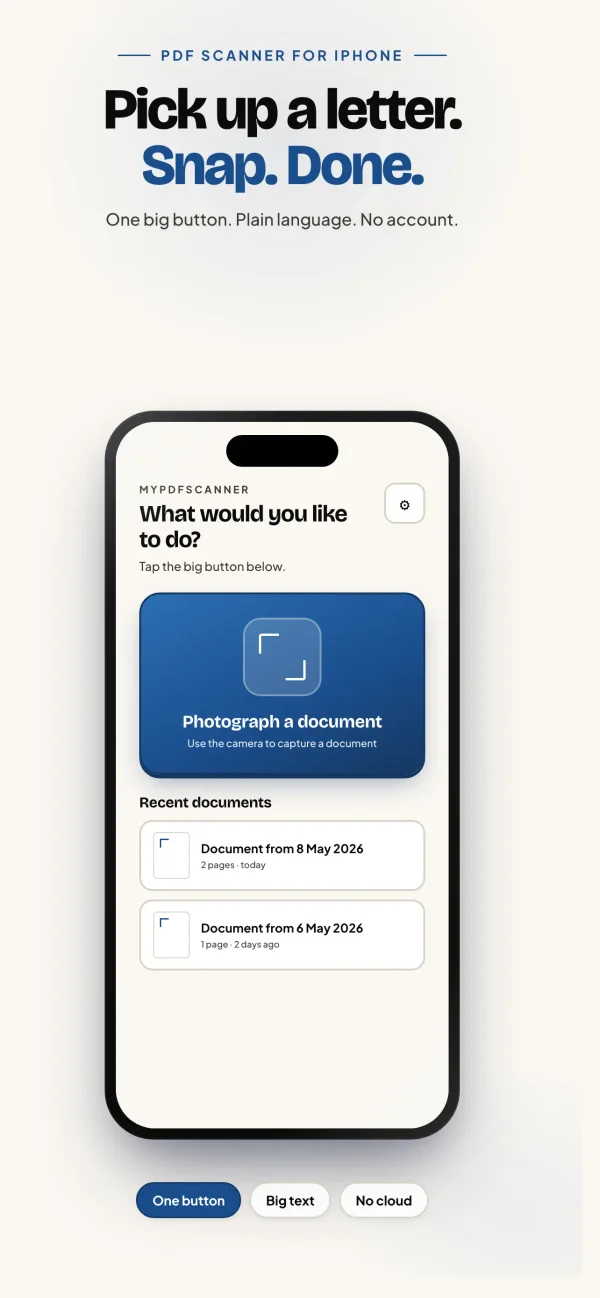
MyPDFScanner turns letters and paperwork into a clean PDF in seconds — built for people
who want their iPhone to be simple.
THREE STEPS:
1. Tap the big button and photograph the document
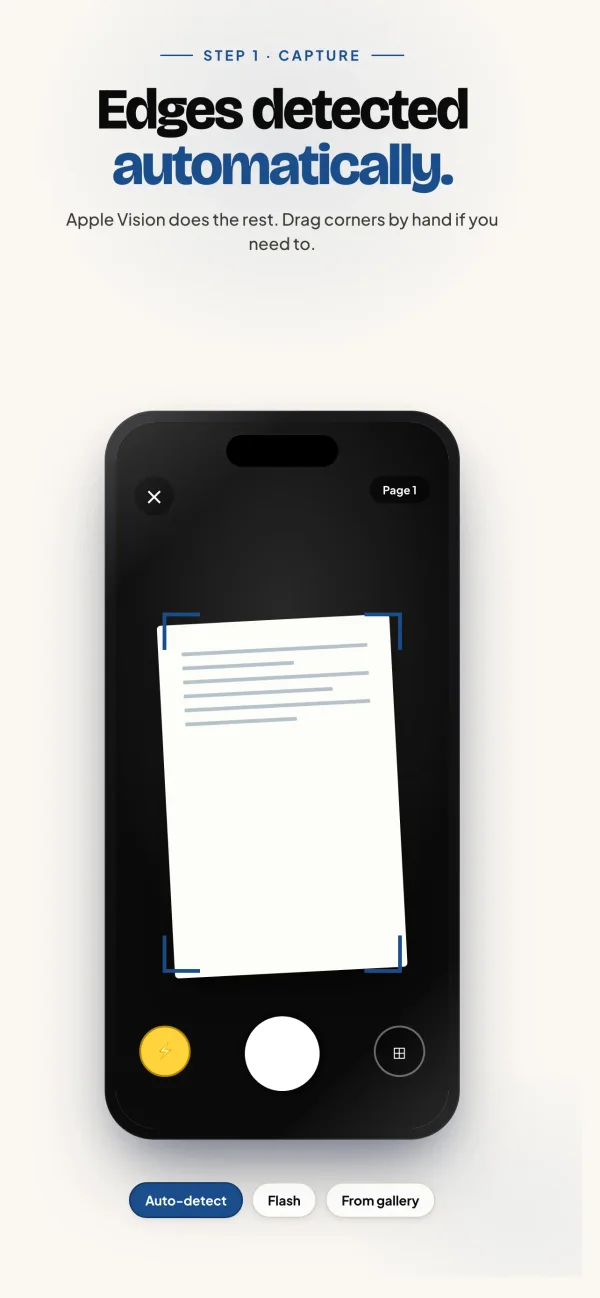
2. Confirm the corners — the app detects the page automatically
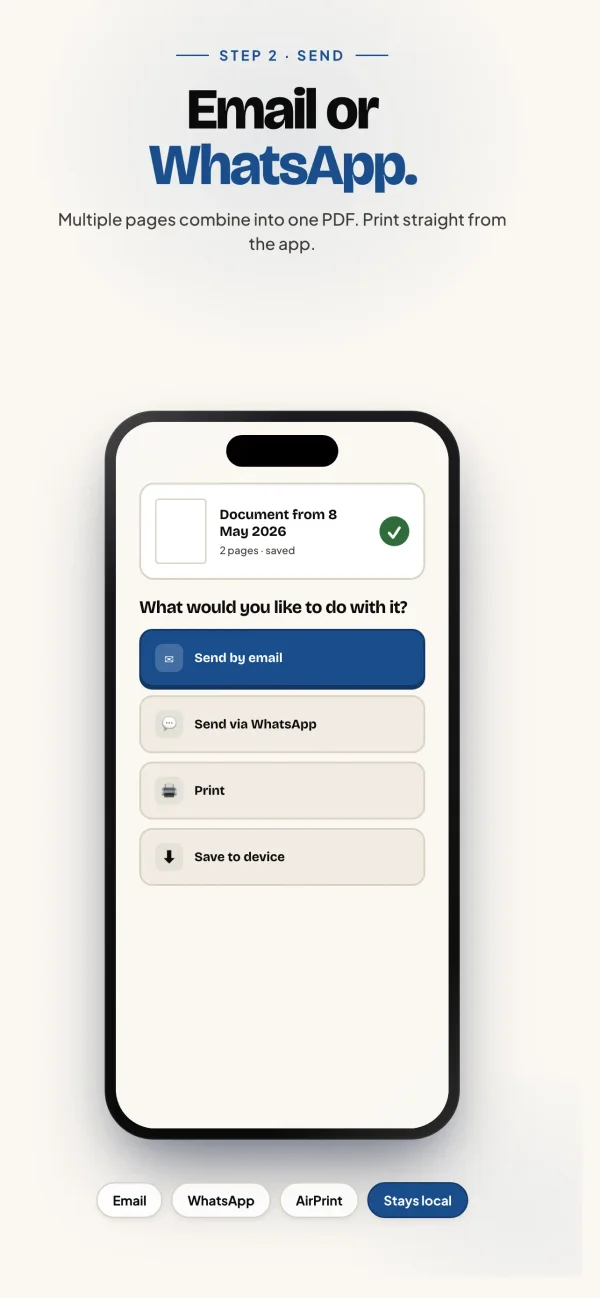
3. Send the PDF by email, WhatsApp, or print it
WHAT MAKES MyPDFScanner DIFFERENT:
• Large text, large buttons, plain language
• Stays on your iPhone — no account, no cloud, no analytics
• Multi-page documents combine into one PDF automatically
• Apple Vision Framework for precise edge detection — fast and offline
• Black & white filter for letters, color for receipts and labels
PRICING:
Free with a short ad before each scan. Ad-free for a one-time €5 — no subscription.
PRIVACY:
We see nothing. Your documents never leave your iPhone. Full policy at
mypdfscanner.de/privacy.html
Contact: hallo@mypdfscanner.de
新機能
バージョン 1.0.1 · 2026/7/11
Bug fix: When adding another page to an already scanned document, the
camera would briefly open and close again. Adding pages now works reliably.
アプリのプライバシー
このアプリのデータの取り扱いについて、Sven GrabowskiがApp Storeで申告している内容です。
-
ユーザーのトラッキングに使用されるデータ
他社のアプリやウェブサイトを横断してユーザーをトラッキングする目的で使用される場合があります。
- 使用状況データ
-
ユーザーに関連付けられたデータ
収集され、ユーザーの識別情報に関連付けられる場合があります。
- 使用状況データ
プライバシーの取り扱いは、ご利用の機能やお客様の年齢などに応じて異なる場合があります。
情報
- 販売元
- Sven Grabowski
- カテゴリ
- 仕事効率化
- バージョン
- 1.0.1
- 更新日
- 2026/7/11
- リリース
- 2026/7/8
- サイズ
- 39.9 MB
- 必要条件
- iOS 15.1以降
- 対象年齢
- 4+
- 価格
- 無料
- アプリ内課金
- あり
- 言語
- ドイツ語
- 著作権
- © Sven Grabowski 2026
こちらもおすすめ
-
 Flatten Scan: Offline PDF仕事効率化
-
 ScanSimple: PDF Camera Scanner仕事効率化
-
 JT Docly – PDF Scanner仕事効率化
-
 ScanDone - PDFスキャナー & OCR多言語 OCR で検索できる PDF
-
 FairScan: PDF Scanner仕事効率化
-
 Scan Cam PDF:書類スキャナー署名・文字認識・整理まで一台で
-
 Fair PDF Scan - スキャナー OCR領収書も書類も端末内で処理
-
 ATS-SmartSensor仕事効率化
-
 Clearcan: PDF Scanner仕事効率化
-
 SEW RemoteAssist仕事効率化