
- 対象年齢12+
- カテゴリユーティリティ
- 開発元David Ivan Perez Salazar
- 言語英語ほか1言語
- サイズ3.5 MB
App Storeの公式ページにリンクしています
Download.orgはOmni-Authのファイルを一切ホストしていません。ボタンを押すと、David Ivan Perez Salazarが公開しているApp Storeのアプリページが開きます。ページの最終確認:2026/11/22。
スクリーンショット
概要
開発元はこのテキストをお使いの言語で提供していません。
Omni Auth generates the two-factor codes that protect your accounts — quickly, and without giving anything away.
There is no account to create, because there is no server to create one on. Your secrets are encrypted on your device and stay there unless you choose to sync them.
PRIVATE BY DESIGN
• Nothing is collected. No analytics, no tracking, no advertising, no third-party SDKs.
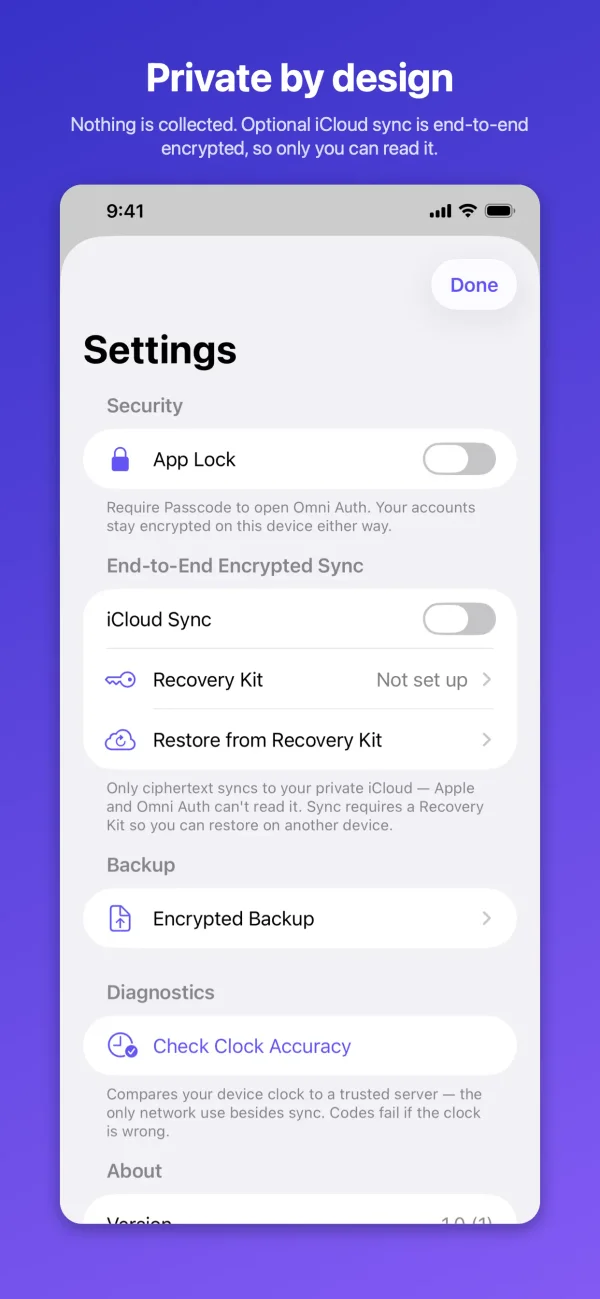
• Your secrets are encrypted with AES-256-GCM under a key held in the iOS Keychain, on top of the system's own file protection.
• Optional iCloud sync is end-to-end encrypted: only ciphertext is uploaded, to your own private iCloud database. Apple can't read it, and neither can we.
• Works fully offline. The only other network request is a clock-accuracy check you trigger yourself.
BUILT FOR DAILY USE
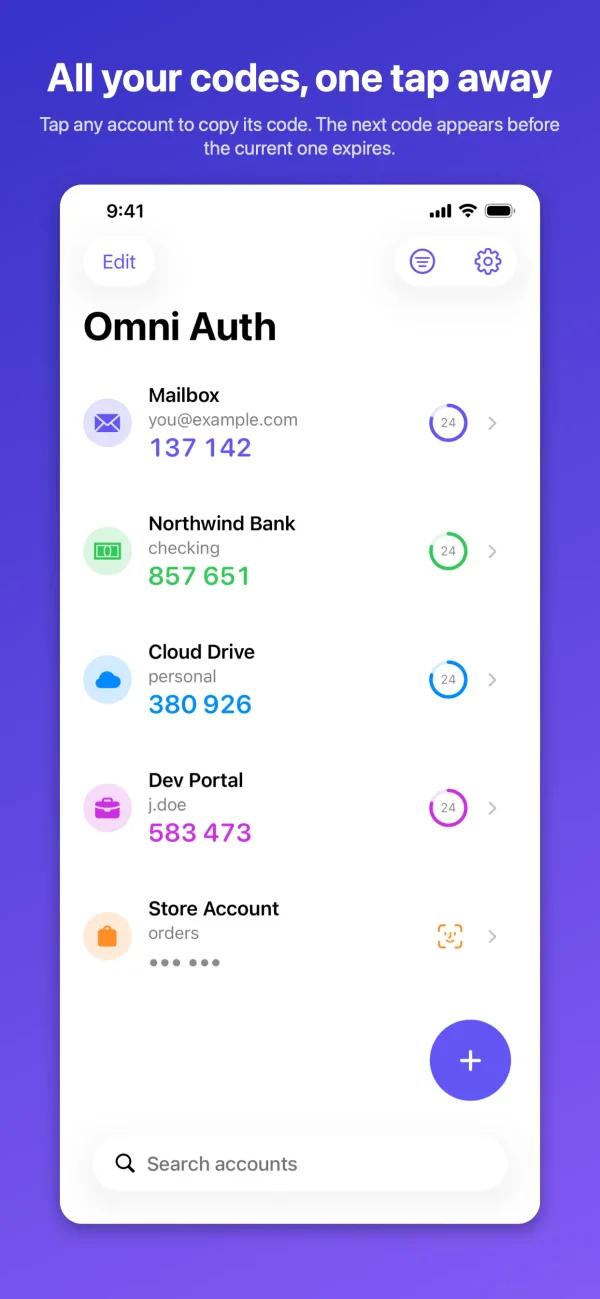
• Tap an account to copy its code. The clipboard entry stays on this device and expires on its own.
• A countdown ring on every account, and the next code appears in the final seconds so a code never expires mid-login.
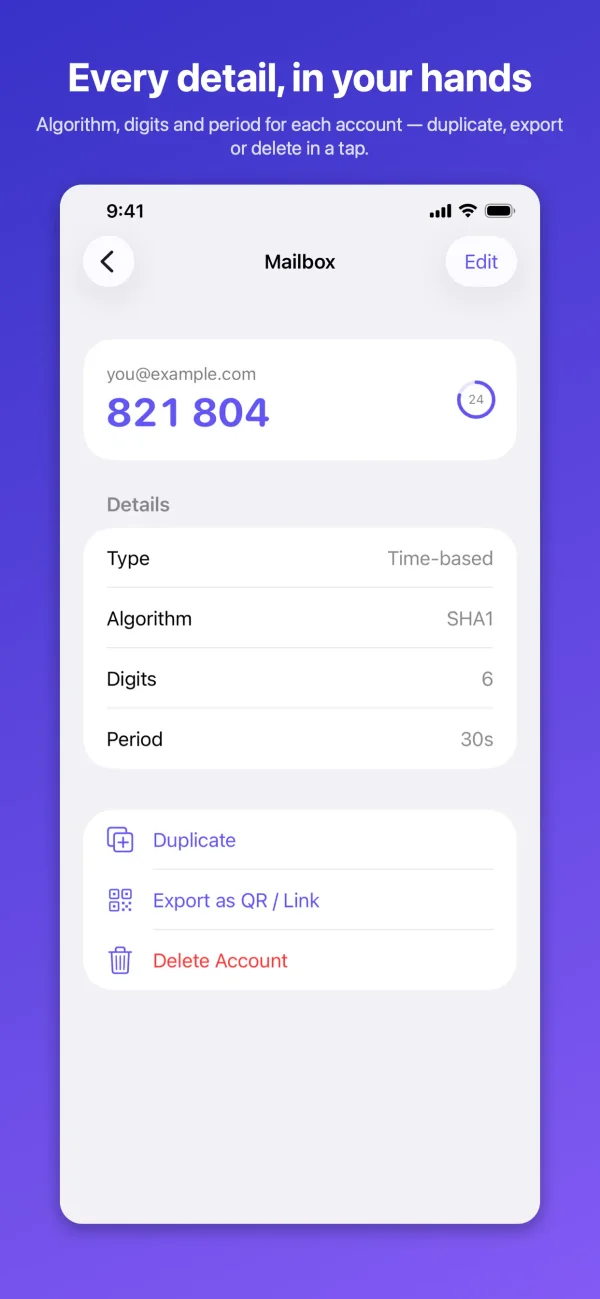
• Folders, tags, favourites, search, and manual or alphabetical ordering.
• Siri and Shortcuts support.
EXTRA PROTECTION WHEN YOU WANT IT
• App Lock with Face ID, Touch ID, or your passcode.
• Per-account Face ID — mark a sensitive account and its code stays hidden until you authenticate. Those accounts never appear in Shortcuts.
• Content is blurred in the App Switcher and while the screen is being recorded, and you're warned when a screenshot is taken.
MOVING IN IS EASY
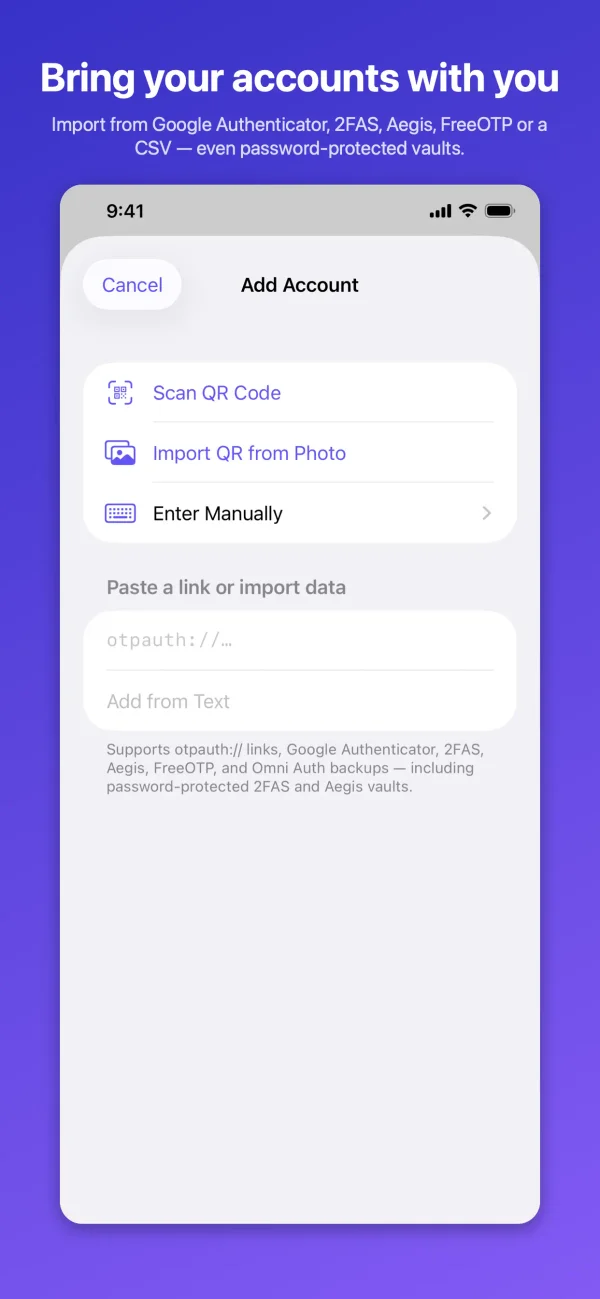
Import from Google Authenticator, 2FAS, Aegis, FreeOTP, CSV files, or an Omni Auth backup — including password-protected 2FAS and Aegis vaults. Scan a QR code, pick one from your photos, paste a link, or type it in by hand.
Supports TOTP and HOTP, SHA-1/SHA-256/SHA-512, and 6–8 digit codes.
YOU STAY IN CONTROL OF RECOVERY
Because nothing is stored on a server, recovery is yours to arrange — so Omni Auth makes it straightforward:
• Encrypted backups, protected by a password only you know.
• A Recovery Kit — a recovery key plus a kit file — that restores your vault on a new device.
If you lose your device without either, the codes cannot be recovered by anyone, including us. That trade-off is what keeps the rest of it private.
Privacy policy: https://pod32g.github.io/omni-auth/privacy/
Support: https://pod32g.github.io/omni-auth/support/
新機能
バージョン 1.1.3 · 2026/10/17
Fixes opening the app with iCloud sync on, and improves sync.
• If Omni Auth wouldn't open after the last update and you have iCloud sync turned on, this update fixes it. Your codes and accounts are exactly as you left them.
• Edits you make to an account — a new name, a colour, a counter-based code moving forward — now reach your other devices, not just the account itself.
• If iCloud isn't ready on a device yet, Omni Auth now says so under Settings instead of waiting quietly.
Your codes, accounts and settings are untouched by this update.
アプリのプライバシー
このアプリのデータの取り扱いについて、David Ivan Perez SalazarがApp Storeで申告している内容です。
-
データの収集なし
開発元はこのアプリからデータを収集しません。
プライバシーの取り扱いは、ご利用の機能やお客様の年齢などに応じて異なる場合があります。
情報
- 販売元
- David Ivan Perez Salazar
- カテゴリ
- ユーティリティ
- バージョン
- 1.1.3
- 更新日
- 2026/10/17
- リリース
- 2026/8/7
- サイズ
- 3.5 MB
- 必要条件
- iOS 18.0以降
- 対象年齢
- 12+
- 価格
- 無料
- 言語
- 英語, スペイン語
- 著作権
- © 2026 pod32g