
- 対象年齢4+
- カテゴリ仕事効率化
- 開発元james tannahill
- 言語英語
- サイズ4.1 MB
App Storeの公式ページにリンクしています
Download.orgはOpenTimeのファイルを一切ホストしていません。ボタンを押すと、james tannahillが公開しているApp Storeのアプリページが開きます。ページの最終確認:2026/11/17。
スクリーンショット

概要
開発元はこのテキストをお使いの言語で提供していません。
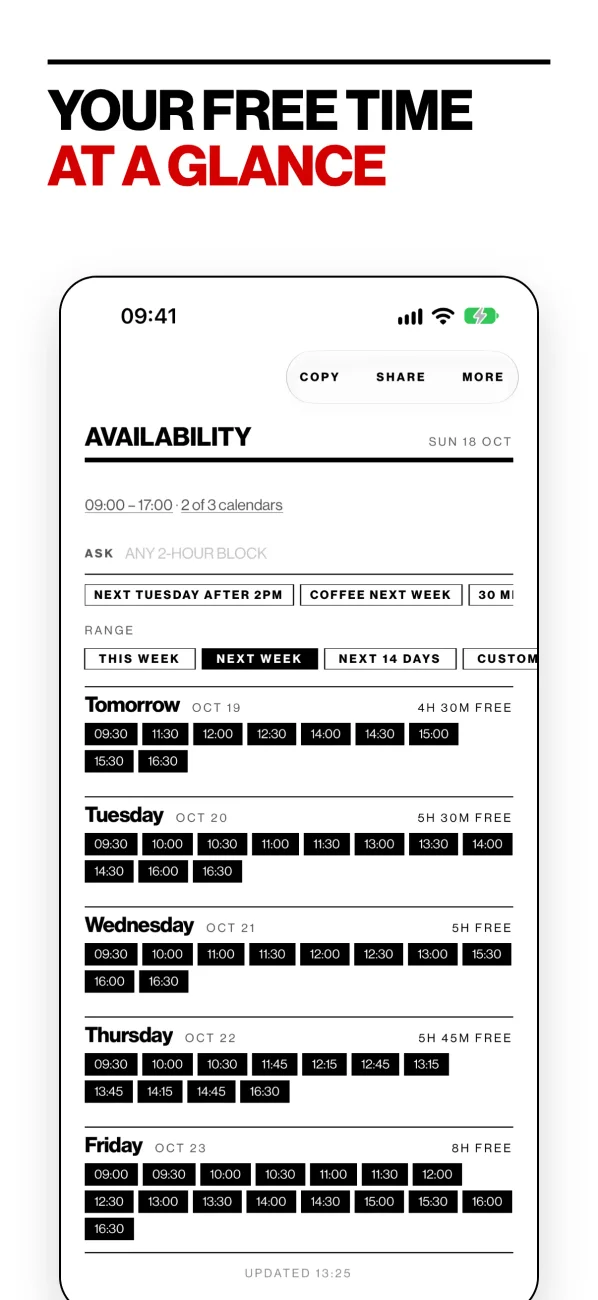
Quickly see when you're free. Open Time reads your device calendars and shows your open time slots. No accounts, no servers, no tracking.
FEATURES
- View free and busy slots for today, tomorrow, or any date range
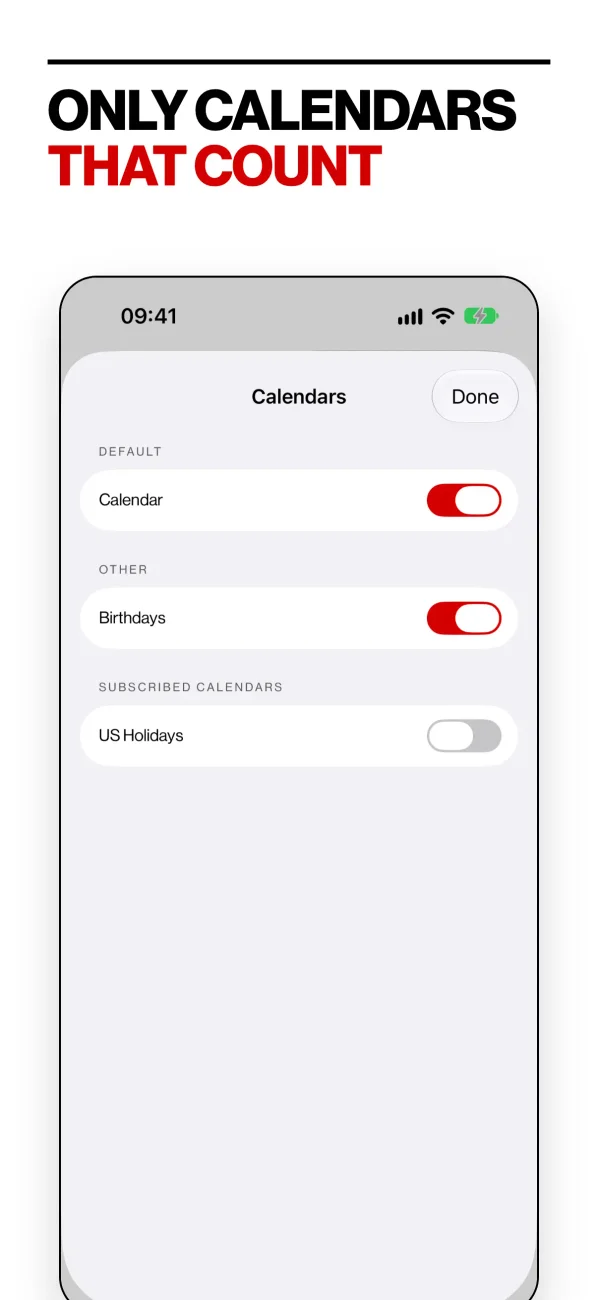
- Choose which calendars count: exclude holidays, sports schedules, or shared calendars, and every list, widget, and share reflects only the calendars you pick
- Slot duration picker (15, 30, or 60 minutes). Chips subdivide your free blocks at the chosen interval
- Long-press any chip for Open in Calendar, Create Event Here, or Copy Time
- Long-press any day name to Share or Copy that day's availability to anywhere (Messages, Mail, Notes)
- Light, dark, or system appearance with an in-app picker
- Pull to refresh, and availability refreshes automatically after you create or edit an event
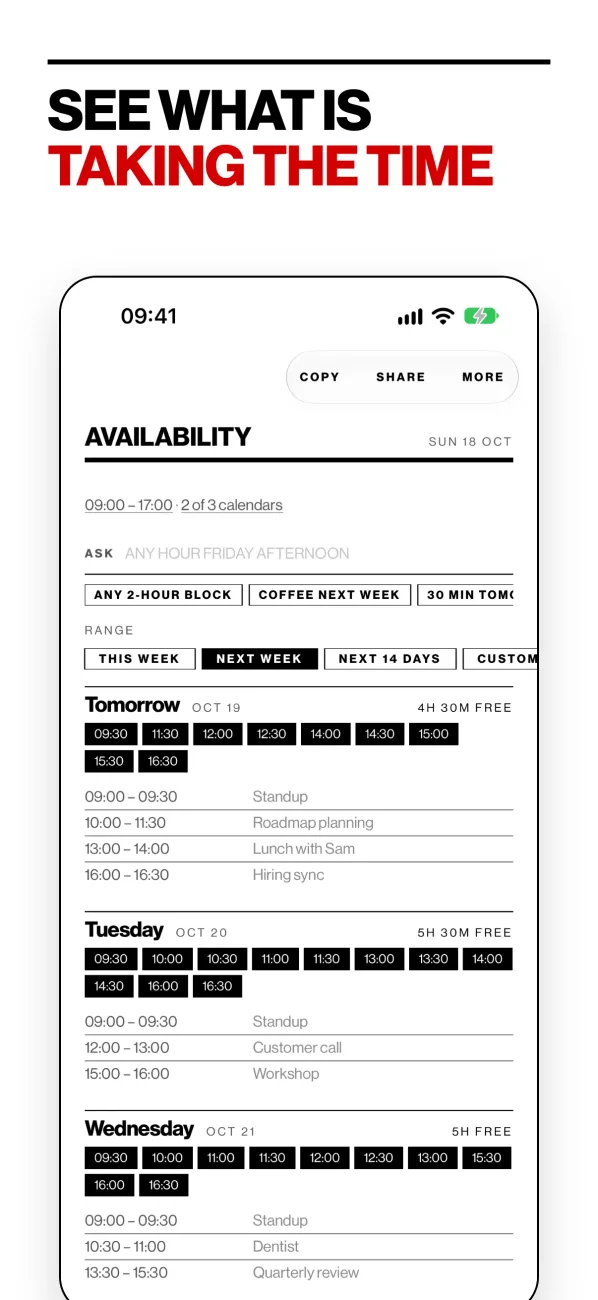
- Show or hide busy events
- Toggle weekends on or off
- This Week, Next Week, and Next 14 Days quick picks
- Custom date range picker
- Home screen widgets (small and medium). Tap any chip to jump straight to that slot in the app
- Live Activities and Dynamic Island for real-time free/busy on your lock screen
- Apple Intelligence query bar on supported devices: type "tomorrow afternoon for 30 min" or "any hour Friday afternoon" and get the matching slots
- Siri and Shortcuts: try "What's my availability in Open Time" or "When am I free in Open Time"
- Apple Watch companion to check your week from your wrist
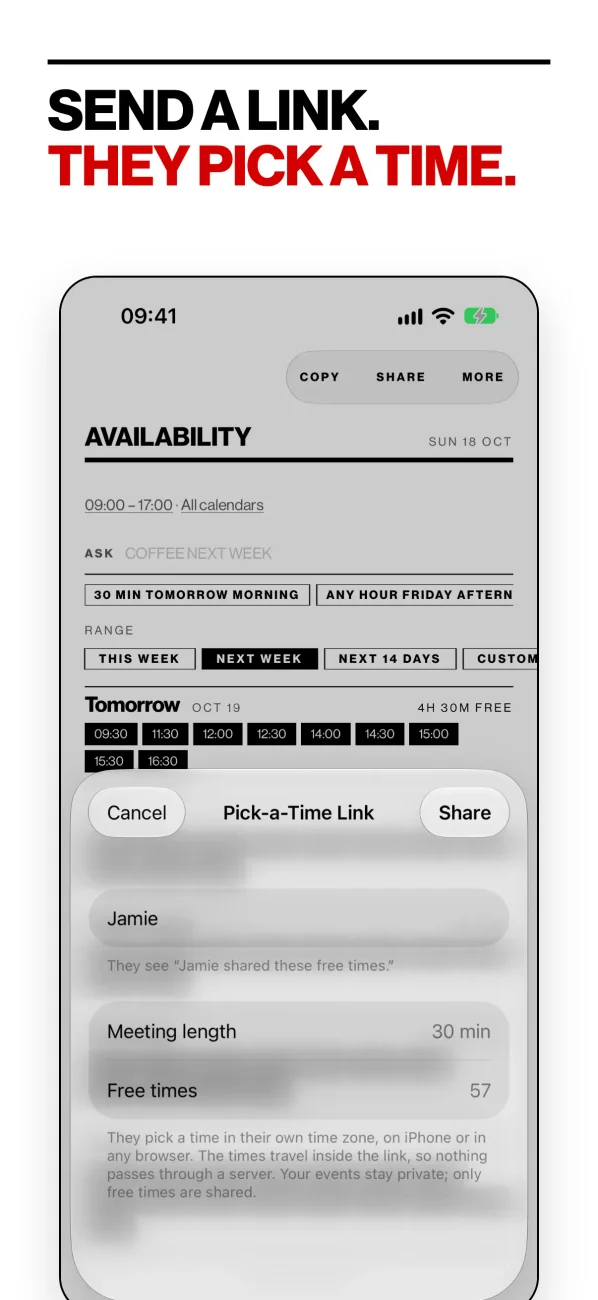
- Share Extension to drop your availability into any app from the share sheet
- iMessage app to pick days and send your availability without leaving the conversation
PRIVACY FIRST
Your calendar data stays on your device. No accounts. No analytics. No third-party servers. Zero data collection.
Open Time uses Apple's EventKit to read your calendars locally. Nothing ever leaves your device.
Perfect for freelancers, consultants, and anyone who needs to quickly share when they're available.
新機能
バージョン 2.5 · 2026/10/21
The confirmation goes straight to them.
When someone picks times from your link, they can add their number or email. Confirm then opens a message already addressed to them, with the meeting and a link that adds it to their calendar in one tap. You just press Send.
You see where it will go before you confirm, and Send another way is still there if you would rather use the share sheet.
アプリのプライバシー
このアプリのデータの取り扱いについて、james tannahillがApp Storeで申告している内容です。
-
データの収集なし
開発元はこのアプリからデータを収集しません。
プライバシーの取り扱いは、ご利用の機能やお客様の年齢などに応じて異なる場合があります。
情報
- 販売元
- james tannahill
- カテゴリ
- 仕事効率化
- バージョン
- 2.5
- 更新日
- 2026/10/21
- リリース
- 2026/3/11
- サイズ
- 4.1 MB
- 必要条件
- iOS 26.2以降
- 対象年齢
- 4+
- 価格
- ¥150
- 言語
- 英語
- 著作権
- © 2026 James Tannahill
こちらもおすすめ
-
 swipe stack: brain dump notes仕事効率化
-
 Unstuck: ADHD Planner Focus仕事効率化
-
 Life's a Gantt仕事効率化
-
 Cloud Outliner - Nested Listsあなたのアイデアをアウトライン化し、生活を整理するツールです
-
 Suru: Outline & To Do List仕事効率化
-
 FocusFour - Eisenhower Matrix仕事効率化
-
 Noema:ローカルAI・オフラインLLMファイルと話せるプライベートAI
-
 Sandbook: Text to Speech仕事効率化
-
 ONEOF Accuracy仕事効率化
-
 Tempus:デイリープランナー・ToDoリスト・予定表ADHD向けタイムブロッキング・集中・タスク管理