- 対象年齢4+
- カテゴリユーティリティ
- 開発元Ralex Lab
- 言語英語ほか8言語
- サイズ47.7 MB
App Storeの公式ページにリンクしています
Download.orgはOrbit: Countdown Widgetのファイルを一切ホストしていません。ボタンを押すと、Ralex Labが公開しているApp Storeのアプリページが開きます。ページの最終確認:2026/11/23。
スクリーンショット



概要
開発元はこのテキストをお使いの言語で提供していません。
Count down to what’s coming.
Orbit brings the moments you’re looking forward to to your iPhone Home Screen and Lock Screen. Start with a date or a calendar event, make the countdown your own, and keep it in view.
SEE WHAT’S UP NEXT
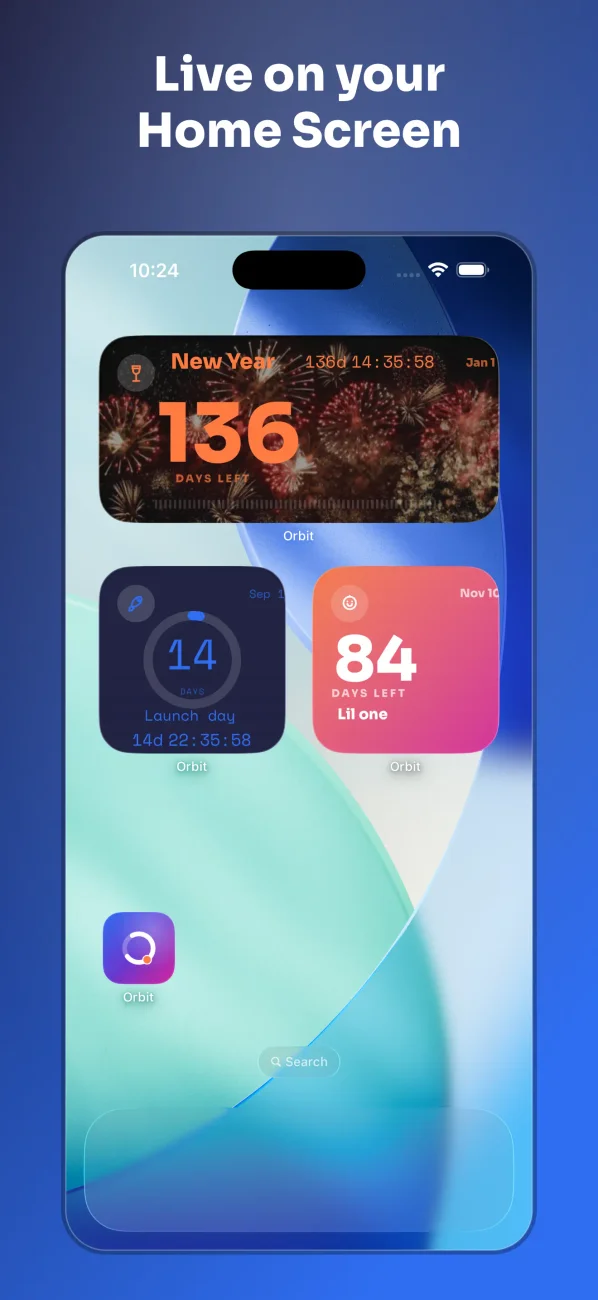
Pick a countdown for your widget, or add Orbit Up Next to automatically show the next upcoming event as each one ends. Choose a small or medium widget for your Home Screen, or a circular or rectangular widget for your Lock Screen.
MAKE IT UNMISTAKABLY YOURS
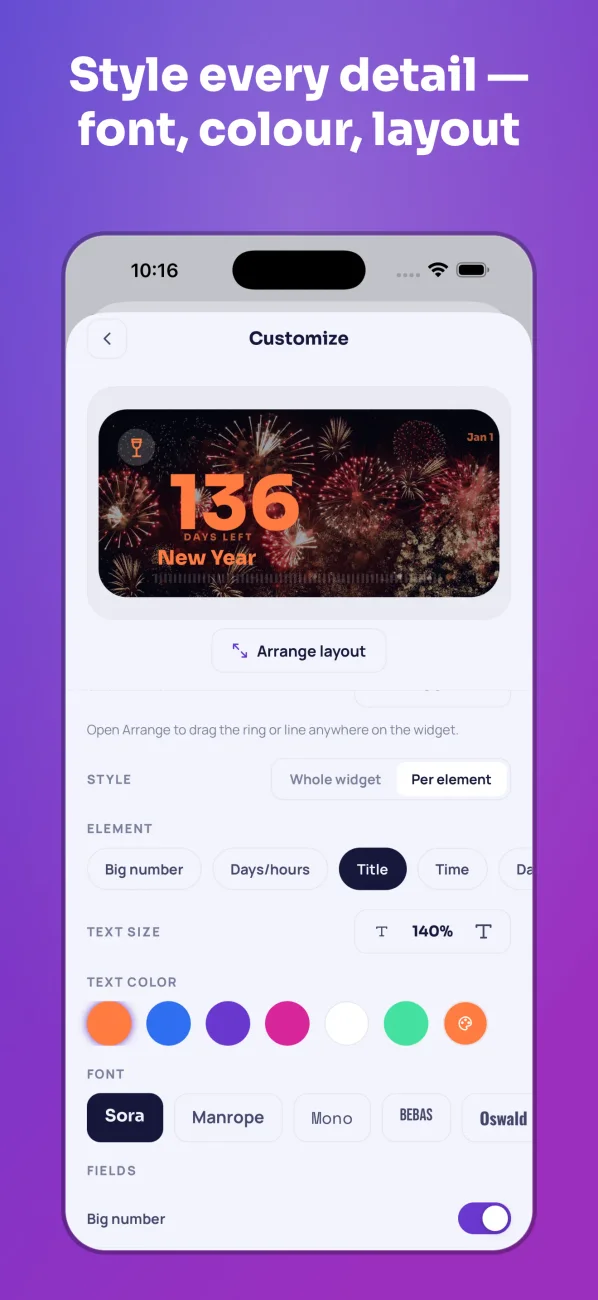
Start with a Minimal, Ring or Line design. On your Home Screen widget, arrange the number, days label, title, date and live timer, then set their fonts, sizes and colours. Use a solid colour, mix a custom gradient or add your own photo. Pick an event icon or use an emoji with Orbit Pro.
WATCH IT TICK
Show the days remaining or add a live timer with hours, minutes and seconds to your Home Screen widget. All-day events show “Today!” when the date arrives. After an event ends, keep counting the days since or move it to Past.
REMINDERS THAT FIT THE EVENT
Use your default reminders, choose when to be reminded for a specific event, or mute it. Set birthdays, anniversaries and other recurring dates to repeat daily, weekly, monthly or yearly.
START WITH A TEMPLATE
Choose a ready-made design for a birthday, wedding, holiday, trip or launch. You can also start from an event in your calendar, duplicate an existing countdown or reuse a saved style.
SHARE A COUNTDOWN
Share a square image or a portrait story, send an editable copy of a countdown, or share just the design so someone can use it for their own occasion.
ADD YOUR WIDGET
Save your countdown, then search for Orbit in the Home Screen widget gallery. Use Edit Widget to choose a specific countdown, or select Orbit Up Next in the gallery. To add Orbit to your Lock Screen, touch and hold the Lock Screen, tap Customize, then tap the widget area.
PRIVATE BY DESIGN
Orbit requires no sign-up and collects no data about you. Turn on iCloud backup to keep your countdowns, reminder settings and widget photos available across devices signed in to the same Apple Account. Your backup lives in your private iCloud container.
HOW IT WORKS
1. Tap + and name what you're counting down to, then pick the date.
2. Customize it, choose a style and background, drag the number, title, date and live countdown wherever you want them, and set the font, size and colour of each.
3. Save, then go to your Home Screen. Touch and hold anywhere, tap the + in the corner, search for Orbit and add the widget in the size you want.
4. Touch and hold the placed widget, choose Edit Widget, and pick which countdown it shows.
Want several on your Home Screen? Add the widget again for each one and point each at a different countdown; same steps, step 4 is where you choose.
ORBIT PRO
Free includes one countdown with three fonts and six icons. Orbit Pro unlocks unlimited countdowns and widgets, all eleven fonts and twenty-two event icons, emoji icons, every style and background, your own photos and the full template gallery.
Orbit Pro is available as a monthly or yearly subscription with a 7-day free trial for eligible customers, or as a one-time lifetime purchase.
Payment is charged to your Apple Account at confirmation of purchase. Subscriptions renew automatically unless cancelled at least 24 hours before the end of the current period. Your account is charged within 24 hours before renewal. To manage or cancel a subscription, open Settings, tap your name, then tap Subscriptions.
Terms of Use: https://ralexlab.com/terms
Privacy Policy: https://ralexlab.com/privacy
新機能
バージョン 1.4.0 · 2026/11/19
Orbit Pro Family is here. Choose a monthly or yearly subscription or a one-time Lifetime purchase and share Pro with up to five additional members of your Apple Family Sharing group. Everyone keeps their own countdowns and widgets.
This update also improves how Orbit opens countdowns from widgets and imports shared .orbit files.
アプリのプライバシー
このアプリのデータの取り扱いについて、Ralex LabがApp Storeで申告している内容です。
-
データの収集なし
開発元はこのアプリからデータを収集しません。
プライバシーの取り扱いは、ご利用の機能やお客様の年齢などに応じて異なる場合があります。
情報
- 販売元
- Ralex Lab
- カテゴリ
- ユーティリティ
- バージョン
- 1.4.0
- 更新日
- 2026/11/19
- リリース
- 2026/9/28
- サイズ
- 47.7 MB
- 必要条件
- iOS 17.0以降
- 対象年齢
- 4+
- 価格
- 無料
- アプリ内課金
- あり
- 言語
- 英語, オランダ語, フランス語, ドイツ語, イタリア語, ポルトガル語, ルーマニア語, スペイン語, トルコ語
- 著作権
- © 2026 Ralex Lab
こちらもおすすめ
-
 Countdown: Days Until Eventsユーティリティ
-
 Daymark:カウントダウン誕生日・旅行・結婚式までの日数
-
 HOLD: Timer & Countdownユーティリティ
-
 あと何日 - ウィジェットで数える記念日カウントダウン&ウィジェット
-
 Countdown Widget: NanoCountユーティリティ
-
 Timeflow - 時間とカウントダウン睡眠時間・収入の目安をウィジェットに
-
 Vaelorユーティリティ
-
 Countdown: Event Countdown Dayユーティリティ
-
 Countdown Widget: Days Leftユーティリティ
-
 カウントダウン: Big Dayイベントまでの日数