
- 対象年齢4+
- カテゴリ仕事効率化
- 開発元Joaquin Zelnick
- 言語英語
- サイズ38.0 MB
App Storeの公式ページにリンクしています
Download.orgはOrbit Downのファイルを一切ホストしていません。ボタンを押すと、Joaquin Zelnickが公開しているApp Storeのアプリページが開きます。ページの最終確認:2026/11/8。
スクリーンショット


概要
開発元はこのテキストをお使いの言語で提供していません。
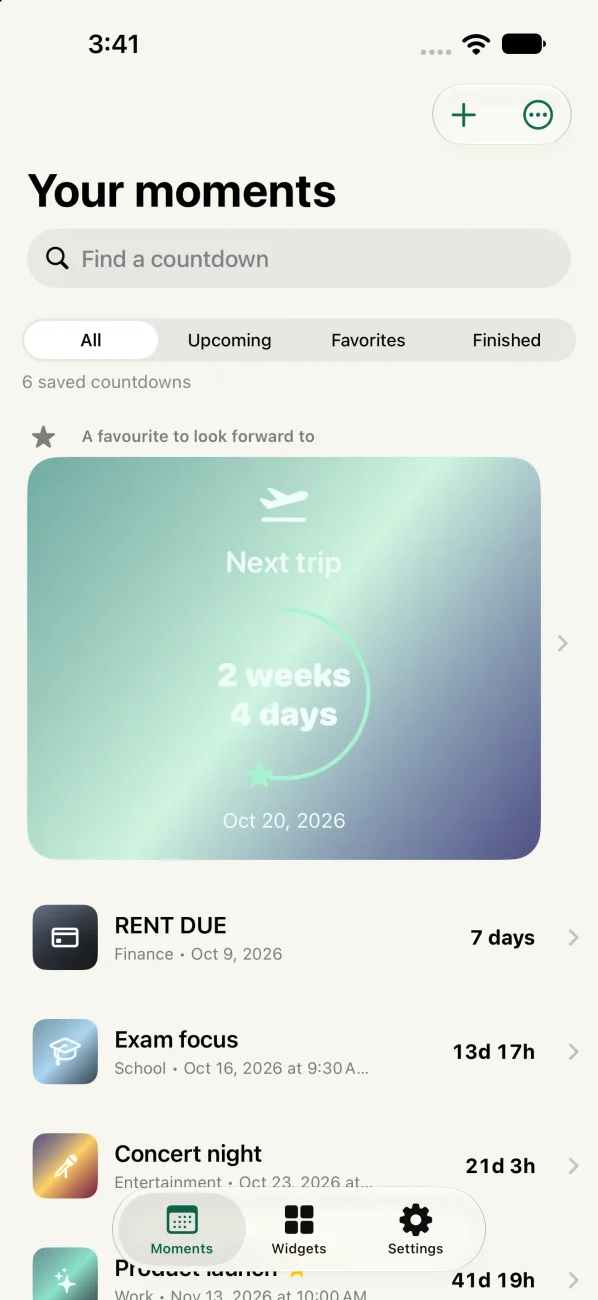
Orbit Down is a free, ad-free countdown app for iPhone, iPad, and Mac. Use it without ads, tracking, or an account. Track launches, birthdays, trips, exams, bills, holidays, weddings, goals, appointments, and milestones. No app account, ads, analytics SDK, or third-party tracking.
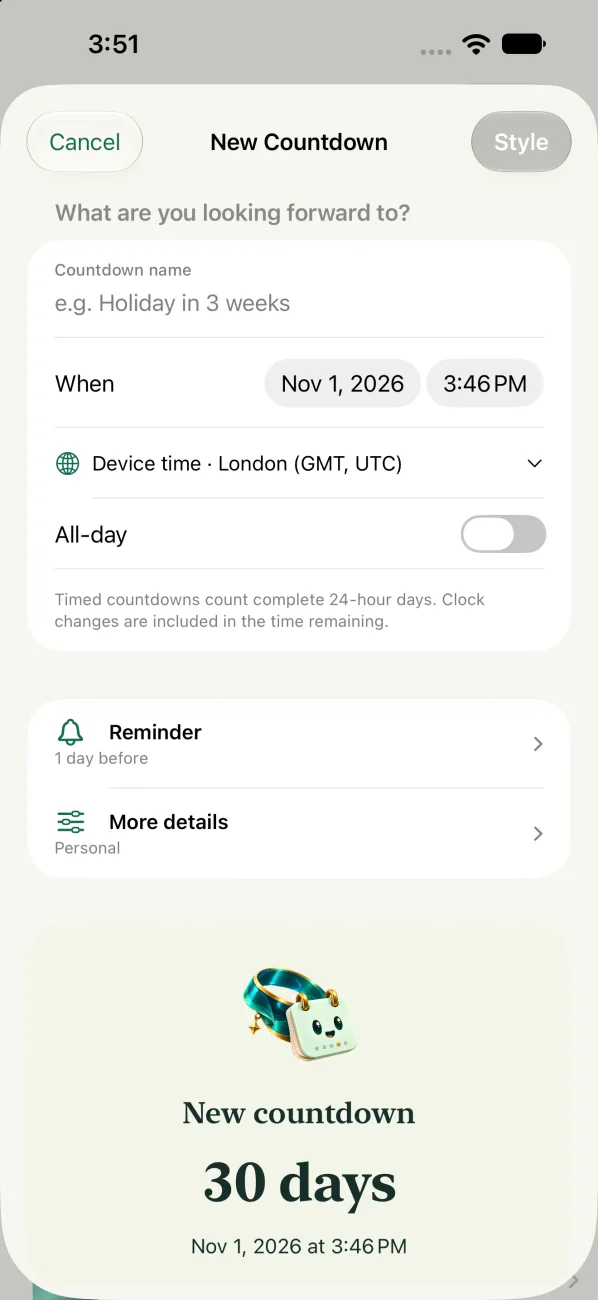
Make each countdown feel right. Choose collections, tags, notes, locations, links, searchable custom SF Symbols, typed hex color palettes, typography, photos, progress starts, milestones, urgency badges, repeat rules, completion behavior, reminder presets, actionable reminder notifications: Snooze 1 Hour, Snooze 1 Day, Snooze Tomorrow Morning, time zones, business-day units, total time units, and standard, short, or digital labels. Use 10 curated one-tap style presets. Start from built-in templates for travel, project deadlines, tax deadlines, visa renewals, concerts, dinner reservations, subscription renewals, paydays, baby due dates, retirement, moving day, birthdays, holidays, exams, and goals; then save your own templates and palettes.
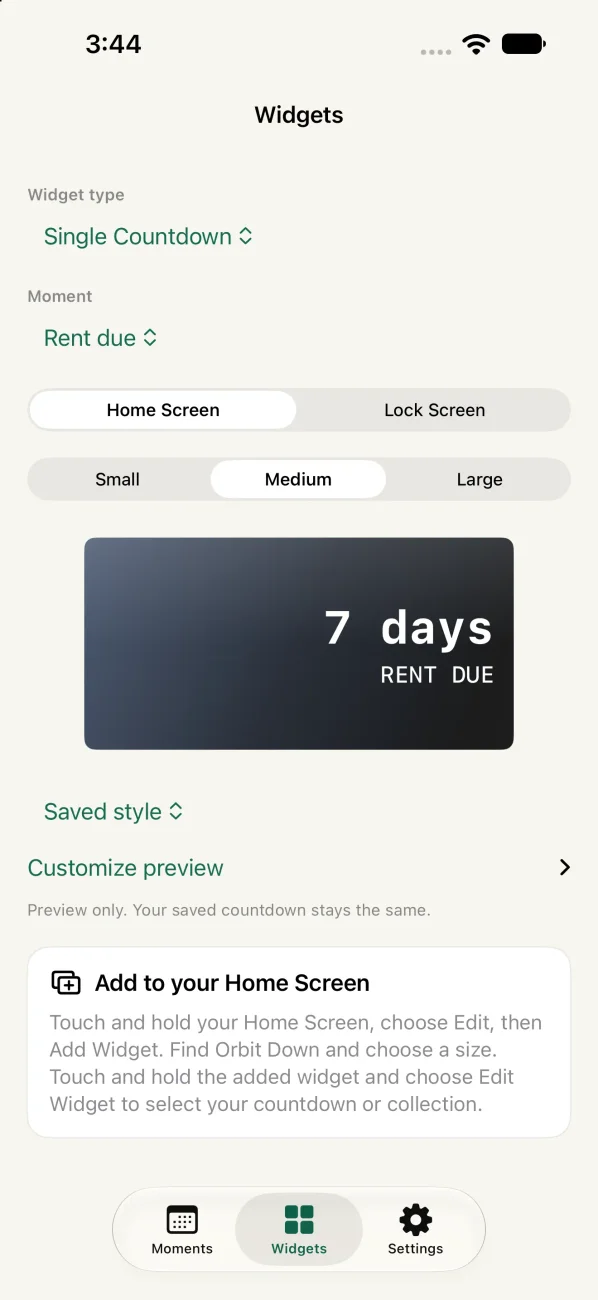
Widgets are central. Add small, medium, large, extra-large, and accessory widgets where supported. A single widget asks for Countdown and optional Layout; Upcoming asks for Source, optional Collection, and Rows; Collection Dashboard asks only for Collection. Widgets inherit saved countdown appearances and open matching app detail when tapped. Mutation controls stay in Live Activities, Control Center, Shortcuts, notifications, and the app.
Create countdowns quickly from natural language. Quick Add, Siri, Shortcuts, Share Extension, and macOS Services all use the same parser for phrases such as "Dinner tomorrow at noon", "Launch brief by EOD", "Payday every other Friday", "Trip in 5 business days", "Countdown to Thanksgiving", "7/10/26 at 6pm", "#Launch #VIP", or multi-line pasted lists. You can include reminders, links, locations, collections, tags, favorite status, time zones, style presets, symbols, typography, units, milestones, and visual settings in the text before saving; New Countdown and Quick Add also respect the current collection or tag context unless explicit collection or tag details are supplied. Default creation collection, default creation tags, default creation style, default creation appearance, default creation progress details, default creation reminders, default creation completion behavior, default creation favorite, default creation repeat, default creation progress start, default creation units, default creation time labels, default creation typography, and default creation time zone settings keep blank, Quick Add, and Siri-created countdowns organized. Shortcuts can also duplicate countdowns, reschedule dates, rename or remove tags, set typography, copy visual styles between countdowns, use clipboard text, create countdowns from link page text, and create or review countdowns from text-bearing files.
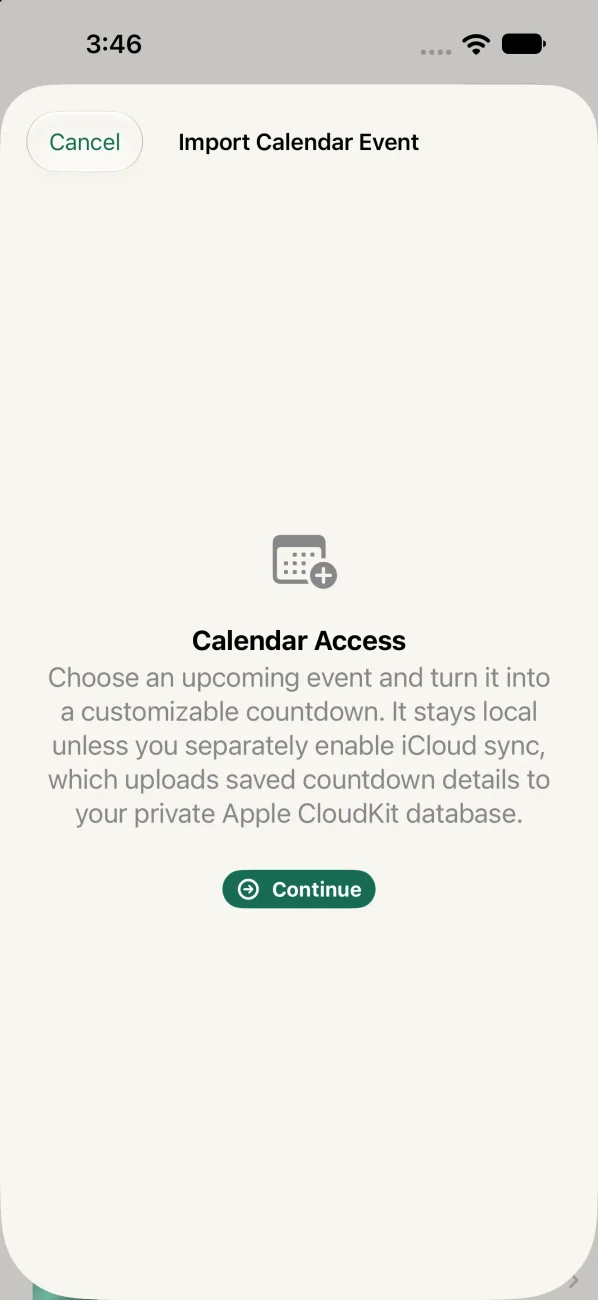
Bring Apple apps into the flow. Import upcoming Calendar events, dated Reminders, and Contacts birthdays or anniversaries with review screens and Shortcuts actions. Add countdown targets back to Calendar or Reminders, refresh imported countdowns from their source, open calendar invite files, and share countdowns as text or Markdown with progress percentage and elapsed/remaining context, a visual card, a calendar invite, a QR code, or a portable Countdown File.
Live Activities and Dynamic Island keep important countdowns visible with Skip, Postpone, and Done / Next controls. Native system entry points include iOS quick actions, Control Center controls, file opening, macOS Services, the command menu, and the menu bar glance. The menu bar supports New Countdown, Quick Add, clickable Next rows, Skip, Postpone 1 Day, Done / Next, Undo Completion, and Clear History.
Data stays local by default. Optional iCloud sync uses your Apple ID; backups with import summary, portable files, and Erase Local Data keep you in control.
新機能
バージョン 1.2.2 · 2026/10/3
Orbit Down 1.2.2 fixes widget configuration across iPhone, iPad and Mac.
• Saved countdowns are available when editing a widget.
• Countdown, layout, collection and upcoming-list settings are shown clearly.
• On Mac, opening a widget reuses the existing app window.
アプリのプライバシー
このアプリのデータの取り扱いについて、Joaquin ZelnickがApp Storeで申告している内容です。
-
データの収集なし
開発元はこのアプリからデータを収集しません。
プライバシーの取り扱いは、ご利用の機能やお客様の年齢などに応じて異なる場合があります。
情報
- 販売元
- Joaquin Zelnick
- カテゴリ
- 仕事効率化
- バージョン
- 1.2.2
- 更新日
- 2026/10/3
- リリース
- 2026/7/30
- サイズ
- 38.0 MB
- 必要条件
- iOS 17.0以降
- 対象年齢
- 4+
- 価格
- 無料
- 言語
- 英語
- 著作権
- © 2026 Joaquin Zelnick
こちらもおすすめ
-
 AgentStead仕事効率化
-
 QuickDock: Shortcuts & Actions仕事効率化
-
 TickDay - Countdown Widget仕事効率化
-
 App for Google カレンダー: horaプランナー・リマインダー・予定
-
 Clearminutes: AI Meeting Notes仕事効率化
-
 Roxily: 夫婦の家事分担同棲・二人暮らしの家事をカレンダーで管理
-
 Count Down: あと何日誕生日とイベント管理
-
 集中タイマー & 友達: Pogetherポモドーロ、ADHD & 勉強仲間
-
 カウントダウン&日数ウィジェット - Countdown特別な日まで日数をカウント - 特別な日まで日数表示
-
 Zen Study: 集中 情熱タイマー 日記 習慣 学生ポモドーロ 勉強計画 一日予定表 学習記録帳 時間 時空