
- 対象年齢17+
- カテゴリビジネス
- 開発元ORelay Studios LLC
- 言語英語ほか7言語
- サイズ26.2 MB
App Storeの公式ページにリンクしています
Download.orgはORelay Remote Access & Supportのファイルを一切ホストしていません。ボタンを押すと、ORelay Studios LLCが公開しているApp Storeのアプリページが開きます。ページの最終確認:2026/11/24。
スクリーンショット
概要
開発元はこのテキストをお使いの言語で提供していません。
ORelay puts the computers you look after in your pocket. Check on any Windows, Mac or Linux computer, fix a small problem, take control of its screen, move a file or restart it, from wherever you are.
ORelay is the iPhone and iPad app for the ORelay remote access and management service. Install the small ORelay agent on each computer, sign in here, and your computers appear live. The agent only connects out, so there is no port to open on your router.
SMALL FIXES, FROM ANYWHERE
• Fix printing: restart the print spooler and clear a stuck print job (Windows)
• Get the internet back: renew the network address or flush DNS (Windows)
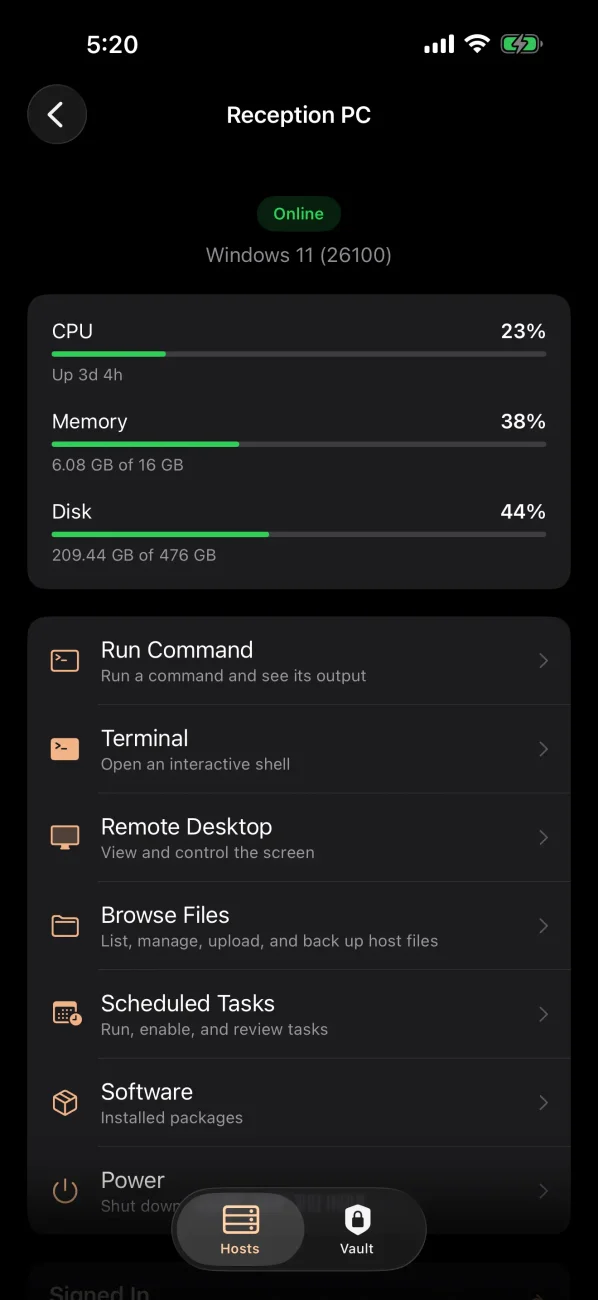
• Run a command and read its output
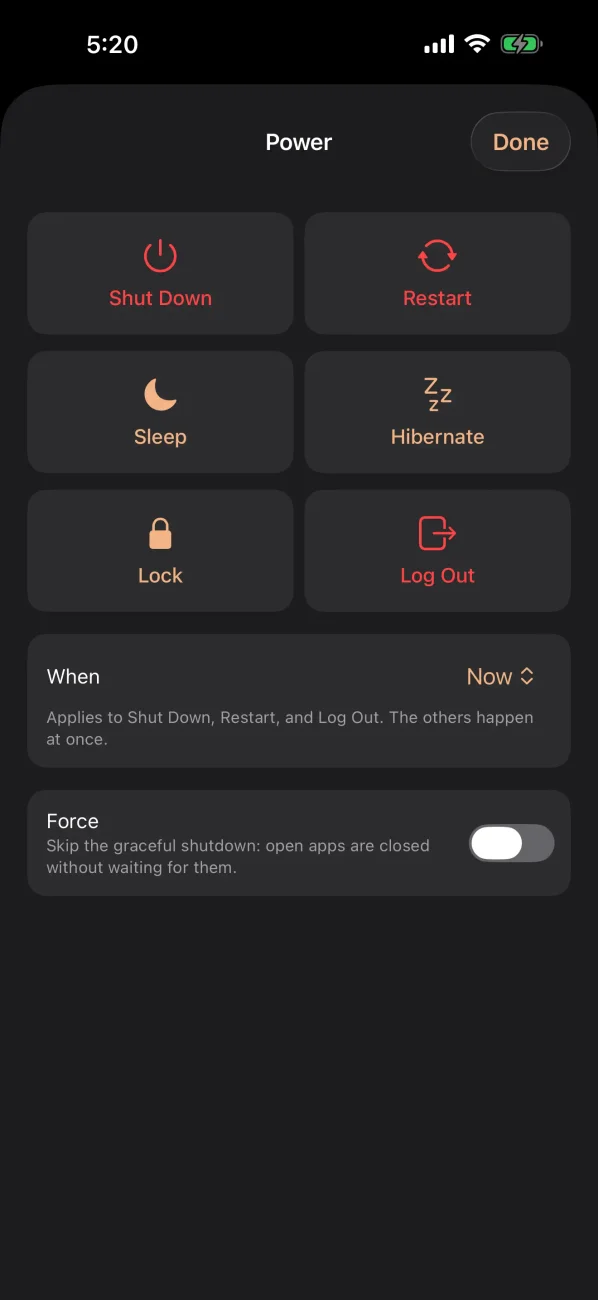
• Shut down, restart, sleep, lock or sign out, now or at a time you pick
TAKE CONTROL
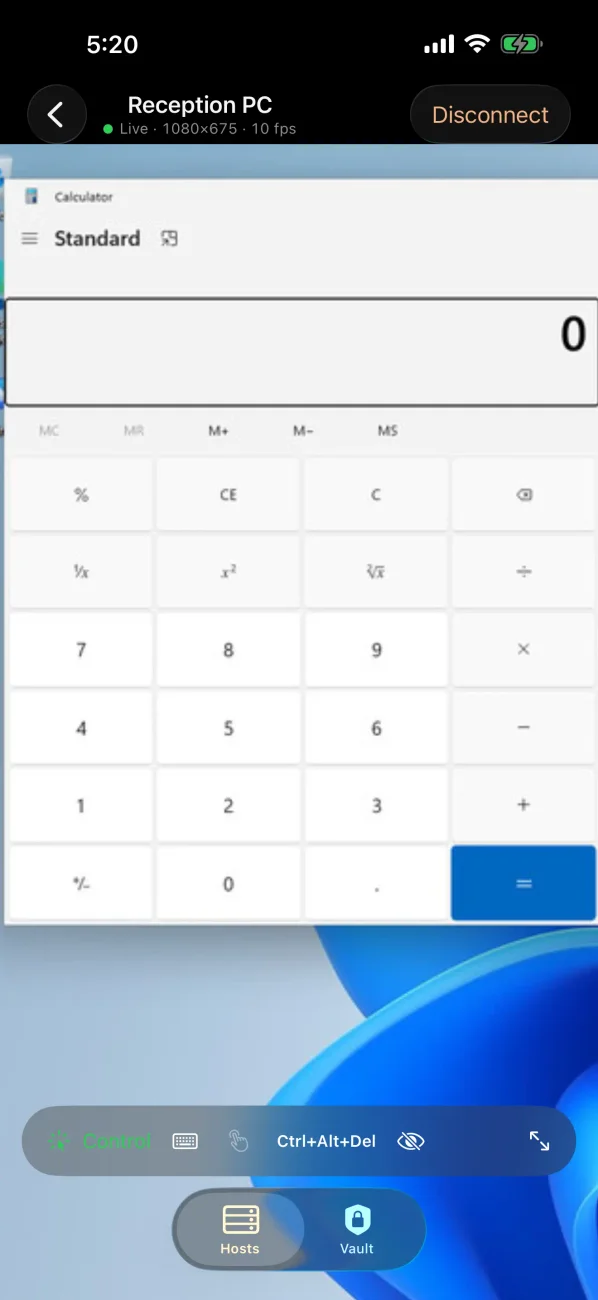
• Remote desktop: watch the screen live, then take the mouse and keyboard when you need to. Pinch to zoom, drag to pan, tap to click, with a key bar and Ctrl+Alt+Del for Windows
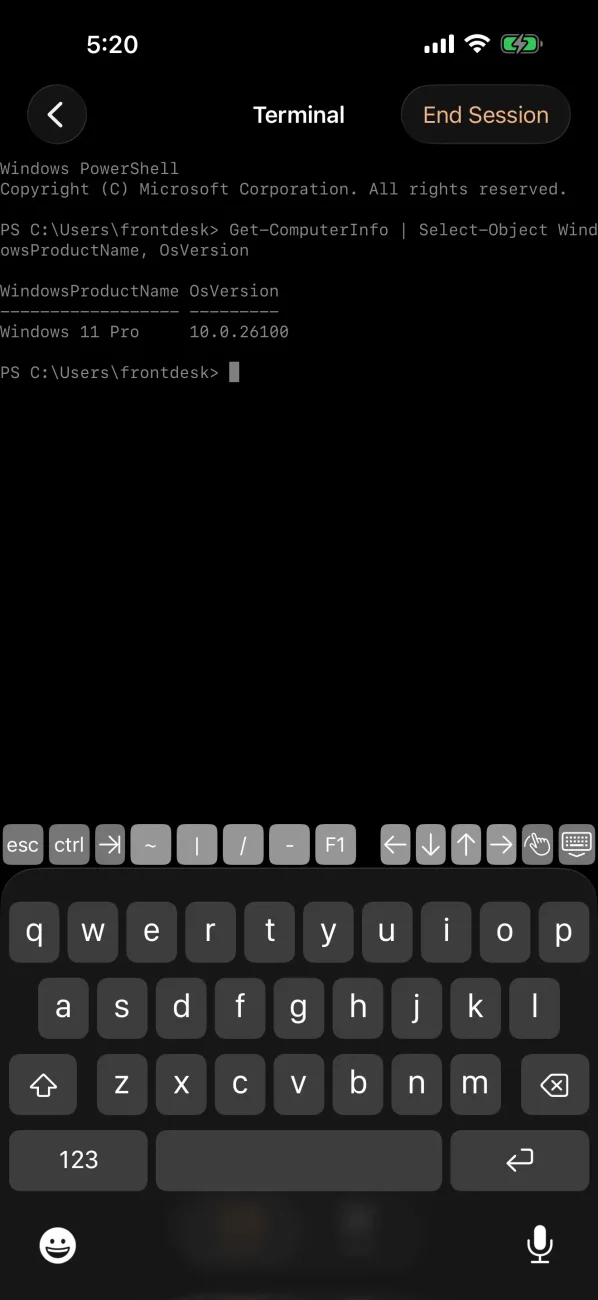
• Terminal: a full PowerShell, cmd, bash or sh session
YOUR FILES, WHEREVER YOU ARE
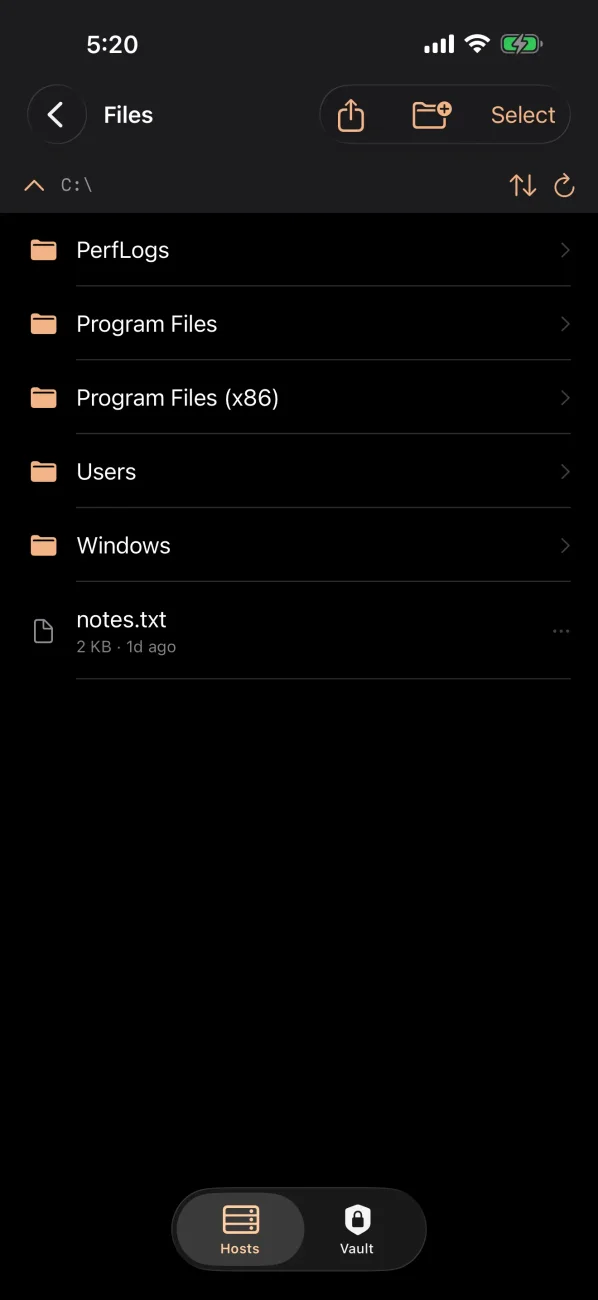
• Browse a computer's folders and download what you need
• Send a file from your iPhone straight into a folder on a computer
SEE EVERY COMPUTER AT A GLANCE
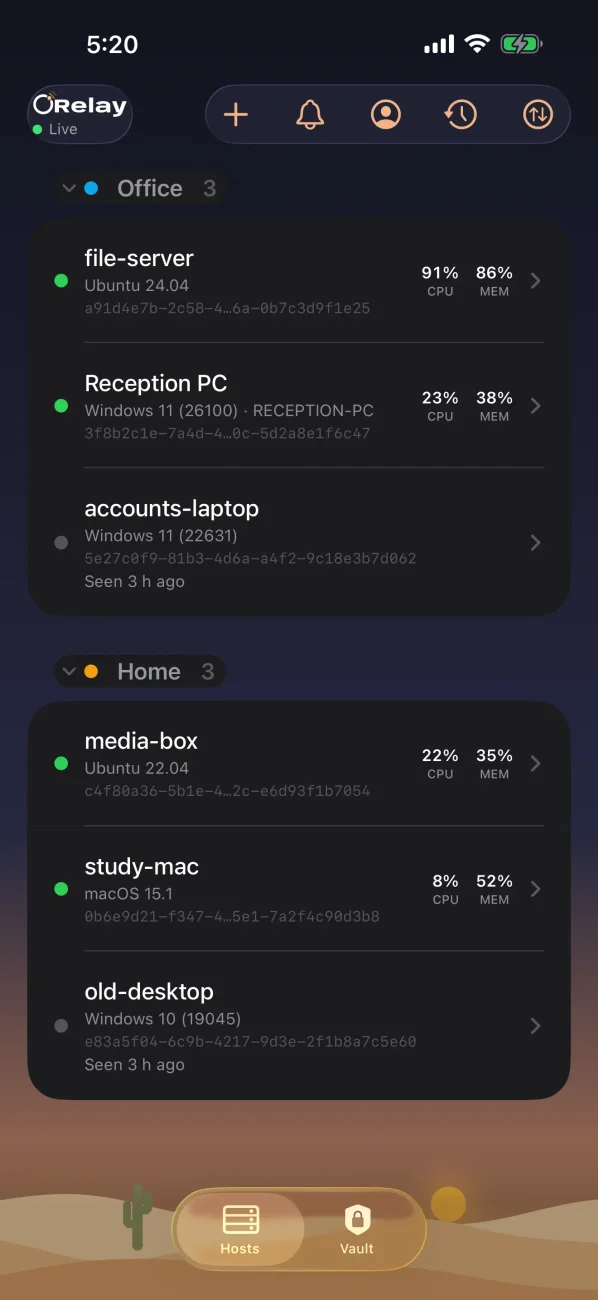
• A live list of your computers, online or offline, in groups such as Home and Office
• Processor, memory, disk and network use for each one, and who is signed in
• Every program installed on each computer
• Alerts on your phone when a computer stops checking in or runs short on disk, memory or processor
• Scheduled tasks that run on a timetable, with the output of every run
BUILT TO BE SAFE
• Nothing on your computers opens to the internet: each one only connects out
• Connections are encrypted with TLS 1.3, and each computer proves who it is with its own certificate
• Your iPhone asks for Face ID, Touch ID or your passcode before an action reaches a computer
• Sign in with a passkey or your password, with two-step sign-in, and add Apple, Google, Microsoft or GitHub sign-in to your account
• Every command, file transfer and power action is written to your organization's activity log
• Screens and terminals pass through live and are never recorded
• No ads, and we never sell your data
FOR FAMILIES, IT PROS AND SMALL BUSINESSES
Look after a parent's laptop, a small office or a rack of servers. Open a computer someone has shared with you using a code, or join your organization when its administrator invites you.
MAKE IT YOURS
• Themes that fill the whole screen, shift from day to night, and follow your account from phone to phone
GETTING STARTED
1. Sign in, or create an account in the app.
2. On each computer, download the ORelay agent from orelay.io/download and install it.
3. In the app, tap + and scan the code the computer shows.
ORelay works with Windows, Mac and Linux computers. Some quick fixes, like the printer and internet ones, are for Windows computers.
Help: https://orelay.io/support
Privacy: https://orelay.io/privacy
Terms: https://orelay.io/terms
新機能
バージョン 1.2.4 · 2026/11/23
Set up a computer that stays off the internet: ORelay reaches it only on its own network, from your phone. Your phone can also bring those computers up to date: it fetches the update while online and sends it over when you're next on their network. Fixes and polish.
アプリのプライバシー
このアプリのデータの取り扱いについて、ORelay Studios LLCがApp Storeで申告している内容です。
-
ユーザーに関連付けられたデータ
収集され、ユーザーの識別情報に関連付けられる場合があります。
- 連絡先情報
- ユーザーコンテンツ
- ID
- 使用状況データ
-
ユーザーに関連付けられないデータ
収集される場合がありますが、ユーザーの識別情報には関連付けられません。
- 位置情報
- 診断
プライバシーの取り扱いは、ご利用の機能やお客様の年齢などに応じて異なる場合があります。
情報
- 販売元
- ORelay Studios LLC
- カテゴリ
- ビジネス
- バージョン
- 1.2.4
- 更新日
- 2026/11/23
- リリース
- 2026/10/29
- サイズ
- 26.2 MB
- 必要条件
- iOS 16.0以降
- 対象年齢
- 17+
- 価格
- 無料
- 言語
- 英語, アラビア語, フランス語, ドイツ語, 日本語, ポルトガル語, 簡体字中国語, スペイン語
- 著作権
- © 2026 ORelay Studios LLC