
- 対象年齢4+
- カテゴリユーティリティ
- 開発元Yaw Boamah
- 言語英語
- サイズ7.7 MB
App Storeの公式ページにリンクしています
Download.orgはOutSpan - Fullscreen Browsingのファイルを一切ホストしていません。ボタンを押すと、Yaw Boamahが公開しているApp Storeのアプリページが開きます。ページの最終確認:2026/11/26。
スクリーンショット

概要
開発元はこのテキストをお使いの言語で提供していません。
Use the whole outer display in Safari.
When your iPhone Duo is folded, OutSpan widens webpages into the space beneath Safari’s side controls. Choose how far each page goes, or open a shared webpage in OutSpan’s full-width reader.
CHOOSE A WEBSITE LAYOUT
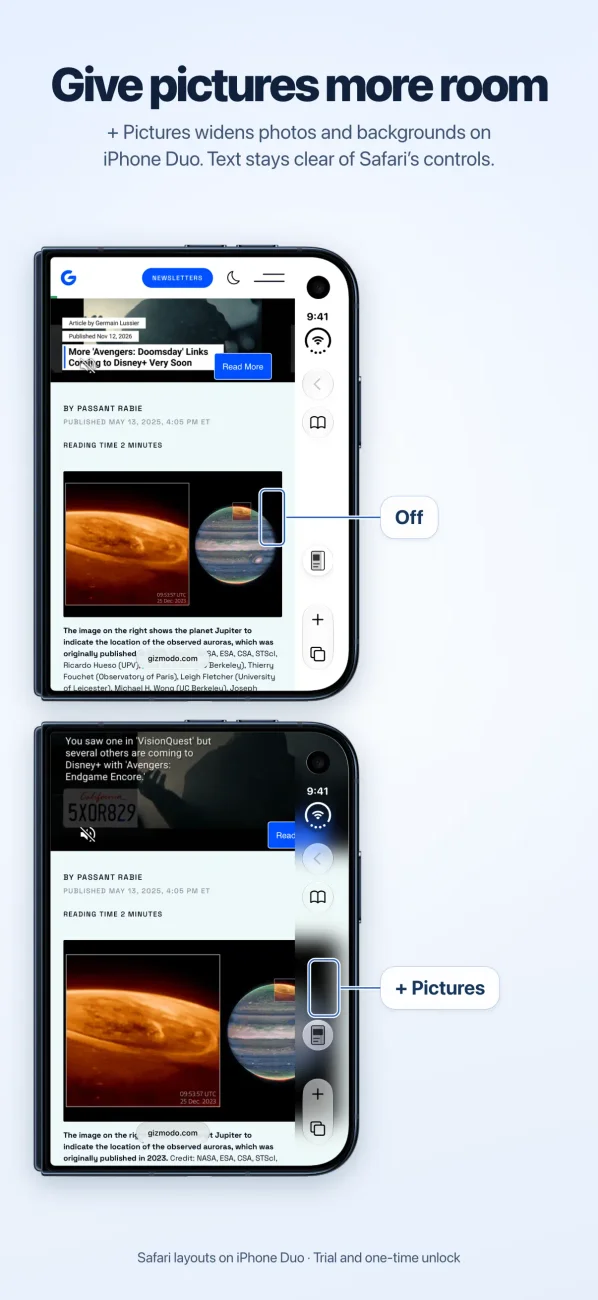
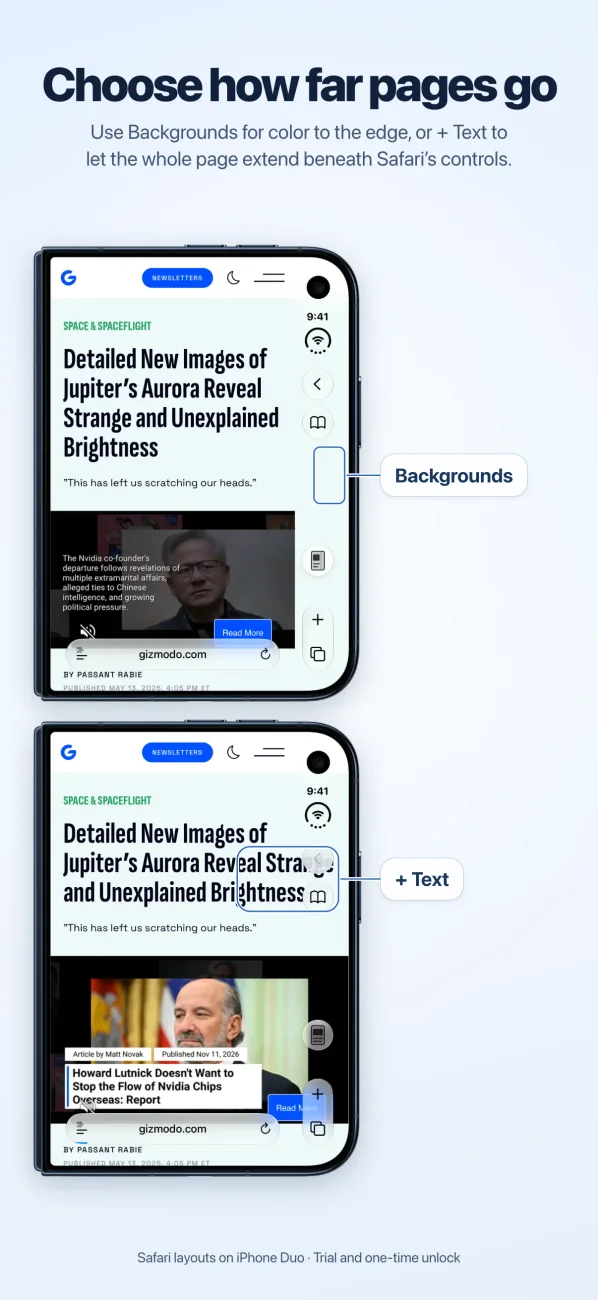
• Off keeps the website at Safari’s usual width.
• Backgrounds extends page backgrounds to the edge. Pictures and text stay clear of Safari’s controls.
• + Pictures also widens photos and other media while keeping text clear of the controls.
• + Text lets the whole page extend beneath Safari’s side controls.
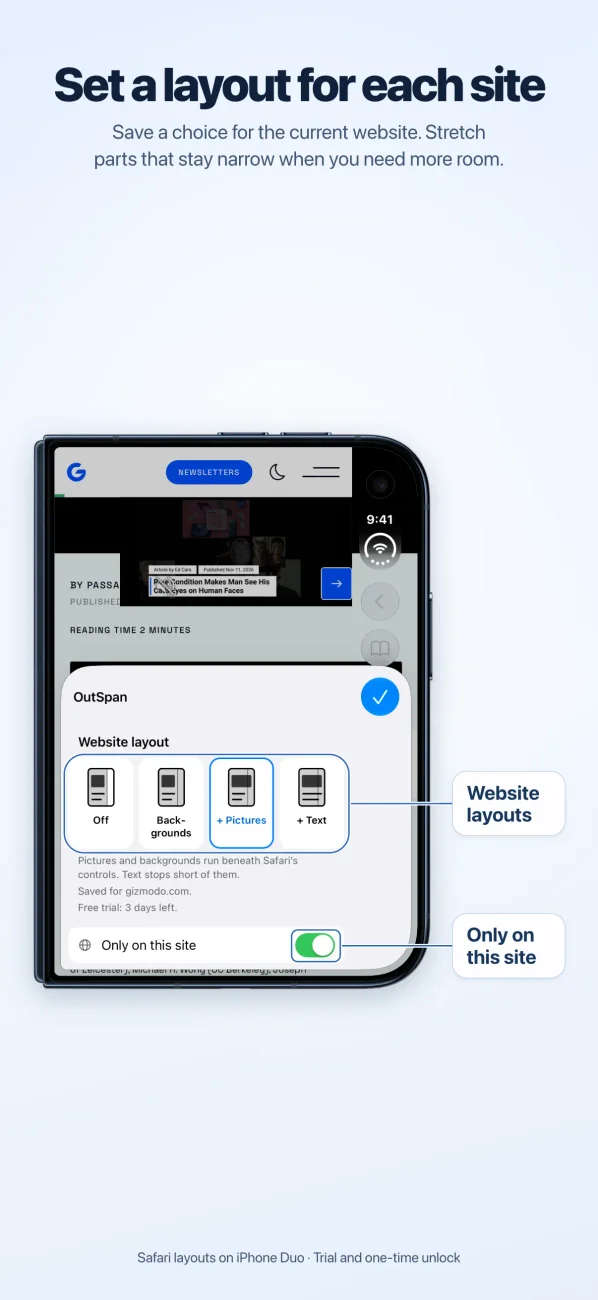
Set a default for all websites or give a site its own layout. In Safari, turn on Only on this site in the OutSpan menu. You can also add a site by typing its address or pasting a link in the app’s Site Layouts list. OutSpan remembers your choices across tabs, reloads, and Safari restarts. If part of a site stays narrow, turn on Stretch parts that stay narrow to widen more of the page.
OPEN IN OUTSPAN
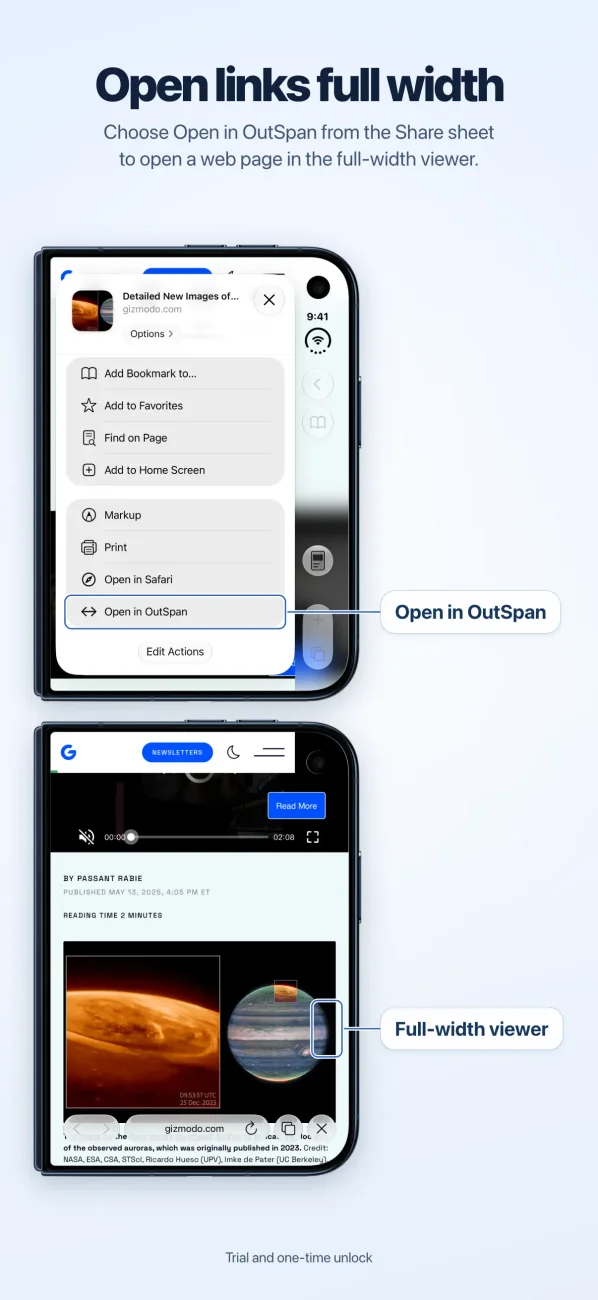
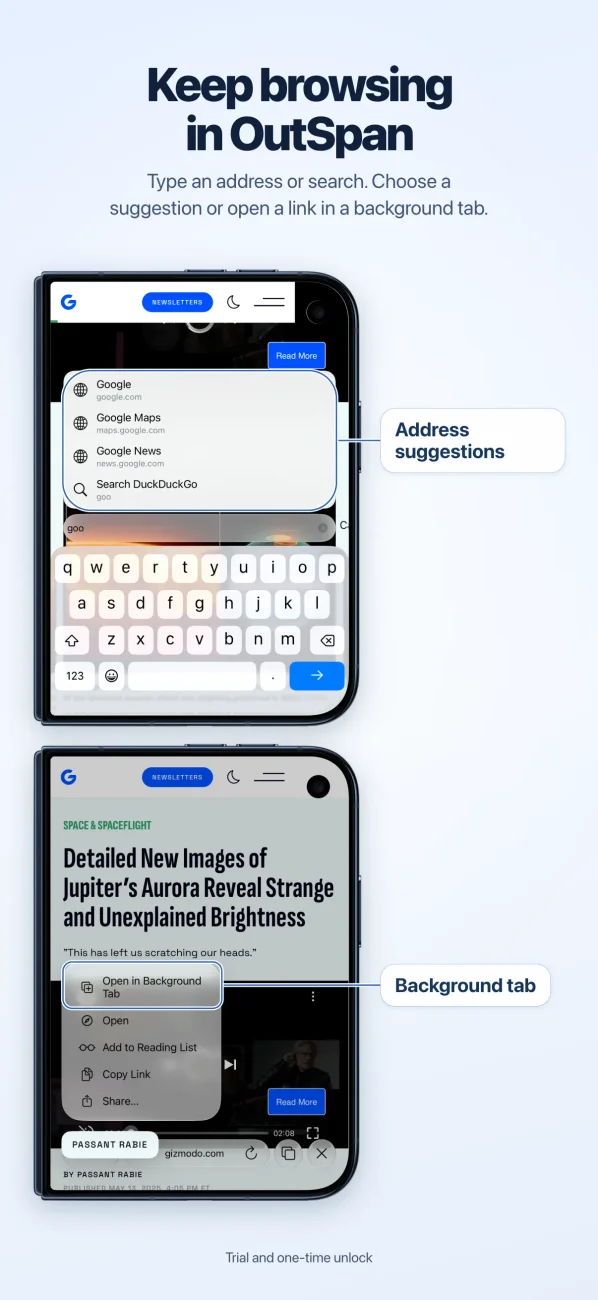
Tap Share in Safari, Chrome or another app that shares webpage links, then choose Open in OutSpan. Where an app’s window stops short of the display’s edges, as Chrome’s can, the page opens in the OutSpan app so it fills the display. Enter a new address or search from the reader’s address bar, with suggestions as you type. Touch and hold a link to open it in a background tab while you keep reading. The toolbar shrinks to a compact address bar as you scroll down and returns when you scroll up.
BLOCK COMMON WEB ADS
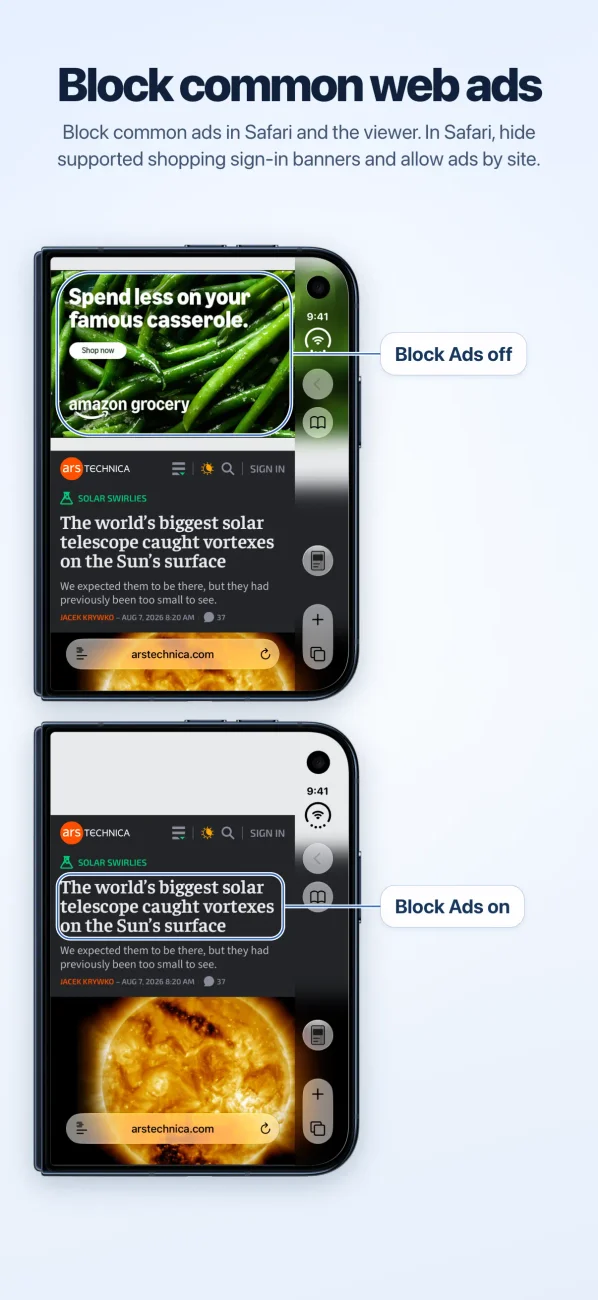
Turn on Block Ads in Safari to block common web ads and hide supported shopping sign-in banners. You can allow ads on individual sites. The reader has its own Block Ads setting.
WIDEN FROM THE PAGE
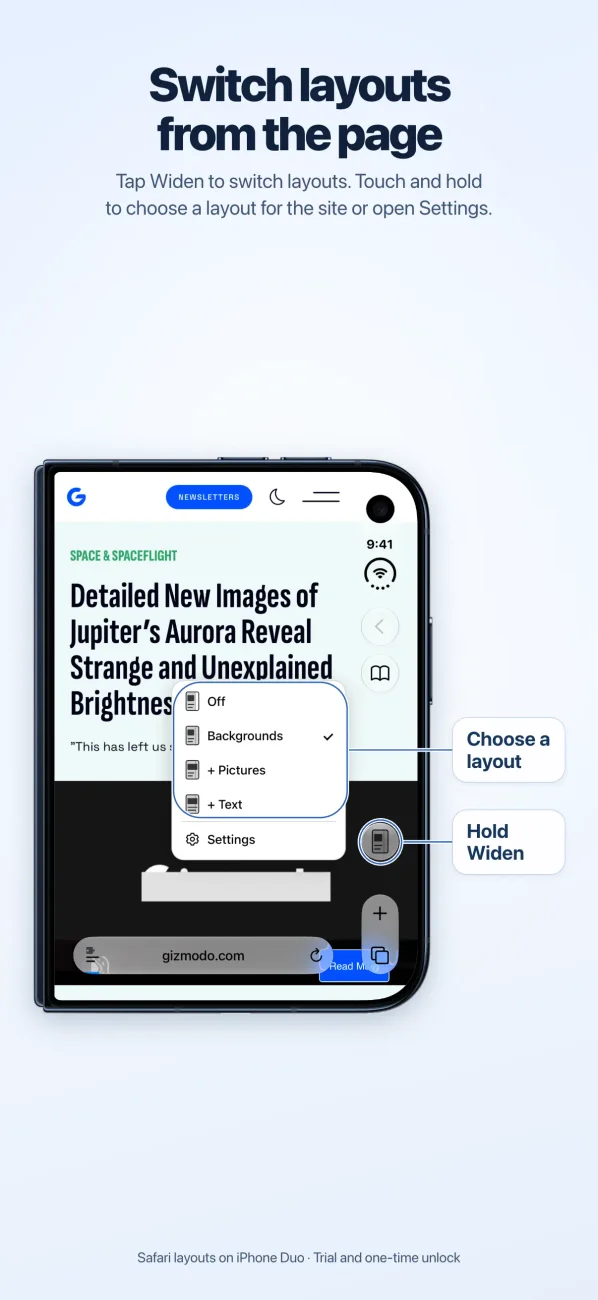
The Widen button beside Safari’s controls shows the site’s current layout. Tap it to switch between Off and your last wider layout. Touch and hold it to choose a layout or open OutSpan’s settings. You can choose whether the button hides while scrolling and adjust the blur behind Safari’s controls.
FIX A PAGE YOURSELF
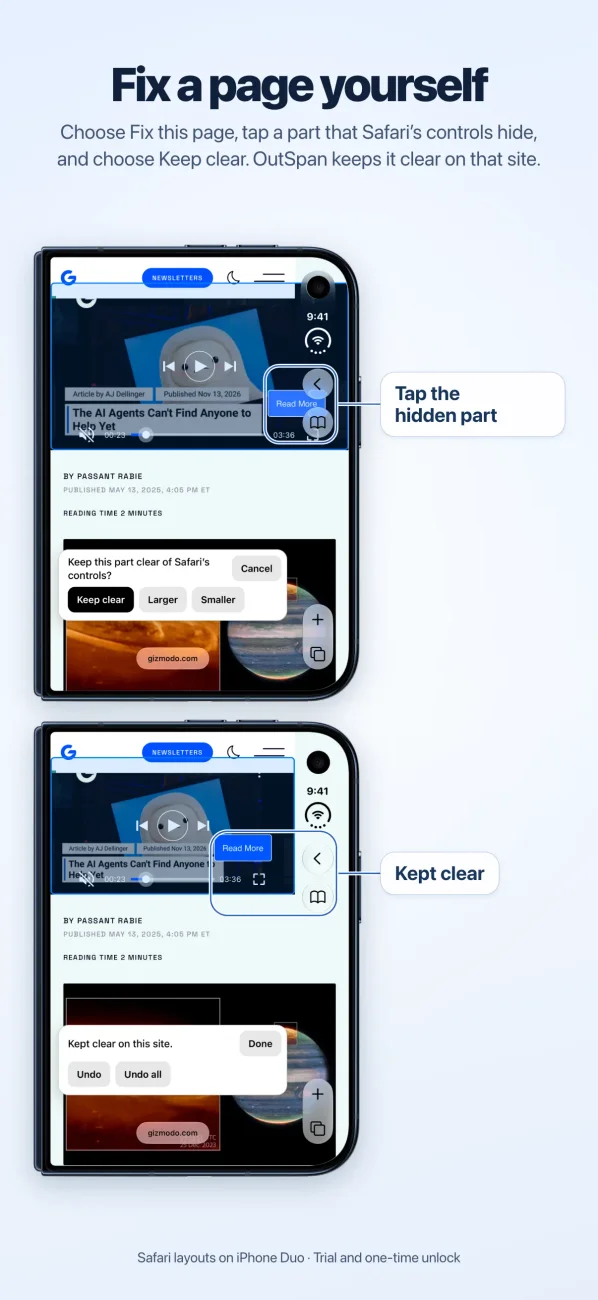
If Safari’s controls hide part of a page while a wider layout is on, touch and hold Widen and choose Fix this page. Tap the part and choose Keep clear. OutSpan keeps it clear on that website from then on, and you can undo one part or all of them at any time.
If a website still looks wrong, choose Report a problem in the OutSpan menu. It drafts an email to support with the page, your layout and your settings, for you to read and send.
SPLIT VIEW
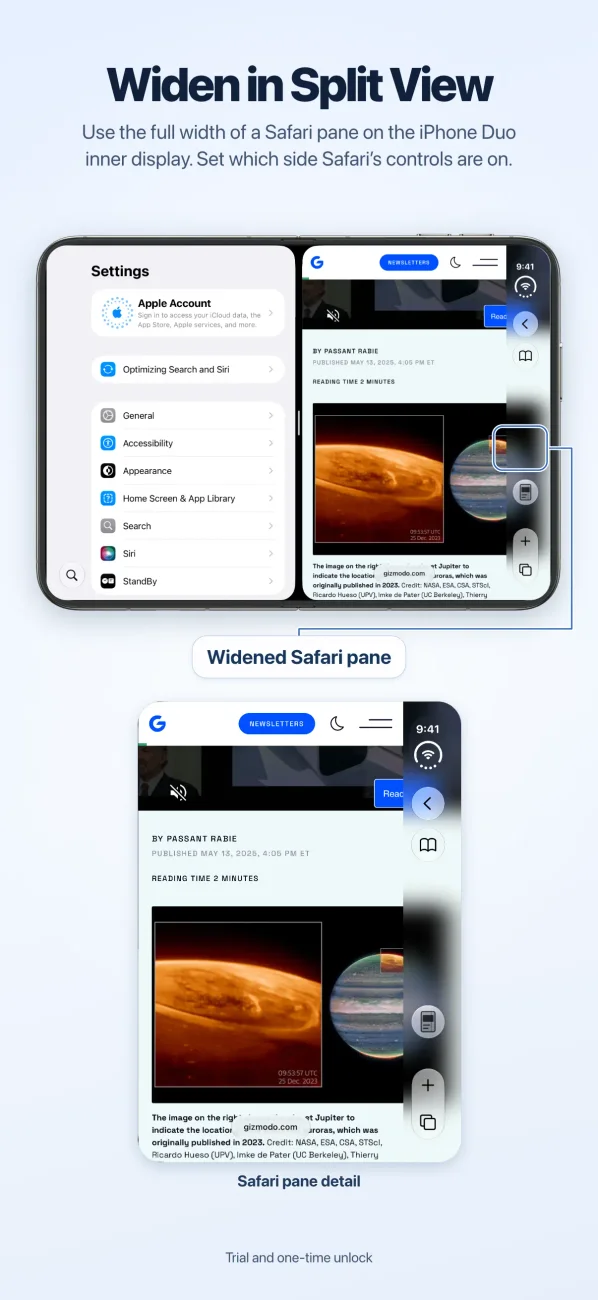
On the Duo’s inner display, OutSpan widens Safari’s pane when it shares the screen with another app. Choose which side Safari’s controls are on in the OutSpan menu. OutSpan remembers your choice.
FREE TRIAL AND UNLOCK
Off and Safari ad blocking are free. Wider layouts and Open in OutSpan share a three-day free trial that starts the first time you use either feature. Full Unlock is a one-time in-app purchase that unlocks both.
REQUIREMENTS
Requires iOS 27 or later. Safari widening requires iPhone Duo. Open in OutSpan works on supported iPhones. The built-in setup guide walks you through enabling the Safari extension and allowing it on the websites you want to widen.
OutSpan uses no analytics or tracking, and you can use it without an account. Your settings stay on your iPhone, and the reader loads pages directly from the websites you visit.
Terms and Conditions
https://outspan.app/terms/
Privacy Policy
https://outspan.app/privacy/
新機能
バージョン 1.5.1 · 2026/11/24
• Widen holds still: After you tap Widen to turn a site’s layout Off, the button no longer moves with the page as you scroll, on busy websites too.
• Widen stays in view: With Hide Widen button while scrolling off, a fast scroll on a busy website no longer makes the button disappear partway down the page.
• Touch and hold Widen: On a site set to Off, choosing a layout from the button’s menu at the top or end of a page now works even if your finger slips a little.
アプリのプライバシー
このアプリのデータの取り扱いについて、Yaw BoamahがApp Storeで申告している内容です。
-
データの収集なし
開発元はこのアプリからデータを収集しません。
プライバシーの取り扱いは、ご利用の機能やお客様の年齢などに応じて異なる場合があります。
情報
- 販売元
- Yaw Boamah
- カテゴリ
- ユーティリティ
- バージョン
- 1.5.1
- 更新日
- 2026/11/24
- リリース
- 2026/10/19
- サイズ
- 7.7 MB
- 必要条件
- iOS 27.0以降
- 対象年齢
- 4+
- 価格
- 無料
- アプリ内課金
- あり
- 言語
- 英語
- 著作権
- © 2026 OutSpan. All rights reserved.
こちらもおすすめ
-
 Wider - Fullscreen Browsingユーティリティ
-
 FoldCounter: Fold StatsTrack your fold
-
 Brim Browserユーティリティ
-
 Clickletカメラコントロールでショートカット
-
 Foldboard手についてくるキーボード
-
 Wide Web: Full Screen Safariユーティリティ
-
 MeBoard: Glide & Hapticsユーティリティ
-
 EFKey – Swipe & AI キーボード翻訳・音声入力・ジェスチャー
-
 Overspillユーティリティ
-
 Remio Remote Desktopリモートデスクトップ・遠隔操作・リモート操作・画面共有