- 対象年齢4+
- カテゴリ仕事効率化
- 開発元Objectways Technologies, LLC
- 言語英語
- サイズ38.1 MB
App Storeの公式ページにリンクしています
Download.orgはOW Recorderのファイルを一切ホストしていません。ボタンを押すと、Objectways Technologies, LLCが公開しているApp Storeのアプリページが開きます。ページの最終確認:2026/11/23。
スクリーンショット

概要
開発元はこのテキストをお使いの言語で提供していません。
A hands-free video recording application designed for egocentric data capture. Mount your iPhone on a standard head strap and record hands-free.
Account Required. Access is invite-only — a valid invite code is required to create an account. Video recordings are uploaded to your organisation's private cloud storage, and your recording history is stored in a private, user-specific database.
Key Features:
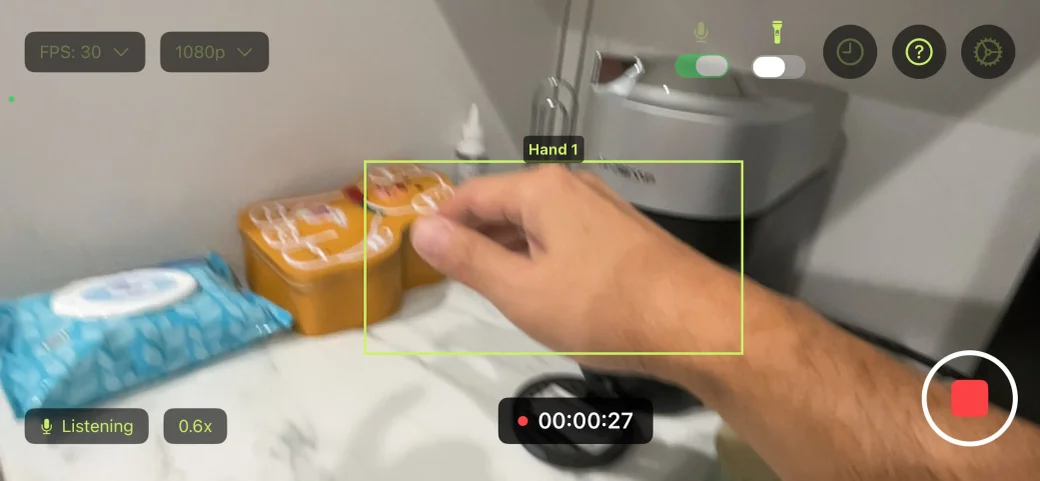
Real-time hand detection powered by Apple's Vision framework tracks hand positions in the video frame to enhance egocentric dataset quality and contextual understanding.
Research session recording captures synchronized motion sensor data (accelerometer, gyroscope, and magnetometer at 100 Hz), 6-DoF head pose estimation, hand pose landmarks (21 joint positions per hand), and camera calibration data (focal length and lens parameters) — packaged as a session ZIP file alongside the video for egocentric dataset collection.
Integrated voice commands enable seamless, hands-free control of recording sessions — simply say "start recording" or "stop recording" while the device is mounted. Torch control via voice is also supported.
Captured videos can be uploaded to your organisation's private cloud storage with a single tap, ensuring a streamlined and efficient data collection workflow.
Background upload support — start an upload and switch to another app; the video keeps uploading and you receive a notification when it's complete.
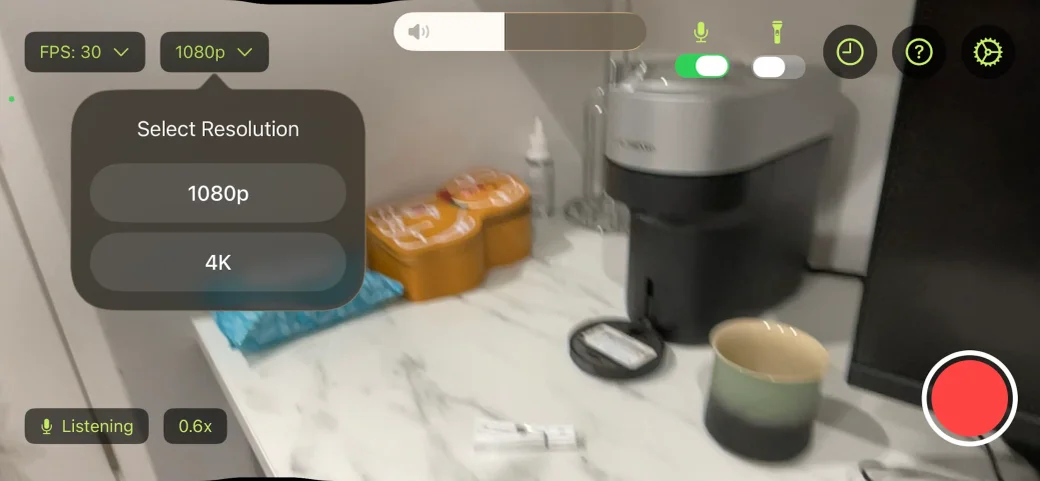
Supports flexible recording configurations including adjustable resolution (1080p recording at 30 or 60 fps, and 4K recording at 30 fps on capable devices). A minimum zoom of 0.5x is available on multi-lens devices (iPhone 11 and later) for an ultra-wide field of view.
Tag each recording with an environment label — Living Room, Kitchen, Bed Room, Outdoor, Garden, and more — to organise your data collection by location context.
Device Compatibility Check: instantly see which camera lenses, resolutions, and frame rates your specific device supports before you begin recording.
Your complete recording history — including video names, durations, timestamps, environment tags, and upload dates — is accessible in-app and can be exported as a CSV file.
新機能
バージョン 3.3 · 2026/6/25
NEW IN V3.3:
1. Environment Sound Toggle — a new speaker icon in the recording
controls lets you enable or disable ambient audio capture in the
recorded video. On by default. Cannot be changed mid-recording.
2. Frame rate (FPS) is now stored per recording in your history and
included in session metadata.
3. Upload is now blocked if the recorded video does not meet the
minimum frame rate threshold, with a clear prompt to retake.
アプリのプライバシー
このアプリのデータの取り扱いについて、Objectways Technologies, LLCがApp Storeで申告している内容です。
-
ユーザーに関連付けられたデータ
収集され、ユーザーの識別情報に関連付けられる場合があります。
- 連絡先情報
- ユーザーコンテンツ
- その他のデータ
プライバシーの取り扱いは、ご利用の機能やお客様の年齢などに応じて異なる場合があります。
情報
- 販売元
- OBJECTWAYS TECHNOLOGIES, LLC
- カテゴリ
- 仕事効率化
- バージョン
- 3.3
- 更新日
- 2026/6/25
- リリース
- 2026/3/10
- サイズ
- 38.1 MB
- 必要条件
- iOS 16.0以降
- 対象年齢
- 4+
- 価格
- 無料
- 言語
- 英語
- 著作権
- © 2026 Objectways Technologies, LLC