- 対象年齢4+
- カテゴリ写真/ビデオ
- 開発元JixiPix Software
- サイズ123.3 MB
App Storeの公式ページにリンクしています
Download.orgはPastelloのファイルを一切ホストしていません。ボタンを押すと、JixiPix Softwareが公開しているApp Storeのアプリページが開きます。ページの最終確認:2026/11/7。
スクリーンショット



概要
開発元はこのテキストをお使いの言語で提供していません。
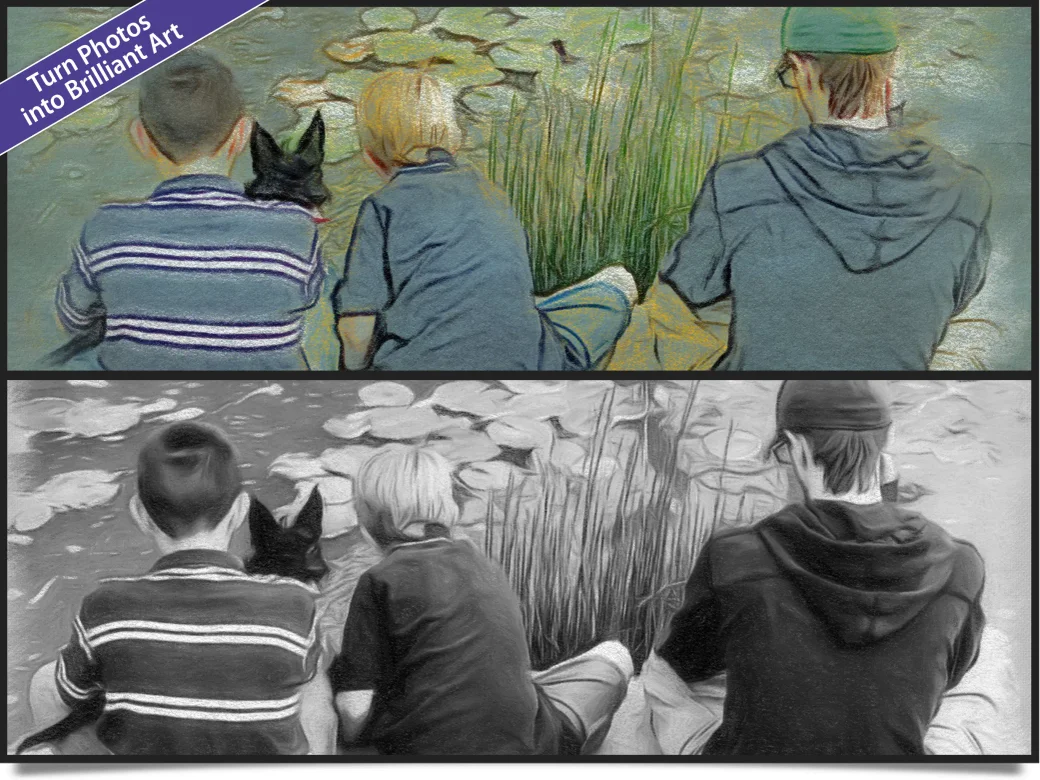
Transform photos into a fine art drawing with Pastel, Pencil, Chalk, Charcoal and Crayon
Introducing Pastello, a brand-new companion app to JixiPix’s Impresso Pro.
Pastello takes you back in time to the 15th century. Away from brushes and large strokes and into the realm of dry media with color that is both brilliant and subtle. The “Dry color method” made famous by Leonardo da Vinci is so powerful in its simplicity and beauty with its black and red chalk and yellow pastel highlights. Later, artists would paint charming portraits in a smooth heavily blended fashion. Move forward a few centuries later and pastel quickly became filled with brilliant color and crisp detail. Fast forward to today and a digital age has made it so you, the artist, can mix and match media that is difficult or impossible in a traditional setting.
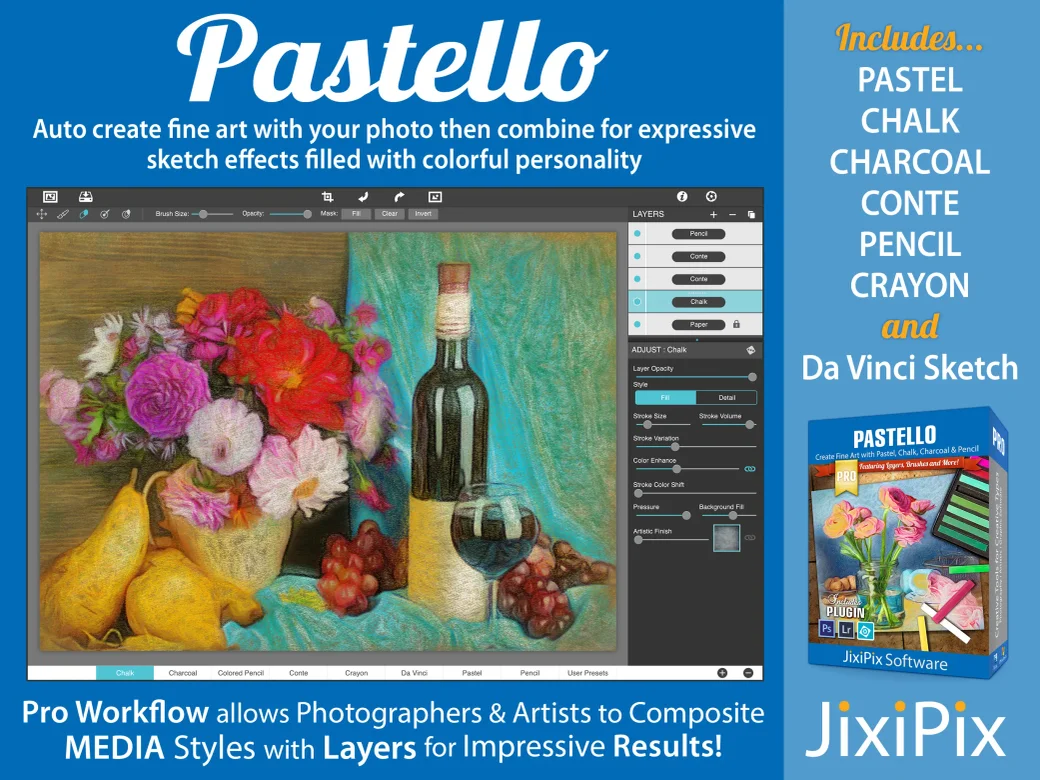
Pastello makes it simple and convenient to take an image and change it into Pastel, Chalk, Charcoal, Crayon, Colored Pencil and Graphite drawings. Use alone or combine these medias using powerful layers to produce interesting expressive sketch effects filled with colorful personality and passion. And the best part is Pastello does all the work.
With Pastello, photographers and artists can now go beyond the camera to turn image files into creative works that resemble traditional handmade media using a professional workflow that is easy and comfortable to operate.
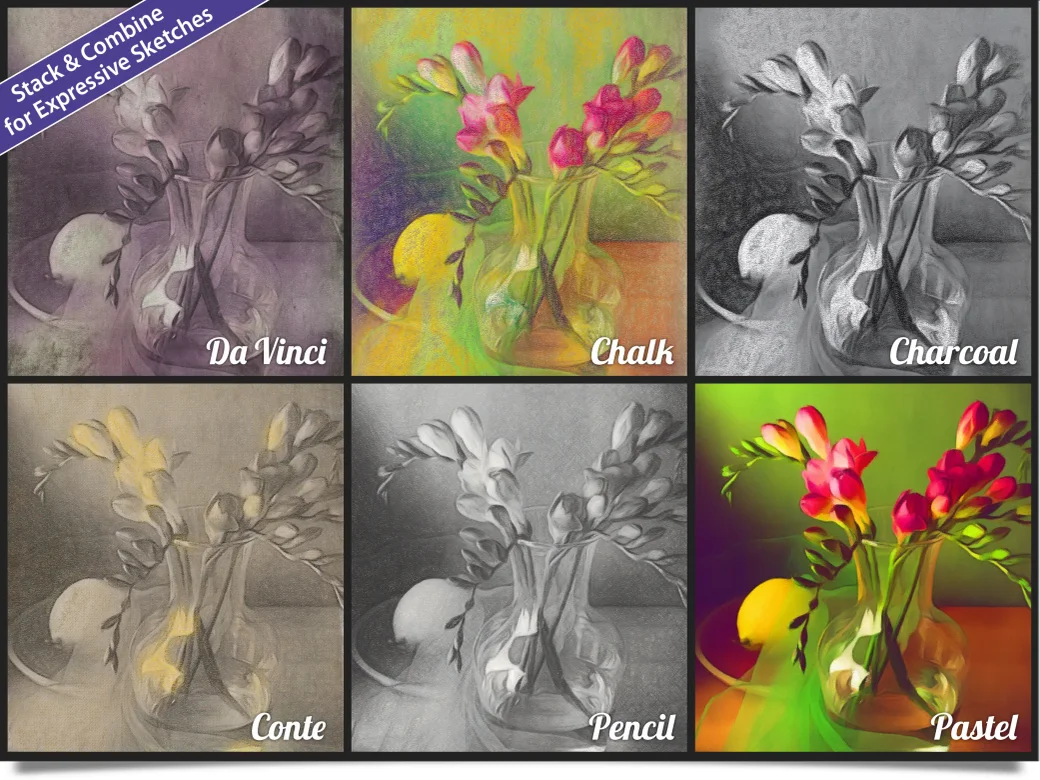
Pastello has a pro workflow that automatically transforms a photo into a pastel drawing and places it on an art paper with options to customize. The Pastel can then be changed to Chalk, Charcoal, Colored Pencil, Graphite, Conte or Crayon using Layer styles. The medias start out delicate like traditional drawings do, then allows you to build them up using fills, shading and detail layers. The medias are beautiful as they are, or mix them for an expressive artwork.
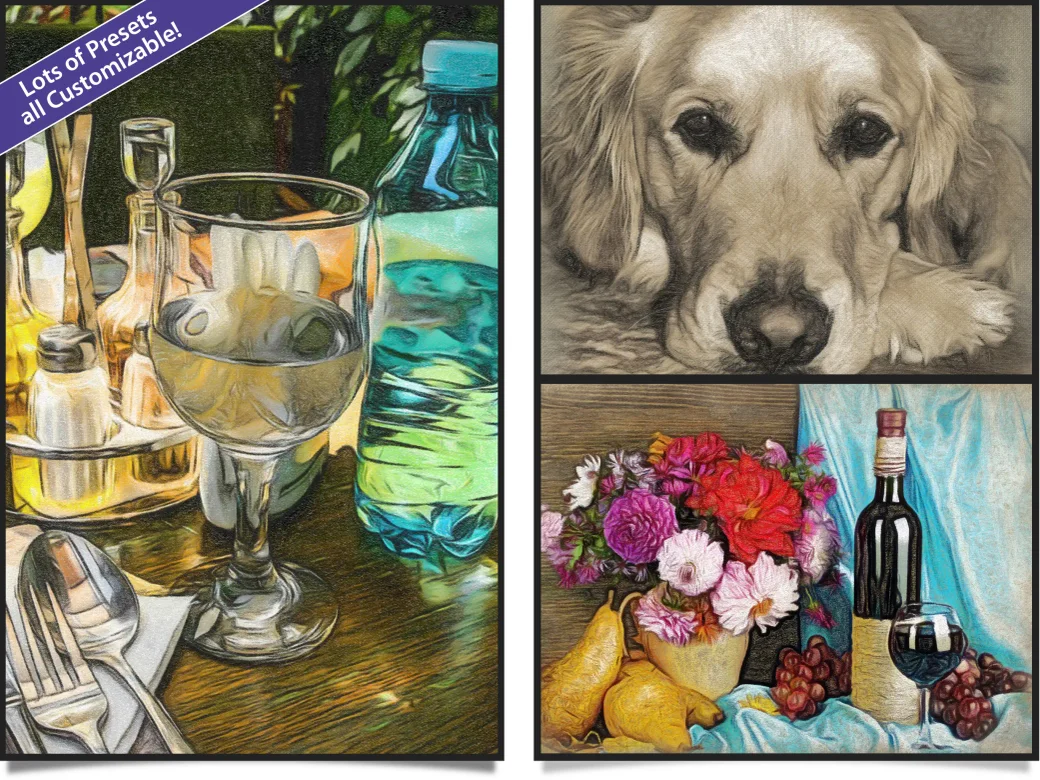
Pastello includes plenty of traditional sketch styles as well as a DaVinci effect using a mixed media of pencil, charcoal, crayon and old paper. It’s easy to use! We have mixed the media into one-click presets with all the freedom to customize, blend and fine-tune for your own unique artwork filled with age, depth and timeless beauty as if created by the renaissance artist himself.
Pastel Styles:
Colored Pencil, Graphite, Charcoal, and Chalk come with a fill and detail option that can be layered for infinite variation. Conte has a dynamic sketch feature that lets you fill in shadows, mid-tones and highlights with crosshatching or scumbling. All with the ability to change stroke direction, size, volume and variation.
Pastel—(Soft) is a soft, buttery consistency and intense color. This effect is dense and filled with the grain of the paper.
Chalk—(Hard Pastel) is a light dusty effect with little specks of preserved paper. This chalky pastel is known for it’s soft strokes and velvety texture.
Charcoal—creates a velvety black charcoal effect with shades of grey. Use it for warming up the under painting of a composition, or to complete a finished charcoal piece.
Colored Pencil—creates soft colorful strokes in the drawing that can be layered to build up color then burnished with a light Pencil Layer, or the Smudge tool.
Pencil—creates pencil drawings with fluid outlines and soft, limpid tonal shadings for a drawing filled with warmth and charm.
Conté—is a beautiful crayon media for enhancing highlights, midtones and shadows in drawings using classic colors.
Crayon—creates a colorful waxy base to a drawing, then burnished it with a Conte White for highlights or Bistre for shading.
新機能
バージョン 1.1.16 · 2024/2/22
Optimization, bug fixes and performance improvements.
アプリのプライバシー
このアプリのデータの取り扱いについて、JixiPix SoftwareがApp Storeで申告している内容です。
-
データの収集なし
開発元はこのアプリからデータを収集しません。
プライバシーの取り扱いは、ご利用の機能やお客様の年齢などに応じて異なる場合があります。
情報
- 販売元
- JixiPix, LLC
- カテゴリ
- 写真/ビデオ
- バージョン
- 1.1.16
- 更新日
- 2024/2/22
- リリース
- 2016/2/11
- サイズ
- 123.3 MB
- 必要条件
- iOS 15.0以降
- 対象年齢
- 4+
- 価格
- ¥5,000
- 著作権
- © JixiPix Software
こちらもおすすめ
-
 Brushstroke Pro for iPad写真を絵に変換しよう
-
 Bluristic - Long Exposureモーションブラーと多重露光
-
 Oilbrush - 写真を油彩画に変える写真エディ ターAIによるフィルターとエフェクトで名画を作 る
-
 Waterbrush- 写真を水彩画に変える写真エ ディターAIのフィルターとエフェクトで名画を作る
-
 BeCasso:写真を絵画・イラストに加工水彩画・油絵・スケッチ・似顔絵フィルター・AI画像生成
-
 Topaz for Mobile写真/ビデオ
-
 Graphite:写真を線画・スケッチにAI加工鉛筆画・イラスト・アニメ風・漫画・似顔絵・動画編集
-
 Luminar 写真編集・AI加工簡単フォト編集と美肌補正
-
 Prisma 写真編集者アートフィルターと写真効果
-
 Project Indigo写真/ビデオ