
- 対象年齢4+
- カテゴリユーティリティ
- 開発元Silver Elm Systems LLC
- 言語英語
- サイズ12.2 MB
App Storeの公式ページにリンクしています
Download.orgはPDF Scanner ⋅のファイルを一切ホストしていません。ボタンを押すと、Silver Elm Systems LLCが公開しているApp Storeのアプリページが開きます。ページの最終確認:2026/11/17。
スクリーンショット


概要
開発元はこのテキストをお使いの言語で提供していません。
PDF Scanning App is the simple and easy way to scan & edit pdf documents from your phone.
Features include:
• Point and shoot PDF document camera scanning
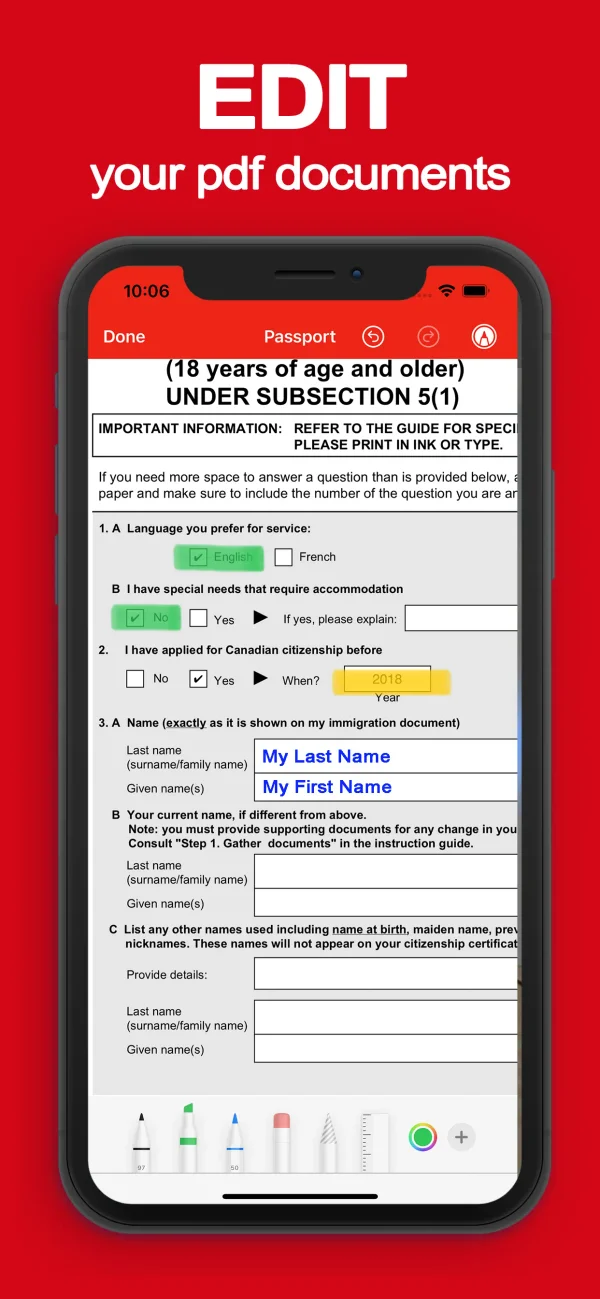
• Edit and fill out PDF document forms fields
• Markup and highlight PDF documents
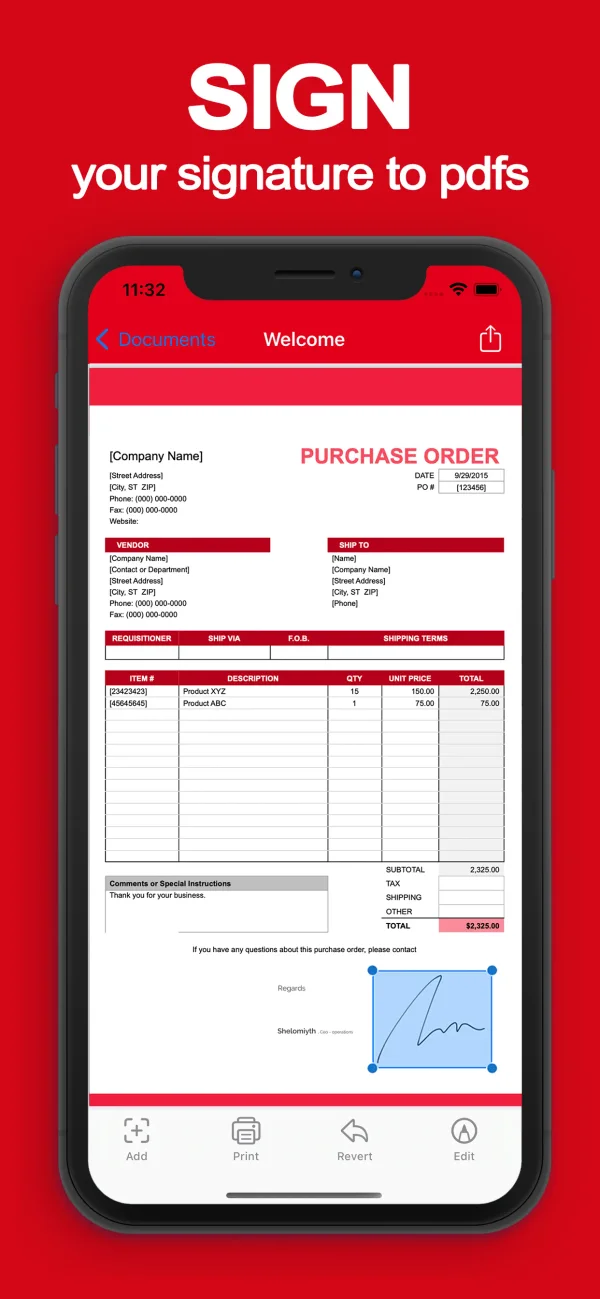
• Sign PDF documents with your signature
• Save and organize your PDF scans
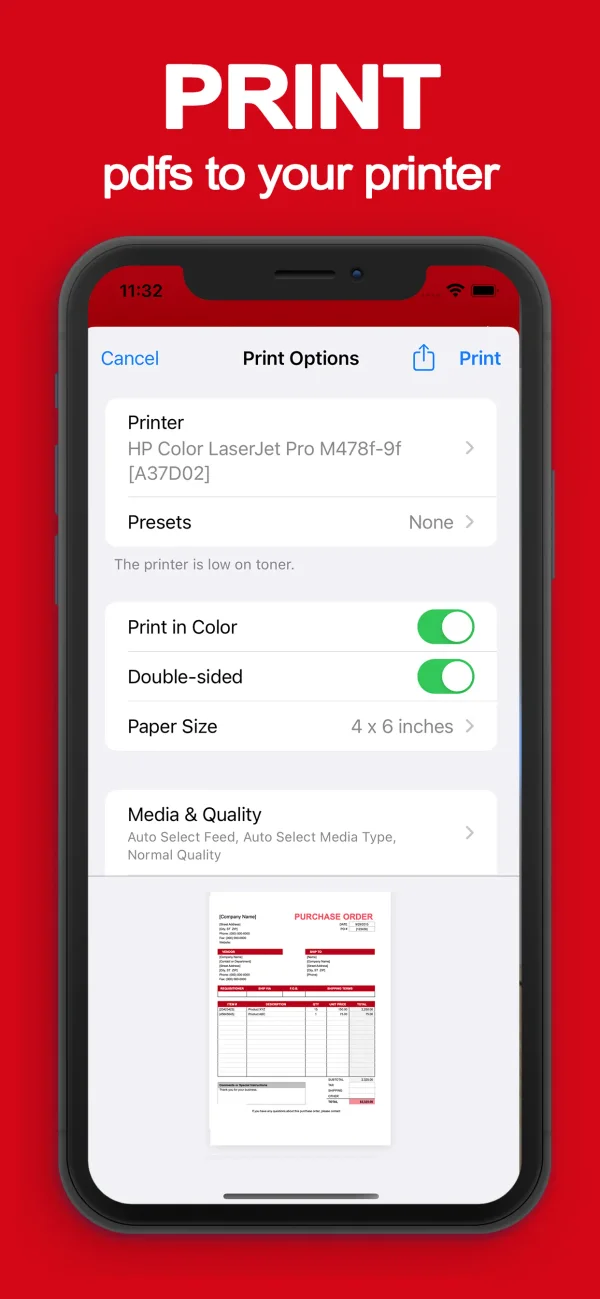
• Print PDF scans over Wifi to Printer
• Supports AirPrint and other printing protocols
• Auto document surface detection and cropping
• Simple and easy to use
Terms of Use: https://silverelmsys.com/pdfscanner/terms_of_use.html
Privacy Policy: https://silverelmsys.com/pdfscanner/privacy_policy.html
新機能
バージョン 1.0.9 · 2023/12/14
New icon, bug fixes, library updates.
アプリのプライバシー
このアプリのデータの取り扱いについて、Silver Elm Systems LLCがApp Storeで申告している内容です。
-
データの収集なし
開発元はこのアプリからデータを収集しません。
プライバシーの取り扱いは、ご利用の機能やお客様の年齢などに応じて異なる場合があります。
情報
- 販売元
- Silver Elm Systems LLC
- カテゴリ
- ユーティリティ
- バージョン
- 1.0.9
- 更新日
- 2023/12/14
- リリース
- 2023/3/27
- サイズ
- 12.2 MB
- 必要条件
- iOS 14.1以降
- 対象年齢
- 4+
- 価格
- 無料
- アプリ内課金
- あり
- 言語
- 英語
- 著作権
- © 2023 Silver Elm Systems LLC
こちらもおすすめ
-
 PDFページの削除PDFの整理と並べ替え
-
 PDF編集:文字を編集署名・注釈してフォーム記入
-
 Split PDF Filesユーティリティ
-
 署名メーカー・書類サインPDFを描いて入力・送信
-
 PDF Editor - 読む と 編集 PDFファイルの編集、保存 署名記入
-
 PDFスキャンアプリ- OCRテキストスキャンドキュメントのスキャン、PDF リーダー
-
 PDF コンバータ ドキュメント、ファイル、写真の編集と変換ドキュメントコンバータはドキュメントとファイルを変換します
-
 PDF編集・証明書つき電子署名フォーム入力・書き込み・削除
-
 Sign & Exportユーティリティ
-
 PDF 結合 - PDF 書き込みとPDF編集署名作成 - PDF 編 集 & PDF 書き込み