
- 対象年齢4+
- カテゴリ写真/ビデオ
- 開発元姝婕 章
- 言語英語ほか1言語
- サイズ12.1 MB
App Storeの公式ページにリンクしています
Download.orgはPicResizeのファイルを一切ホストしていません。ボタンを押すと、姝婕 章が公開しているApp Storeのアプリページが開きます。ページの最終確認:2026/11/13。
スクリーンショット

概要
開発元はこのテキストをお使いの言語で提供していません。
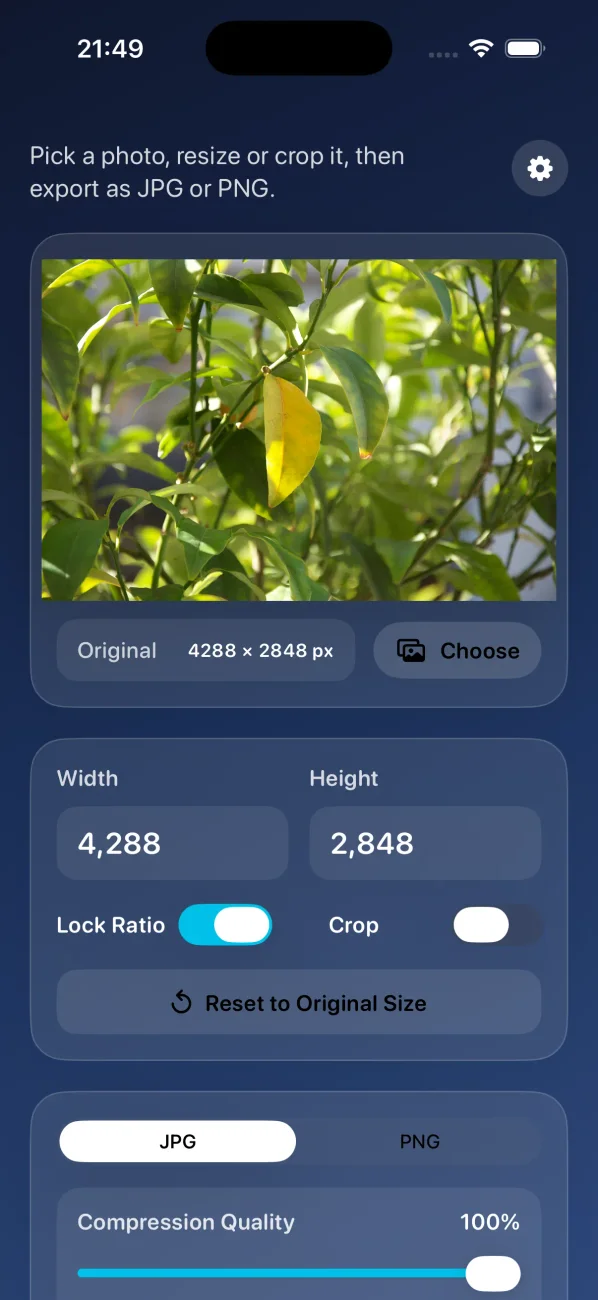
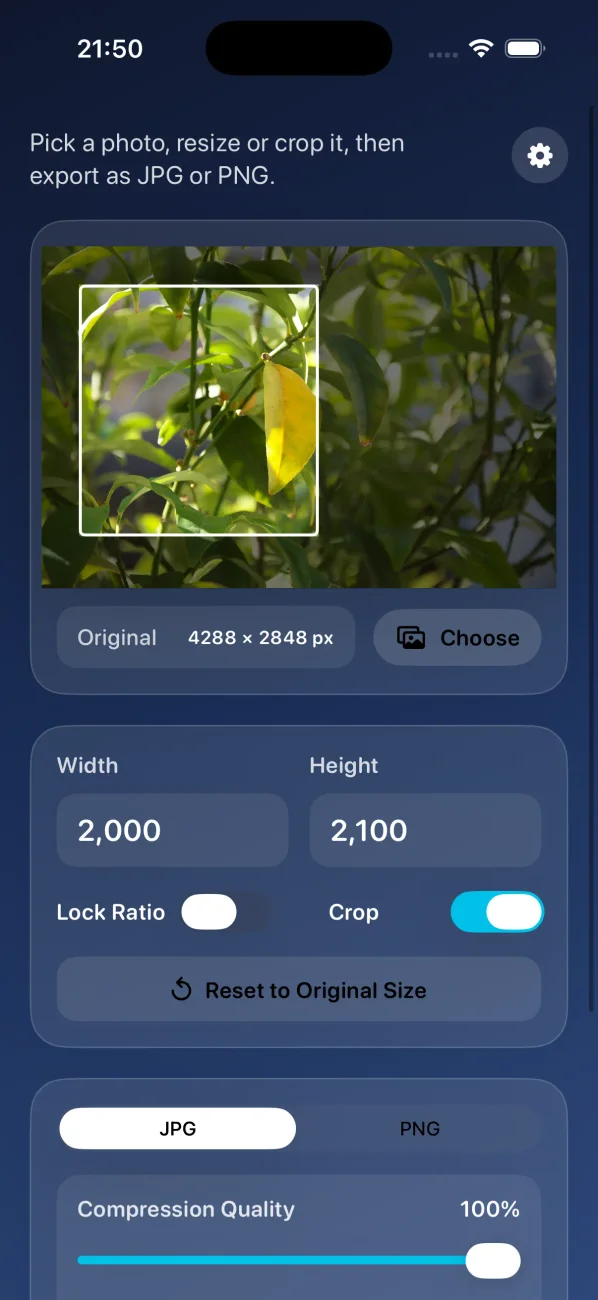
Photo or ID photo the wrong size? Resize any image to exactly the dimensions you need in just a few steps. Lock the aspect ratio and the other side updates automatically as you type, so you land on a compliant size fast — or turn on Crop and drag the box to choose exactly what to keep, up to the full original size.
Export as JPG or PNG, with adjustable JPG compression quality, so you can keep images sharp while staying in control of file size. Everyday edits, ID photos, cropping a shot, or resizing before you upload — all done in seconds.
Highlights
Custom image resolution
Lock aspect ratio to prevent distortion
Crop freely — drag the box to choose the area to keep
Export as JPG or PNG
Adjustable JPG compression quality
Save straight to your photo library — simple and direct, no limits
新機能
バージョン 1.0.3 · 2026/10/9
What's New
Crop: after picking a photo, turn on Crop to enter crop mode. A draggable box appears on the image — drag it to choose the area to keep.
The box size follows the width and height you set, and can't be larger than the original; larger values snap back with a hint.
In crop mode the image keeps its original proportions, so the preview never distorts. The exported image is exactly the selected area.
アプリのプライバシー
このアプリのデータの取り扱いについて、姝婕 章がApp Storeで申告している内容です。
-
データの収集なし
開発元はこのアプリからデータを収集しません。
プライバシーの取り扱いは、ご利用の機能やお客様の年齢などに応じて異なる場合があります。
情報
- 販売元
- 姝婕 章
- カテゴリ
- 写真/ビデオ
- バージョン
- 1.0.3
- 更新日
- 2026/10/9
- リリース
- 2026/7/6
- サイズ
- 12.1 MB
- 必要条件
- iOS 17.6以降
- 対象年齢
- 4+
- 価格
- 無料
- アプリ内課金
- あり
- 言語
- 英語, 簡体字中国語
- 著作権
- © 2026 Boommice
こちらもおすすめ
-
 Image Converter: HEIC JPG PNG写真/ビデオ
-
 Silverlog Scan写真/ビデオ
-
 RePix - AI Image Upscaler写真/ビデオ
-
 CrispUp — Photo Upscaler写真/ビデオ
-
 Resize Studio: Photo & Print写真/ビデオ
-
 Tape Eater Video Effects写真/ビデオ
-
 00CAM ゼロカメY2K・フィルム風写真フィルター
-
 Photo KB: Resize & Compress写真/ビデオ
-
 Photo & Picture Resizer Pro写真/ビデオ
-
 Depth of Field (Hyperfocal)写真/ビデオ