- 対象年齢4+
- カテゴリナビゲーション
- 開発元Yigit Can Akinci
- 言語英語ほか22言語
- サイズ22.5 MB
App Storeの公式ページにリンクしています
Download.orgはPilotFlight Watchのファイルを一切ホストしていません。ボタンを押すと、Yigit Can Akinciが公開しているApp Storeのアプリページが開きます。ページの最終確認:2026/11/20。
スクリーンショット
概要
開発元はこのテキストをお使いの言語で提供していません。
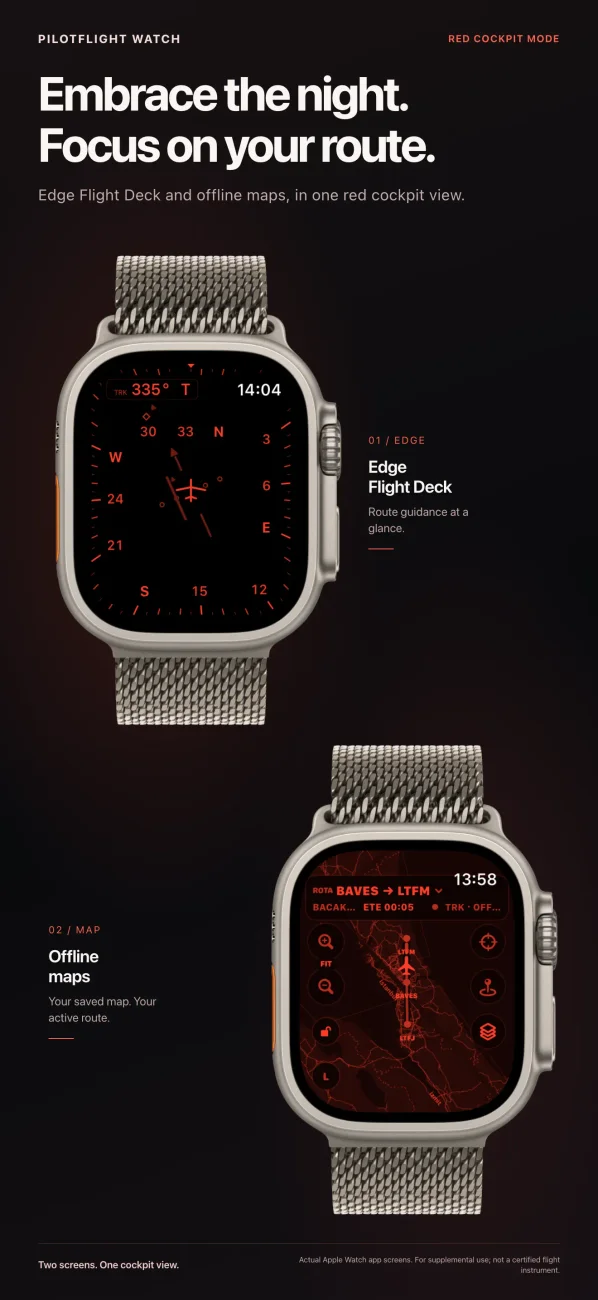
PilotFlight puts a PFD-style Flight Deck and MFD-style Live Map on Apple Watch. These PFD and MFD views are supplemental, not certified or primary flight instruments. The native companion handles subscription purchase, restore and management on iPhone and iPad; paired-Watch status and setup remain on iPhone, and aviation views remain on Apple Watch.
PFD-STYLE FLIGHT DECK AND MFD-STYLE LIVE MAP
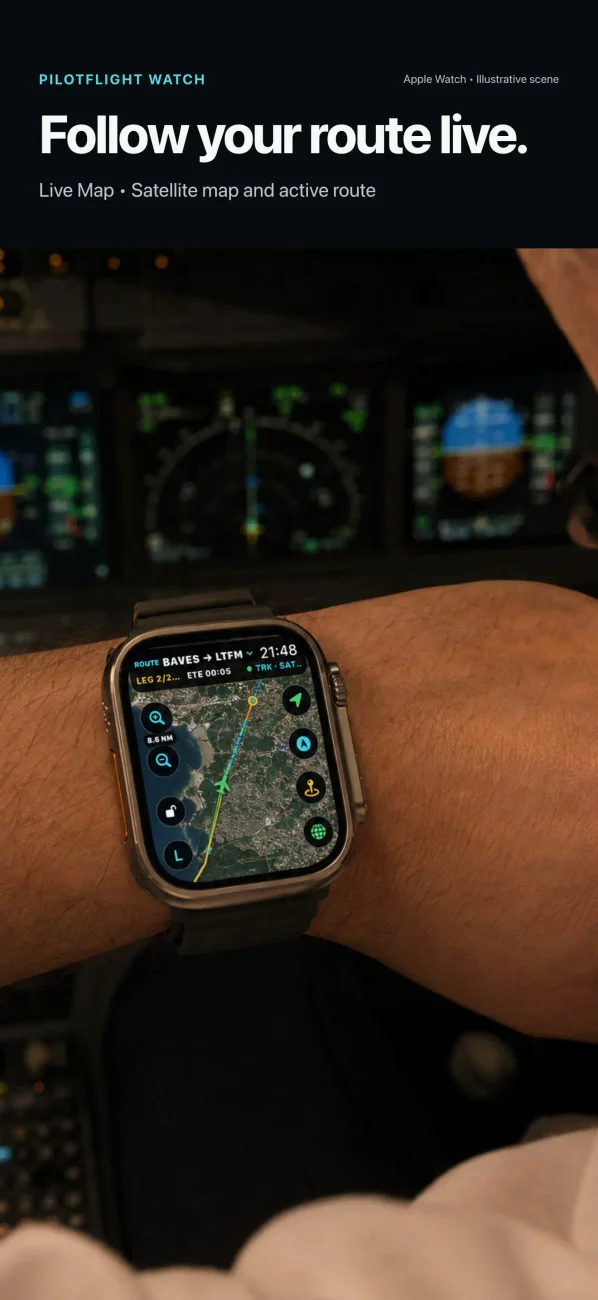
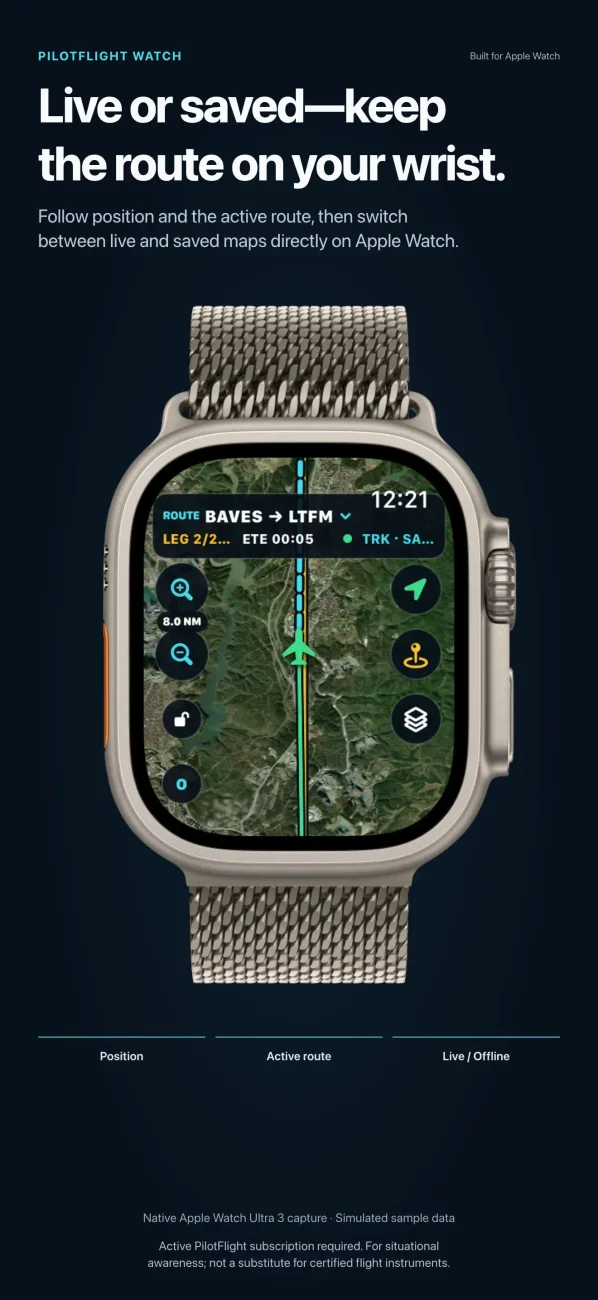
• Use the MFD-style Live Map to see position, active route, nearby airports and breadcrumb track.
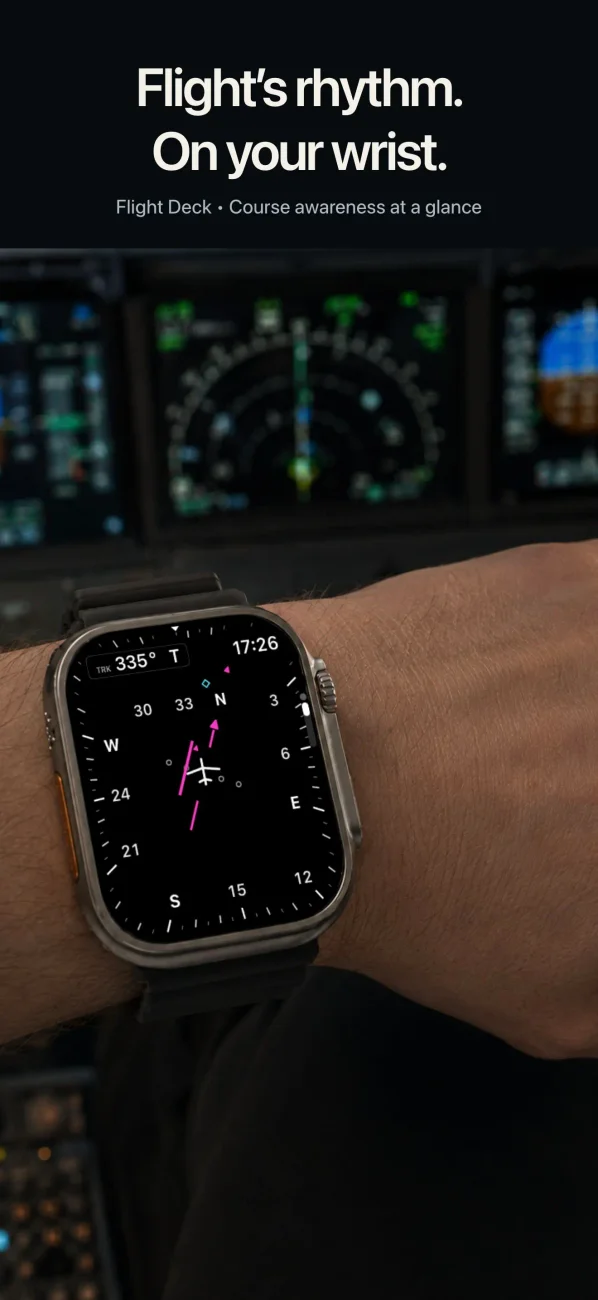
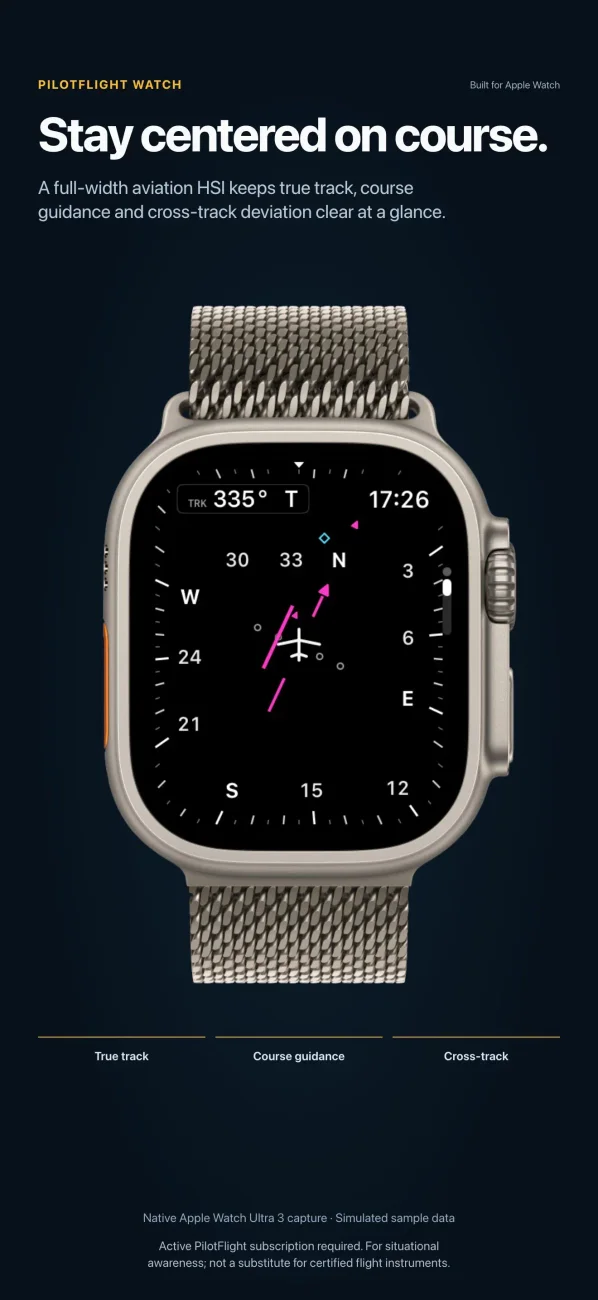
• Use the PFD-style Flight Deck to follow Direct-To or multi-leg plans with HSI/CDI guidance, bearing, distance, ETE and cross-track deviation.
KEEP SAVED ROUTES VISIBLE OFFLINE
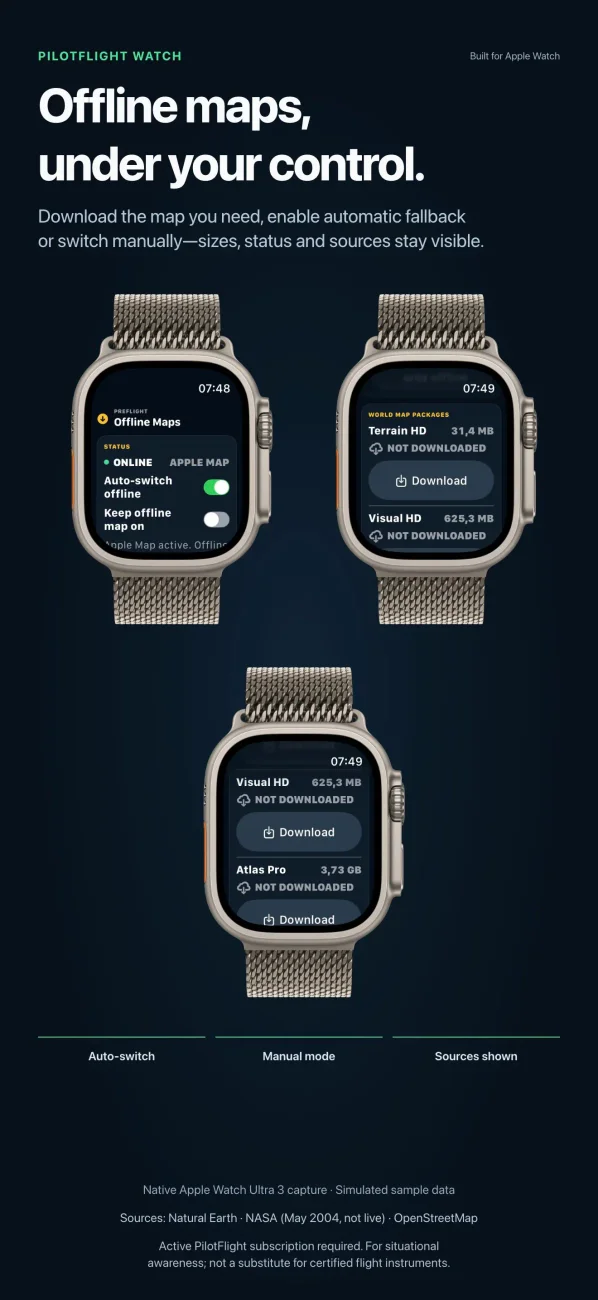
• Save active-route coverage or an area around your current position on Apple Watch.
• Choose automatic fallback when the connection is lost, or keep the local map on manually.
• A worldwide overview is included. Download or delete three verified worldwide packages independently: Terrain HD (31,379,456 B; Natural Earth · Public domain), Visual HD (625,291,264 B; NASA Earth Observatory · Blue Marble: Next Generation · Contains modified NASA imagery; May 2004, not live), and Atlas Pro (3,732,973,284 B; © OpenStreetMap contributors · Protomaps 20260814; ODbL).
• PilotFlight keeps an 8 GiB offline-map quota and 512 MiB free-space reserve. The maps are supplemental—not live data, aviation charts or terrain-avoidance data. Weather and hazards still require a connection.
CHECK LIVE AVIATION WEATHER
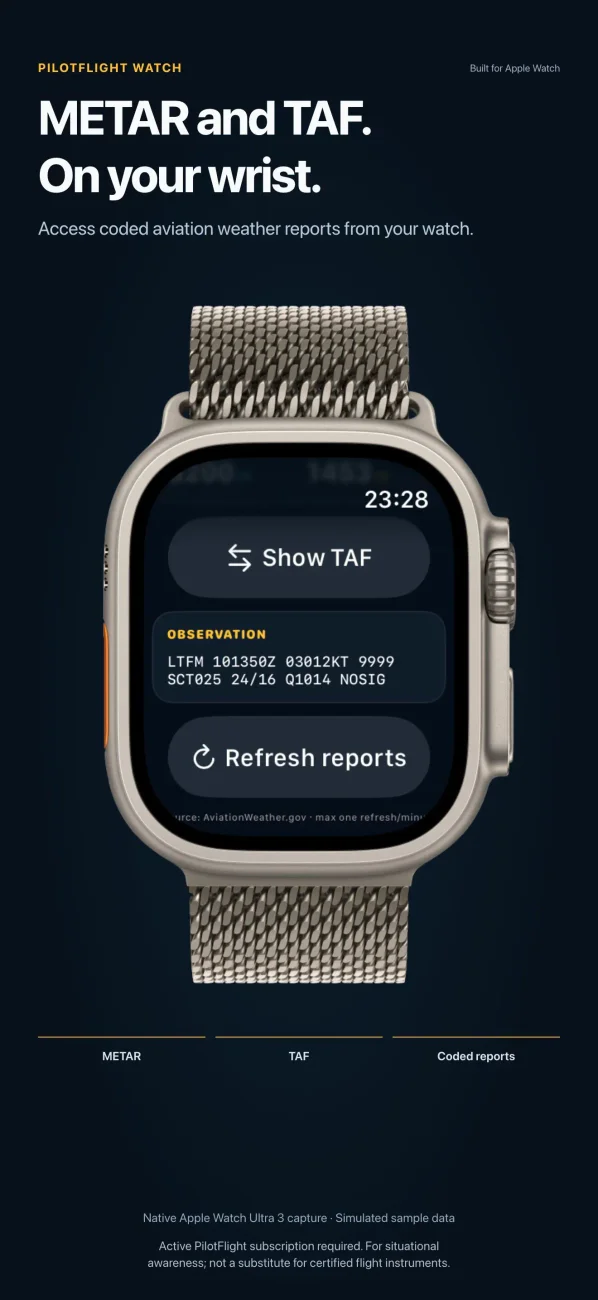
• Request METAR and TAF for a selected ICAO station from AviationWeather.gov.
PLAN AND CALCULATE ON APPLE WATCH
• Build and edit multi-leg routes and Direct-To guidance.
OPTIONAL OXYGEN AWARENESS, SET BY YOU
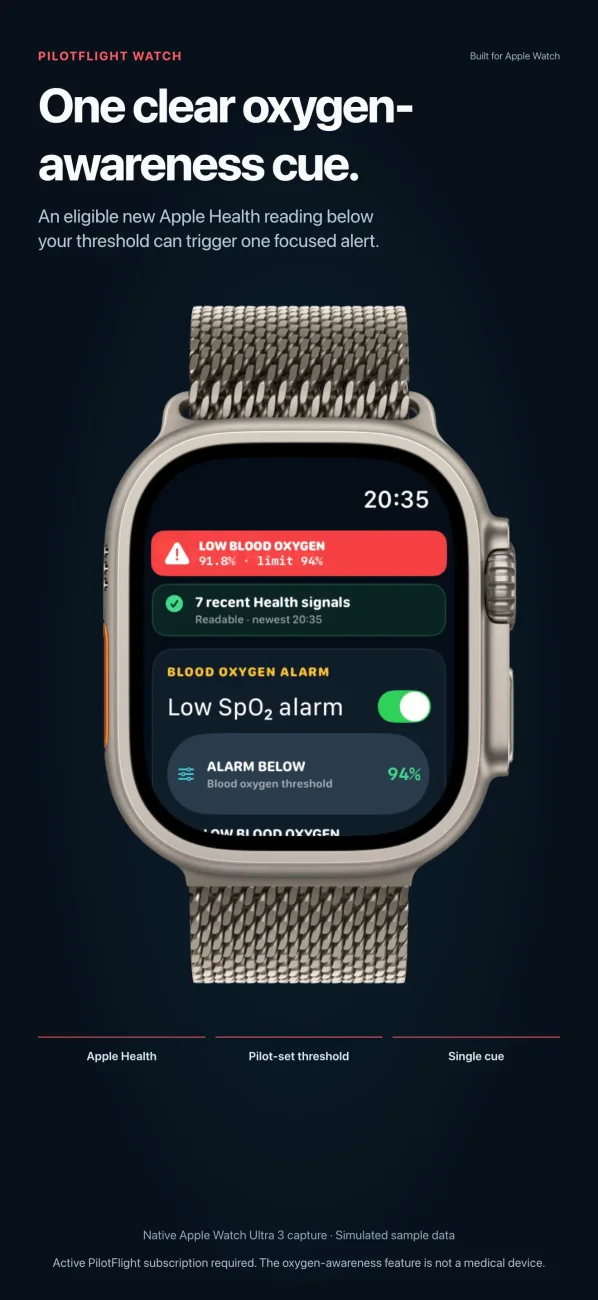
The optional low-blood-oxygen cue is off by default, starts at 94% and supports 80–99%. While the app is active, eligible device-recorded Health readings up to 5 minutes old may trigger cues at most once a minute; each reading can be silenced.
It does not measure cabin pressure, start or continuously monitor a measurement, prevent hypoxia, diagnose a condition, provide emergency service or determine fitness to fly.
TRY 3 DAYS FREE ON IPHONE OR IPAD
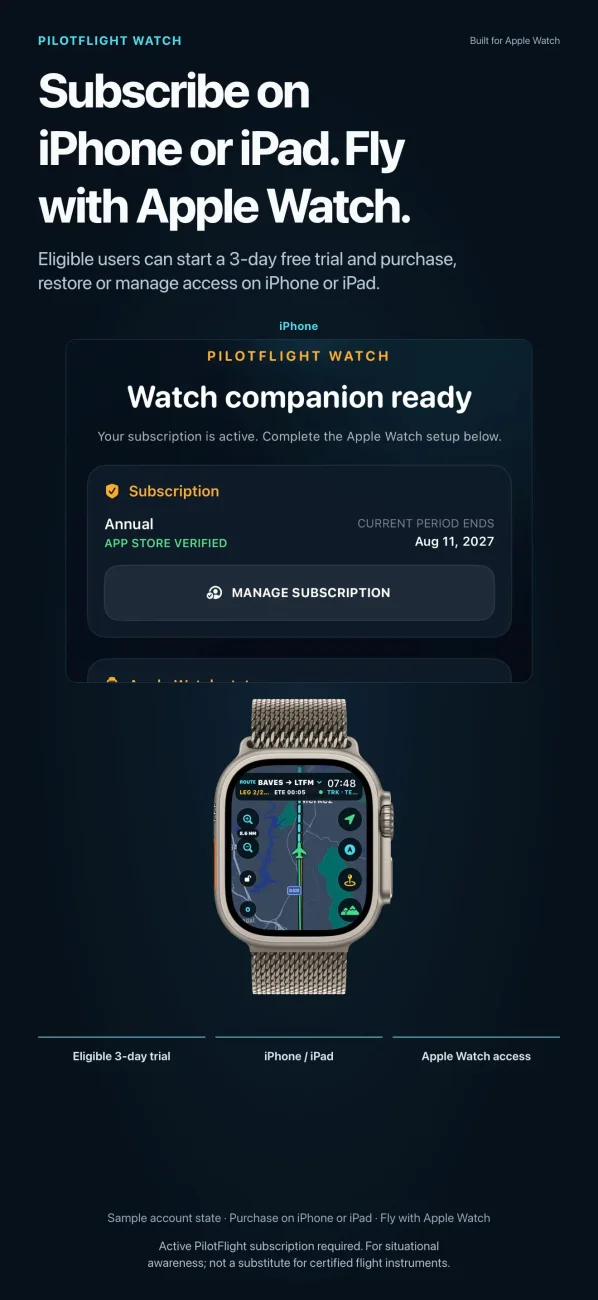
PilotFlight is free to download, but every Watch feature requires an active auto-renewable subscription. Eligible new or returning subscribers who have not used an introductory offer in the PilotFlight Watch Pro group can start Monthly or Annual with a 3-day free trial. The subscription starts immediately, with no charge during the trial. Unless canceled at least 24 hours before the trial ends, the selected plan renews automatically at the localized price and billing period shown by the App Store. One introductory offer is available per subscription group.
Purchase, Restore Purchases and subscription management are available in the native companion on iPhone and iPad. Apple Watch is entitlement-only and stays locked without a verified Apple-signed StoreKit entitlement. The trial unlocks the same complete Watch experience as a paid period; there is no separate guest or demo tier. Manage or cancel in Apple Account settings.
PRIVATE BY DESIGN
Plans and Apple Health data stay on device. AviationWeather.gov receives a selected ICAO code or nearest-airport area. Each optional map uses a fixed AkıncıJet file request. It sends no route, coordinates or disk-capacity value. Temporary delivery/security logs retain IP address, timestamp, requested path, HTTP status and user-agent in daily archives; they are not used for ads or tracking.
PilotFlight is a supplemental planning and situational-awareness aid. It is not a certified navigation or primary flight instrument, aviation chart, approved weather/NOTAM source, medical monitor or guaranteed background-alert service. Always verify information with approved aircraft documents, current official sources and pilot judgment.
Terms of Use (EULA): https://www.apple.com/legal/internet-services/itunes/dev/stdeula/
新機能
バージョン 1.0.11 · 2026/11/17
Choose an automatic next-leg transition distance from 0.1 to 8 NM (default: 0.4 NM). Your Apple Watch remembers this setting after reopening the app and applies it to all routes. Swipe left on a saved route to delete it after confirmation.
アプリのプライバシー
このアプリのデータの取り扱いについて、Yigit Can AkinciがApp Storeで申告している内容です。
-
ユーザーに関連付けられたデータ
収集され、ユーザーの識別情報に関連付けられる場合があります。
- 診断
-
ユーザーに関連付けられないデータ
収集される場合がありますが、ユーザーの識別情報には関連付けられません。
- 位置情報
- 検索履歴
プライバシーの取り扱いは、ご利用の機能やお客様の年齢などに応じて異なる場合があります。
情報
- 販売元
- Yigit Can Akinci
- カテゴリ
- ナビゲーション
- バージョン
- 1.0.11
- 更新日
- 2026/11/17
- リリース
- 2026/8/23
- サイズ
- 22.5 MB
- 必要条件
- iOS 17.0以降
- 対象年齢
- 4+
- 価格
- 無料
- アプリ内課金
- あり
- 言語
- 英語, アラビア語, クロアチア語, デンマーク語, オランダ語, フィンランド語, フランス語, ドイツ語, ギリシャ語, インドネシア語, イタリア語, 日本語 ほか11言語
- 著作権
- © 2026 Yigit Can Akinci