
- 対象年齢4+
- カテゴリユーティリティ
- 開発元伟平 李
- 言語英語ほか1言語
- サイズ32.7 MB
App Storeの公式ページにリンクしています
Download.orgはPinyinReadのファイルを一切ホストしていません。ボタンを押すと、伟平 李が公開しているApp Storeのアプリページが開きます。ページの最終確認:2026/11/18。
スクリーンショット


概要
開発元はこのテキストをお使いの言語で提供していません。
Unlock Effortless Chinese Reading with PinyinRead!
Struggling with Chinese characters? Wish you had an easy way to see the Pinyin? PinyinRead is the simple, intuitive tool you need to read Chinese text with instant Pinyin support.
Perfect for Learners and Parents:
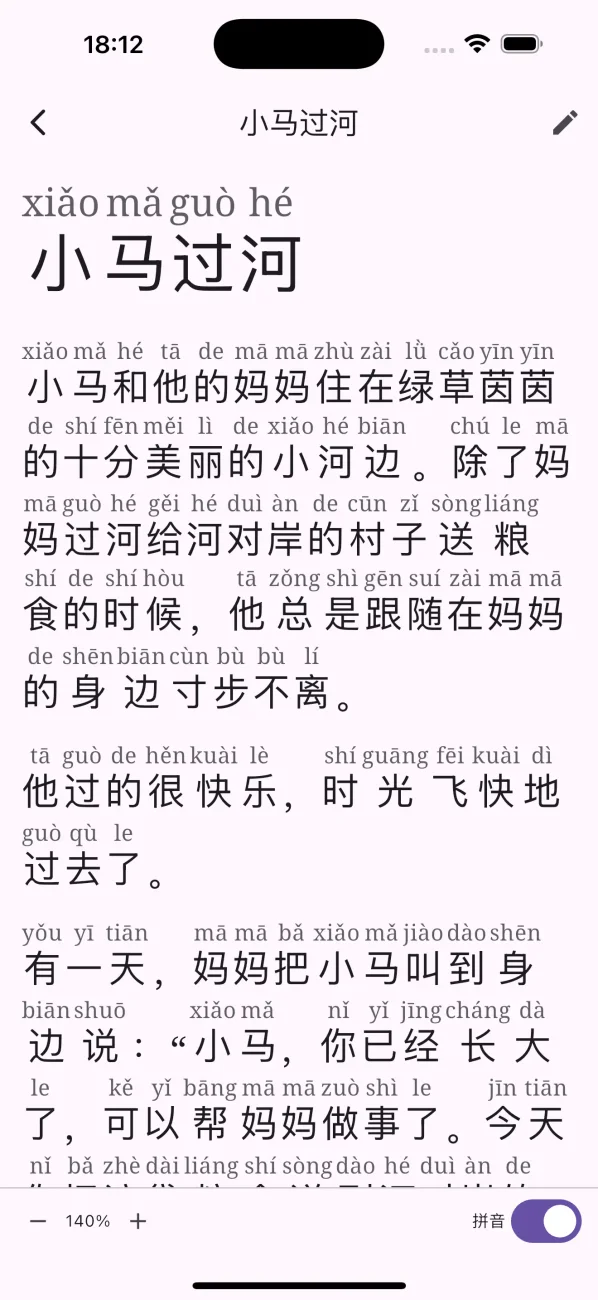
Instant Pinyin: Just paste or type your Chinese text, and PinyinRead automatically displays clear, accurate Pinyin with tone marks above each character.
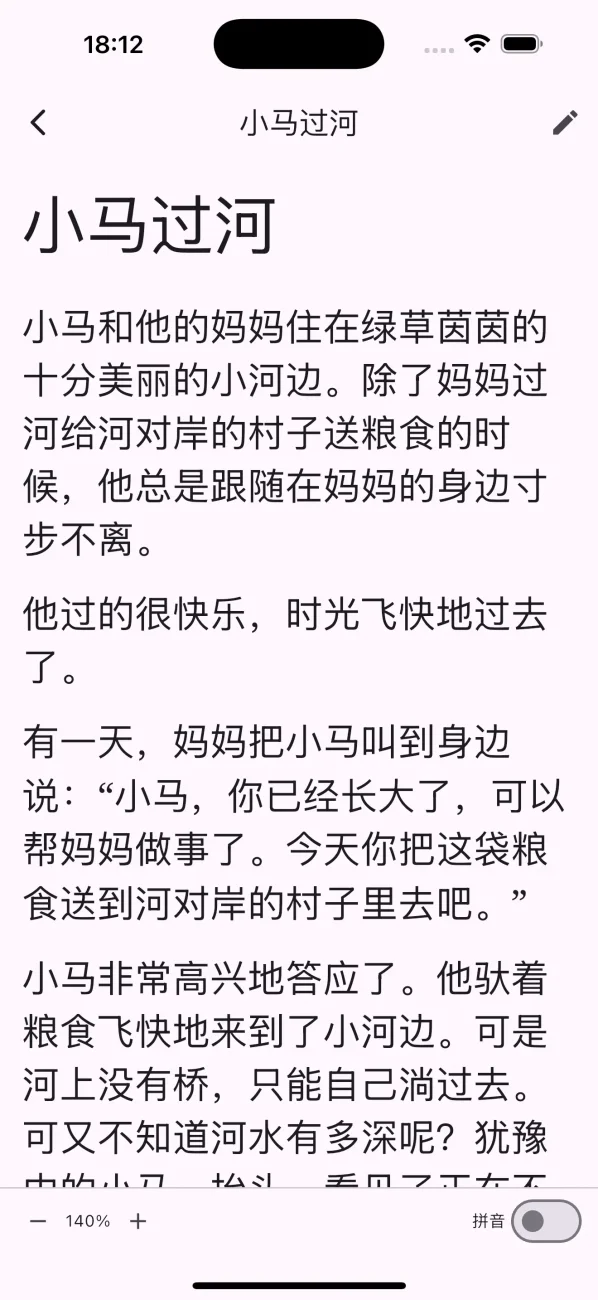
Toggle Visibility: Need to test your knowledge or prefer a cleaner view? Easily switch the Pinyin display on or off with a single tap.
Customizable Comfort: Adjust the font size to find the perfect setting for comfortable reading on your device.
Listen and Learn (New!): Added Text-to-Speech (TTS) feature. Hear articles read aloud to practice standard pronunciation and deepen your understanding.
Secure Backup & Restore (New!): Easily create backups (Export) and restore (Import) your articles. Never lose your learning progress!
Bilingual Interface (New!): The app interface is now available in both English and Simplified Chinese for your convenience.
Ideal for Parents Teaching Kids: Make learning Chinese fun and accessible! PinyinReader is a fantastic companion for parents helping their children recognize characters, practice pronunciation, and build reading confidence together. Turn reading time into quality bonding time.
Learner's Best Friend: Improve your reading speed, master pronunciation, and tackle challenging texts with greater ease.
Simple & Focused: A clean, distraction-free interface keeps the focus on reading and understanding the content.
How it Works:
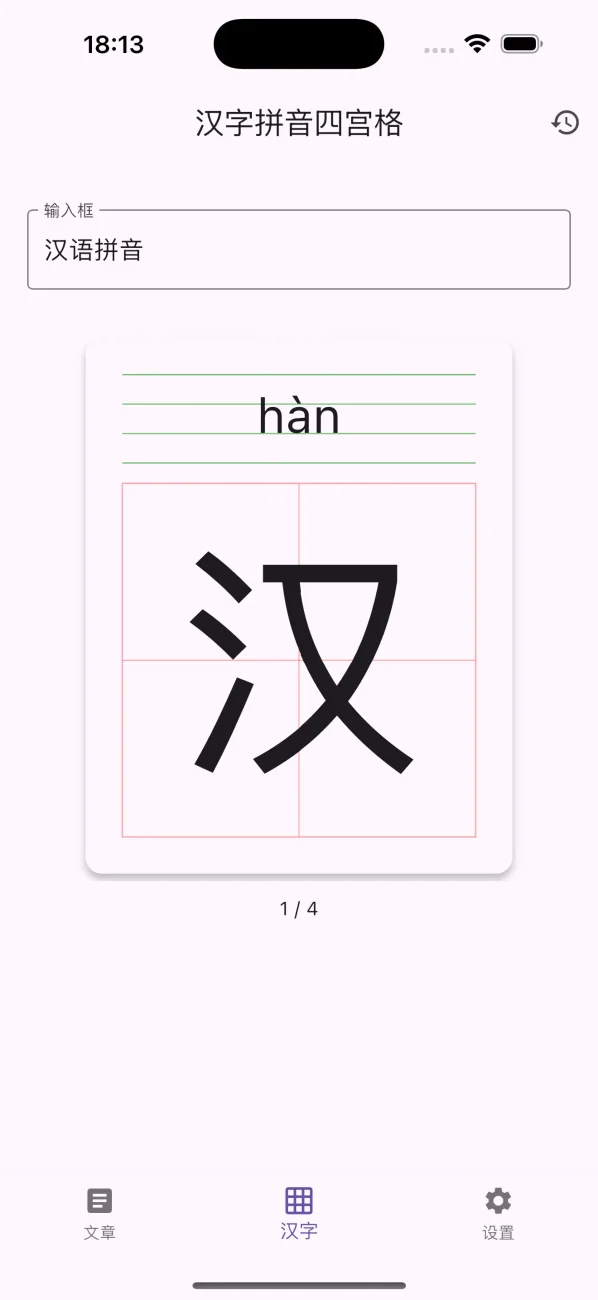
1. Add your article or text (the first line automatically becomes the title).
2. Switch to view mode.
3. Tap the Pinyin toggle to show/hide annotations.
4. Use the font controls to adjust size.
5. Long-press a sentence to start TTS playback (Pinyin display must be enabled).
6. Tap the screen to hide/show the controls for an immersive reading experience.
7. Find the Backup and Restore options in the Settings page.
Stop letting unfamiliar characters slow you down. Download PinyinReader today and make reading Chinese simple and enjoyable for learners of all ages!
新機能
バージョン 1.0.1 · 2025/5/4
Backup & Restore: You can now easily export (create backup) and import (restore) your articles via the Settings page. Keep your reading materials safe!
Text-to-Speech (TTS): Listen to your articles read aloud! Long-press on a sentence in the reader view (with Pinyin enabled) to start playback. Controls are available in the bottom toolbar.
Localization: The app interface now supports both English and Simplified Chinese (简体中文), automatically adapting to your device's language setting.
アプリのプライバシー
このアプリのデータの取り扱いについて、伟平 李がApp Storeで申告している内容です。
-
ユーザーに関連付けられないデータ
収集される場合がありますが、ユーザーの識別情報には関連付けられません。
- ユーザーコンテンツ
プライバシーの取り扱いは、ご利用の機能やお客様の年齢などに応じて異なる場合があります。
情報
- 販売元
- 伟平 李
- カテゴリ
- ユーティリティ
- バージョン
- 1.0.1
- 更新日
- 2025/5/4
- リリース
- 2025/4/28
- サイズ
- 32.7 MB
- 必要条件
- iOS 12.0以降
- 対象年齢
- 4+
- 価格
- 無料
- 言語
- 英語, 簡体字中国語
- 著作権
- © 2025 Weiping Li