- 対象年齢4+
- カテゴリ教育
- 開発元Good Effect
- 言語英語ほか4言語
- サイズ73.4 MB
App Storeの公式ページにリンクしています
Download.orgはPodium - Slideshow Makerのファイルを一切ホストしていません。ボタンを押すと、Good Effectが公開しているApp Storeのアプリページが開きます。ページの最終確認:2026/11/17。
スクリーンショット
概要
開発元はこのテキストをお使いの言語で提供していません。
Take Note, Organize Idea, Make a Presentation.
Make your own presentation with Podium. Anyone can easily make a slideshow.
Make an interactive slideshow and enjoy making and playing the slideshow you made!
You can use it in school, work, and at home to make all types of slideshow such as PR booklet, PDF documents, and etc.
Making a multimedia slideshow
You can add pictures, text, voice recordings, songs, and videos on the page.
You can use the camera to take pictures or videos and add them right on to the page.
You can draw image and edit image using Pen Tool.
Podium provides interactive functions such as item connection and auto play to make your presentation more fun.
Easy and intuitive interface
Children of all ages can easily use this interface.
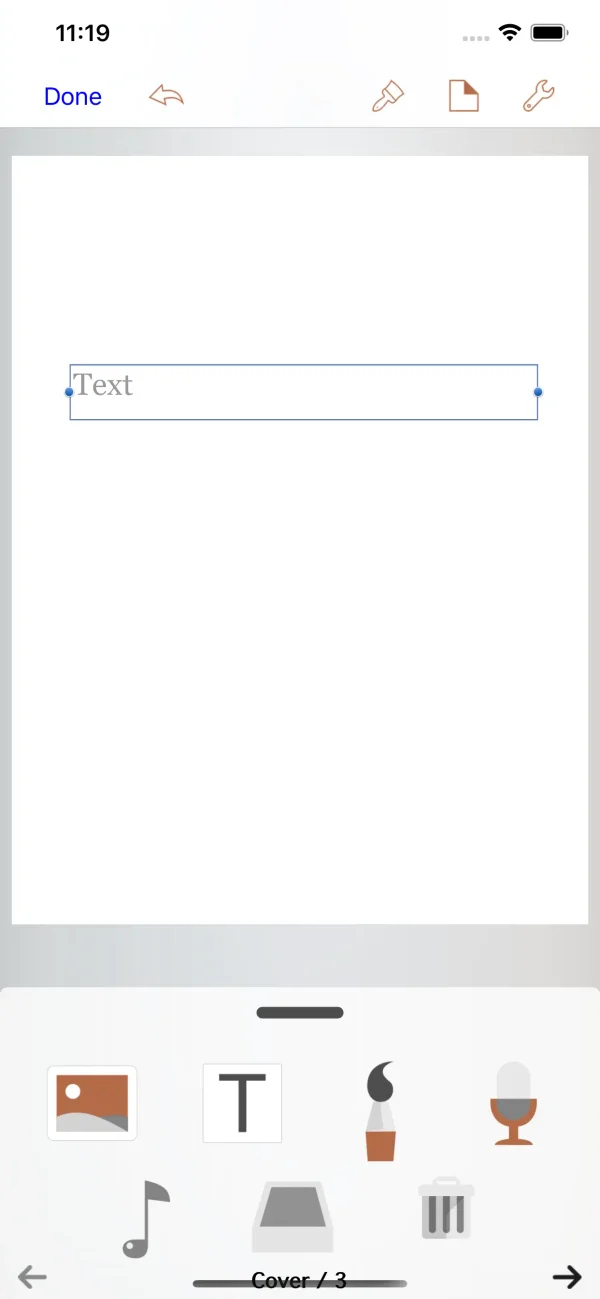
Use the Item Bar to add items to the page by drag & drop.
The size of the items can be changed by pinch-zooming with two fingers, and the items can be moved to any location by dragging.
All text are shown on the page in real time with the In-Page text editor that is provided.
Use the Undo function to return to the previous work.
Record your slideshow
You can record slideshow while it is playing. Also you can record your voice simultaneously.
The recorded slideshow can export as video and it will download to Photo Library.
You can record yourself by using front facing camera while slideshow.
Share your slideshow
You can share your slideshow with others using Book World. Join the Book World and upload your slideshow to Book World, and follow your favorite author.
You can share you made with Podium on Dropbox or Google Drive, etc, or you may send the books to iTunes or via E-mail.
You can upload your slideshow video to YouTube, Vimeo, etc.
Save your presentation as a PDF document or you can use AirPrint or use Export to print the slideshow.
You can export your slideshow to Book Writer which is support iBooks.
In Class
Brother of Podium, Book Writer is being used in many countries by thousands of people for educational use.
Podium helps students to make a slideshow by organizing their thoughts. With an intuitive interface, anyone can easily express and organize their thoughts.
You can easily share your slideshow using Book World.
50% sale for educational institutions.
Use App Store Volume Purchase Program to purchase Podium.
For more details - http://www.apple.com/itunes/education/
Main Functions
Use drag & drop to easily add items.
You can use the photos from Photo Library to add to the slideshow, or you can add pictures taken directly from camera.
Pictures can be moved, the size can be adjusted, and you can rotate or crop the pictures by touching.
Text box item can be added to the page to input text.
Podium supports fonts and styles of various types.
You can draw image and edit image using Pen Tool.
You can add videos from your album or you can directly record videos with your camera to add them.
Use recorder to record your voice and add to the slideshow, or add music from Music Library to your slideshow.
Bring any music from Music Library to add as your background music.
Use the auto play function to automatically play the media at the time you want.
Item connection function is provided to connect your pictures or text to sound items.
The Undo function allows you to return to your previous work.
Use the Page Editor to add or delete pages or change the order of the page by using drag & drop.
The completed slideshow can be play in ‘Presentation Mode’.
Slideshows that have been created can be shared via Book World, iTunes, E-mail, Dropbox, or Google Drive, etc.
Online support is included. Please visit our homepage - http://goodeffect.com
新機能
バージョン 4.922 · 2024/3/15
Bug fixes.
アプリのプライバシー
このアプリのデータの取り扱いについて、Good EffectがApp Storeで申告している内容です。
-
データの収集なし
開発元はこのアプリからデータを収集しません。
プライバシーの取り扱いは、ご利用の機能やお客様の年齢などに応じて異なる場合があります。
情報
- 販売元
- Good Effect
- カテゴリ
- 教育
- バージョン
- 4.922
- 更新日
- 2024/3/15
- リリース
- 2016/4/24
- サイズ
- 73.4 MB
- 必要条件
- iOS 11.0以降
- 対象年齢
- 4+
- 価格
- ¥500
- 言語
- 英語, フランス語, ドイツ語, 日本語, 韓国語
- 著作権
- © Good Effect