- 対象年齢4+
- カテゴリユーティリティ
- 開発元Jaisah Webb
- 言語英語
- サイズ5.8 MB
App Storeの公式ページにリンクしています
Download.orgはPointFoundryのファイルを一切ホストしていません。ボタンを押すと、Jaisah Webbが公開しているApp Storeのアプリページが開きます。ページの最終確認:2026/11/23。
スクリーンショット

概要
開発元はこのテキストをお使いの言語で提供していません。
Turn the world around you into precise 3D data with your iPhone or iPad.
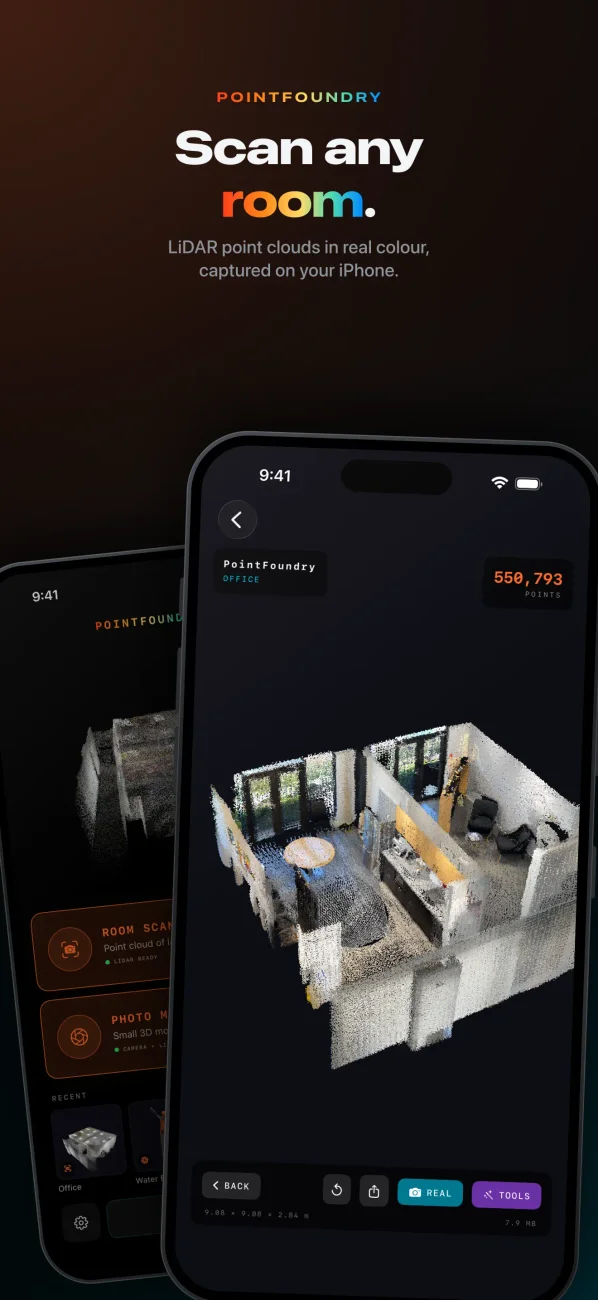
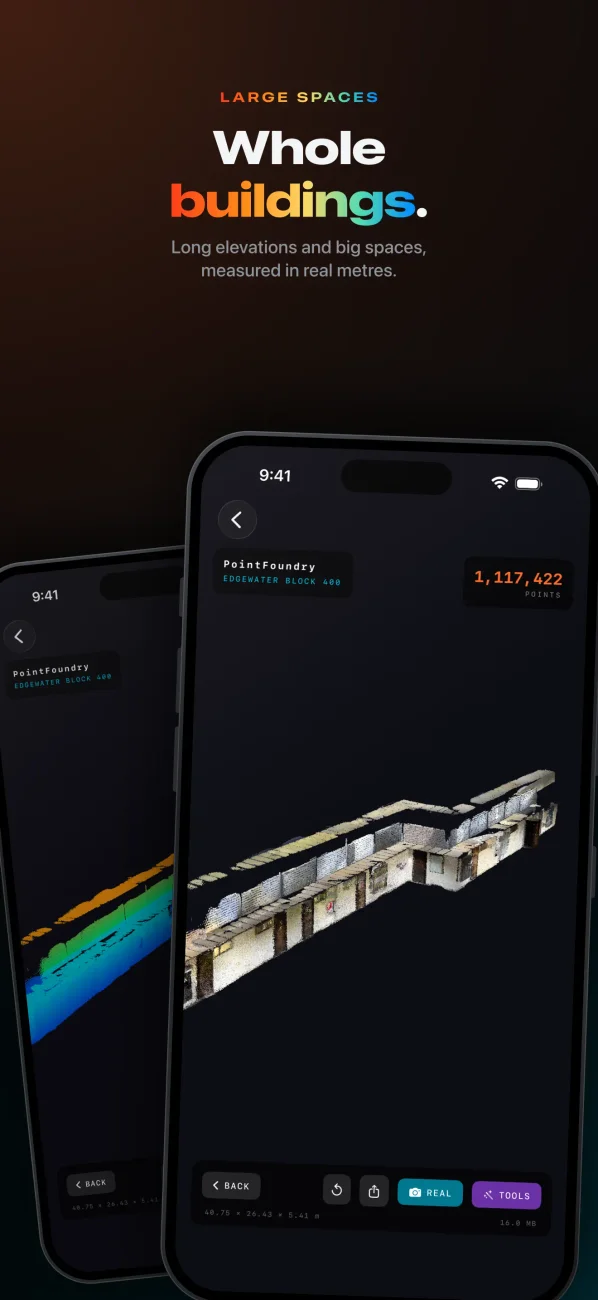
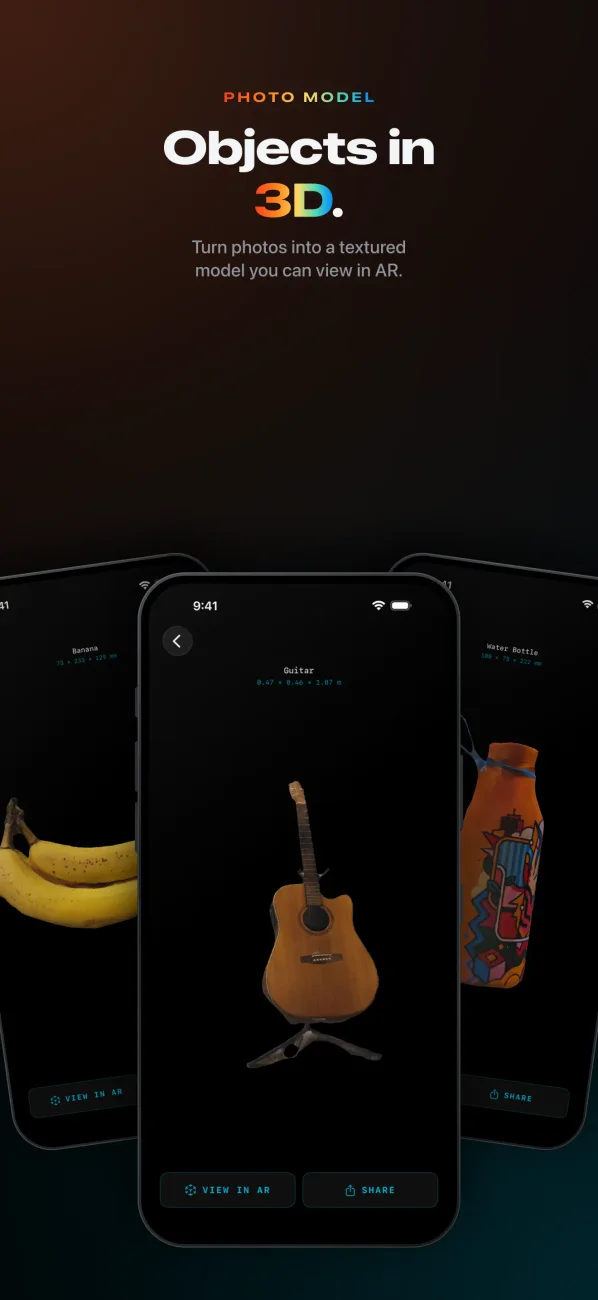
PointFoundry captures real spaces and real objects in 3D. Use Room Scan to turn a room into a dense, coloured point cloud with the LiDAR scanner. Use Photo Model to turn photos of an object into a detailed textured 3D model. Everything is measured in real units and ready for your engineering, design and 3D tools.
ROOM SCAN
Hit record and walk slowly through the space. PointFoundry builds the point cloud as you move: millions of 3D points, each coloured from the camera. A live preview shows what you've captured, and nearer surfaces correctly hide what's behind them. Filters run quietly in the background. They keep only high-confidence depth, drop readings taken at steep angles, and keep only points confirmed in more than one frame. The result is clean, accurate data straight out of the scanner.
PHOTO MODEL
Place an object on a table and walk around it. Apple's guided capture shows you where to move and takes the photos for you. You can scan from different heights and flip the object to capture its underside. PointFoundry then builds a textured 3D model right on your device, with no upload and no waiting on a server. View it in 3D, or place it in your room at real size with AR.
EXPLORE
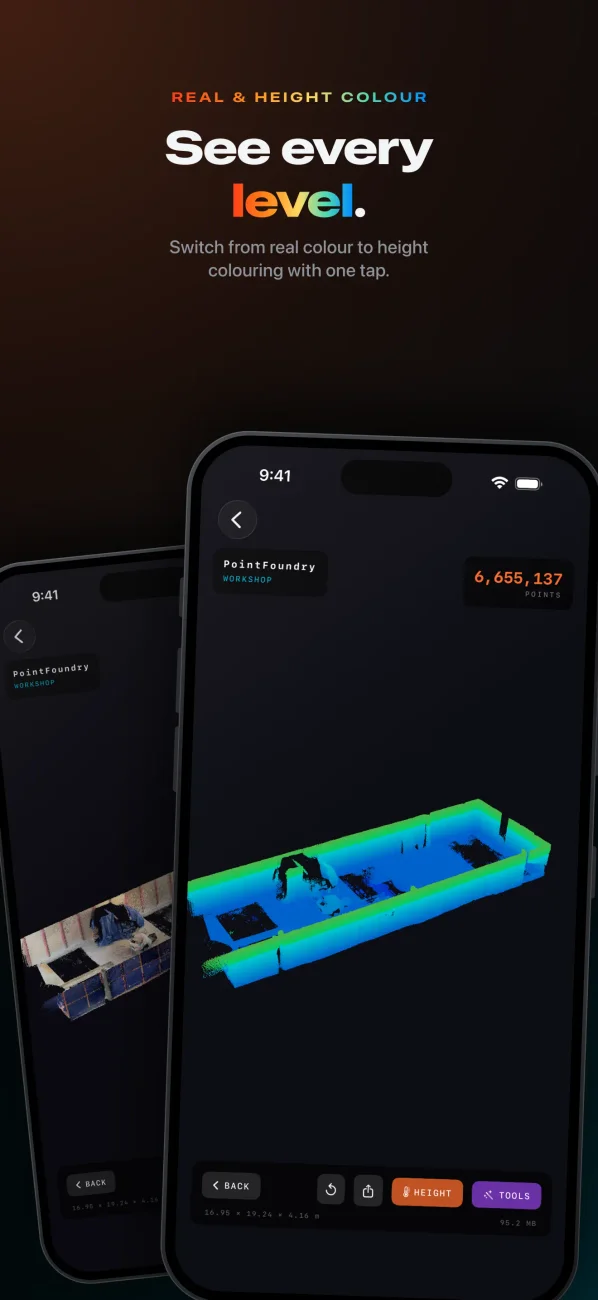
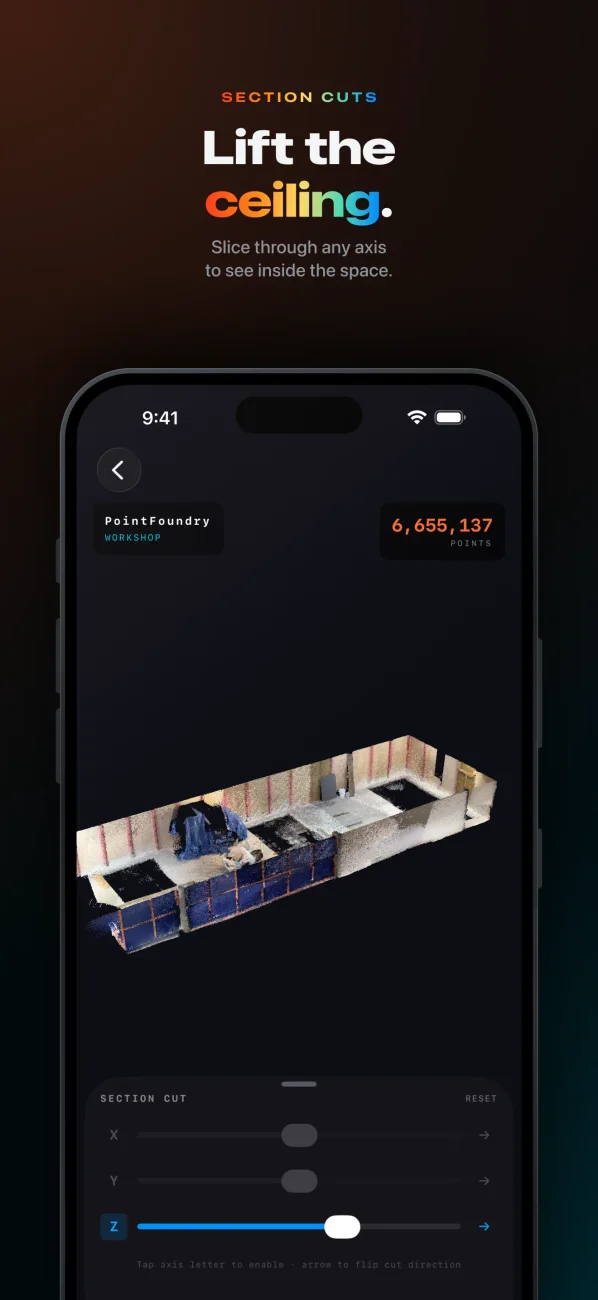
Open any scan in the 3D viewer. Orbit, pan and zoom with touch. Switch between real colour and a height gradient. Slice through your scan with section cuts on any axis to peel back walls, reveal cross-sections and isolate floors. Live readouts show the scan's real dimensions.
CLEAN UP
Clean & Smooth removes stray points and evens out surface noise. Simplify thins a heavy cloud to a lighter, even spacing. Both adapt to each scan's own point spacing, and nothing changes until you save.
EXPORT (PointFoundry Pro)
• Point clouds: E57, PLY, LAS, XYZ and CSV, converted to Z-up in metres for CAD, BIM and GIS tools
• Photo models: USDZ, textured OBJ, GLB, and STL in millimetres for 3D printing
DIAL IT IN
Set the Room Scan point spacing from fine 1 cm detail to fast 5 cm coverage, a maximum depth from 0.5 m to 5 m, and how strongly cleanup removes stray points.
Features at a glance:
• Real-time LiDAR point cloud capture with live 3D preview
• Photo Model: textured 3D models from photos, built on device
• Depth-aware preview: nearer surfaces hide what's behind them
• Confidence, surface-angle and multi-frame filtering
• Even point spacing with no duplicates
• GPU-accelerated cleanup and smoothing
• 3D viewer with Real Colour and Height modes
• Section cuts on X, Y and Z
• View photo models in AR at real size
• Library of rooms and objects with thumbnails, rename and multi-select
• Siri and Shortcuts: "Start Room Scan", "Start Photo Model"
• No account and no cloud upload: everything stays on your device
PRICING
Scanning, viewing and cleanup are free. Exporting needs PointFoundry Pro, available as a monthly or yearly auto-renewing subscription or a one-time lifetime purchase. Payment is charged to your Apple Account when you confirm the purchase. Subscriptions renew automatically unless you cancel at least 24 hours before the end of the current period. You can manage or cancel them in your Apple Account settings.
REQUIREMENTS
Room Scan needs an iPhone or iPad with a LiDAR scanner (iPhone 12 Pro or later, iPad Pro 2020 or later). Photo Model needs iPhone 12 Pro or later, or iPad Pro 2021 or later.
Terms of Use (EULA): https://www.apple.com/legal/internet-services/itunes/dev/stdeula/
新機能
バージョン 2.0 · 2026/11/17
PointFoundry 2.0
• NEW: Photo Model. Photograph an object and get a textured 3D model, built on your device
• View photo models in AR at real size
• Export point clouds as E57, LAS and CSV, alongside PLY and XYZ
• Export photo models as USDZ, textured OBJ, GLB or STL
• Redesigned Home: your latest scan turns in 3D, with recent scans one tap away
• Library is now split into Rooms and Objects, with select-and-delete for several scans at once
• Tidier cleanup that adapts to each scan
• Lots of fixes and polish throughout
アプリのプライバシー
このアプリのデータの取り扱いについて、Jaisah WebbがApp Storeで申告している内容です。
-
データの収集なし
開発元はこのアプリからデータを収集しません。
プライバシーの取り扱いは、ご利用の機能やお客様の年齢などに応じて異なる場合があります。
情報
- 販売元
- Jaisah Webb
- カテゴリ
- ユーティリティ
- バージョン
- 2.0
- 更新日
- 2026/11/17
- リリース
- 2026/3/10
- サイズ
- 5.8 MB
- 必要条件
- iOS 18.0以降
- 対象年齢
- 4+
- 価格
- 無料
- アプリ内課金
- あり
- 言語
- 英語
- 著作権
- © Jaisah Webb