
- 対象年齢4+
- カテゴリ仕事効率化
- 開発元Christopher Mayberry
- 言語英語
- サイズ7.9 MB
App Storeの公式ページにリンクしています
Download.orgはPomodora: Focus Timer & Tasksのファイルを一切ホストしていません。ボタンを押すと、Christopher Mayberryが公開しているApp Storeのアプリページが開きます。ページの最終確認:2026/11/18。
スクリーンショット
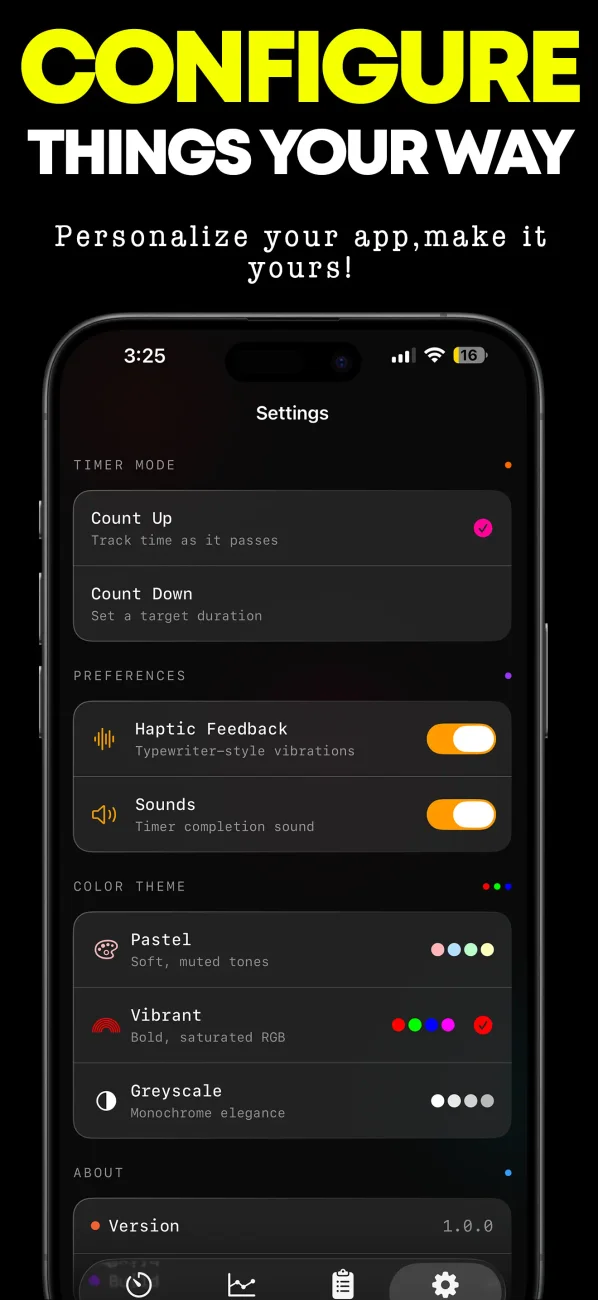
概要
開発元はこのテキストをお使いの言語で提供していません。
You know that feeling when you sit down to work and suddenly two hours vanished into your phone? Yeah. We built Pomodora to fix that.
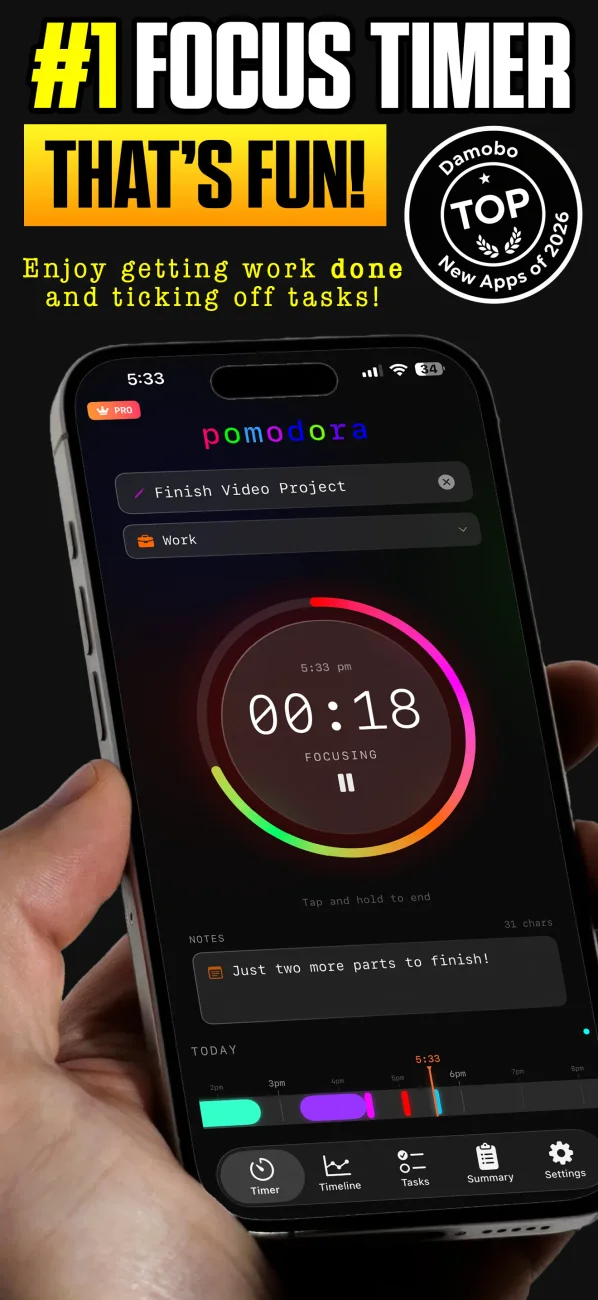
Pomodora is a focus timer that actually makes you want to lock in. Start a session, put your phone down, and watch a live timer count on your lock screen while you crush whatever you're working on — studying, coding, working out, painting, writing, anything. When you're done, that session becomes a colorful block on your personal timeline. The more you focus, the more your day fills up. It's oddly satisfying.
YOUR LOCK SCREEN BECOMES YOUR FOCUS COACH
Here's the best part: you never have to open the app to check your timer. Pomodora shows a live countdown right on your lock screen and Dynamic Island. Pause, resume, or stop your session from the lock screen. Your phone stays locked. Your focus stays locked in.
A TIMELINE THAT MAKES YOU WANT TO DO MORE
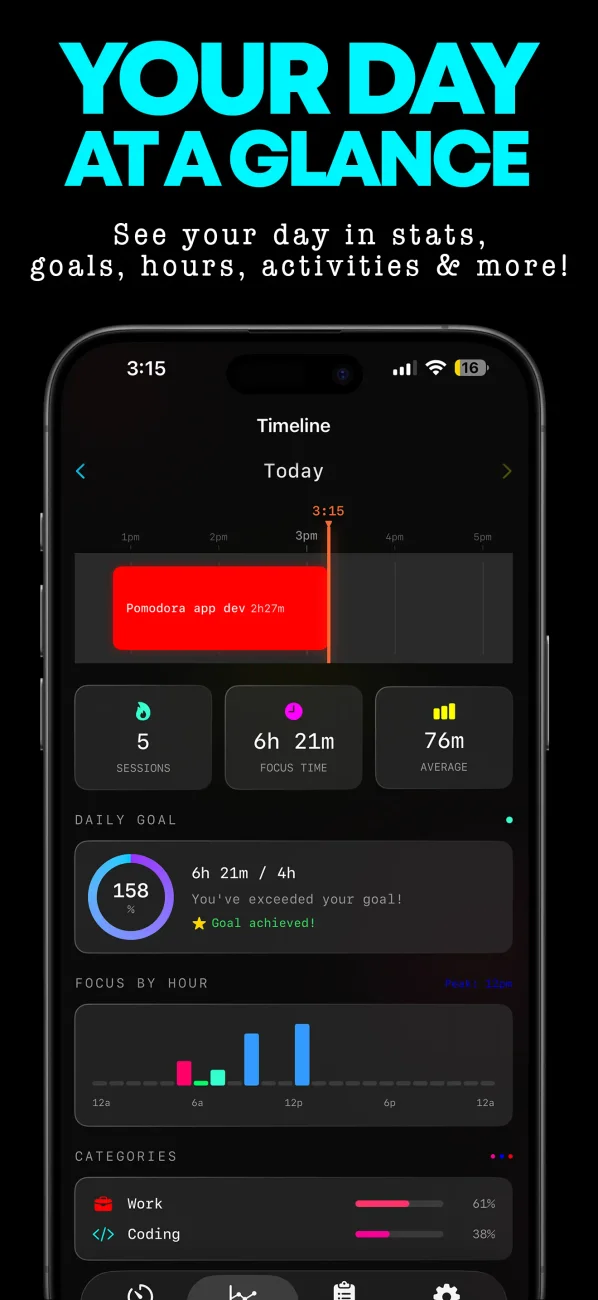
Every focus session you complete appears as a color-coded block on a beautiful 24-hour timeline. Studying for an exam? See your sessions stack up. Grinding on a project? Watch your timeline fill with deep work. It turns productivity into something visual and motivating — you'll actually want to start another session just to fill the gaps.
FEATURES THAT MATTER
- ONE-TAP START: Tap the glass timer button and you're in the zone
- LIVE ACTIVITY: Real-time timer on your lock screen and Dynamic Island
- VISUAL TIMELINE: Your whole day as a scrollable, color-coded 24-hour view
- FLEXIBLE TIMER: Count up for open-ended work, count down for classic pomodoro sessions
- CUSTOM DURATIONS: Quick 5-minute sprints to 2-hour deep work blocks
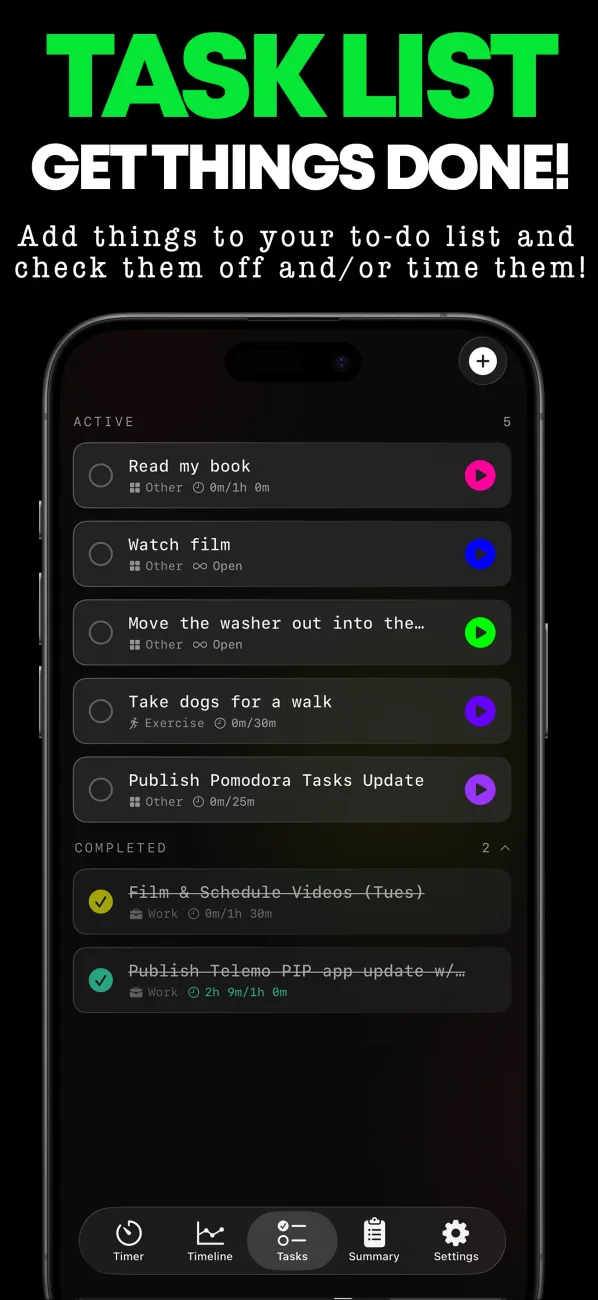
- CATEGORIES: Tag sessions as work, study, coding, exercise, music, art — whatever you do
- SESSION NOTES: Jot down ideas and breakthroughs mid-session
- DAILY GOALS: Set focus targets and chase them with a progress ring
KNOW WHEN YOU'RE AT YOUR BEST
- See your peak focus hours with hourly breakdown charts
- Track where your time actually goes across categories
- Monitor total focus time, session count, and daily streaks
- Discover patterns that help you plan better days
LOOKS AS GOOD AS IT WORKS
- Three color themes: Vibrant, Pastel, and Greyscale
- Light and dark mode that switches seamlessly
- Frosted glass aesthetic throughout
- Monospaced typography that feels intentional
- Satisfying haptic feedback on every tap
FOR EVERYONE WHO WANTS THEIR TIME BACK
- Students building study habits that actually stick
- Professionals protecting deep work from distractions
- Developers tracking coding sessions for the week
- Athletes timing workouts and recovery blocks
- Creatives building daily routines around their craft
- Anyone who's tired of wondering where their day went
PRICING
Free:
- 3 daily focus sessions
- Vibrant color theme
- Full timeline and statistics
- Count up and countdown modes
Pro (Monthly or Lifetime):
- Unlimited sessions
- All themes unlocked
- Session notes and custom categories
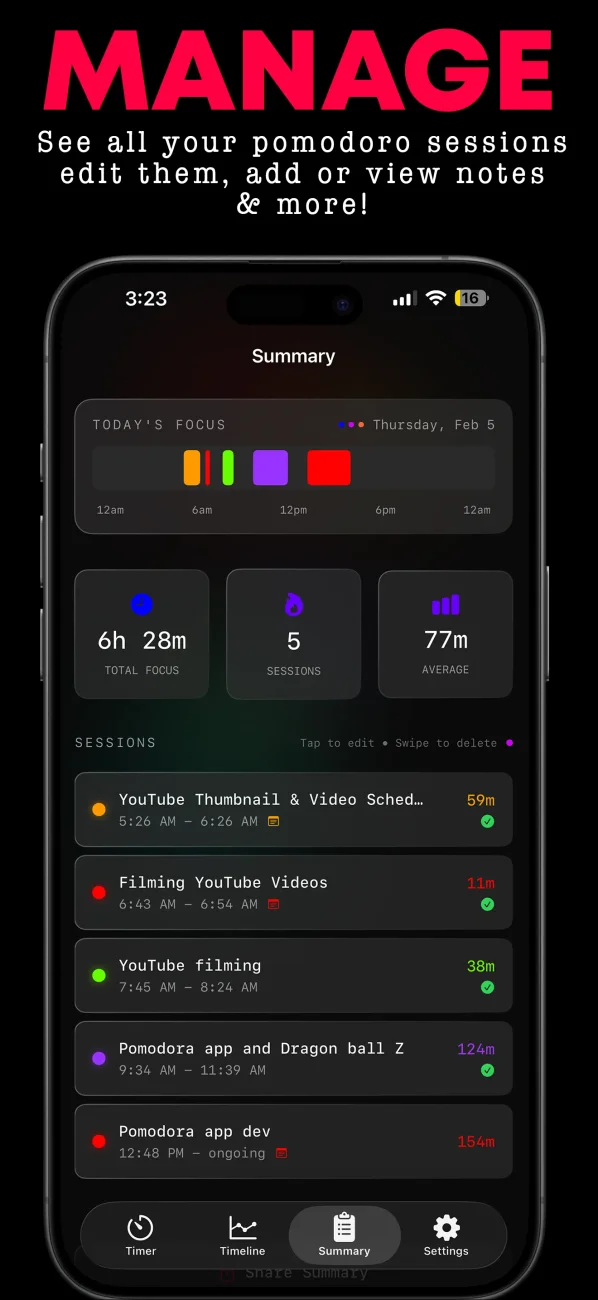
- Full history and insights
- Shareable productivity summaries
Your time is the one thing you can't get back. Pomodora helps you make every minute count — and makes it feel good doing it. Start your first session, lock your phone, and watch your timeline come to life.
Privacy Policy: https://damobo.com/pomodora/privacy
Terms of Service: https://www.apple.com/legal/internet-services/itunes/dev/stdeula/
Support: support@damobo.com
新機能
バージョン 1.0.11 · 2026/4/10
- bug fixes
アプリのプライバシー
このアプリのデータの取り扱いについて、Christopher MayberryがApp Storeで申告している内容です。
-
データの収集なし
開発元はこのアプリからデータを収集しません。
プライバシーの取り扱いは、ご利用の機能やお客様の年齢などに応じて異なる場合があります。
情報
- 販売元
- Christopher Mayberry
- カテゴリ
- 仕事効率化
- バージョン
- 1.0.11
- 更新日
- 2026/4/10
- リリース
- 2026/2/9
- サイズ
- 7.9 MB
- 必要条件
- iOS 18.2以降
- 対象年齢
- 4+
- 価格
- 無料
- アプリ内課金
- あり
- 言語
- 英語
- 著作権
- Copyright: © 2025 Christopher Mayberry
こちらもおすすめ
-
 Pomodoro Timer: Kairos仕事効率化
-
 Rakkez: Focus Timer & Blocker仕事効率化
-
 Pomodoro Timer Focus Friend仕事効率化
-
 DidMore: Daily Task Timeline仕事効率化
-
 1日スケジュール帳-色分け時間ブロックで見える予定表・手帳時間管理・毎日の計画表・ルーティンとリマインダー通知
-
 Timing Taskタスク、時間、進捗
-
 ポモドーロタイマー:Grindoro Focus勉強・仕事・習慣づくり
-
 Task Kitchen: Timebox & To-Do仕事効率化
-
 Timeblock - タイムブロックプランナーシンプルなタイムブロック管理アプリ
-
 Next Idea仕事効率化