- 対象年齢4+
- カテゴリ仕事効率化
- 開発元宇 罗
- 言語英語ほか1言語
- サイズ4.6 MB
App Storeの公式ページにリンクしています
Download.orgはPomodoro Task Assistantのファイルを一切ホストしていません。ボタンを押すと、宇 罗が公開しているApp Storeのアプリページが開きます。ページの最終確認:2026/11/21。
スクリーンショット

概要
開発元はこのテキストをお使いの言語で提供していません。
Pomodoro Clock - Simple and Easy Pomodoro Technique App
Focused on providing the simplest and easiest Pomodoro Technique experience. One-tap start focus cycles, plan tasks ahead with complex recurring tasks, data analytics help understand focus habits and progress.
Key Features
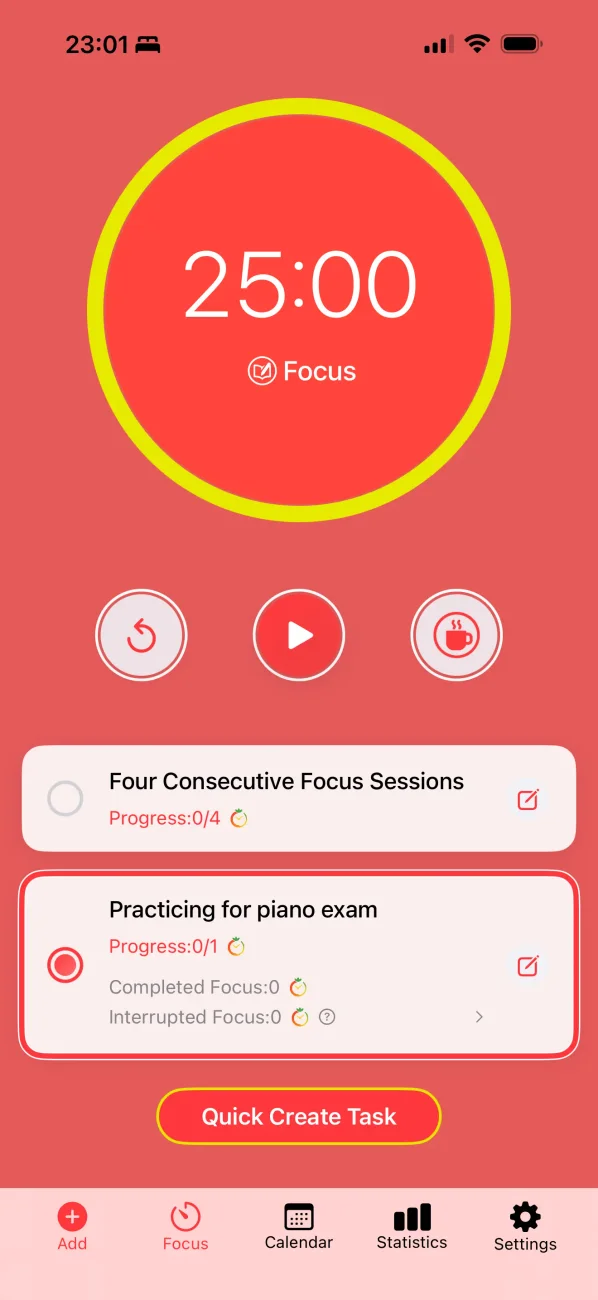
1. Simple and Easy Focus Cycles
One-tap start, automatically enters break
Automatically enters long break after 4 focus sessions
Fully customizable focus and break durations, adapt to personal rhythm
Real-time progress display, clear and intuitive
Support for pause, reset, and skip operations
Beautiful circular progress ring with clear visual feedback
Live Activities on lock screen, no need to open the app
2. Smart Task Planning
Plan tasks ahead, set target focus counts
Assign tasks to specific dates, plan daily goals
Support complex recurring tasks: daily, weekly, monthly, yearly, etc.
Flexible recurrence configuration: by weekday, date, week number, etc.
Real-time task progress tracking: completed, interrupted, planned focus counts
Quick task creation, one-tap standard task setup
Task editing and deletion (single instance or entire series)
3. Data Analytics to Track Progress
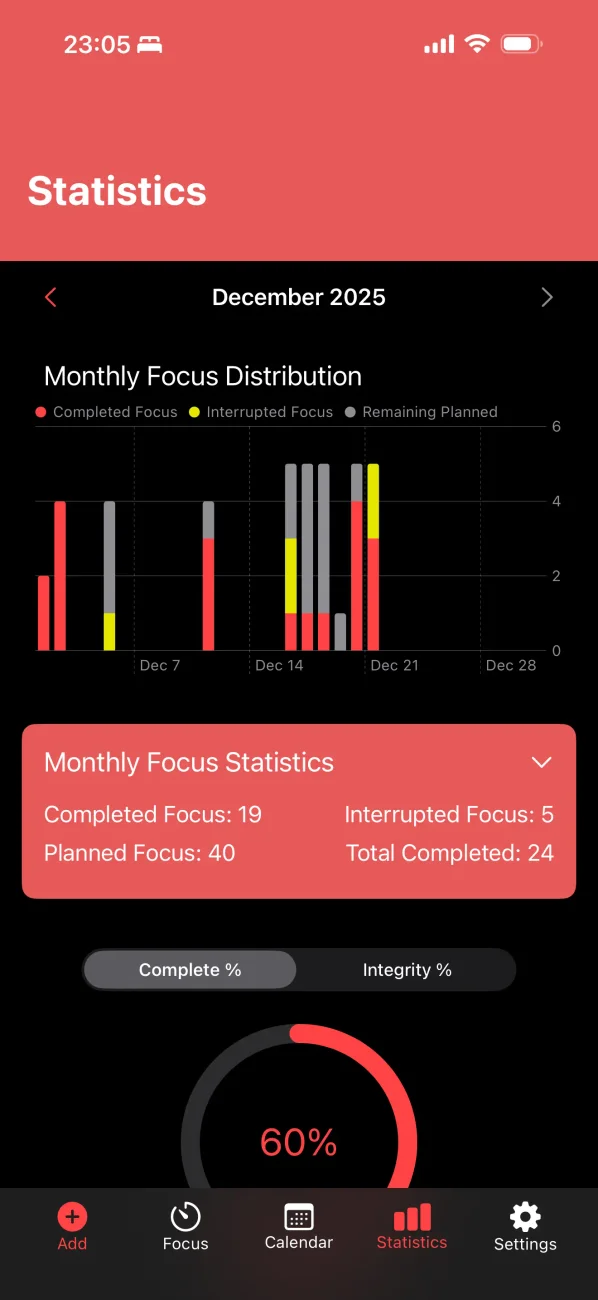
Monthly focus statistics for comprehensive insights
Completed, interrupted, planned focus counts
Focus completion rate and integrity rate analysis
Visual charts showing monthly focus distribution
Stacked bar charts for daily focus visualization
CSV export for further analysis
Monthly summary data at a glance
4. Calendar View (Premium Feature)
Intuitive calendar interface for daily task overview
Date selection to view task details
Visual task markers on calendar
Long-term planning and schedule management
View historical tasks and future plans
5. Multi-Device Sync
iCloud-based cloud synchronization
Automatic sync of tasks and statistics across all devices
Enable/disable sync functionality
Data securely stored in your iCloud account
Seamless cross-device switching, access anywhere
6. Live Activities & Notifications
Live Activities showing real-time timer status
View timer progress on lock screen without opening the app
Focus/break completion reminder notifications
Continuous reminder mode (4 consecutive notifications)
Background timer and notification support
Control timer directly from Live Activity
7. Personalization Settings
Fully customizable focus and break durations
Notification preferences (single/continuous reminders)
Data sync toggle
Dark mode support
Clean and beautiful interface design
Subscription Service
The app offers free basic features and premium subscription services. Subscribers enjoy:
Calendar view functionality
Data analytics and statistics
Complex recurring task configuration
Family Sharing support
Unlimited access to all features
Perfect For
Students: Manage study time, improve learning efficiency, plan homework and review schedules
Professionals: Enhance work focus, reduce distractions, boost productivity
Freelancers: Plan project progress, arrange work time, improve project completion quality
Anyone: Build focus habits, stop procrastinating, achieve effective time management
Technical Highlights
Native iOS app with smooth user experience
Supports iOS 18.4 and above
Local data storage for privacy protection
Dark mode support
Clean and beautiful interface design
Optimised performance with smooth animations
Download Pomodoro Clock now and start your journey to better focus and productivity!
Terms of Use: https://www.apple.com/legal/internet-services/itunes/dev/stdeula/
アプリのプライバシー
このアプリのデータの取り扱いについて、宇 罗がApp Storeで申告している内容です。
-
データの収集なし
開発元はこのアプリからデータを収集しません。
プライバシーの取り扱いは、ご利用の機能やお客様の年齢などに応じて異なる場合があります。
情報
- 販売元
- 宇 罗
- カテゴリ
- 仕事効率化
- バージョン
- 1.0
- 更新日
- 2026/1/9
- リリース
- 2026/1/9
- サイズ
- 4.6 MB
- 必要条件
- iOS 18.4以降
- 対象年齢
- 4+
- 価格
- 無料
- アプリ内課金
- あり
- 言語
- 英語, 簡体字中国語
- 著作権
- © 2015罗宇