
Printer: Print, Scan & Labels
Documents, photos & posters
iPhone, iPad向けに設計
無料 · アプリ内課金
- 対象年齢4+
- カテゴリビジネス
- 開発元Sandya Leelarathne
- 言語英語
- サイズ12.8 MB
App Storeの公式ページにリンクしています
Download.orgはPrinter: Print, Scan & Labelsのファイルを一切ホストしていません。ボタンを押すと、Sandya Leelarathneが公開しているApp Storeのアプリページが開きます。ページの最終確認:2026/11/16。
スクリーンショット
概要
開発元はこのテキストをお使いの言語で提供していません。
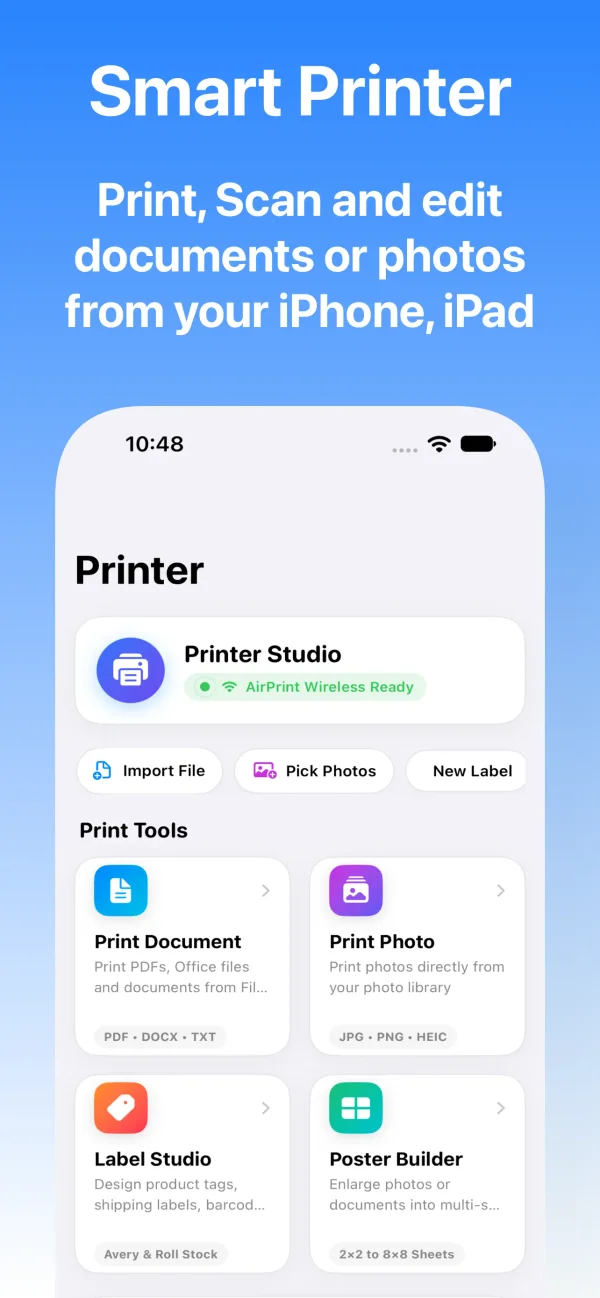
Print documents, photos, posters and product labels from your iPhone or iPad to any AirPrint printer.
Printer turns almost any file into real, printable pages. Preview every page, fix what you need, and print exactly what you see.
PRINT ALMOST ANY FILE
• PDF, Word, Excel, PowerPoint, Pages, Numbers, Keynote, RTF, text and Markdown
• Photos from your library, in JPEG, PNG, HEIC, GIF, TIFF and WebP
• Long documents print in full, and Markdown prints formatted
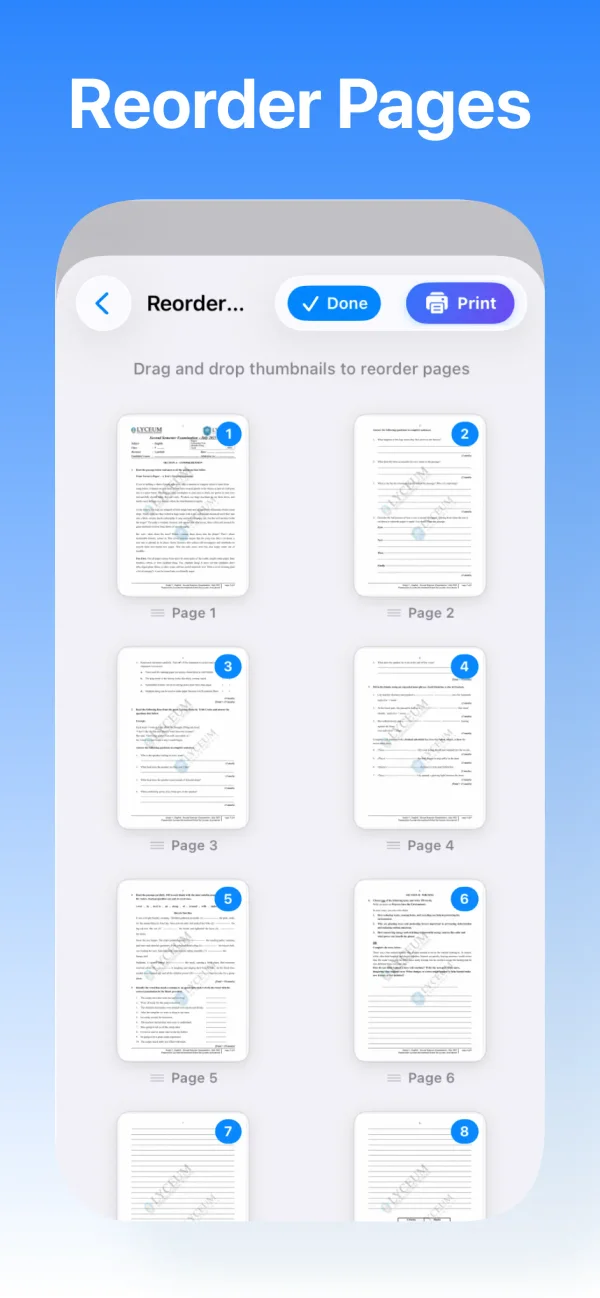
CHECK BEFORE YOU PRINT
• Preview every page, then reorder, delete or add more files
• Mark up pages with Apple's Markup tools; your original files are never changed
• Print in Color or Black & White, as a Document or a Photo, and scale pages to fit
POSTER BUILDER
• Enlarge a photo or page across 2 to 8 sheets wide
• See where it splits and how big the finished poster will be
• Sheets print with cut marks and row and column labels, ready to trim and tape
LABEL STUDIO
• Design labels with a product name, price, barcode and QR code
• Print on Avery label sheets (5160, 5163, L7160, L7163) or AirPrint label printers
• Start part-way through a sheet so no label goes to waste
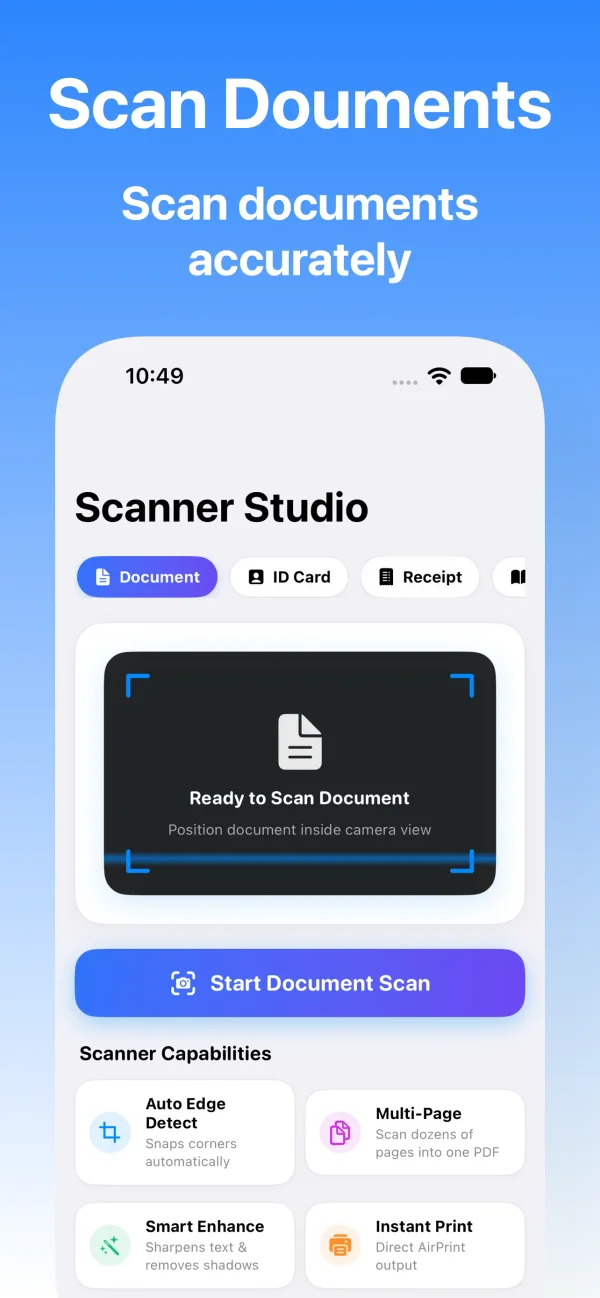
SCAN & PRINT AGAIN
• Scan paper documents with your camera and print them straight away
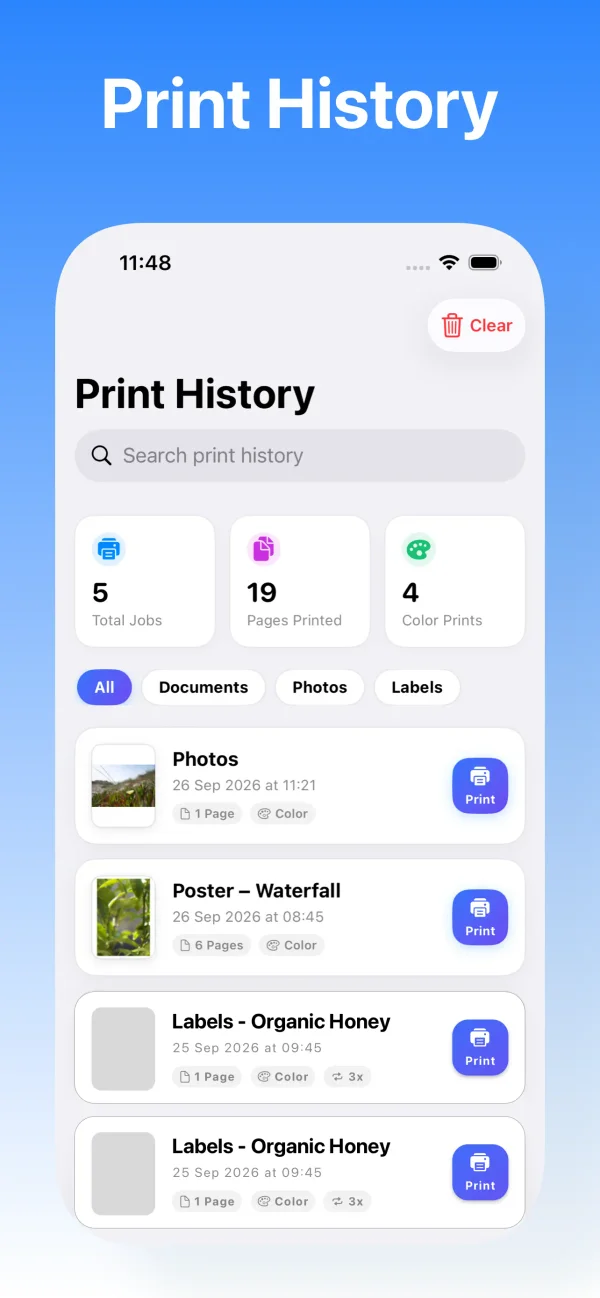
• Print History keeps a copy of what you print, so reprinting takes one tap
PRIVATE BY DESIGN
Your files are processed entirely on your device and sent only to the printer you choose. No account, no ads, and no tracking.
SUBSCRIPTION & AUTO-RENEWAL
• Printer Pro is available as a monthly or yearly subscription. The yearly plan includes a free trial for new subscribers.
• Payment is charged to your Apple Account upon purchase confirmation.
• Subscriptions renew automatically unless turned off at least 24 hours before the end of the current billing period.
• Your account will be charged for renewal within 24 hours prior to the end of the current period.
• Manage or cancel subscriptions anytime in Settings > Apple Account > Subscriptions.
Privacy Policy: https://paddyviewfoundry.com/printer/privacy
Terms of Use: https://paddyviewfoundry.com/printer/terms
AirPrint is a trademark of Apple Inc. Avery is a trademark of Avery Products Corporation; Printer is not affiliated with or endorsed by Avery.
新機能
バージョン 4.0.0 · 2026/9/28
Printer 4.0 — rebuilt from the ground up!
• Brand-new design, in light and dark mode
• Print Word, Excel, PowerPoint, Pages, Numbers, Keynote, RTF, text and Markdown files, not just PDFs
• Check every page before you print: reorder, delete, add files and mark up pages
• Poster Builder: enlarge a photo or page across 2 to 8 sheets wide
• Label Studio: price, barcode and QR code labels for Avery sheets and label printers
• Print History: print anything again in one tap
• Choose Color or Black & White, and Document or Photo quality
アプリのプライバシー
このアプリのデータの取り扱いについて、Sandya LeelarathneがApp Storeで申告している内容です。
-
ユーザーに関連付けられないデータ
収集される場合がありますが、ユーザーの識別情報には関連付けられません。
- 購入
- ID
プライバシーの取り扱いは、ご利用の機能やお客様の年齢などに応じて異なる場合があります。
情報
- 販売元
- Sandya Leelarathne
- カテゴリ
- ビジネス
- バージョン
- 4.0.0
- 更新日
- 2026/9/28
- リリース
- 2023/6/15
- サイズ
- 12.8 MB
- 必要条件
- iOS 26以降
- 対象年齢
- 4+
- 価格
- 無料
- アプリ内課金
- あり
- 言語
- 英語
- 著作権
- © 2023 - 2024 Paddyview Foundry
こちらもおすすめ
-
 Printer - Smart Air iPrint Appビジネス
-
 iPrint Printer for AirPrintビジネス
-
 プリンター プリントプリンター , 印刷アプリ , 印刷 , air print
-
 Smart Printer App: PDF & Photoビジネス
-
 PrinterShare: WiFi & PDFHP、エプソン、キヤノンなどの場合
-
 プリンター アプリ: スマート iPrint スキャンPDF の印刷とドキュメント スキャナー
-
 Printer App: Print & Scan PDFビジネス
-
 Smart Air Printer App & Scanビジネス
-
 Air PrintHP、Epson、Brother、Canon プリンター
-
 Smart Printer App & Scannerビジネス