- 対象年齢4+
- カテゴリ仕事効率化
- 開発元Marvin Woller
- 言語英語
- サイズ15.5 MB
App Storeの公式ページにリンクしています
Download.orgはPrivacyDocs: Scanner & PDF Appのファイルを一切ホストしていません。ボタンを押すと、Marvin Wollerが公開しているApp Storeのアプリページが開きます。ページの最終確認:2026/11/12。
スクリーンショット
概要
開発元はこのテキストをお使いの言語で提供していません。
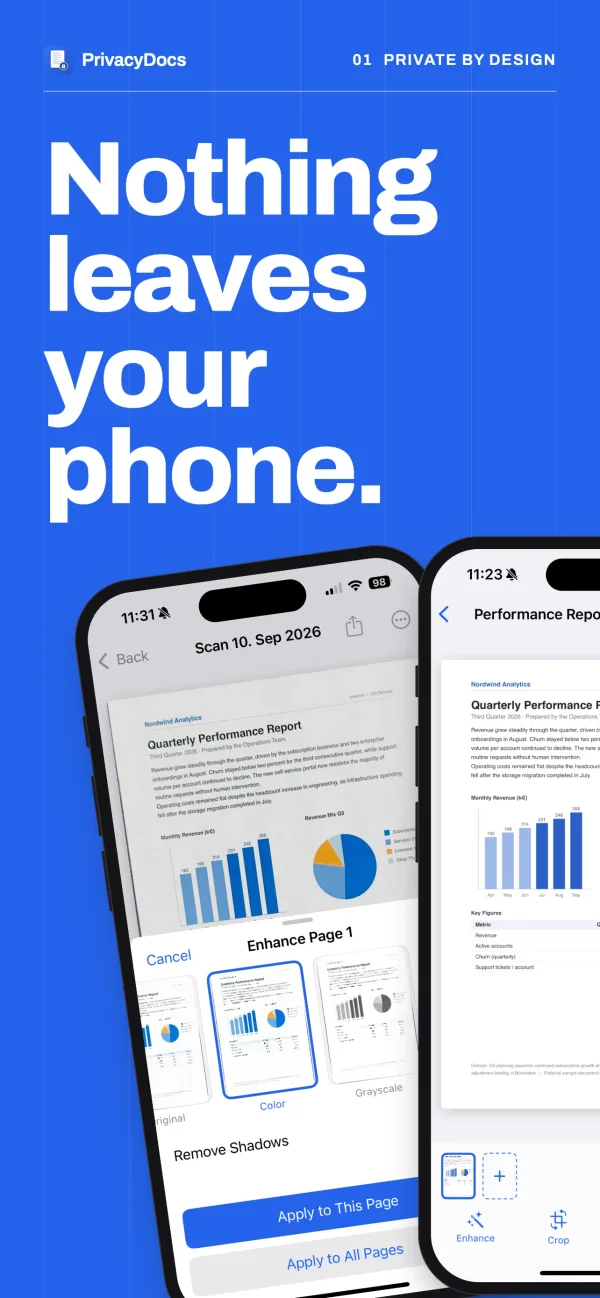
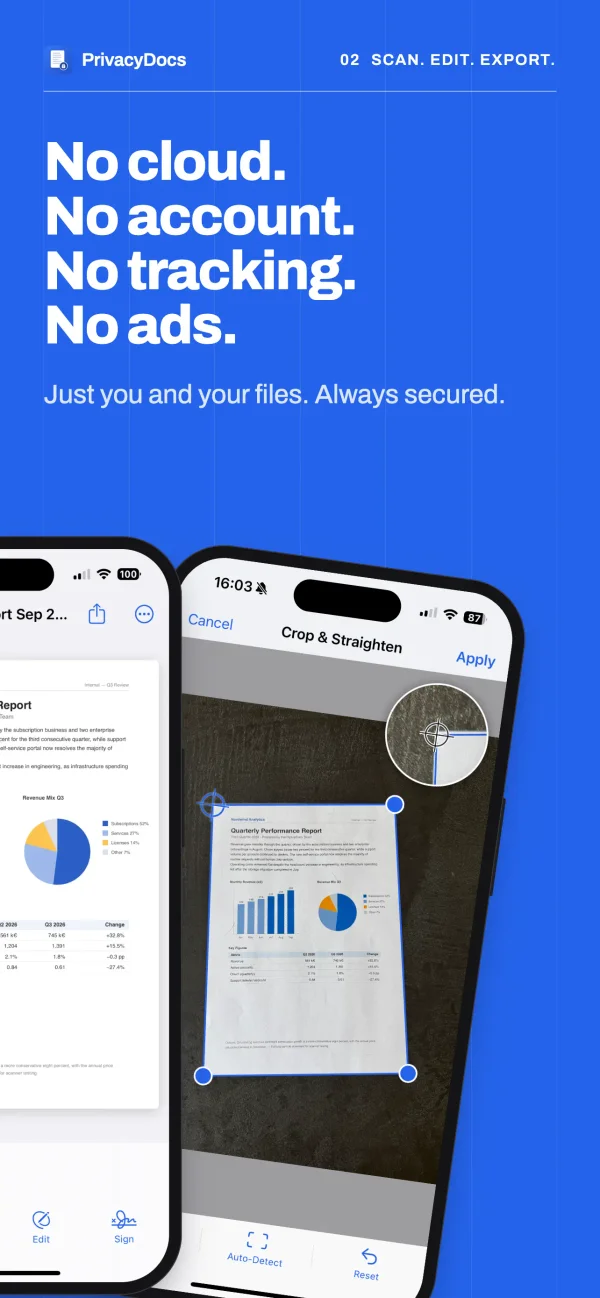
The document scanner that earns your trust. Everything happens on your device, everything stays on your device. You have full control over your data: no cloud, no account, no tracking, no ads. The proof is not a promise on a website. Turn on airplane mode and scanning, recognition, search, editing and export all still work.
CAPTURE
- Scan with the camera: automatic edge detection, perspective correction, as many pages per session as you need
- Import photos: pictures of paperwork become one proper document
- Import PDFs from Files and search them like your own scans
- Add pages later, by camera or import, so paperwork that arrives in parts stays one document
PERFECT EVERY PAGE
- Crop by dragging the four corners, with automatic detection one tap away
- A magnified crosshair shows where the corner really sits, so your finger never hides it
- Rotate in 90 degree steps, upright in the viewer and every export
- Filters per page or for the whole document: color boost, grayscale, black and white, shadow removal
- Nothing is overwritten. The original is always kept, so any change can be taken back
EDIT AND ANNOTATE
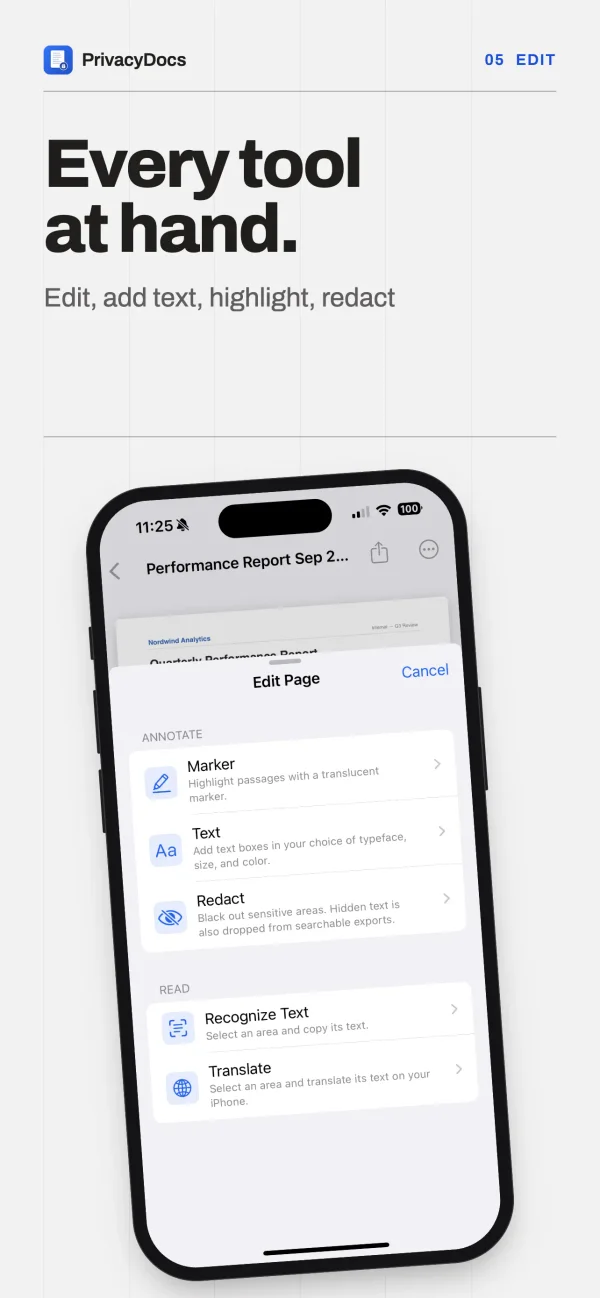
One Edit button gathers the whole page toolkit.
- Marker in any color
- Text boxes placed by tapping the page and typed right there
- Redact: black out or white out anything. Tap a box to select it, drag it, pull any side to resize it
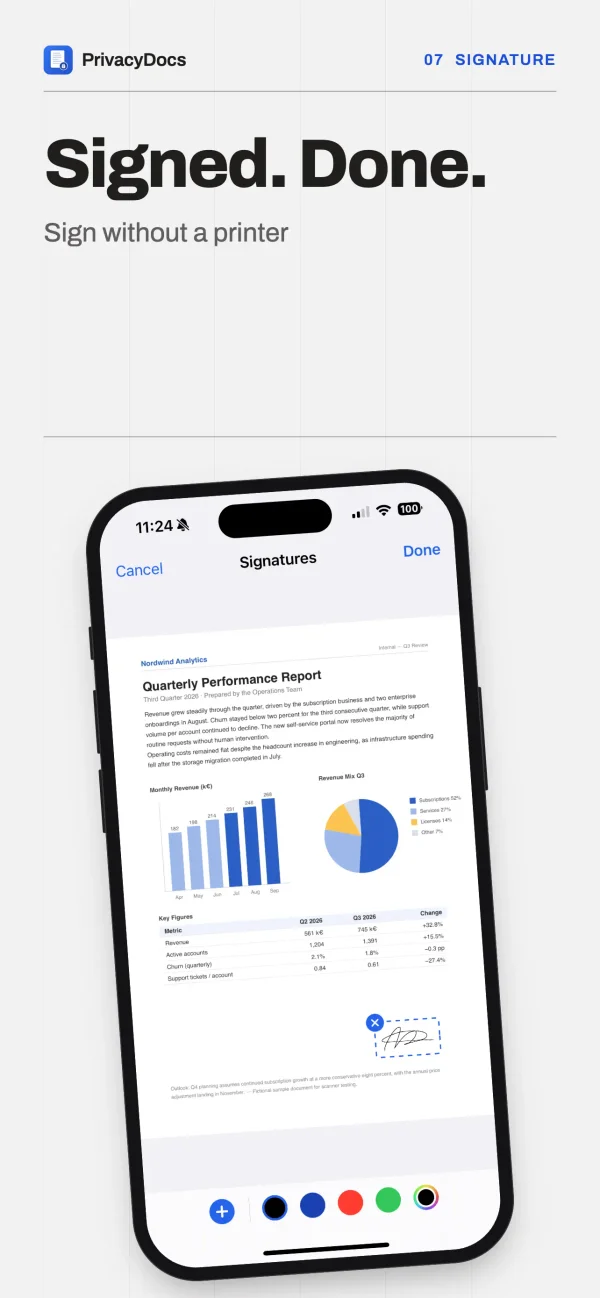
- Sign with your finger once and reuse it anywhere, in any color, several to a page if you need them
OCR & TRANSLATION
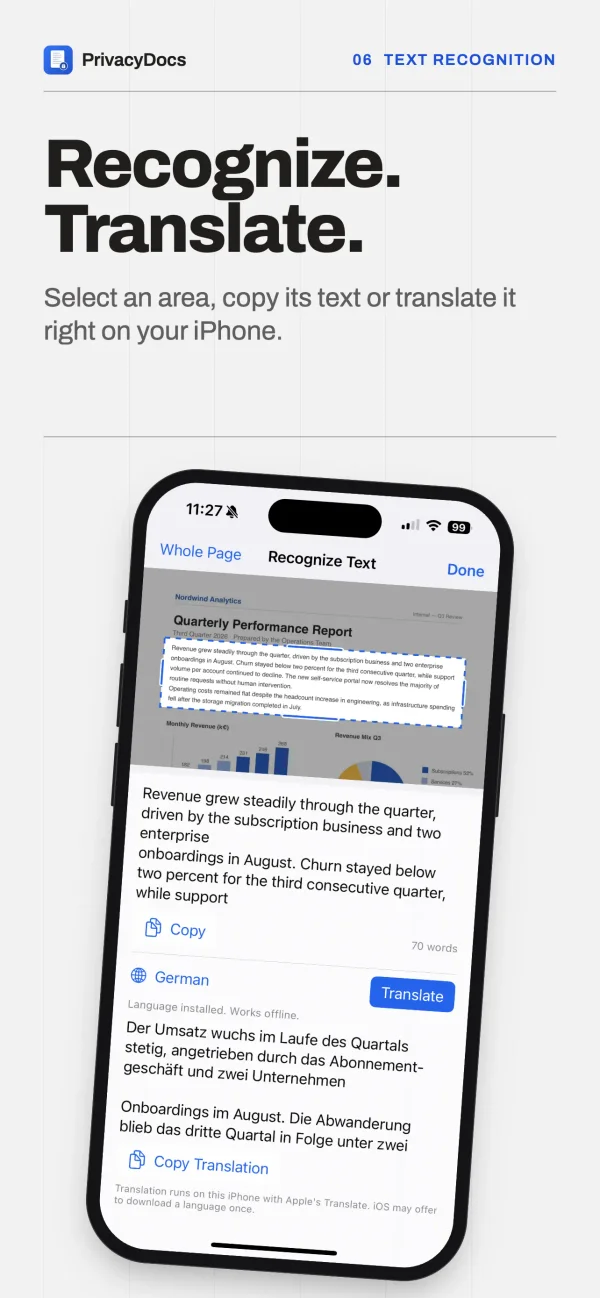
- Recognize text in any area of a page and copy it out
- Translate what you just read, on your iPhone, using Apple's own on-device translation
- Both work without an internet connection (requires initial download of the language set)
A REDACTION THAT ACTUALLY HIDES
Blacking something out should mean it is gone. Here it is.
- The black box sits on top of everything, your own notes and signatures included, on every screen that shows the page down to the library preview
- Redacted words leave the search index. Black out an account number and you cannot find the document by typing it, not even in this app
- Redacted words leave the exported PDF. A shared file never carries the hidden text underneath the black box
ORGANIZE AND FIND
- Text recognition runs on every page by itself, right after you save
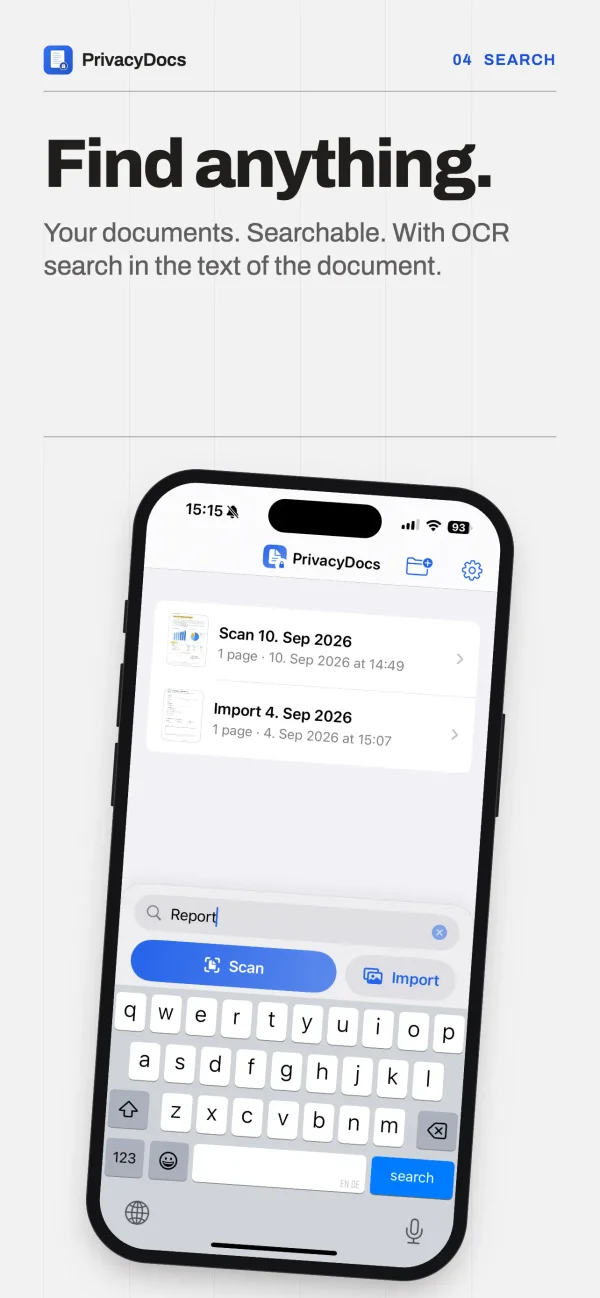
- Full text search: find the document by typing a word printed on it
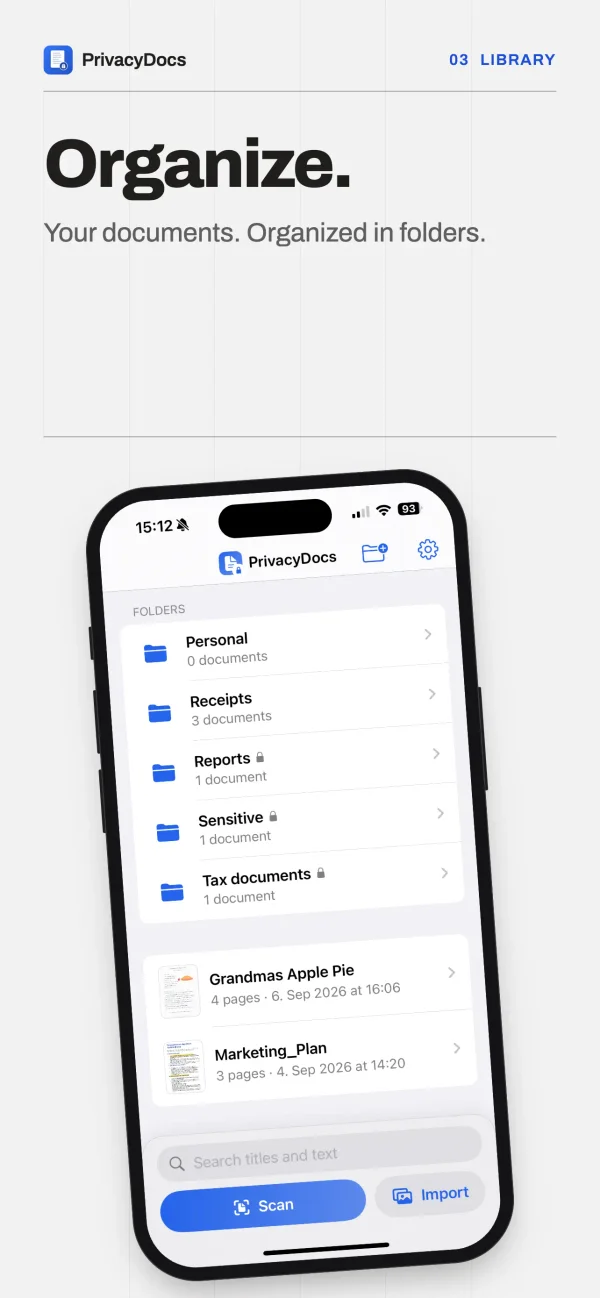
- Folders, drag to reorder pages, merge two documents or split one in two
- Document Info: pages, size on disk, dimensions, dates and recognition status
VAULT FOLDERS
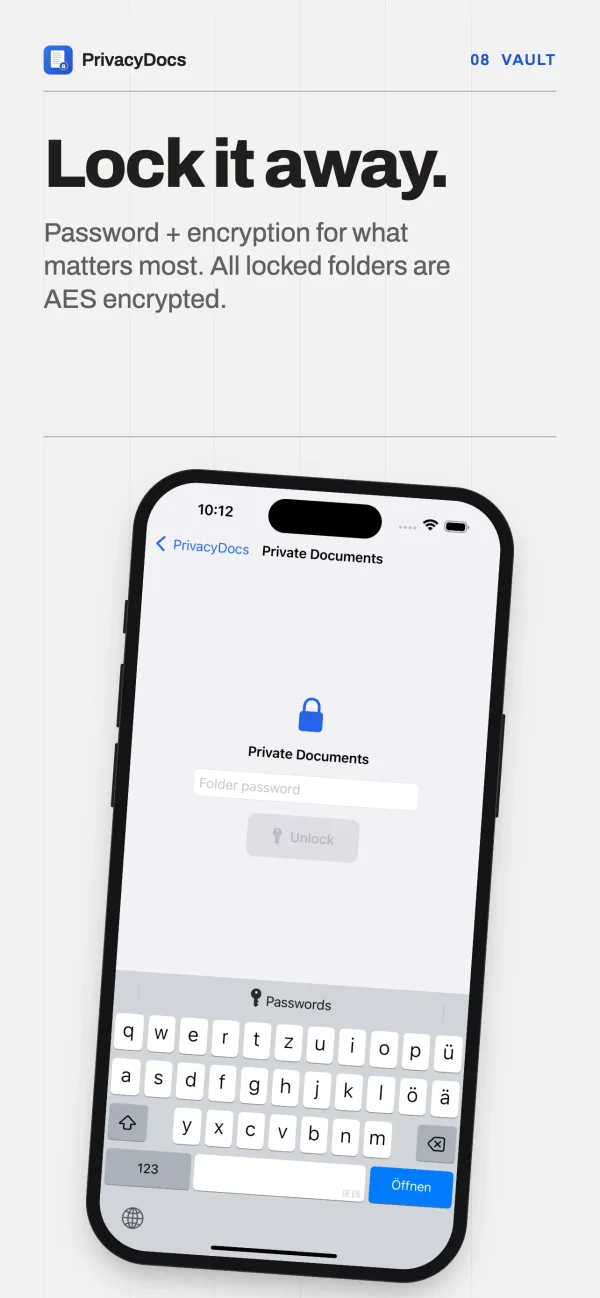
- Lock a folder with its own password
- Contents are AES encrypted on the device and the password is never stored
- Locked documents stay out of search while the folder is locked
- There is no password recovery, because there is no account and no cloud. The app tells you that before you set one
EXPORT AND SHARE
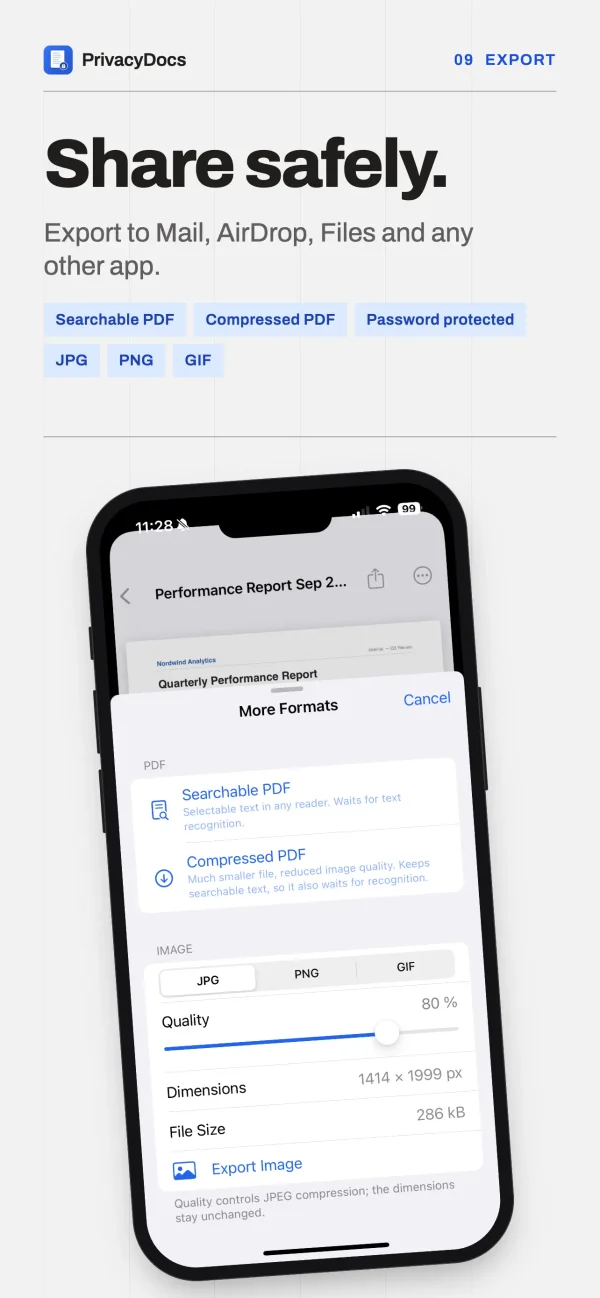
- The standard PDF export hands you the file straight away
- Searchable PDF with an invisible text layer, so any reader can select and search it
- Password-protected PDF that opens only with your password, in any standard reader
- Compressed PDF for email
- Export pages as JPG, PNG or GIF
- Share through Mail, Messages, AirDrop, Files and anything else
PRIVATE, PROVABLY
- The whole core flow works with the network offa
- App lock with Face ID or Touch ID, and a privacy shield so the app switcher shows nothing of your documents
- Pages are protected by iOS at rest, encrypted until you first unlock the iPhone
- Decide whether documents ride along in your iPhone's device backup
BACKUP & SYNC
- You have the choice if you enable iCloud sync. Turn it ON, and your data will be synced fully encrypted with our strong AES encryption to your iCloud backup storage. Turn it OFF and nothing leaves your device.
Terms of Use (EULA): https://www.apple.com/legal/internet-services/itunes/dev/stdeula/
アプリのプライバシー
このアプリのデータの取り扱いについて、Marvin WollerがApp Storeで申告している内容です。
-
データの収集なし
開発元はこのアプリからデータを収集しません。
プライバシーの取り扱いは、ご利用の機能やお客様の年齢などに応じて異なる場合があります。
情報
- 販売元
- Marvin Woller
- カテゴリ
- 仕事効率化
- バージョン
- 1.0
- 更新日
- 2026/10/12
- リリース
- 2026/10/12
- サイズ
- 15.5 MB
- 必要条件
- iOS 17.0以降
- 対象年齢
- 4+
- 価格
- 無料
- アプリ内課金
- あり
- 言語
- 英語
- 著作権
- © 2026 Woller IT
こちらもおすすめ
-
 Templates for Pages (Nobody)仕事効率化
-
 Orange Max it - Botswana仕事効率化
-
 Hotspot Monitor - データ使用量を監視する3g 4g 5g LTE ホットスポットの使用状況
-
 PDF Combiner - PDF結合・分割・変換写真・画像をPDFに変換、スキャナー
-
 Brainway: Boost Productivity仕事効率化
-
 Metaroom - 3D Room Scanner仕事効率化
-
 Spy Phone ® Phone TrackerファミリーGPSおよび連絡先トラッカー
-
 KeePassium — KeePassパスワードプライバシーを尊重します
-
 Home Design 3D Outdoor&Garden理想の庭と屋外空間をデザイン
-
 PDF 変換: PDFをwordに変換る文書あなたはできるマージ,分割 そして変換 すべてのファイル