- 対象年齢4+
- カテゴリビジネス
- 開発元CoreLogic
- 言語英語
- サイズ82.7 MB
Property Visionは現在App Storeで入手できない可能性があります
前回の確認時、ストアのページにアクセスできませんでした。リンク先は引き続きApp Storeの公式ページです。
スクリーンショット
概要
開発元はこのテキストをお使いの言語で提供していません。
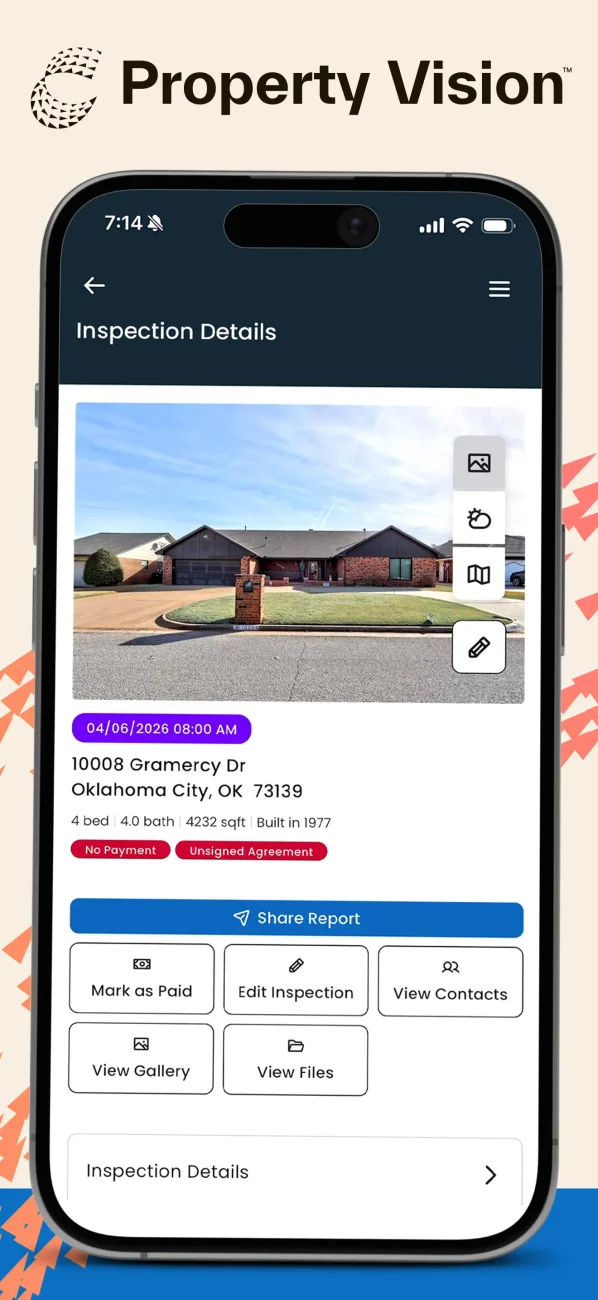
Property Vision transforms home inspections using CoreAI and Cotality 360 property data to auto-fill details, eliminate manual entry, and speed up report creation on any device.
KEY FEATURES
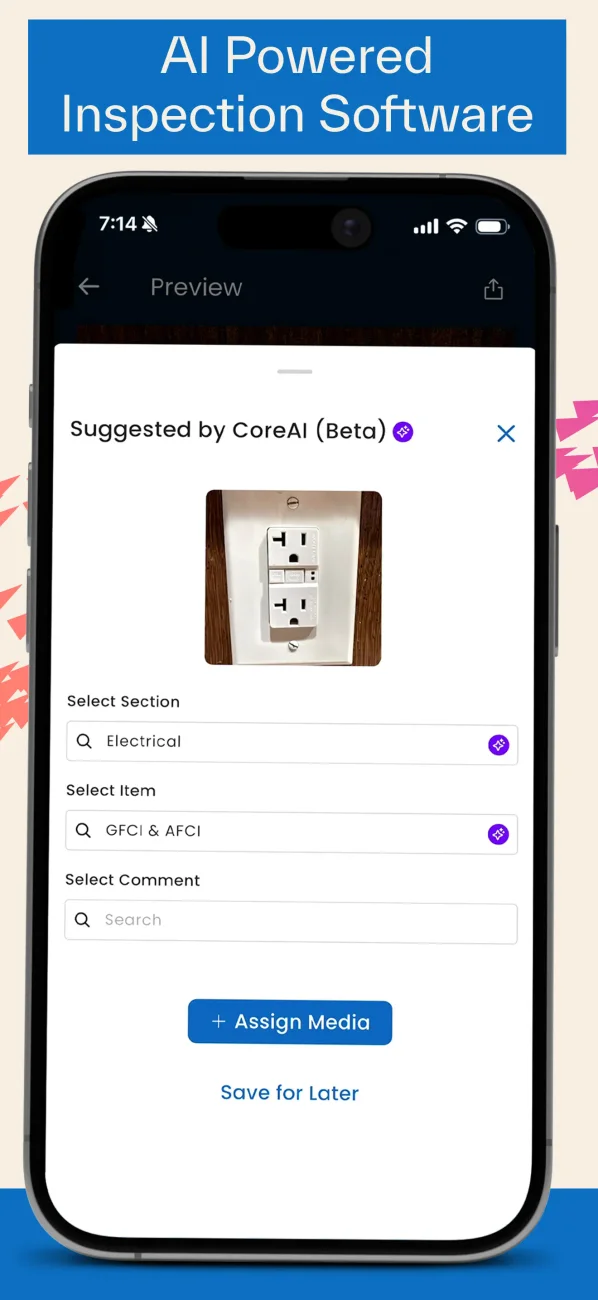
CoreAI Image Analytics
Automatically tags and organizes photos and commentary as you walk through the property.
Automatic Data Plate Reader
Snap a photo of an appliance data plate to instantly extract and insert specs into your report.
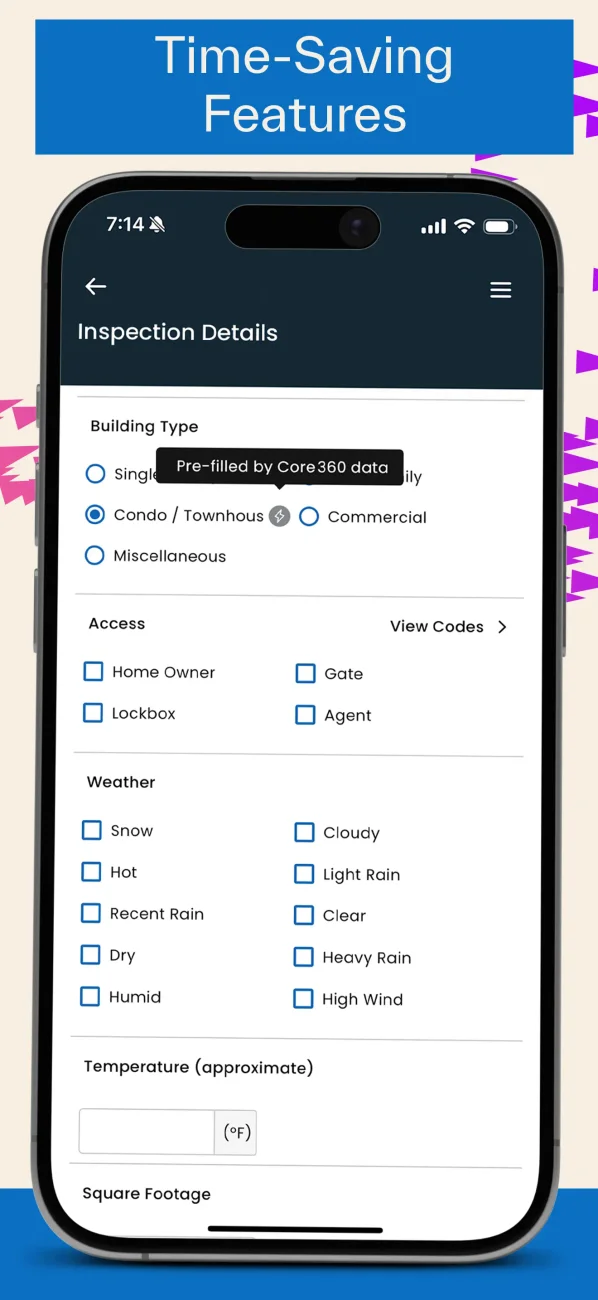
360 Property Data
Prefills square footage, build year, materials, and weather data to save time on every job.
Multi-Inspector Support
Assign co-inspectors to complete sections simultaneously and merge findings into one report.
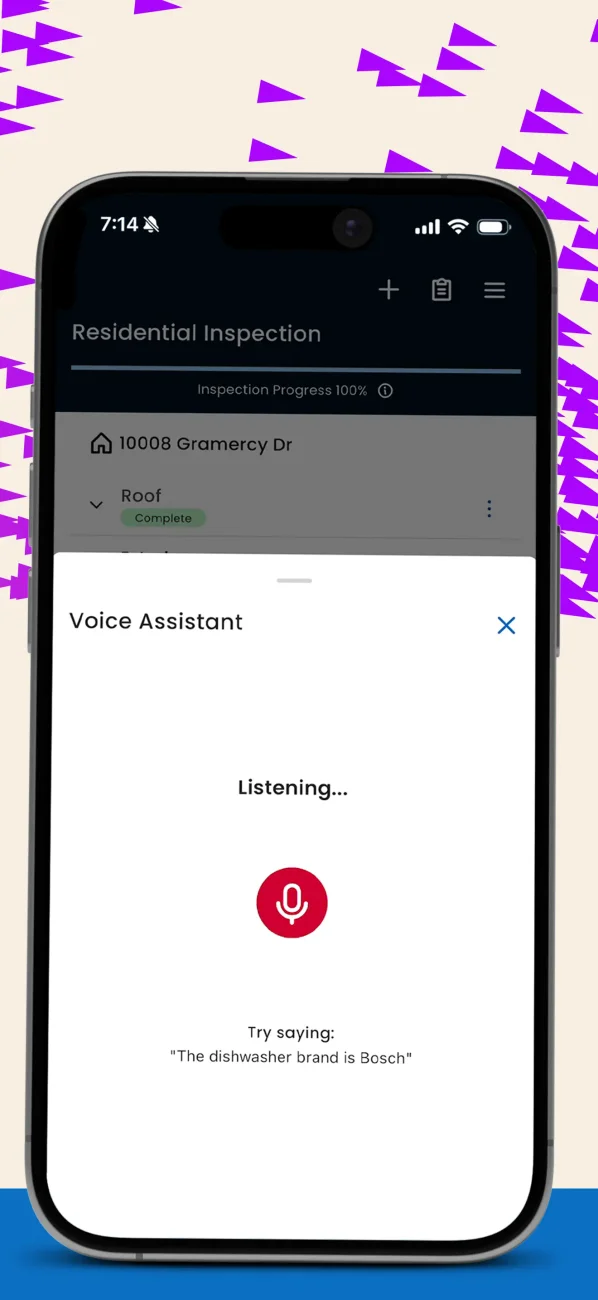
Voice Navigation
Jump straight to specific report sections hands-free using voice commands.
Custom Reports & Branding
Build custom templates and deliver polished online or PDF reports styled to your brand.
GET STARTED TODAY
Start your free trial of Property Vision at www.property.vision.
新機能
バージョン 3.3.0 · 2026/11/18
New Features
Custom Items in Regulatory Templates (Web)
Tailor company-owned copies of Texas TREC, Florida 4-Point, Wind Mitigation, and Florida WDO templates by adding, renaming, reordering, and removing your own custom inspection items after the required template items. On Texas TREC templates, your custom items sit right before the "Other" item, which automatically re-letters itself so your reports stay compliant while matching how your business inspects.
Edit Regulatory Forms on the Web (Web)
Open and complete Texas TREC, Florida 4-Point, Wind Mitigation, and WDO inspection forms directly in the web report editor without switching back to a mobile device. Required regulatory sections and items stay protected for compliance, while all unrestricted answers, comments, and custom items are fully editable from your computer.
Commercial Inspection Template and Starter Service
Expand your business beyond residential work with a ready-to-use Commercial Inspection Template for US companies, complete with a matching Commercial Property Inspection starter service. It comes pre-populated with sections and items for site conditions, roofing, building envelope, HVAC, plumbing, electrical, fire protection, life-safety systems, and tenant or common areas, all customizable to fit your workflow.
Automated Post-Inspection Thank-You Email (Web)
Build client goodwill automatically by turning on the new "Post-Inspection Thank You" message in Settings > Automated Messages. Once enabled, Property Vision sends a customizable thank-you email with a report link to each client roughly one day after their first report is ready to view, and you can toggle it on or off anytime.
Guided Company Setup Checklist (Web)
New company owners and administrators now see a four-step setup checklist in the web header covering Branding, Services, Templates, and Agreements. Each step links directly to the right setup screen, tracks your team's progress automatically, and disappears for good once all four areas are configured.
Guided Mobile App Onboarding Tour (Mobile)
New mobile users can launch an interactive, step-by-step walkthrough right from the Mobile Dashboard to experience a sample residential inspection from start to finish. The tour guides you through taking a photo, assigning it with Image Analytics, using the Voice Assistant, and previewing and publishing a sample report so you can get comfortable with the mobile workflow before stepping onto a job site.
Default Optional or Required Comments in Templates (Web)
Mark informational comments as Optional or Required directly in the web Template Editor so every new inspection starts with the right completion rules already in place. Your settings carry over automatically to new forms on both web and mobile, saving your inspectors from adjusting progress tracking report by report.
Mark Informational Comments as Optional in the Web Editor (Web)
While editing an inspection in the web Form Editor, use the three-dot menu on any informational comment to mark it as Optional or Required. Changes sync with the mobile app so optional comments are excluded from mobile completion progress.
Photo and Video Captions Across Mobile, Web, and Reports
Add clear descriptive captions to inspection photos and videos using the "Add Caption" bubble control in the mobile app. Your captions display cleanly on mobile, in the web editor, and in published web and PDF reports so clients and agents immediately understand what each image shows.
Detailed Inspection Sync Status Sheet (Mobile)
Tap the "Waiting for connection to sync" or "Syncing inspection" indicator on the mobile inspection screen to open a detailed sync status view. You can immediately see whether Service Comments and Media and Files are synced, actively uploading, or waiting for a connection before you leave the property.
アプリのプライバシー
このアプリのデータの取り扱いについて、CoreLogicがApp Storeで申告している内容です。
-
ユーザーに関連付けられたデータ
収集され、ユーザーの識別情報に関連付けられる場合があります。
- 連絡先情報
- ユーザーコンテンツ
- ID
- 使用状況データ
- 診断
プライバシーの取り扱いは、ご利用の機能やお客様の年齢などに応じて異なる場合があります。
情報
- 販売元
- CoreLogic Real Estate Solutions, LLC
- カテゴリ
- ビジネス
- バージョン
- 3.3.0
- 更新日
- 2026/11/18
- リリース
- 2025/8/7
- サイズ
- 82.7 MB
- 必要条件
- iOS 17.0以降
- 対象年齢
- 4+
- 言語
- 英語
- 著作権
- © 2026 Cotality