
- 対象年齢17+
- カテゴリ写真/ビデオ
- 開発元Maxwell Tawiah
- 言語英語ほか35言語
- サイズ212.3 MB
App Storeの公式ページにリンクしています
Download.orgはPros Camのファイルを一切ホストしていません。ボタンを押すと、Maxwell Tawiahが公開しているApp Storeのアプリページが開きます。ページの最終確認:2026/11/28。
スクリーンショット


概要
開発元はこのテキストをお使いの言語で提供していません。
We're all pros.
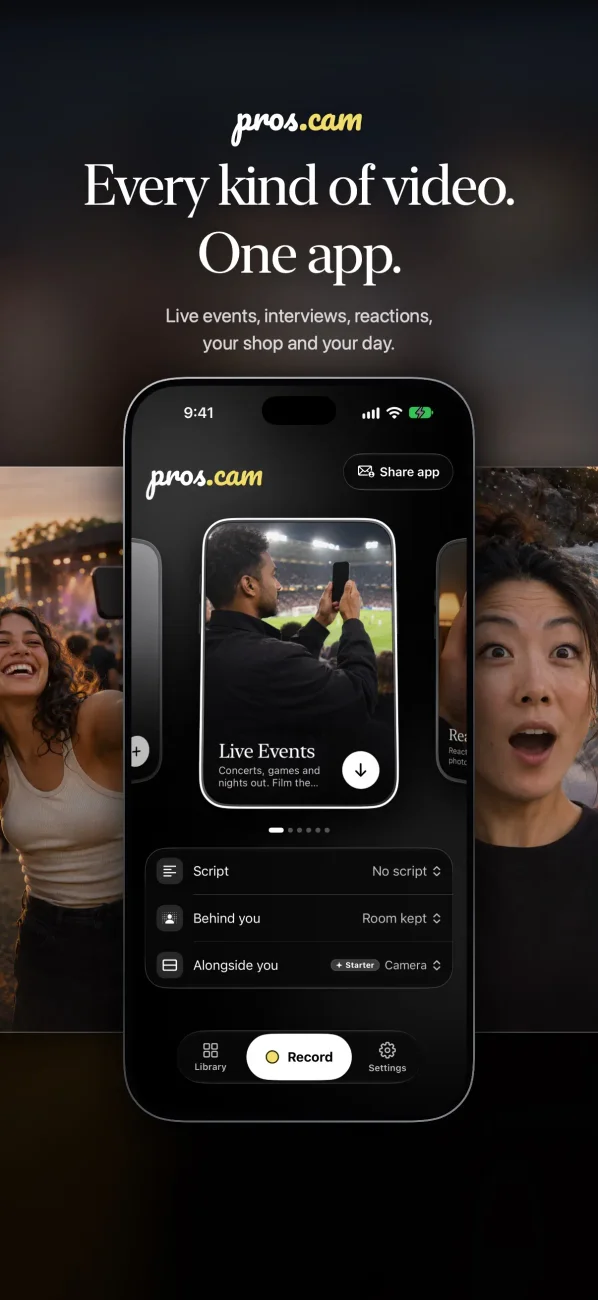
Pros Cam puts a whole creator setup in your hand. Pick what you're making, and the camera sets itself up for it: your script by the lens, the right cameras and the right layout. Record, edit, post or go live, all from your phone. No crew, no studio, no second app.
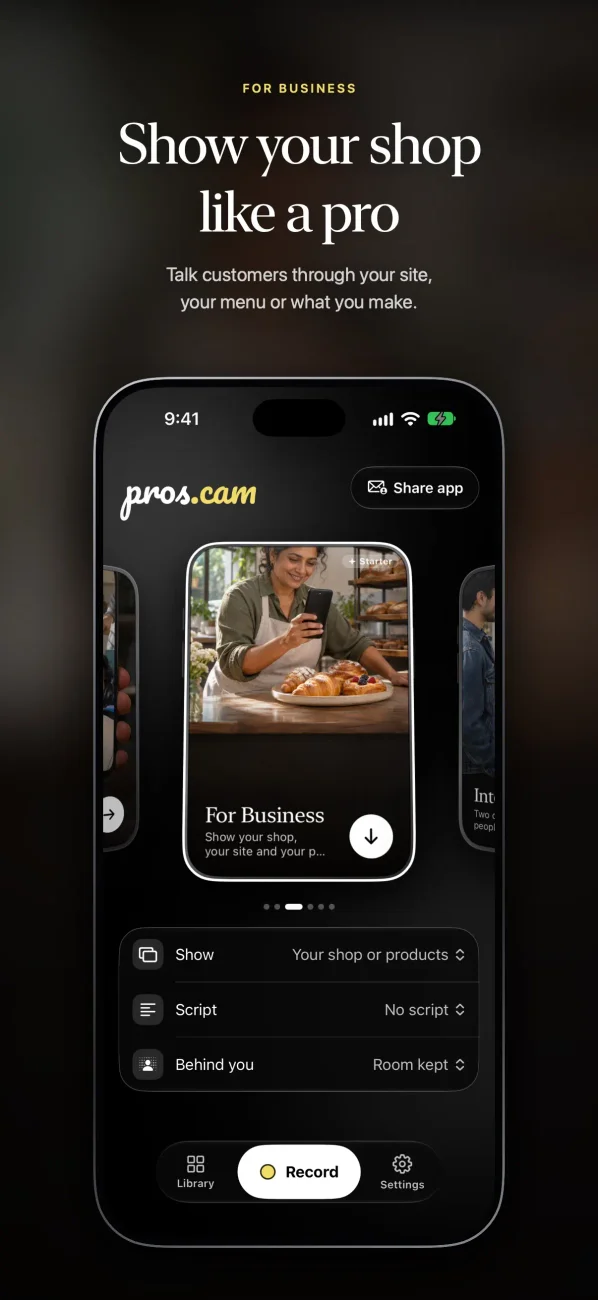
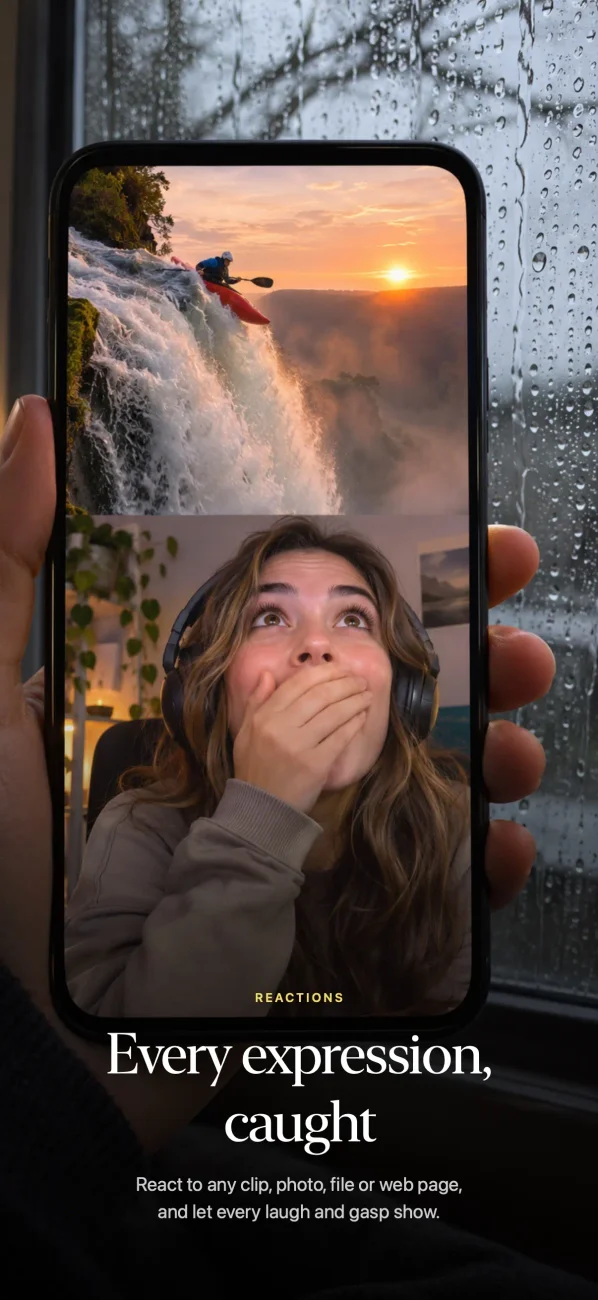
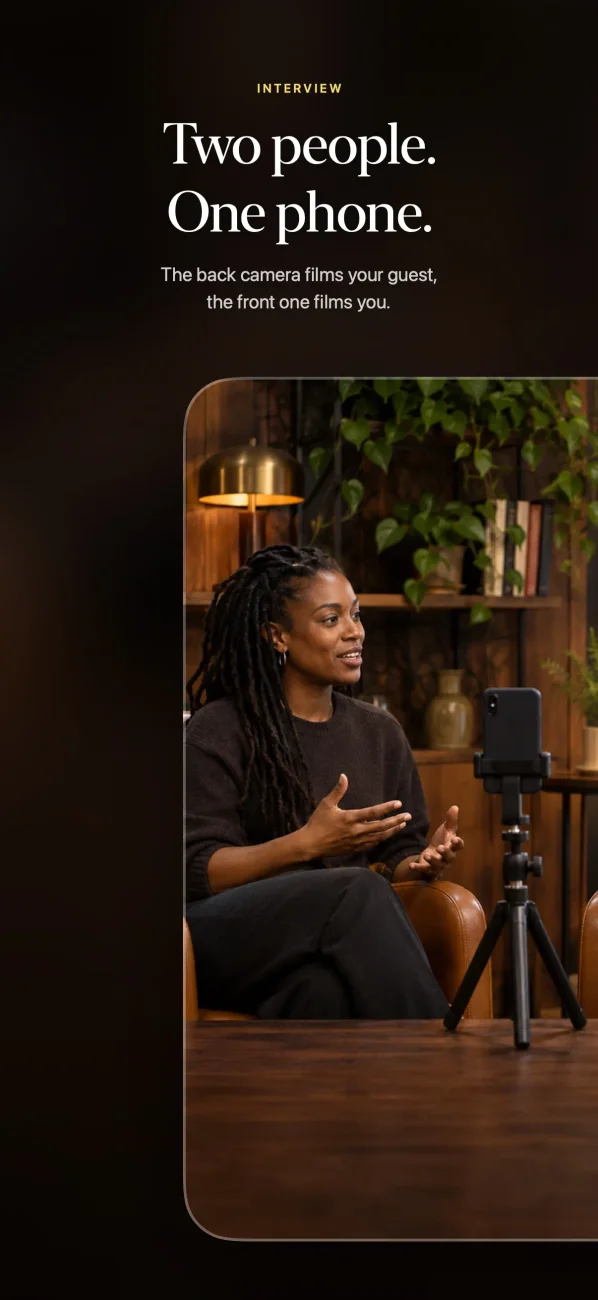
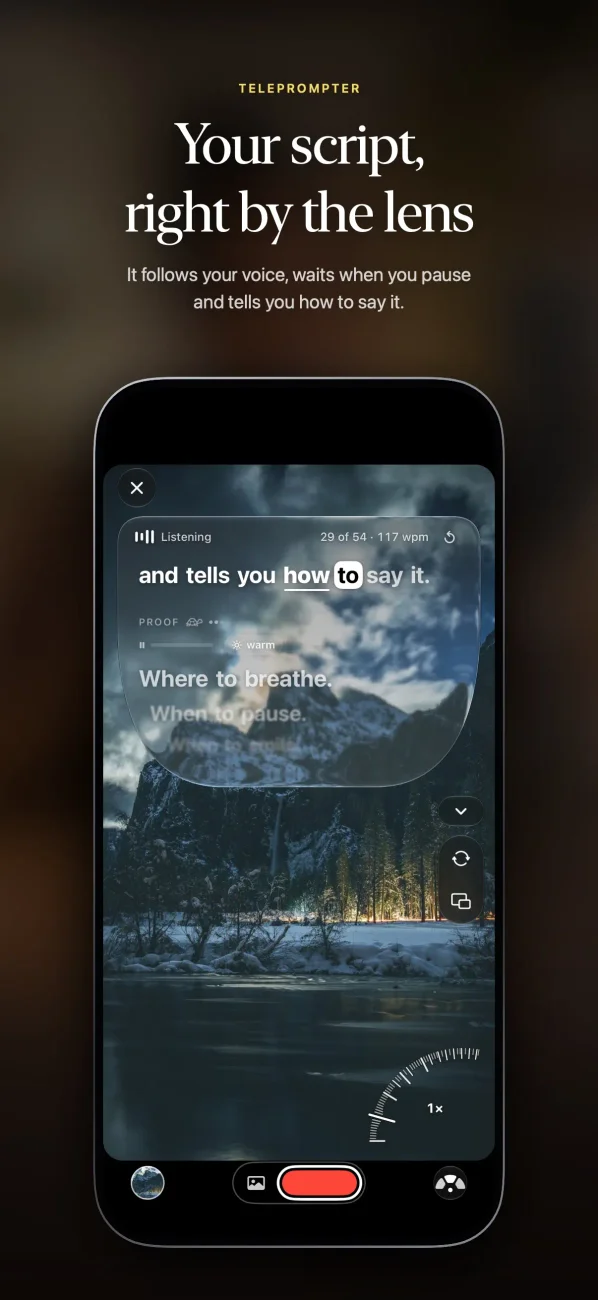
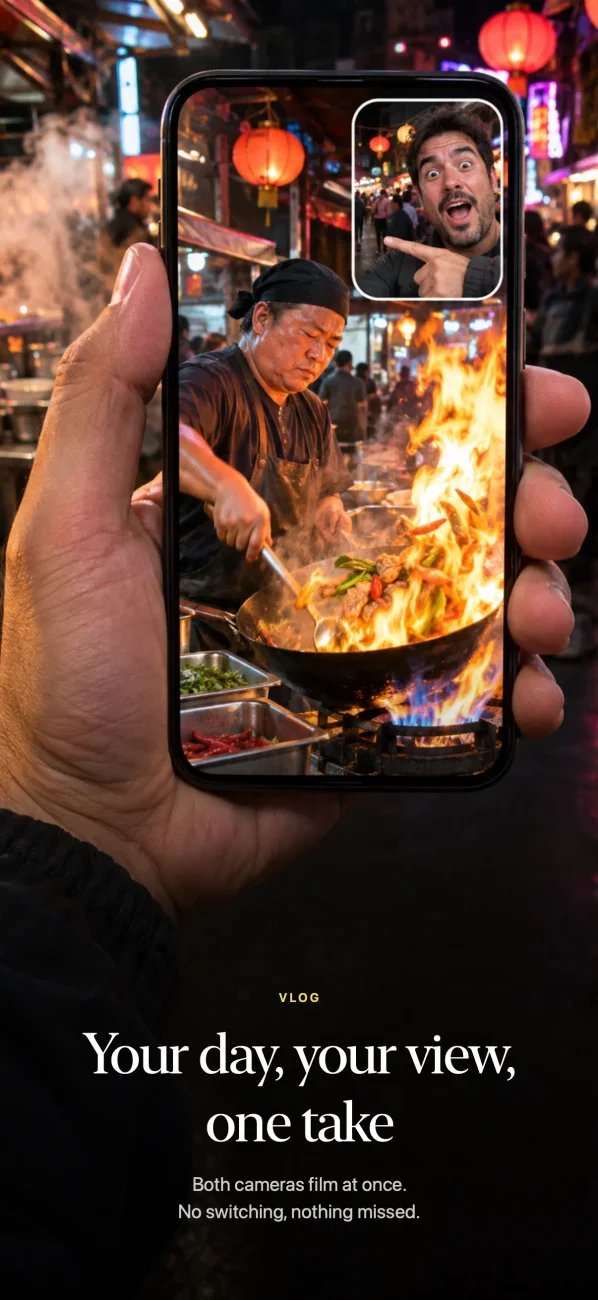
A CARD FOR EVERYTHING YOU MAKE • Clips: turn your long videos into captioned clips, or find and clip a Twitch or Kick stream. • Camera: photos and videos with the front, back or both cameras, with looks, light and a timer. • Live Events: concerts, games and nights out. Film the stage and yourself in it, both at once. • Teleprompter: your words roll by the lens as you speak, so you look people in the eye. • Reactions: react to any clip, photo, document or web page, with every expression in the shot. • For Business: show your shop, your website and your products, and tag what you sell. • Interview: two people, one phone. Whoever talks gets the big picture, with nothing to edit after. • Vlog: your day and your face in one take, from both cameras at once. • Creator: you, your screen, your clips and your pictures, switched as you talk. • Stream: go live on YouTube, Twitch or Kick with scenes and chat on screen. • 3D Scan: walk around an object or a room and turn it into 3D you can share (rooms need an iPhone with LiDAR). • Edit & Join: clips and photos in, one finished video out. • Utilities: crop, trim and shrink any video or photo in seconds.
CLIPS FROM YOUR LONG VIDEOS • Bring in a stream, a podcast or a talk and get its best moments as clips, upright or wide. • Find them entirely on your iPhone, with your plan's AI or with your own AI key. • Finish each clip with a hook, an animated title, captions, a cover and your end card.
NEVER MISS WHAT'S WORTH MAKING Keep a watchlist of the sites you make content from and set reminders to check them. Find something, then react to it or start a script.
MEET JELLY Jelly, your guide, shows you what each card does for you, then lets you try it yourself on the real screen.
A SCRIPT THAT FOLLOWS YOUR VOICE Write your words or jot down talking points. The script scrolls at the pace you speak, waits when you pause and picks up when you carry on, so you look into the lens instead of reading off a page.
POST STRAIGHT FROM THE APP Send your finished video to YouTube and X once your account is connected, send it to TikTok as a draft, or open it in Facebook and Instagram, ready to share. Preview it inside the big social apps' layouts first, so captions and text never hide under their buttons.
LOOK GOOD WITHOUT TRYING • Turn your phone and the camera turns with you: the picture moves into its new shape. • Keep me in frame follows your face and keeps you centred. • Take your background away and stand in front of anything. • Split screens with edges of your own: a line in your colour, a soft glow, glass or neon. • Shoot in every shape, 9:16 to 16:9, in 4K and HDR, up to 60 frames a second.
AN EDITOR MADE FOR TALKING VIDEOS • Find slips spots the lines you fluffed against your script and cuts them, with joins you won't hear. • Captions from your voice, timed to every word, in thirteen styles and over twenty fonts. • Cuts, speed changes, freeze frames, transitions, text, stickers and zooms, timed to your words. • Music, with your voice kept clear above it, and background noise cleaned away on your iPhone. • Reframe for another platform without recording again.
YOURS, AND PRIVATE Your videos and scans stay on your phone unless you choose to post, share or back them up. AI features that work online send what they need, such as your words or small still frames; the privacy policy says what goes where. Make it yours with themes, in 37 languages, on iPhone, iPad and iPhone Duo.
Some features need a paid plan, bought in the app.
Because we're all pros.
Terms of Use: https://www.apple.com/legal/internet-services/itunes/dev/stdeula/ Privacy Policy: https://pros.cam/privacy
新機能
バージョン 1.8 · 2026/11/27
What's new in Pros Cam 1.8
• Clips is out of beta.
• A better clip editor. Give a clip a cover, a hook of 3 to 7 seconds and an end card. Add a hook, drag it into place and pull its ends. Press play to watch the finished clip, with its transitions.
• Big animated titles for your clips, in six designs. With a hook, the title comes in as the hook hands over to the clip. Pick the hand-over too: a flash, zoom, whip, glitch and more.
• Five new caption styles: Karaoke, Pop, Neon, Underline and Sticker.
• Smarter framing. Gaming clips keep the game in view with your camera in a corner. Talks keep the speaker in frame without constant moving.
• Add clips you already made from Photos or Files and edit them. Your end cards and drafts now have their own folders in the Clip Library.
• Use your own AI key on every plan, and let it judge the moments in your clips without using your plan's AI credit.
• Watchlist and reminders. Keep the sites you make content from, choose when to be reminded to check them, then react to what you find or start a script.
• Reacting over a video: a button on the video pauses and plays it; hold it for a timeline. With both sounds on, the video goes quiet while you talk and comes back when you stop.
• Start a script by pasting it or importing a text file.
• A new background choice, Remove with a soft glow, and a quick way to swap the halves of a split in Reactions.
• Bug fixes and improvements.
アプリのプライバシー
このアプリのデータの取り扱いについて、Maxwell TawiahがApp Storeで申告している内容です。
-
ユーザーに関連付けられたデータ
収集され、ユーザーの識別情報に関連付けられる場合があります。
- 購入
- ユーザーコンテンツ
- ID
- 使用状況データ
- 診断
- その他のデータ
-
ユーザーに関連付けられないデータ
収集される場合がありますが、ユーザーの識別情報には関連付けられません。
- ユーザーコンテンツ
プライバシーの取り扱いは、ご利用の機能やお客様の年齢などに応じて異なる場合があります。
情報
- 販売元
- Maxwell Tawiah
- カテゴリ
- 写真/ビデオ
- バージョン
- 1.8
- 更新日
- 2026/11/27
- リリース
- 2026/11/2
- サイズ
- 212.3 MB
- 必要条件
- iOS 17.0以降
- 対象年齢
- 17+
- 価格
- 無料
- アプリ内課金
- あり
- 言語
- 英語, アムハラ語, アラビア語, ベンガル語, Bhojpuri, Egyptian Arabic, フィリピン語, フランス語, ドイツ語, グジャラート語, ハウサ語, ヒンディー語 ほか24言語
- 著作権
- © 2026 Fobia
こちらもおすすめ
-
 Jotto Video写真/ビデオ
-
 TRYON: AIバーチャル試着アプリAIコーデ提案&着せ替えクローゼット
-
 CutAI - AI Video Editor写真/ビデオ
-
 EFEKT - Picsartの動画メーカーARカメラ, VHS, グリッチエフェクト
-
 Video Retouch:Object Removal写真/ビデオ
-
 Accsoon SEE写真/ビデオ
-
 Video Recovery, Recover Photos写真/ビデオ
-
 Frame.ioVideo Review and Collaboration
-
 Hide Photos Video -Hide it Pro写真/ビデオ
-
 Hohem Joy写真/ビデオ