
- 対象年齢4+
- カテゴリ仕事効率化
- 開発元Tomi Nevalainen
- 言語英語ほか8言語
- サイズ12.5 MB
App Storeの公式ページにリンクしています
Download.orgはPulpetti: Seating Chart Makerのファイルを一切ホストしていません。ボタンを押すと、Tomi Nevalainenが公開しているApp Storeのアプリページが開きます。ページの最終確認:2026/11/6。
スクリーンショット


概要
開発元はこのテキストをお使いの言語で提供していません。
Tell Pulpetti who must not sit together and who belongs side by side. It draws a seating chart that follows your rules. Then fine-tune it by hand, or seat everyone yourself. For classrooms, restaurants, weddings and events.
HOW IT WORKS
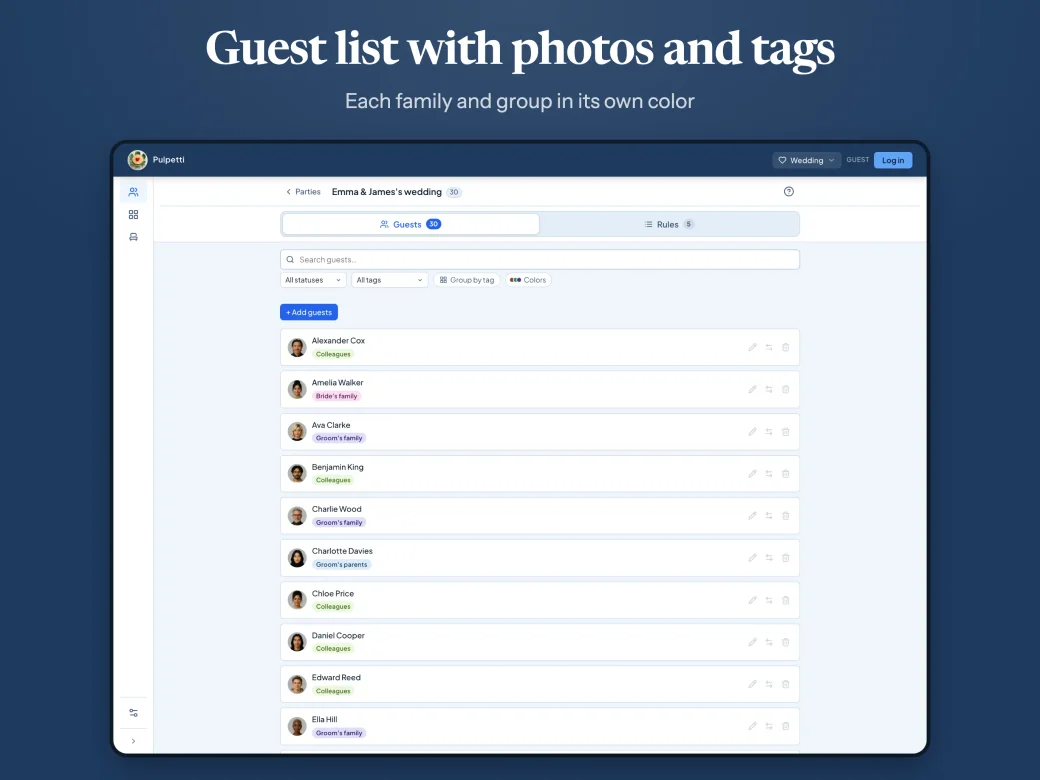
1. Add people: type the names, or paste a whole list from a spreadsheet.
2. Lay out the room: start from a template or drag tables into place, to scale.
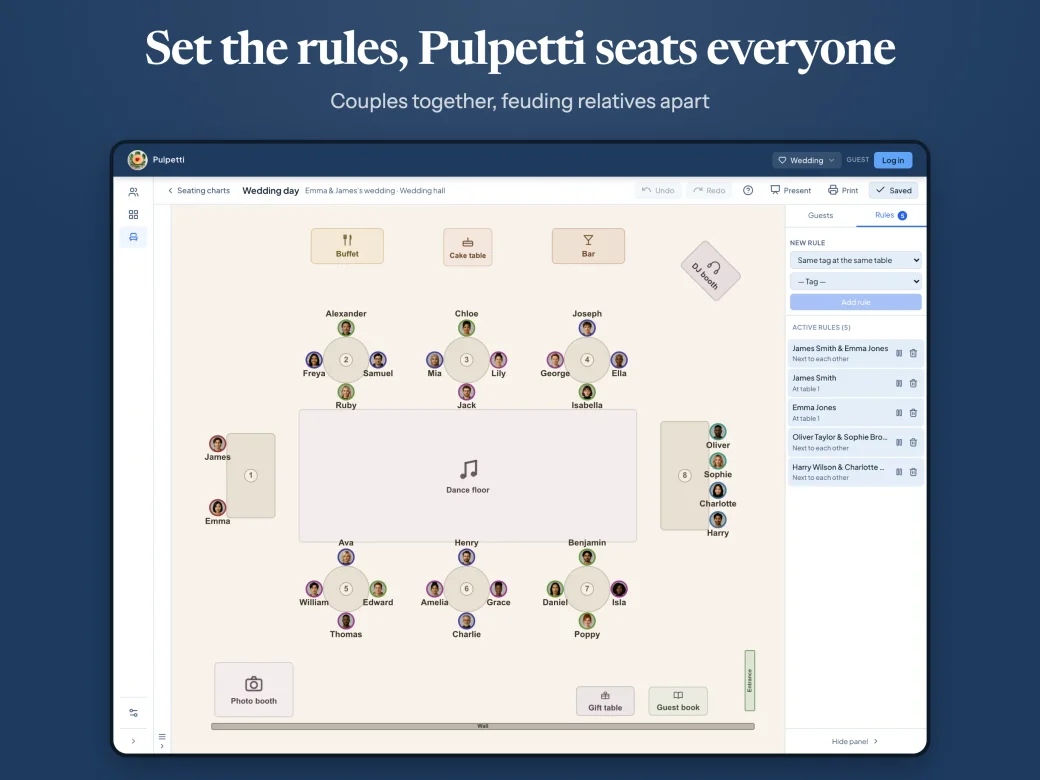
3. Set the rules and draw: Pulpetti seats everyone to fit them.
4. Print or share: floor plan, name lists, table signs and place cards.
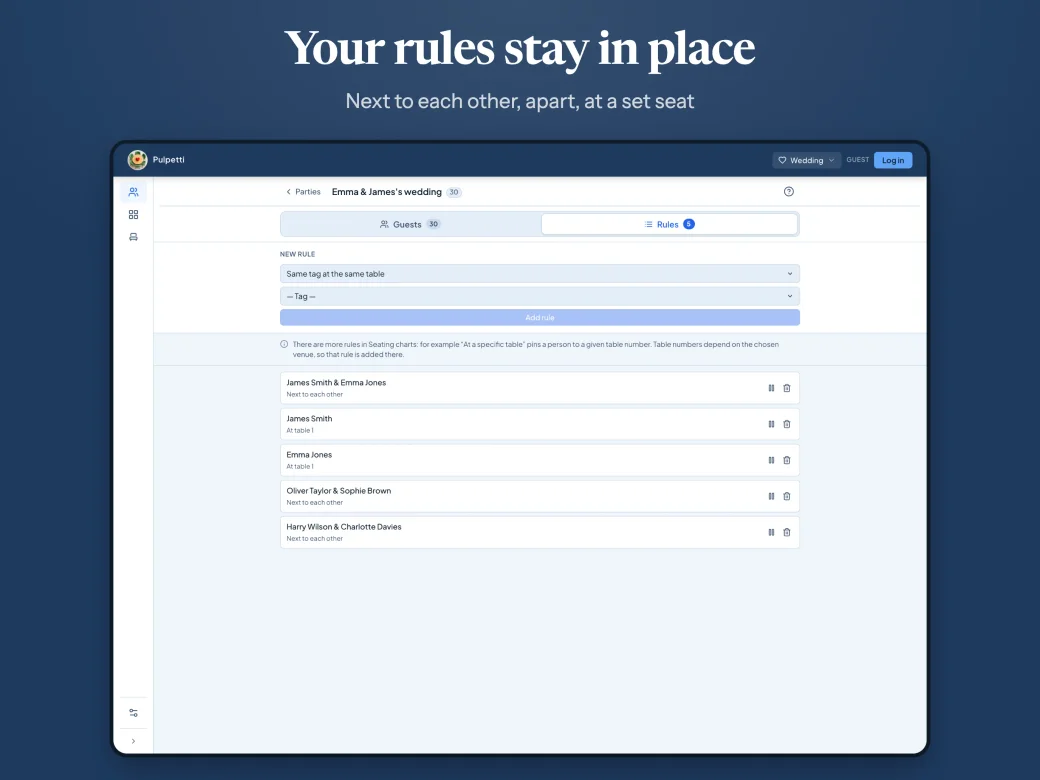
RULES THAT STAY PUT
• Not side by side, side by side, separate tables, same table, a set seat, a table of their own.
• Rules belong to the people, not to one chart, so next term's chart or the next event follows them too.
• Someone cancels? Lock the seats already agreed and redraw only the rest.
• A plain-language note names anyone whose rule is not met.
ONE APP, FOUR SETTINGS
• Classroom: rows of desks or group tables, a fresh chart every term, an exam layout in one tap.
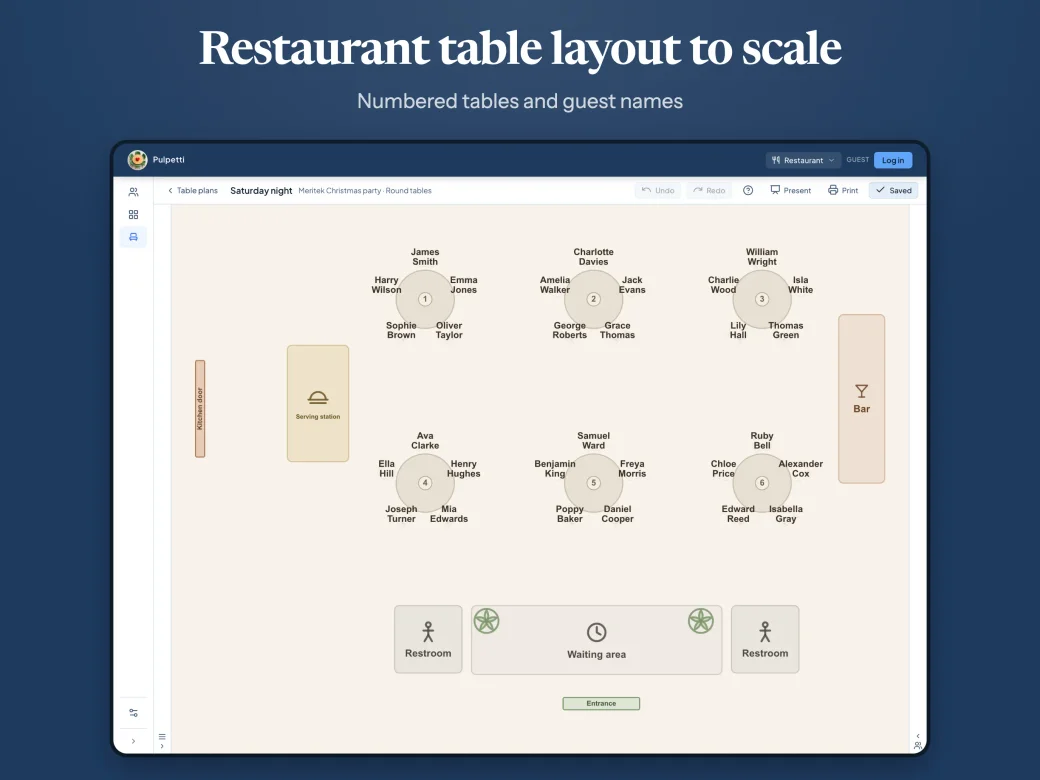
• Restaurant: the dining room to scale, table numbering and the evening's table plan printed for staff.
• Wedding: round and banquet tables, a head table, couples together and feuding relatives apart.
• Event: seminars and gala dinners, cabaret seating, tags by organization and a list for the door.
Pick a setting and the wording, furniture and templates change to match.
LAY OUT THE ROOM
Round, rectangular and cabaret tables, plus more than fifty objects: walls, doors, a stage, a dance floor, a buffet, a bar. Metric or imperial units.
PRINT AND SHARE
Eight printouts from one chart: the floor plan with names, name lists alphabetically or by table, a door list, table signs and folded place cards. Print with AirPrint or share a PDF.
MADE FOR IPAD
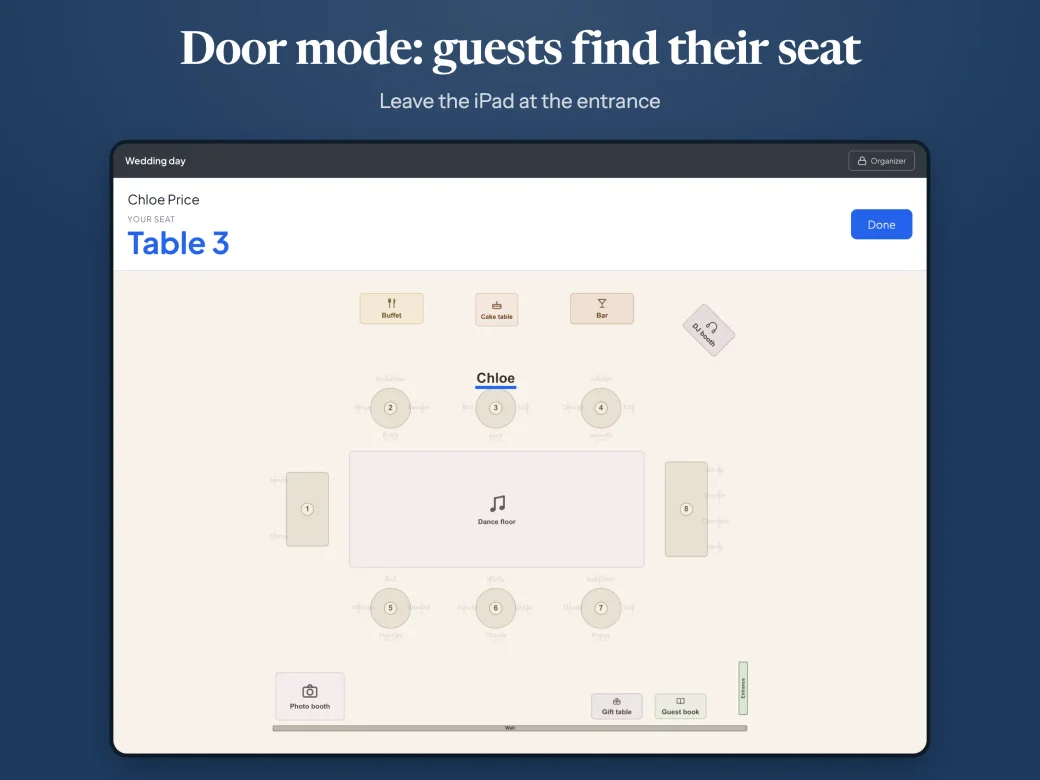
• Door mode: leave the iPad at the entrance, and guests look up their own seat.
• Presentation mode: show the chart full screen to the class or the guests.
• Works offline, at a venue with no Wi-Fi too.
• Scan a paper name list with the camera using Live Text.
• Save to Files, or share with AirDrop, Mail and Messages.
• Keyboard shortcuts with a hardware keyboard.
TRY IT FREE
Start without an account. In each setting the free version covers one group of up to 15 people, one room and one seating chart. Pulpetti Pro removes the limits and adds printing, PDF export and cloud sync. Sign in with Apple or Google, and the same account works in the browser at pulpetti.com.
Pulpetti Pro is an auto-renewing subscription, billed monthly or yearly. Payment is charged to your Apple Account at confirmation of purchase. The subscription renews automatically unless it is canceled at least 24 hours before the end of the current period. Manage or cancel it in your Apple Account settings.
Terms of Use: https://www.apple.com/legal/internet-services/itunes/dev/stdeula/
Privacy Policy: https://pulpetti.com/en/privacy
アプリのプライバシー
このアプリのデータの取り扱いについて、Tomi NevalainenがApp Storeで申告している内容です。
-
ユーザーに関連付けられたデータ
収集され、ユーザーの識別情報に関連付けられる場合があります。
- 購入
- 連絡先情報
- ユーザーコンテンツ
- ID
プライバシーの取り扱いは、ご利用の機能やお客様の年齢などに応じて異なる場合があります。
情報
- 販売元
- Tomi Nevalainen
- カテゴリ
- 仕事効率化
- バージョン
- 1.0
- 更新日
- 2026/10/15
- リリース
- 2026/10/14
- サイズ
- 12.5 MB
- 必要条件
- iOS 17.0以降
- 対象年齢
- 4+
- 価格
- 無料
- アプリ内課金
- あり
- 言語
- 英語, オランダ語, フィンランド語, フランス語, ドイツ語, イタリア語, ポーランド語, スペイン語, スウェーデン語
- 著作権
- © 2026 Code lunatics