
- 対象年齢4+
- カテゴリ写真/ビデオ
- 開発元Brent Gaddis
- 言語英語
- サイズ16.4 MB
App Storeの公式ページにリンクしています
Download.orgはPulseDriveのファイルを一切ホストしていません。ボタンを押すと、Brent Gaddisが公開しているApp Storeのアプリページが開きます。ページの最終確認:2026/11/8。
スクリーンショット

概要
開発元はこのテキストをお使いの言語で提供していません。
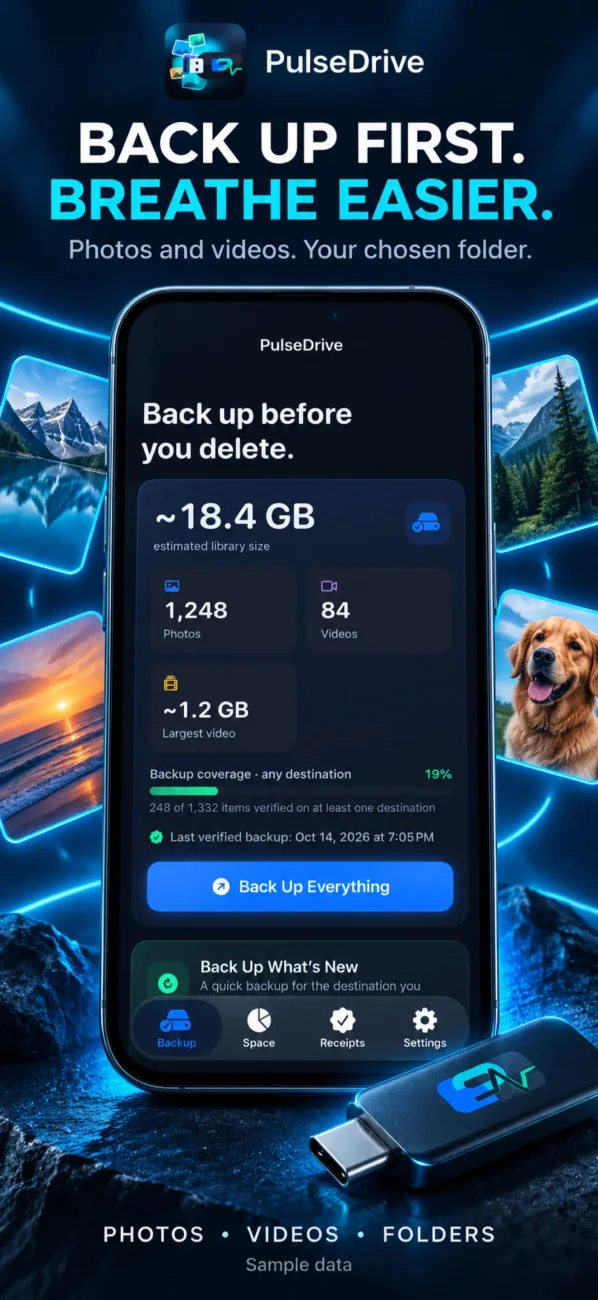
Back up before you delete. Keep private files behind a lock.
PulseDrive combines verified photo and video backups, an encrypted file Vault, and ordinary on-device file organization for iPhone and iPad.
BACK UP YOUR WAY
Copy media to a writable folder you choose through Files, including a compatible external drive. Start with your library, recent items, large videos, favorites, screenshots, an album, a date range, or your own selection. Back Up What's New skips unchanged items already verified on that destination.
CHECK THE COPY
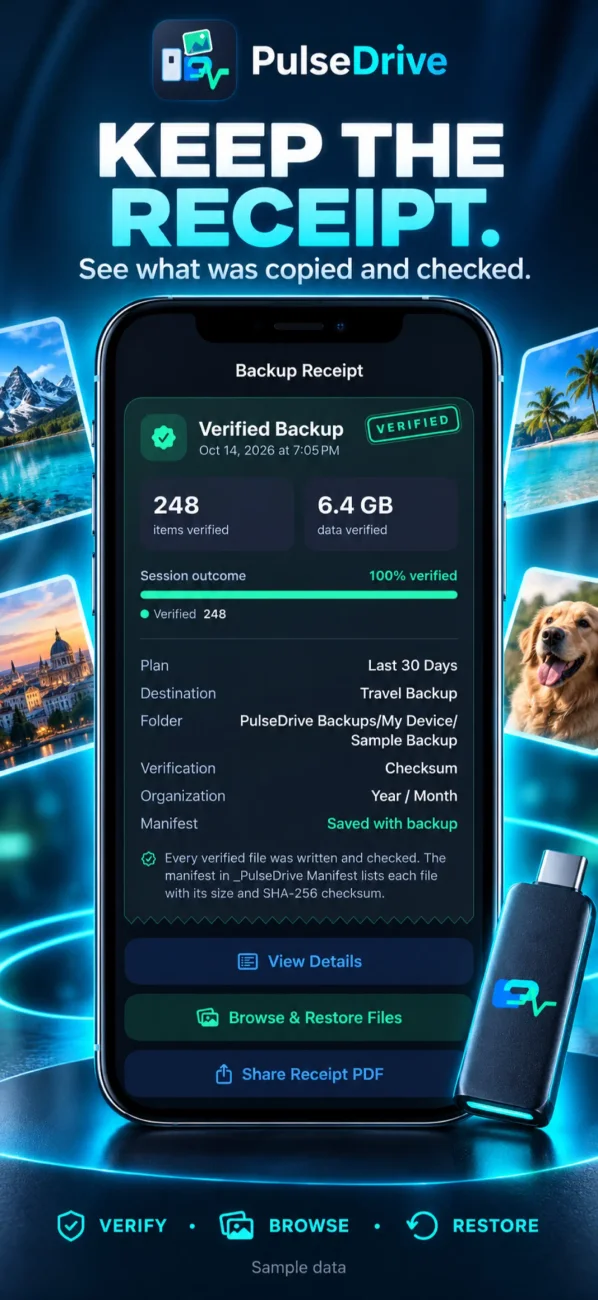
Choose Basic, Size Match, or Checksum verification. Review a completion receipt with verified items and anything needing attention. A portable manifest travels with each backup so you can import history when reconnecting its destination.
PAUSE, RESUME, AND RESTORE
Pause safely and resume unfinished work. Follow supported backup progress with a Live Activity. Browse backup files and restore selected photos or videos to Photos. Keep PulseDrive open to finish large transfers; iOS may pause work when background time expires.
A PRIVATE ENCRYPTED VAULT
Create a separate, password-protected home for personal photos, videos, documents, and other files. Use supported Face ID or Touch ID unlock, organize collections, and configure recovery options. Create encrypted Vault backups and explicitly restore them with the required password or recovery method. Vault files and encryption keys remain separate from ordinary Drive files.
QUICK SAVE AND MY DRIVE
Use Share → PulseDrive from another app to queue a file, then unlock Vault to encrypt the waiting import. My Drive provides ordinary on-device folders, search, sorting, favorites, file previews, and sending or saving a copy. Imports copy selected originals rather than deleting them.
REVIEW BEFORE REMOVING
Safe Delete checks file presence and size for its initial list, then reads selected backups again, including stored checksums, before asking Photos to remove anything. Favorites and recent items are protected by default. Nothing is deleted automatically; Photos controls final confirmation and Recently Deleted retention.
OPTIONAL WEEKLY ENCOURAGEMENT
Explore 110 Scripture references and original reflections in ten themes. Optional weekly reminders start off and let you choose a day and time. NIV passage reading opens an external Bible source; original encouragement is clearly distinguished from Bible quotations.
YOUR CHOICES
No PulseDrive account or subscription is required. Optional first-party usage analytics start off, with editable privacy choices in Settings and separate returning-use permission. Analytics exclude file contents, filenames, credentials, messages, and precise locations. Use light or dark appearance and layouts that adapt to iPhone and iPad.
A destination you select in iCloud Drive or another cloud-backed provider may sync through that provider. Originals stored only in iCloud Photos may need to download before copying. Keep independent backups of important files.
新機能
バージョン 2.2 · 2026/10/26
• Added a private encrypted file Vault with recovery options, encrypted Vault backups, and Quick Save imports from other apps.
• Added My Drive for on-device files and folders, search, favorites, previews, and sending or saving copies.
• Refined Home, drive names and artwork, backup receipts, and quick actions for Back Up New Photos, Open Vault, and Check My Backup.
• Added an optional collection of 110 Scripture references and original reflections, with weekly encouragement reminders off by default.
• Improved same-name file handling, edited-photo detection, backup proof checks, large-library scanning, pause messages, and Share extension reliability.
• Added optional usage-sharing controls. Collection starts off; returning-use measurement remains a separate choice.
アプリのプライバシー
このアプリのデータの取り扱いについて、Brent GaddisがApp Storeで申告している内容です。
-
ユーザーに関連付けられたデータ
収集され、ユーザーの識別情報に関連付けられる場合があります。
- 連絡先情報
- ユーザーコンテンツ
- ID
- 使用状況データ
- 診断
プライバシーの取り扱いは、ご利用の機能やお客様の年齢などに応じて異なる場合があります。
情報
- 販売元
- Brent Gaddis
- カテゴリ
- 写真/ビデオ
- バージョン
- 2.2
- 更新日
- 2026/10/26
- リリース
- 2026/6/16
- サイズ
- 16.4 MB
- 必要条件
- iOS 17.0以降
- 対象年齢
- 4+
- 価格
- ¥300
- 言語
- 英語
- 著作権
- Copyright © 2026 Brent Gaddis. All rights reserved.
こちらもおすすめ
-
 iVideo - Video Editor Toolbox写真/ビデオ
-
 Auto Media Resizer写真/ビデオ
-
 unPi Selfie写真/ビデオ
-
 SnapOCR – Video Text ToolSmart text extractor & remover
-
 SellShot: Product Photo Editor写真/ビデオ
-
 ShareClean-Photo Privacy Tool写真/ビデオ
-
 動画の音を消す - 音声抽出とミュートビデオの雑音除去、音楽を保存
-
 Cut´n Convert PNG写真/ビデオ
-
 PresetCollection写真/ビデオ
-
 Pantala: Motion Video Editor写真/ビデオ