- 対象年齢4+
- カテゴリミュージック
- 開発元Pygraphics, Inc.
- 言語英語ほか10言語
- サイズ474.5 MB
App Storeの公式ページにリンクしています
Download.orgはPyware 3DXのファイルを一切ホストしていません。ボタンを押すと、Pygraphics, Inc.が公開しているApp Storeのアプリページが開きます。ページの最終確認:2026/11/18。
スクリーンショット





概要
開発元はこのテキストをお使いの言語で提供していません。
Pyware 3DX brings the most trusted name in drill design to every device you own. Design, animate, and teach your marching show anywhere — on a tablet at rehearsal, a laptop on the road, or a desktop in the studio — with one license and settings that sync across all of your devices.
Since 1982, Pyware has been recognized as the leader in drill design software. It is a staple for high school and collegiate marching bands, and it has been used for major events including Super Bowl halftime shows, Olympic opening and closing ceremonies, and the Macy's Thanksgiving Day Parade.
DESIGN • A full catalog of professional drill design tools: blocks, curves, shapes, and freehand sketching • Sequence multiple shapes at once, with a hand-picked leader for each • Morph, mirror, resize, and warp formations • Fine-grained snapping, splitting, and path editing • Label performers with symbols, colors, and auto-positioned labels
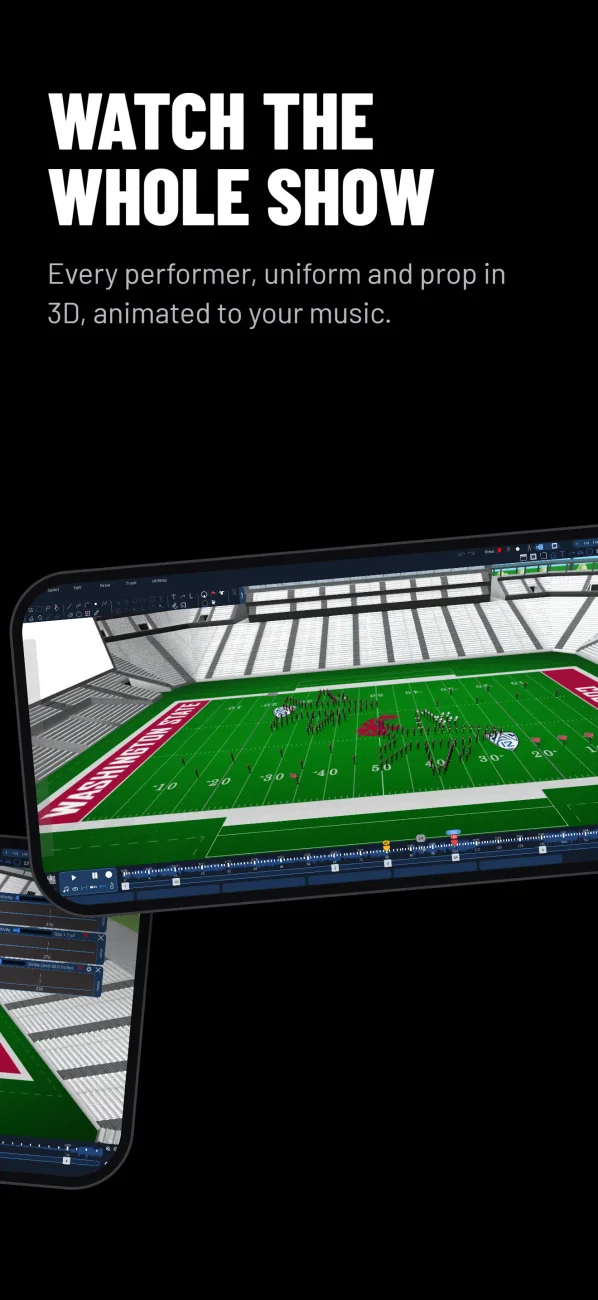
VISUALIZE • Smooth real-time 3D animation of your entire show • Uniforms, instruments, equipment, and props — including flags with realistic cloth physics • Layered visuals with labeled tabs on the count track • Sync animation to your show audio, with metronome support
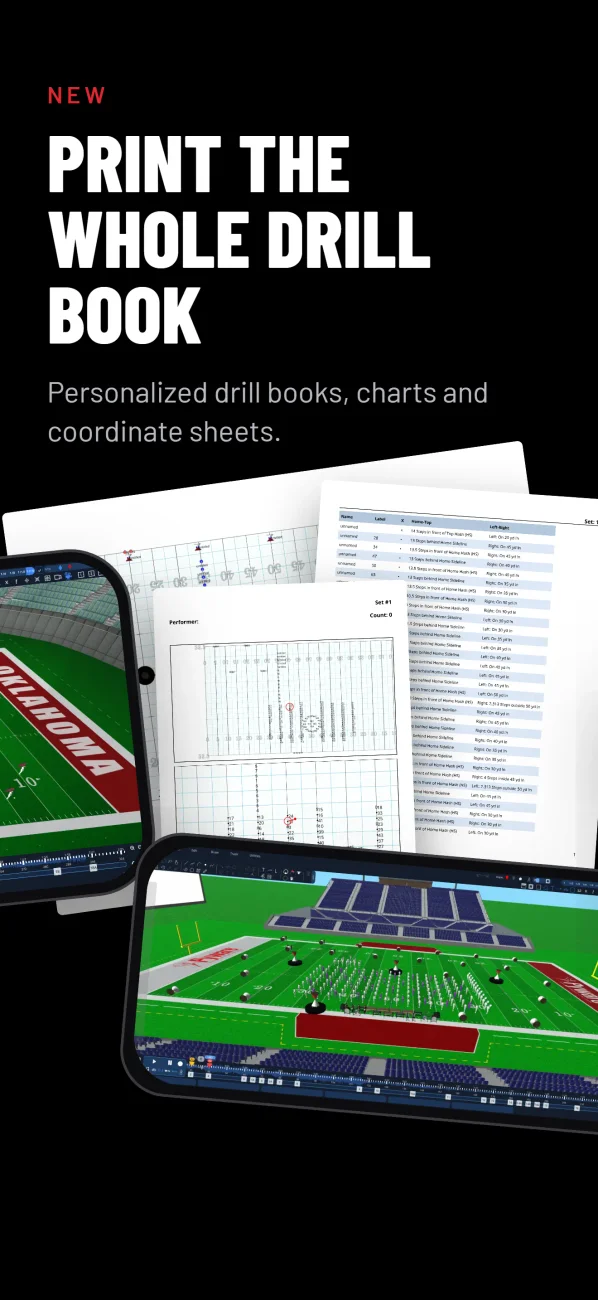
REHEARSE & TEACH • Interactive Reference Tool: spotlight performers and measure distances and intervals right on the field • Print complete drill books, coordinate sheets, and production sheets • Import, merge, and export cast lists • Record video of your drill to share with staff and students
WORK ANYWHERE • One license across desktop, laptop, and mobile • Your settings follow you to every device • Securely upload and share your drill online
Available in three editions, Pyware 3D can be used by ensembles of any size or skill level.
新機能
バージョン 1.0.8 · 2026/10/12
Interactive Reference Tool
- New Set Reference Tool — highlight one or many performers on the field in real time
- Distance measurement between performers, with show/hide measurement display
- Latency indicators between microphone and speaker, with directional arrows and step-back
- Set Reference target images
- Stage audio equipment: speakers, microphones, and frames (Gaffer)
Drill Design Tools
- Sequence with multiple shapes at once, with a user-pickable leader for each shape
- Sequencing on mirrored morphs
- Mirroring in the Resize tool, including Warp mode
- Knife Tool: Split at Corners
- Multi-shape morph quick-edit handles cover all shapes
- Relocation handles in the Push Tool (show/hide state remembered)
- Snap To dialog and snap-to-resolution for track path handles; configurable handle snap/drag options
- Sequencer stays active in both Draw and Assign modes
- Path sizes displayed in "steps to 5" format
Visual Tabs
- New visual-layer tabs on the count track: label every visual layer, and tabs move with anchors
- Show/hide visual layers from the Visuals inspector
Sketch
- Paste As Sketch
- Open sketch books from version 10
- Sketch points always visible while editing
- Improved sketch editing handles and actor-based sketch selection
Transfer Performers
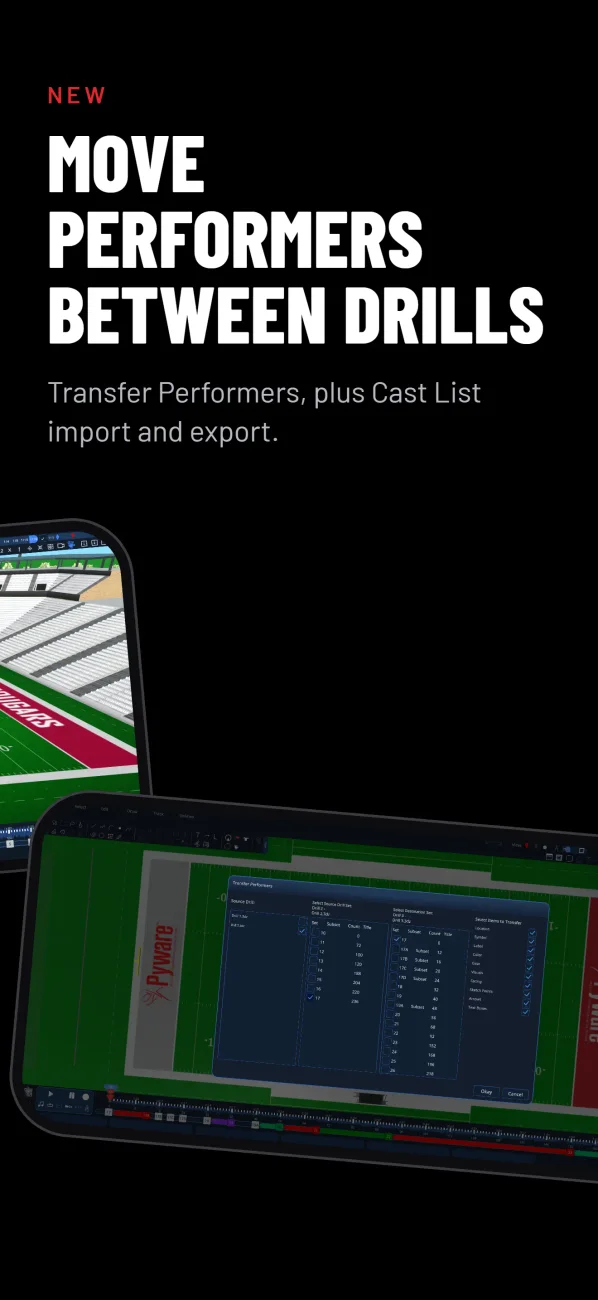
- Utilities > Transfer Performers — move performers between drills
Cast List
- Cast List import with merge, and export
- Add cast members directly in the Cast List Editor
Label Tool
- Symbol/Color apply modes: All Counts, Anchor Range, Anchor Range To End
- Symbol by pattern
- Label Autopositioner
- Up/Down arrow keys move focus to the next/previous label
Selection Tools
- Double/triple-click select by Same Instrument/Equipment or Same Uniform/Prop
- Lock Selection across all counts
- Average interval shown in the HUD
- Position and max/min stride info in the status bar; performer info when hovering
Printing & Publishing
- Drill Book printer
- 3da file export from printing
- Zoomed printing
- Print grid improvements
- Secure UDB upload straight to the website, with Grid Terms favorites (save, load, reset)
Settings, Sync & Performance
- Cross-device settings sync
- Performance & Energy Settings dialog — frame rate, quality, and energy controls
- Major editing-performance improvements for large drills
- Check for beta updates
Files & Media
- Save a Copy As
- Native file picker
- Screen-recording improvements
- Audio sync improvements, including march speed driven by audio sync
Content Library
- New instruments and props: guitars and bass guitar, 2026 Drum Corps Models, mini stage, sundial, fountain sculpture, headphone gear, swing flags
- Flags with cloth physics and marcher collision
- Metronome sounds
- Prop opacity control and aspect-ratio-preserving prop sizing
Everyday Workflow Polish
- Jog marker left/right keyboard shortcuts
- Page tab navigation keeps the primary count in view; Jump Thumbnail / Jump Production Sheet scroll the track into view
- Alt-click on the tick panel adds a standard page tab
- Default staging presets
- Expanded localization / translations
アプリのプライバシー
このアプリのデータの取り扱いについて、Pygraphics, Inc.がApp Storeで申告している内容です。
-
ユーザーに関連付けられないデータ
収集される場合がありますが、ユーザーの識別情報には関連付けられません。
- 連絡先情報
- ID
- 使用状況データ
- 診断
プライバシーの取り扱いは、ご利用の機能やお客様の年齢などに応じて異なる場合があります。
情報
- 販売元
- Software Shapers, Inc.
- カテゴリ
- ミュージック
- バージョン
- 1.0.8
- 更新日
- 2026/10/12
- リリース
- 2023/10/30
- サイズ
- 474.5 MB
- 必要条件
- iOS 15.0以降
- 対象年齢
- 4+
- 価格
- 無料
- 言語
- 英語, オランダ語, フランス語, ドイツ語, インドネシア語, 日本語, ポルトガル語, 簡体字中国語, スペイン語, タガログ語, 繁体字中国語
- 著作権
- © Copyright 2026 Pygraphics