QingMo - Markdown Editor
Live preview, flash publish
iPhone, iPad, Mac向けに設計
無料 · アプリ内課金
- 対象年齢4+
- カテゴリ仕事効率化
- 開発元兆卓 张
- 言語英語ほか2言語
- サイズ28.2 MB
App Storeの公式ページにリンクしています
Download.orgはQingMo - Markdown Editorのファイルを一切ホストしていません。ボタンを押すと、兆卓 张が公開しているApp Storeのアプリページが開きます。ページの最終確認:2026/11/12。
スクリーンショット

概要
開発元はこのテキストをお使いの言語で提供していません。
QingMo is a cross-platform Markdown editor built for a smooth writing flow. Edit on the left, see the rendered result on the right in real time — no more switching back and forth between syntax and output.
— Live Preview —
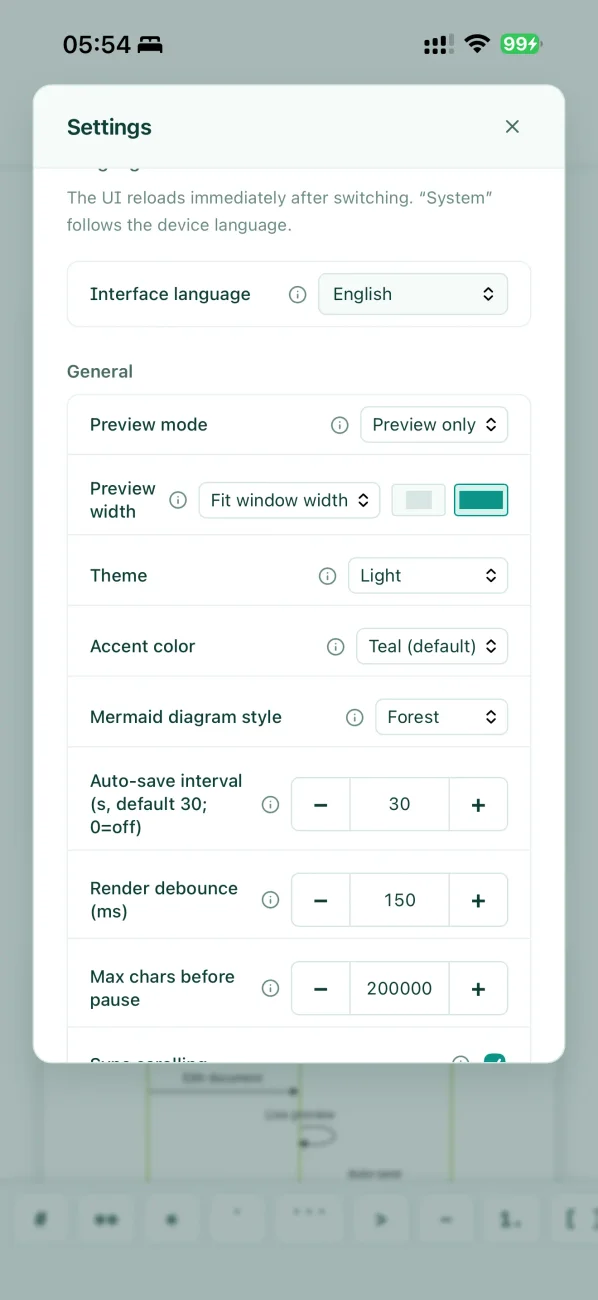
Rendering kicks in the moment you stop typing, with millisecond response. Switch freely between source, split, and preview modes. In split mode the editor and preview scroll in sync, so you never lose your place in long documents.
— Navigate Long Documents —
- Minimap: a structural overview on the right edge, color-coded by headings, body, and code. Click or drag to jump — accurate even with soft wrapping.
- Sticky Header: keeps the full heading path of your current position pinned at the top while scrolling; click any level to jump back.
- Two-way Linked Highlight: select text on one side and the matching text on the other is highlighted automatically.
(All optional, toggleable in Settings, off by default.)
— Full Markdown Support —
- CommonMark: headings, emphasis, lists, quotes, links, images, rules
- GitHub Flavored Markdown: tables, task lists, strikethrough, autolinks
- KaTeX math: inline $...$ and block $$...$$, rendered offline
- Superscript and subscript for chemical formulas and math notes
- Syntax highlighting for dozens of languages: Python, Swift, Rust, Go, Java, JavaScript, SQL, and more
— Fast Input —
One-tap toolbar for bold, headings, lists, tables, formulas and more. On mobile, a quick-symbol bar sits above the keyboard so hard-to-type characters are always within reach. Full keyboard shortcuts for external keyboard users.
— Consistent Across Devices + iCloud Sync —
iPhone, iPad, and Mac share the same rendering core for consistent results everywhere. Turn on iCloud and your documents sync automatically across devices signed in to your Apple ID.
— Handy File Management —
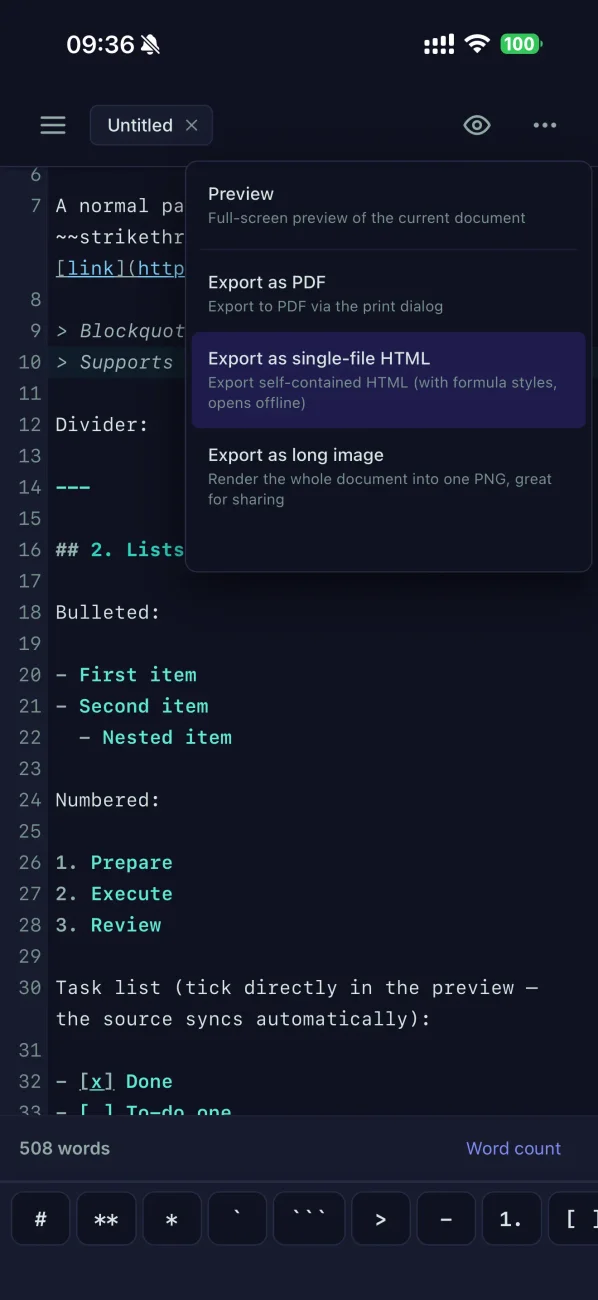
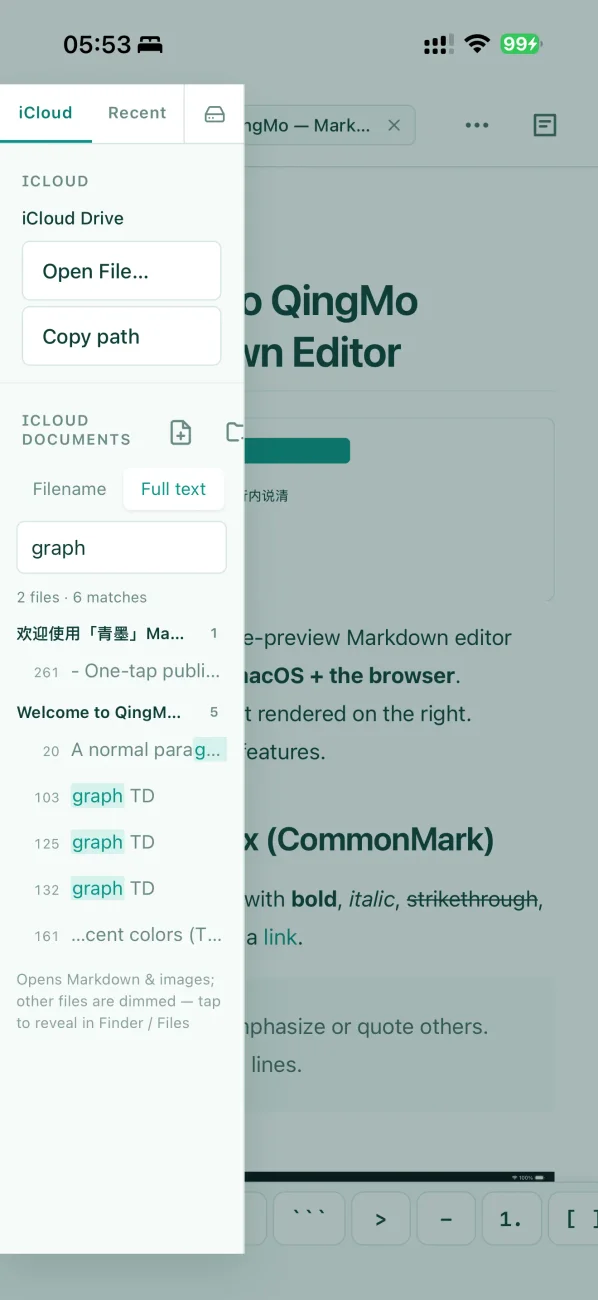
A built-in file explorer: create, rename, delete, duplicate, and drag items into folders. Export to PDF or a single self-contained HTML file for easy sharing and archiving.
— Privacy First —
QingMo collects no personal data and contains no ads or trackers. Your documents stay in the local folder you choose or in your own iCloud container.
— QingMo Pro (optional) —
The core writing experience is free forever. A one-time QingMo Pro purchase (no subscription) unlocks advanced extras:
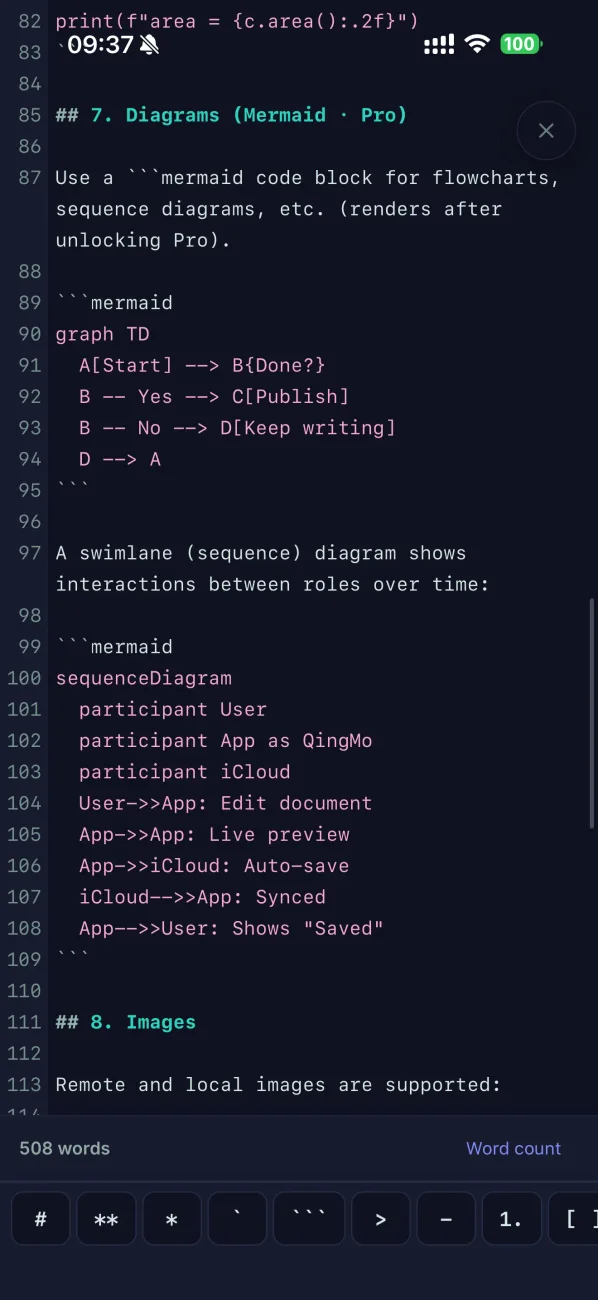
- Mermaid diagrams (flowcharts, sequences, Gantt)
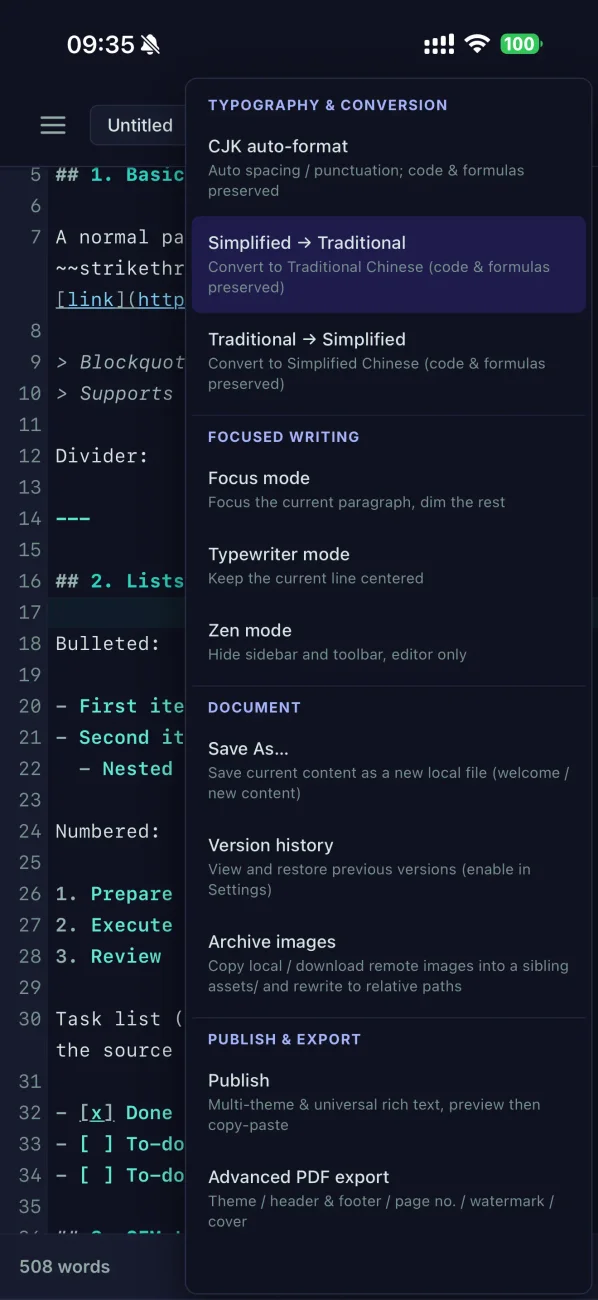
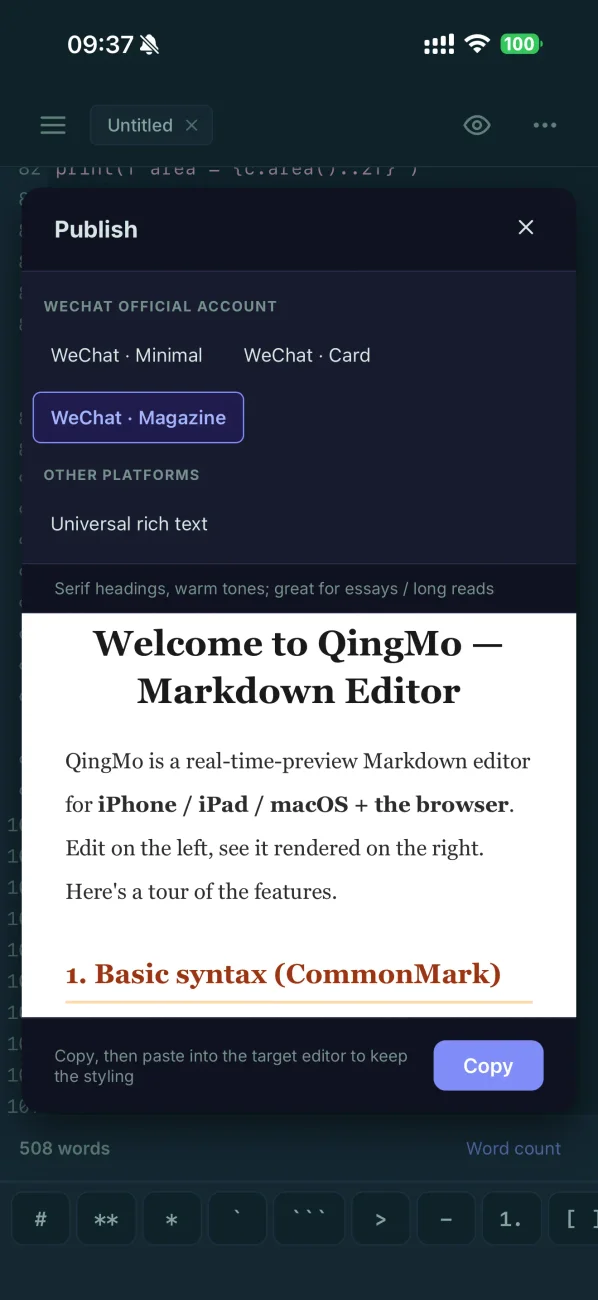
- One-tap publishing and Chinese typography tools (auto spacing, simplified/traditional conversion)
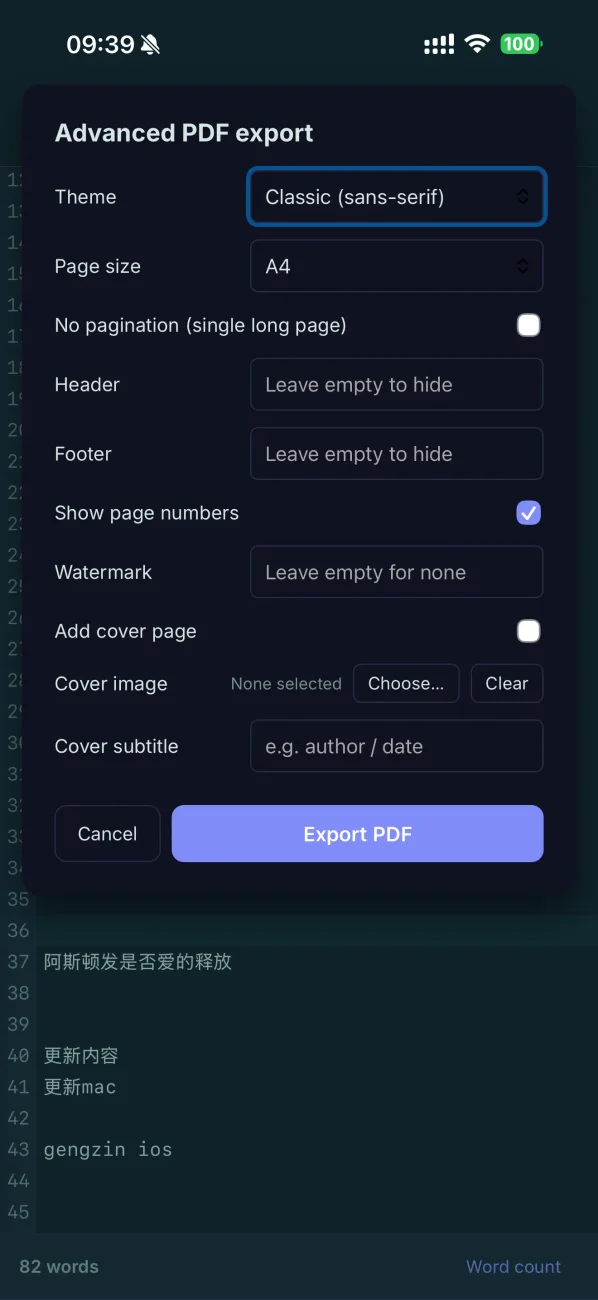
- Advanced PDF export (themes, headers/footers, page numbers, watermark, cover) and long-image export
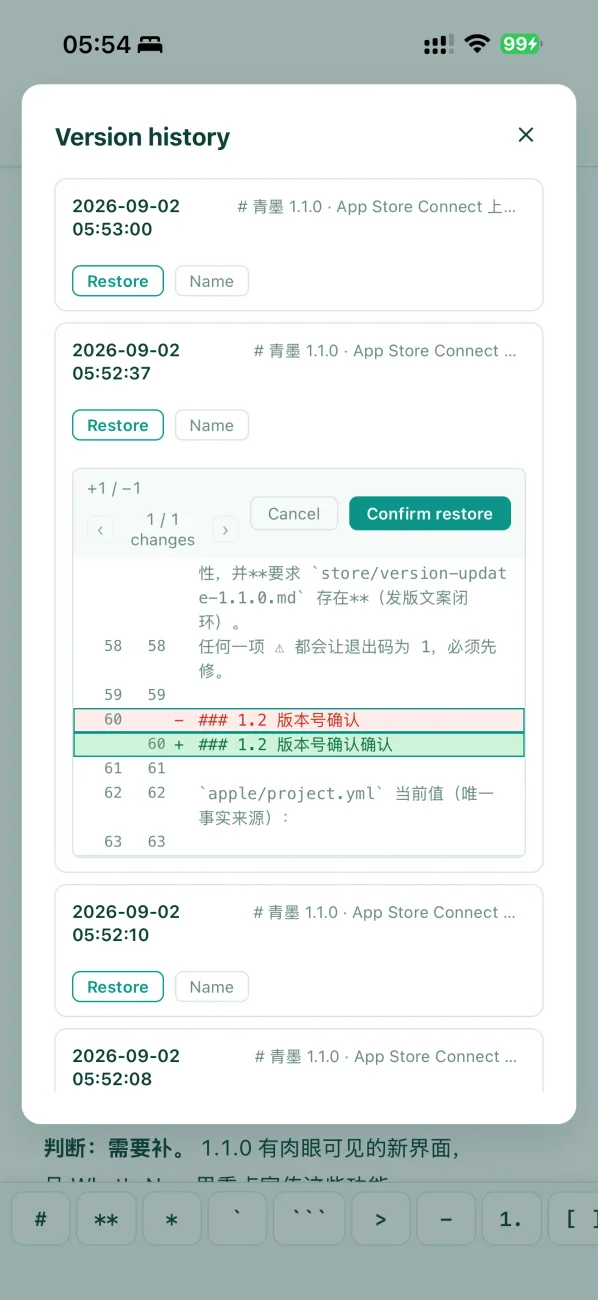
- Version history, detailed word count, focus mode, and image archiving
Purchase is handled entirely by the App Store, and "Restore Purchases" is available.
Whether you are writing technical notes, organizing to-dos, drafting papers, or capturing ideas, QingMo keeps you focused on the content.
新機能
バージョン 1.1.2 · 2026/10/26
QingMo 1.1.2 - Smoother indentation, a more accurate minimap, more reliable restore
New
- Outdent shortcut (Cmd + [): select one or more lines and press to remove one indentation level, the exact inverse of Shift + Tab.
Fixes and improvements
- Fixed the Minimap stretching each line to fill the window on short documents; line heights now stay proportional to the actual text, so long and short documents look consistent.
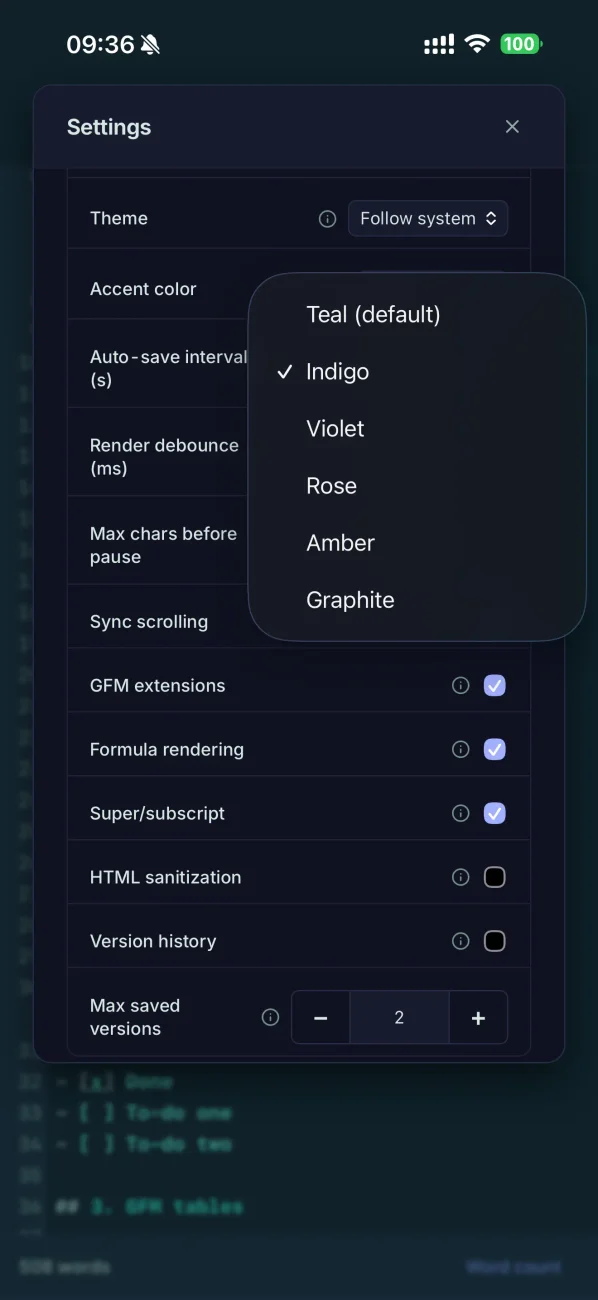
- Fixed minimap row colors not matching the editor's syntax colors; the minimap now follows the selected accent palette (indigo, violet, rose, amber, graphite) and repaints instantly when you switch.
- Fixed inverted colors inside code blocks in the minimap: fence lines used to be drawn with the code color while the code content was drawn like body text, the opposite of the editor. Code content now uses the code color and fence lines use the body color, consistent for Mermaid, Python, and any other block.
- Fixed the Keyboard Shortcuts window cutting off its bottom content with no way to scroll up; all shortcut rows can now be scrolled into view.
- Fixed Restore Purchase: dismissing the sign-in prompt is no longer reported as "no purchases found"; network failures, storefront unavailability, and verification failures now each show a specific reason.
- Fixed Restore Purchase in Settings doing nothing when it fails; the Pro section now shows the failure reason inline, and the buttons show "Restoring..." and are disabled to prevent duplicate taps.
As always: core writing features are free forever, with no ads and no personal data collection. Feedback welcome.
アプリのプライバシー
このアプリのデータの取り扱いについて、兆卓 张がApp Storeで申告している内容です。
-
データの収集なし
開発元はこのアプリからデータを収集しません。
プライバシーの取り扱いは、ご利用の機能やお客様の年齢などに応じて異なる場合があります。
情報
- 販売元
- 兆卓 张
- カテゴリ
- 仕事効率化
- バージョン
- 1.1.2
- 更新日
- 2026/10/26
- リリース
- 2026/7/13
- サイズ
- 28.2 MB
- 必要条件
- iOS 16.0以降
- 対象年齢
- 4+
- 価格
- 無料
- アプリ内課金
- あり
- 言語
- 英語, 簡体字中国語, 繁体字中国語
- 著作権
- © 2026 QingMo