- 対象年齢4+
- カテゴリ仕事効率化
- 開発元Talon Strike Software
- 言語英語
- サイズ18.2 MB
App Storeの公式ページにリンクしています
Download.orgはQuantaTimeのファイルを一切ホストしていません。ボタンを押すと、Talon Strike Softwareが公開しているApp Storeのアプリページが開きます。ページの最終確認:2026/11/20。
スクリーンショット
概要
開発元はこのテキストをお使いの言語で提供していません。
QuantaTime: Your Private, Powerful Time Manager
Tired of complex, data-hungry time trackers? QuantaTime is the intuitive, privacy-first app designed to give you true insight into how you spend your day. Built by a professional for professionals, QuantaTime solves the problem of complicated apps and questionable data practices.
Core Features for Effortless Tracking:
- Projects & Tasks: Log your time with precision by tracking activities across custom Projects and the Tasks within them.
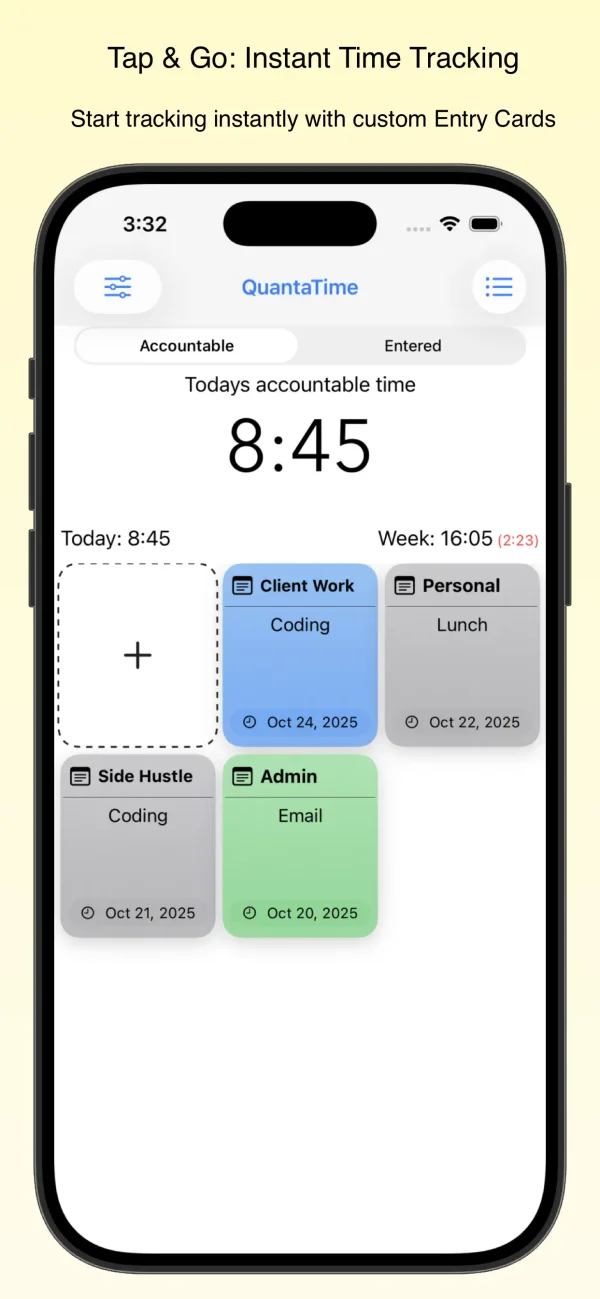
- Quick Entry Cards: The Home screen features Entry Cards for project/task combinations you use often, allowing you to start tracking with a single tap.
- iOS & watchOS Support: Track your time seamlessly on your iPhone and directly from your Apple Watch.
- Complete Data Privacy: No account setup is required. Your data is stored securely on your device and in your personal iCloud account, never on third-party servers.
Focus on Accountability & Accuracy:
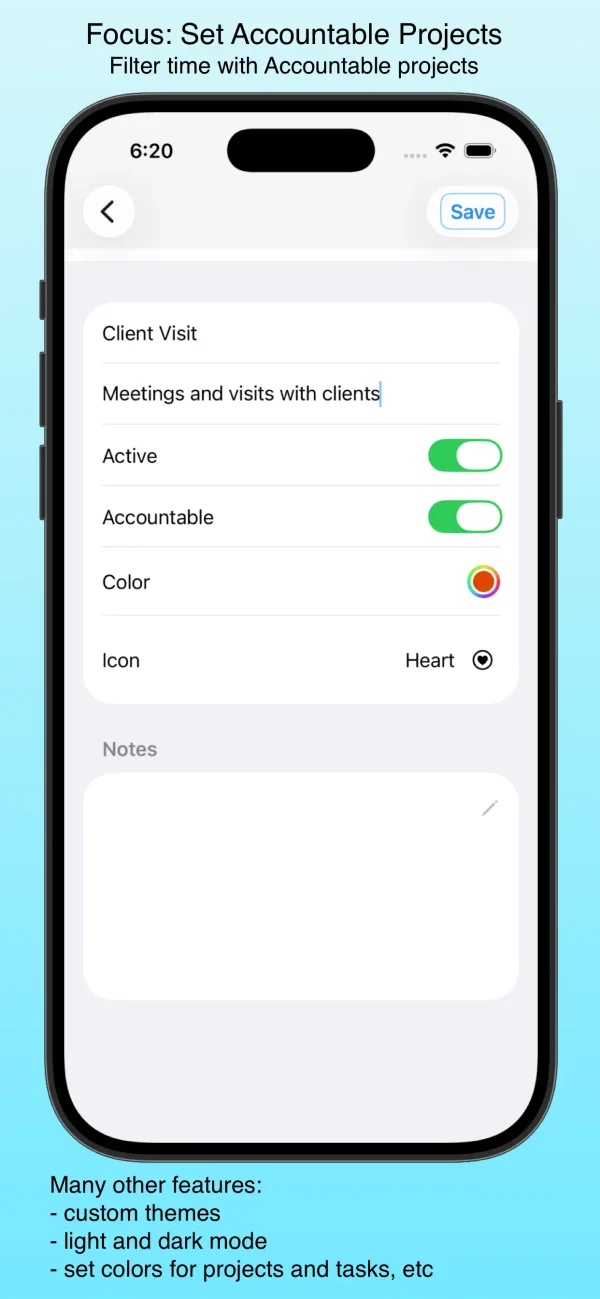
- Accountable Time: Mark projects as Accountable to filter your reporting and easily focus on hitting your work goals.
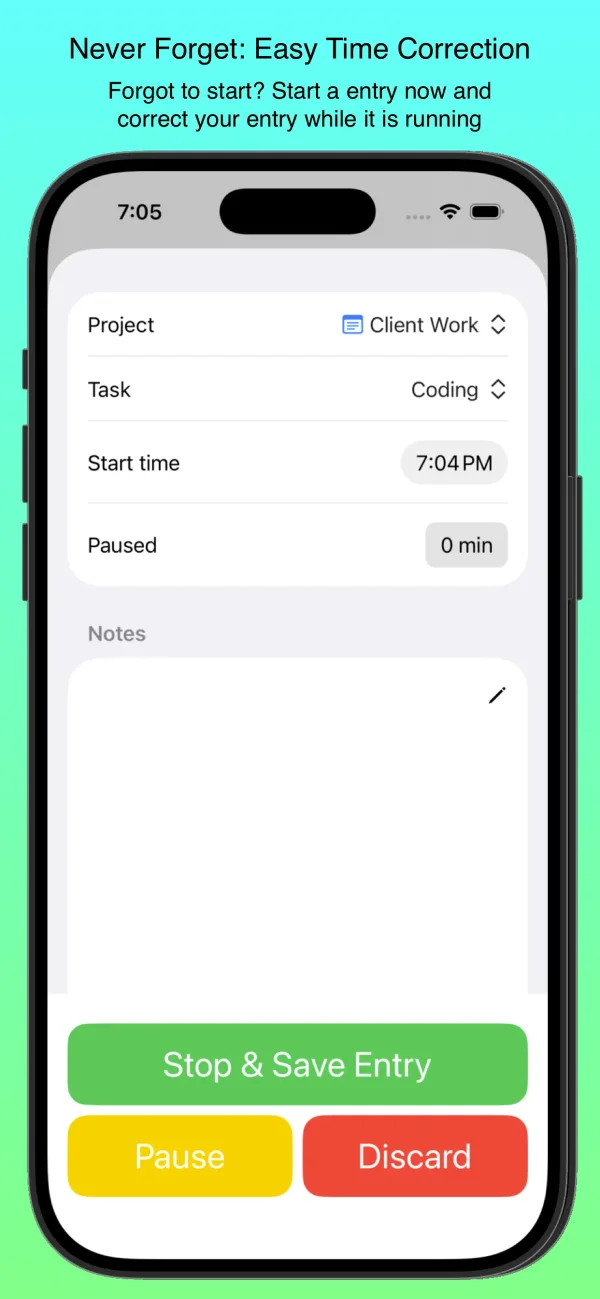
- Time Correction Tools: If you forget to start or stop a task, easily edit the start or end time of any entry, even while it's running.
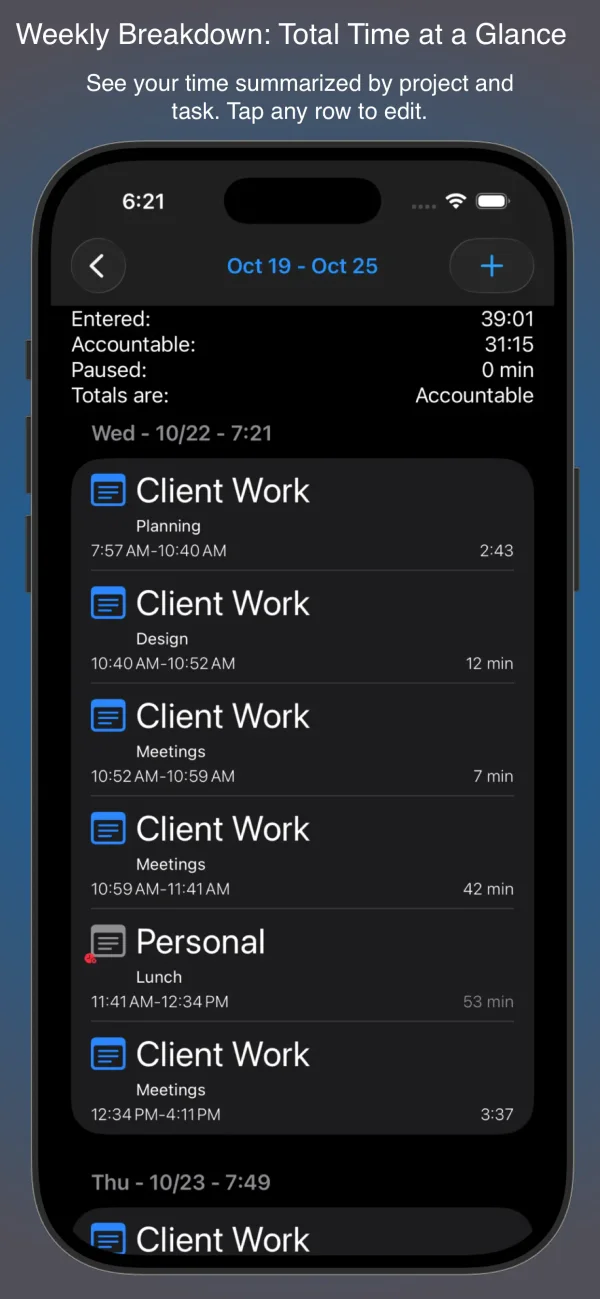
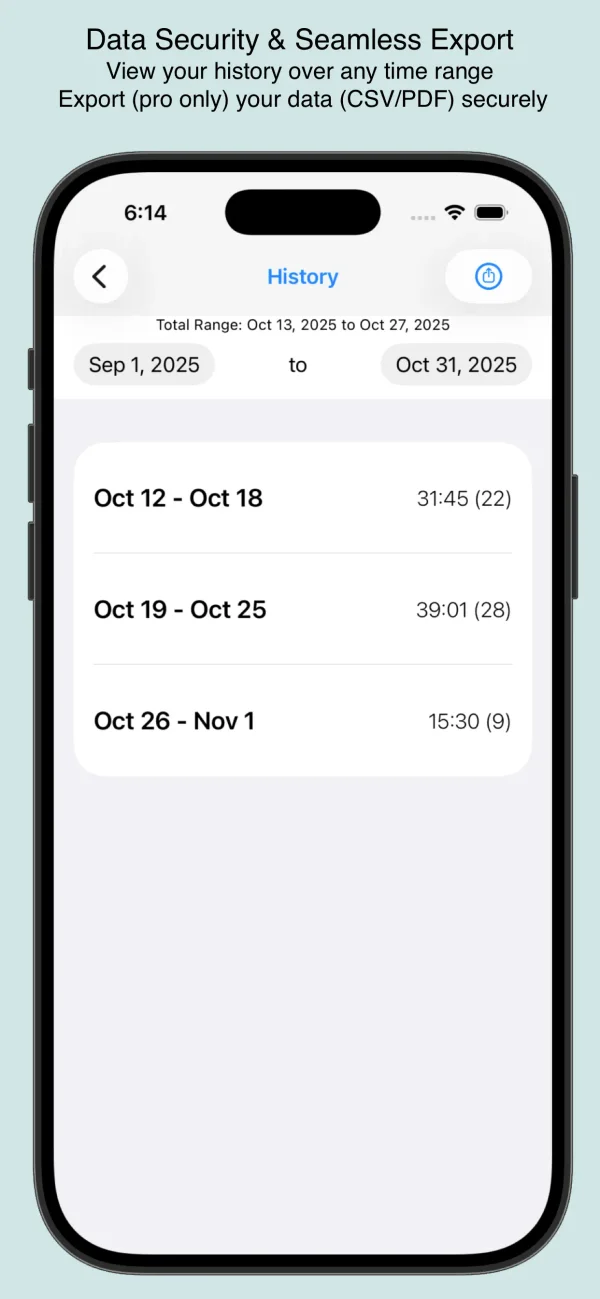
- Detailed Views: Review your entries with dedicated screens for Today, This Week, and a full History view grouped by week.
Unlock True Insight with QuantaTime Pro:
- Upgrade to QuantaTime Pro to unlock the app’s full potential and turn your data into action:
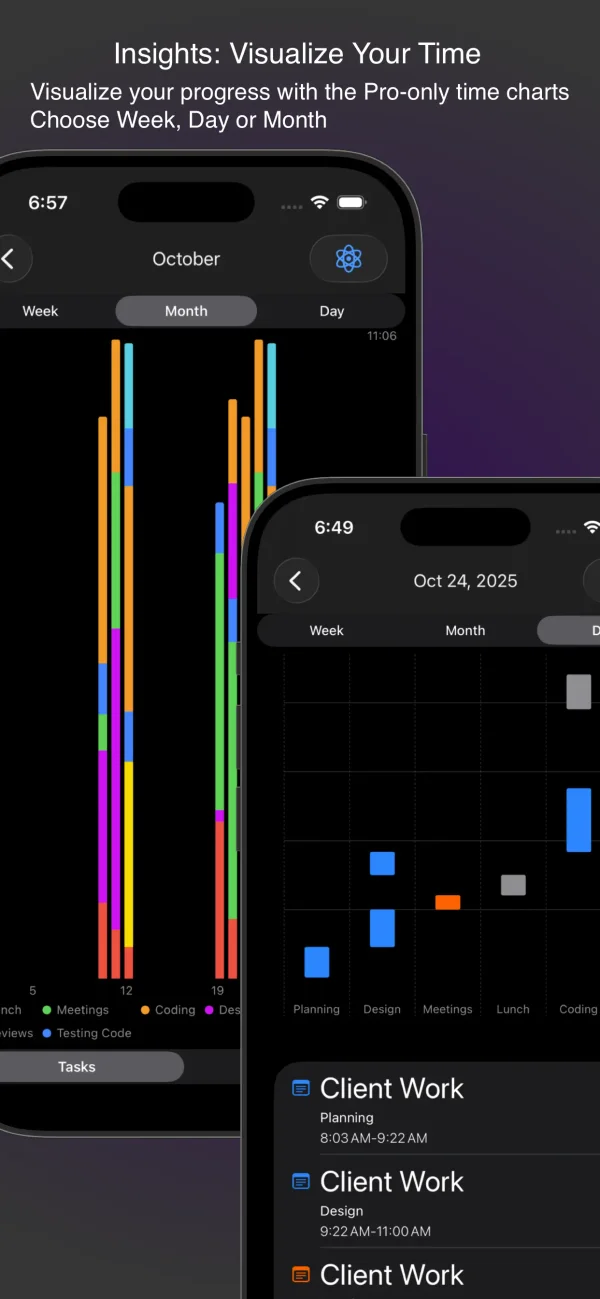
- Advanced Analytics: Access the Charts view to visualize your time usage by Week, Month, or Day, helping you spot trends and manage productivity.
- Unlimited Tracking: Create an unlimited number of active Projects and Tasks to track every part of your day without restriction.
- Secure Data Exports: Confidently generate and share PDF and CSV exports of your logged entries for billing, historical records, or deep-dive analysis in a spreadsheet.
Stop guessing where your time goes. Download QuantaTime today and start managing your most valuable resource with power, simplicity, and privacy.
Terms and conditions: https://www.apple.com/legal/internet-services/itunes/dev/stdeula/
新機能
バージョン 1.1.3 · 2026/10/6
General Changes:
- Added a view version of the export page so you can see a quick glance of filtered entries without having to generate a report and view it in files
- Added an overlay at the bottom of the main screen to avoid accidental task changes when exiting the app or using your device
- Reworked how overlapping entries are indicated and saving of them
- Reworked how notes are edited to provide more room for entry and to ensure accidentally opening the notes editor doesn't happen
- Added the ability to show time, and particularly total times in decimals instead of seconds. This helps when your time accounting system wants you to enter time in decimal fractions of an hour as it is directly calculated.
- Added an animation when a task is running to make it more clear a task is running
- Reworked the lock screen widgets to show current accumulated time
IPad Changes:
- Now has four cards per row on home screen
- Better layout on several screens
- "Recent Tasks" limit is increased to 24
New Settings:
- Show close button on dialogs: indicate if you want an explicit close button shown on dialogs
- Show close button on right side: indicate where the close button should be shown (if enabled)
- Show partial hours in decimals: indicate whether time should be shown in hours and minutes or hours and fractions of hours - where apprpriate
- Allow saving overlapping entries: you can now indicate if you want the system to allow saving entries that overlap previously saved entries
Bugs fixed:
- Onboarding now disables the active option when creating the first project and task - I mean why would the first one of either of these be inactive
- Fixed a color picker bug on tasks where before it would work, but the component didn't look like you had actually chosen a color until you saved it and came back.
- Fixed issue when changing theme, tap actions only registered if the image or description was tapped
- Some UI elements were not honoring theme changes immediately
- Fixed issue with initial sizing when iPad was in landscape
- Fixed issue where day charts did not immediately pick up date change
アプリのプライバシー
このアプリのデータの取り扱いについて、Talon Strike SoftwareがApp Storeで申告している内容です。
-
ユーザーに関連付けられないデータ
収集される場合がありますが、ユーザーの識別情報には関連付けられません。
- 購入
プライバシーの取り扱いは、ご利用の機能やお客様の年齢などに応じて異なる場合があります。
情報
- 販売元
- Mark Astin
- カテゴリ
- 仕事効率化
- バージョン
- 1.1.3
- 更新日
- 2026/10/6
- リリース
- 2025/11/5
- サイズ
- 18.2 MB
- 必要条件
- iOS 18.0以降
- 対象年齢
- 4+
- 価格
- 無料
- アプリ内課金
- あり
- 言語
- 英語
- 著作権
- © 2026 TalonStrike Software Solutions