- 対象年齢4+
- カテゴリファイナンス
- 開発元NATHANIEL ALLEN FREDERICKS
- 言語英語
- サイズ18.0 MB
App Storeの公式ページにリンクしています
Download.orgはReceiptBinのファイルを一切ホストしていません。ボタンを押すと、NATHANIEL ALLEN FREDERICKSが公開しているApp Storeのアプリページが開きます。ページの最終確認:2026/11/24。
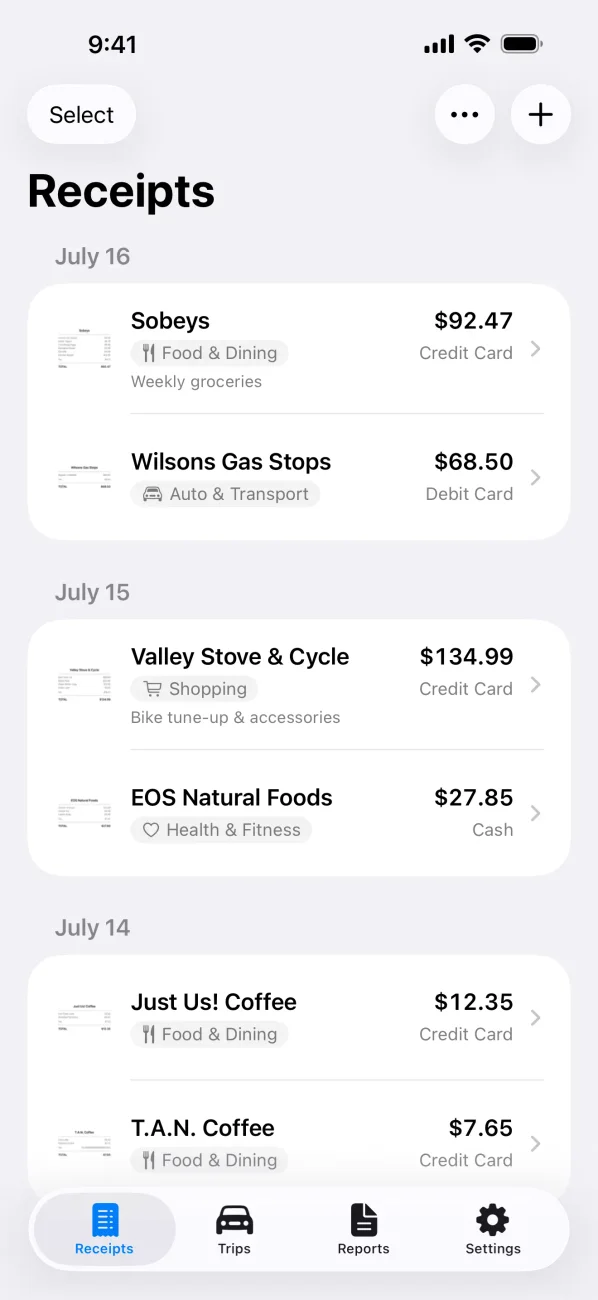
スクリーンショット

概要
開発元はこのテキストをお使いの言語で提供していません。
Your receipts, organized effortlessly.
Just scan a receipt with your camera and ReceiptBin fills in the details for you—merchant, date, total, tax, and line items. You can also track mileage, organize with categories and tags, and export whenever you need.
FEATURES
Autofill: Just point your camera at a receipt. Merchant, date, total, tax, tip, currency, and line items fill in automatically. Everything works right on your device.
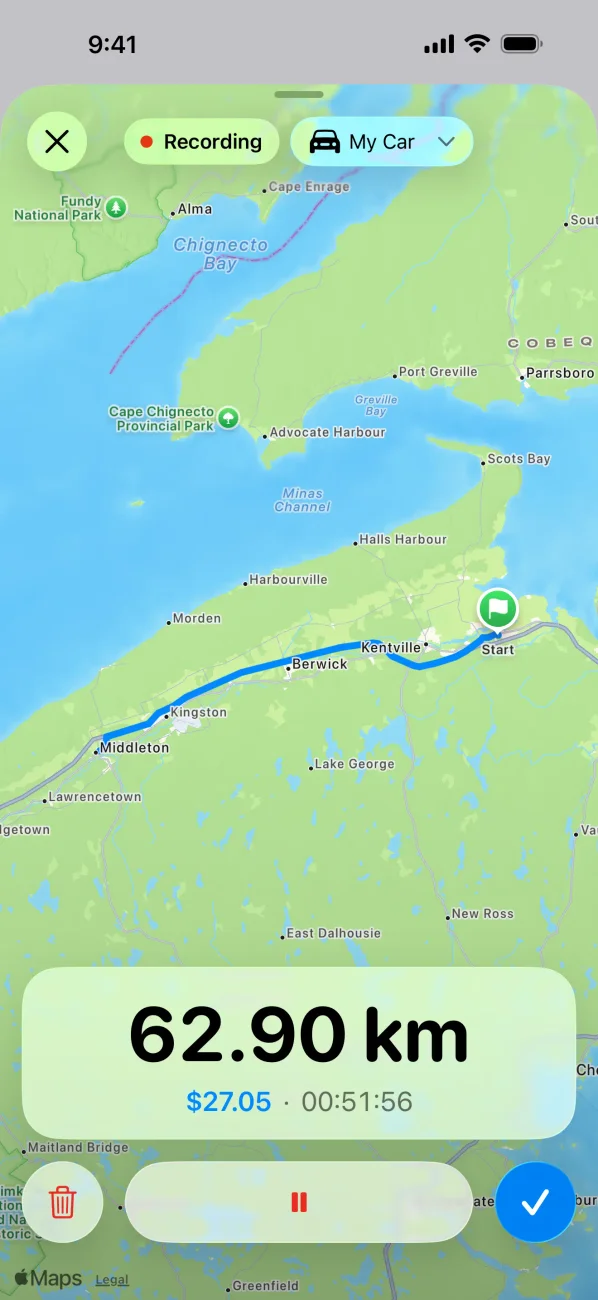
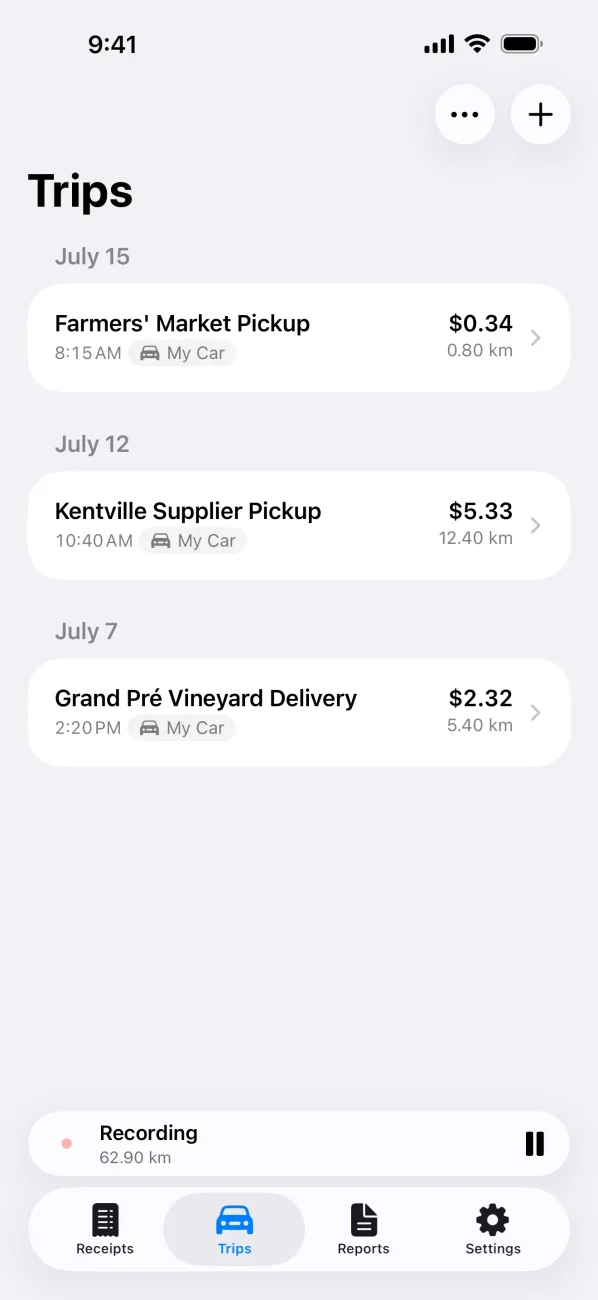
Mileage Tracking: Record your drive and ReceiptBin measures the distance using GPS. You can even watch your trip from your Lock Screen with Live Activity. Set up your vehicles and rates, or log trips manually. Your mileage appears in your reports along with your receipts.
Categories and Tags: Create your own categories, tags, and payment methods. Organize by project, client, deduction type, or whatever works best for you.
Full-Text Search: Every word on your receipts is indexed. Search for a product name, amount, or even "warranty" and find it fast. You can also filter by category, tag, date range, or payment method.
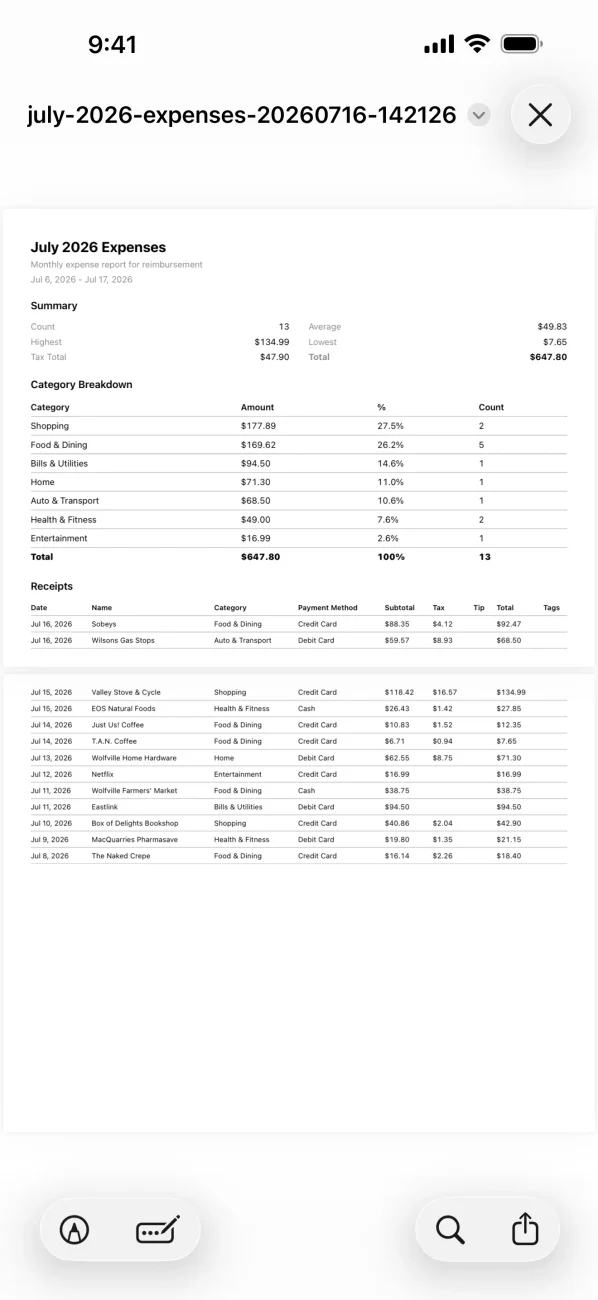
Reports: Export your data as PDF or CSV. Filter by date, category, or tag. You can include receipt images either embedded or as a separate ZIP file.
Email Import: Get your own forwarding address. Just send email receipts there and they’ll appear in the app, already filled in.
YNAB Integration: Connect your YNAB account and link receipts to your transactions. The receipt link appears in the transaction memo, so proof of purchase is just one tap away from your budget.
AND ALSO
• iCloud Sync across all your devices
• Multi-page scanning for long receipts and invoices
• Spotlight search from your home screen
• Siri Shortcuts support
• Share extension to save receipts from other apps
• Home screen widgets
• Recently deleted folder (30 days)
• Archive for receipts you want to keep but tuck away
PRIVACY
Autofill works entirely on your device. Your trips and routes stay on your device and in your iCloud. Your location is never sent to our servers. No account needed.
PRICING
ReceiptBin is free. Autofill, categories, tags, manual mileage logging, YNAB, and iCloud sync are all included. Upgrade to ReceiptBin Plus to unlock cloud autofill, email import, reports, and GPS trip recording.
LEGAL
Terms of Use (EULA): ↑
https://www.apple.com/legal/internet-services/itunes/dev/stdeula/
Privacy Policy:
https://receiptbin.app/privacy-policy
新機能
バージョン 1.3 · 2026/11/23
• The Inbox now flags receipts that need a closer look, including missing totals and possible duplicates. You can import receipts that are ready all at once.
• Fixed a bug where retrying an email import could save a duplicate receipt.
• ReceiptBin now suggests YNAB transactions based on the receipt amount, currency, date, and payee. You can retry a failed memo update.
• Mark reimbursement reports as draft, submitted, or paid. See how much you’re still owed and share reports with supporting receipts.
• Add return and warranty dates to your receipts and view them together from the Receipts tab. Tap a date to reopen the receipt.
• We’ve improved cloud autofill for photos and PDFs.
• We’ve also made other improvements and fixes behind the scenes.
アプリのプライバシー
このアプリのデータの取り扱いについて、NATHANIEL ALLEN FREDERICKSがApp Storeで申告している内容です。
-
ユーザーに関連付けられたデータ
収集され、ユーザーの識別情報に関連付けられる場合があります。
- 位置情報
- ID
- 使用状況データ
- 診断
- その他のデータ
プライバシーの取り扱いは、ご利用の機能やお客様の年齢などに応じて異なる場合があります。
情報
- 販売元
- NATHANIEL ALLEN FREDERICKS
- カテゴリ
- ファイナンス
- バージョン
- 1.3
- 更新日
- 2026/11/23
- リリース
- 2026/4/10
- サイズ
- 18.0 MB
- 必要条件
- iOS 26.0以降
- 対象年齢
- 4+
- 価格
- 無料
- アプリ内課金
- あり
- 言語
- 英語
- 著作権
- © 2026 Nathan Fredericks
こちらもおすすめ
-
 ReceiptCapファイナンス
-
 Recu: OnDevice Receipt Scannerファイナンス
-
 レシートスキャン:経費管理走行距離・確定申告レポート
-
 Snapstub: Receipt Scannerファイナンス
-
 ReceiptFox:レシート読取経費・確定申告・走行記録
-
 Receipt Scanner: DocuFlexProファイナンス
-
 AI家計簿・レシート読取: Receetoレシート読取・支出管理・確定申告
-
 Purso: 家計簿・負債管理口座連携なし。オフライン対応。
-
 Scanomy: AI支出トラッカーレシートをスキャン、Excel出力
-
 Categorizr: Receipt Scannerファイナンス