
- 対象年齢4+
- カテゴリファイナンス
- 開発元Mobile Innovations LLC
- 言語英語
- サイズ6.3 MB
App Storeの公式ページにリンクしています
Download.orgはReceiptHQのファイルを一切ホストしていません。ボタンを押すと、Mobile Innovations LLCが公開しているApp Storeのアプリページが開きます。ページの最終確認:2026/11/18。
スクリーンショット


概要
開発元はこのテキストをお使いの言語で提供していません。
Every receipt you lose is money you gave away. ReceiptHQ makes sure that never happens again.
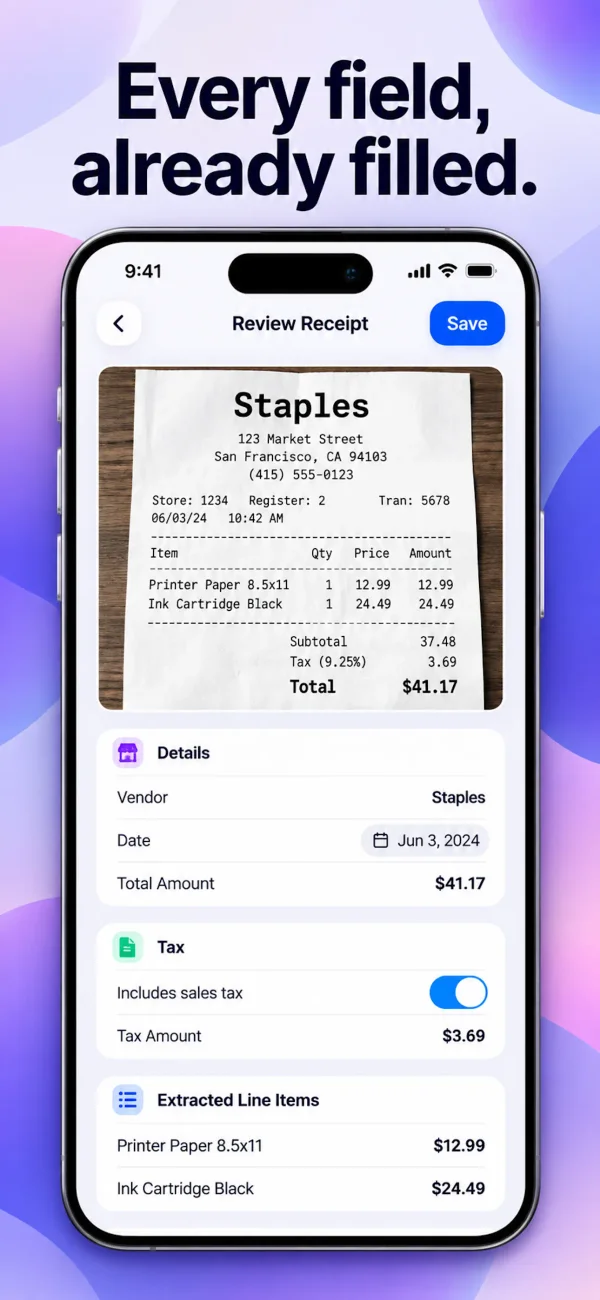
Snap a receipt and watch it land on the right Schedule C tax line — automatically, with your estimated tax savings shown on the spot. Drive for work? Your miles log themselves. Already spent the money? Import a bank statement and ReceiptHQ finds the write-offs you missed. At tax time, everything your accountant needs is one tap away.
Built for freelancers, 1099 contractors, gig workers, and anyone with self-employment income. No account required, either.
WHY RECEIPTHQ IS DIFFERENT
Most receipt apps read the text and stop there — you still do the tax thinking. ReceiptHQ's on-device AI predicts the correct Schedule C category for every expense, learns your vendors, and shows what each deduction is worth: "≈ $14 estimated tax savings." You watch your savings grow all year instead of guessing in April.
And it all runs ON YOUR IPHONE — no servers, no account, no tracking. Our privacy label says it plainly: Data Not Collected.
SCAN. CATEGORIZED. DONE.
Snap with your camera, import from Photos, or share from any app
Amounts, dates, and vendors extracted automatically
AI suggests the right Schedule C line — confirm with one tap
Anything uncertain is flagged for review, never guessed
FOUND MONEY — WRITE-OFFS HIDING IN YOUR STATEMENTS
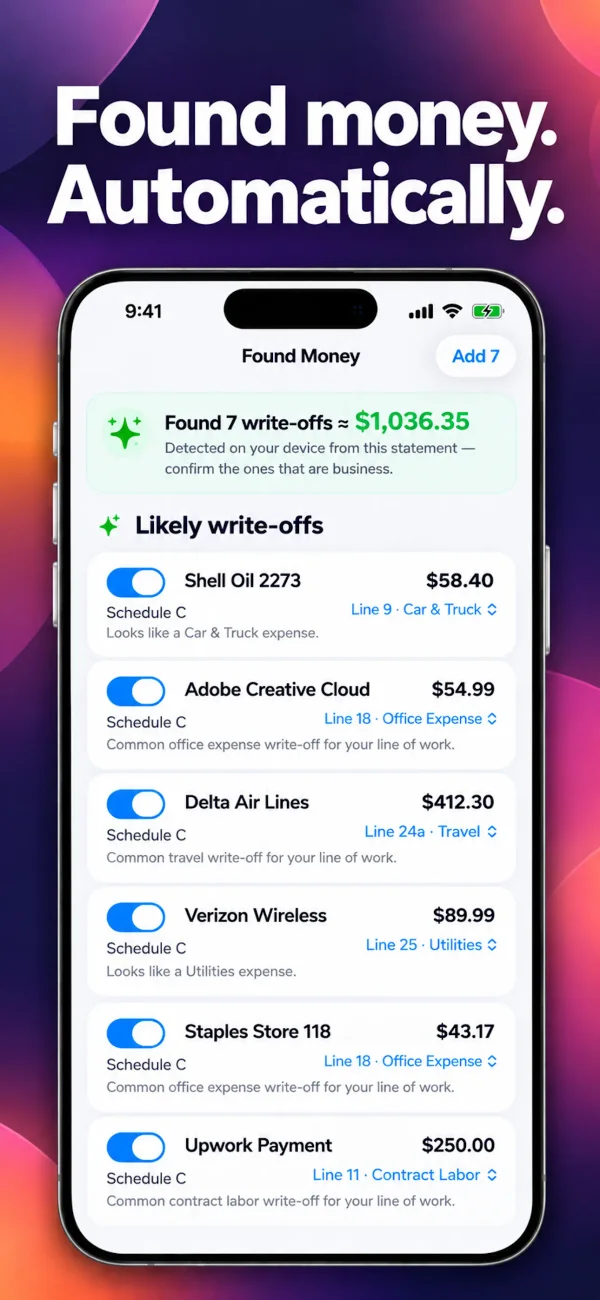
Import a bank or card statement (PDF, CSV, or QFX/OFX) and ReceiptHQ scans it on your device for missed deductions
See the total instantly: "Found 7 write-offs ≈ $1,036 in deductions"
Each arrives pre-sorted to its Schedule C line — confirm with a tap
No bank connection, no login — ever
VERIFIED DEDUCTIONS — NEVER COUNT A PURCHASE TWICE
Scanned a receipt AND imported the matching bank charge? ReceiptHQ sees it's the same purchase, links them, and marks the deduction "Verified" — no double-counting, with your receipt kept as proof
GET PAID
Create professional invoice PDFs with your logo and clean templates
Add your own payment links — clients pay by tappable link or QR code
Mark an invoice paid and it flows into your income and tax totals
We're never in the money flow — you keep 100%
MAXIMIZE EVERY DEDUCTION
The Deduction Optimizer shows which method saves more: home office (simplified vs. actual) and vehicle (standard mileage vs. actual expenses) — private math on your iPhone
MILEAGE THAT TRACKS ITSELF
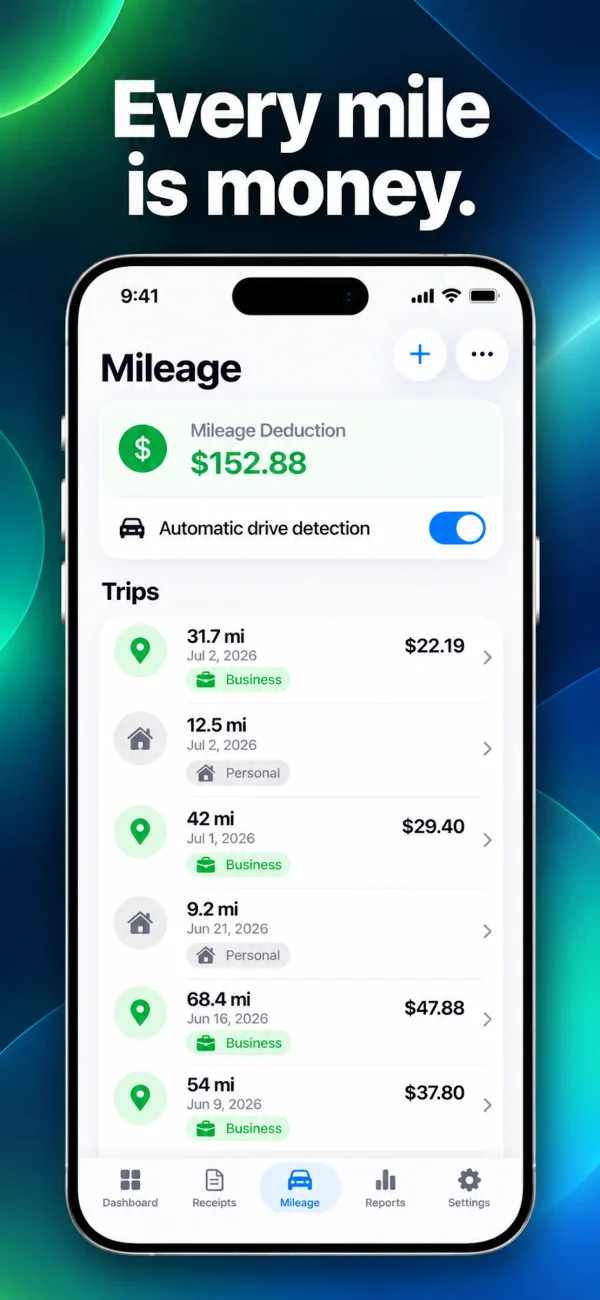
Start a drive with one tap, or let automatic detection catch it
Classify business or personal with a swipe; a Live Activity shows your deduction adding up as you drive
IRS-compliant log, always export-ready
KNOW WHERE YOU STAND, ALL YEAR
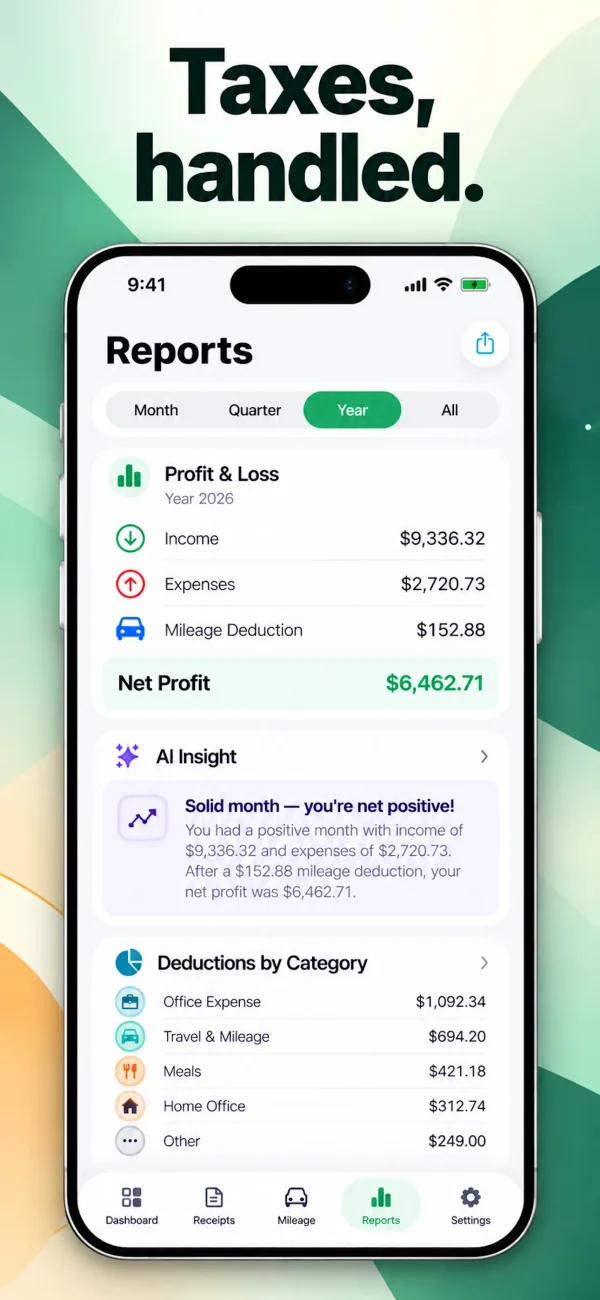
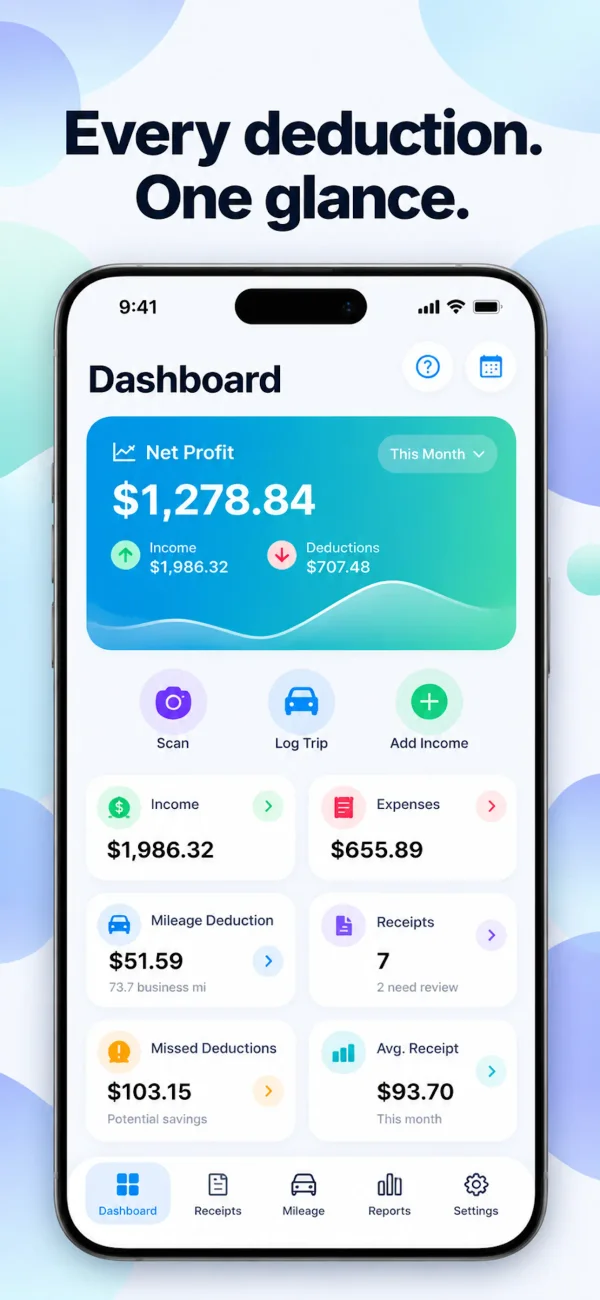
A dashboard with net profit, deductions, and estimated savings at a glance
Deduction Finder surfaces write-offs you missed
Quarterly tax estimate tells you what to set aside — with reminders before each IRS deadline and a one-tap link to pay at IRS Direct Pay
ASK RECEIPTHQ, IN PLAIN ENGLISH
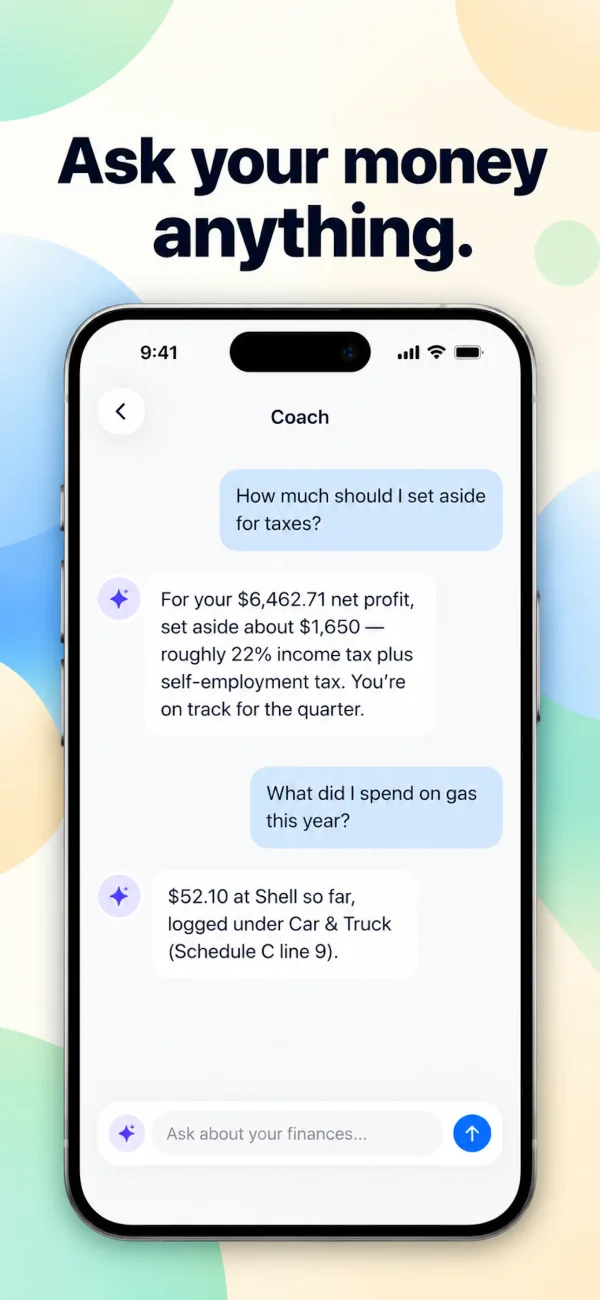
Chat with your finances: "What did I spend on supplies this quarter?" Answers come from your own numbers, computed privately on your iPhone.
TAX TIME IN ONE TAP
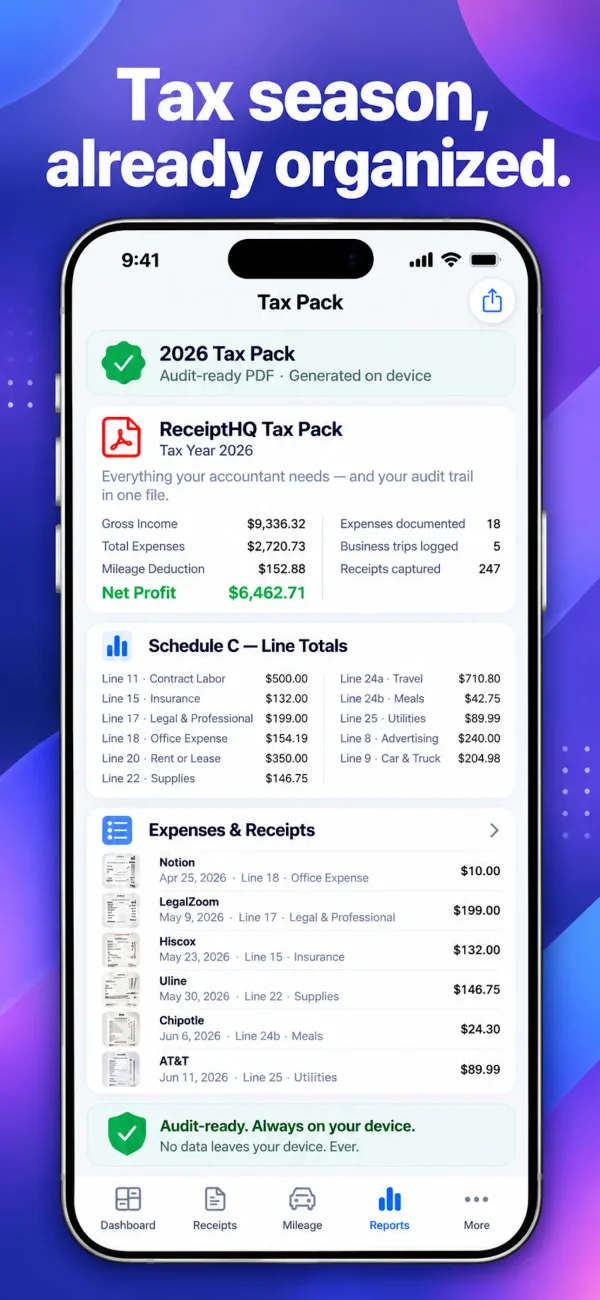
Audit-Ready Tax Pack: Schedule C totals, every receipt image, and your full mileage log in one PDF
Accountant Pack: a full Schedule C CSV for your accountant or tax software
Hand it over. You're done.
PRIVATE BY DESIGN
All AI runs on your iPhone — nothing is uploaded, ever
Optional iCloud sync to your own private iCloud, only if you turn it on
Face ID lock built in
FREE TO START
Scan and store receipts, send invoices, log miles and income, and see what the AI can do — free
Your deductions are already happening. Start keeping them.
—
Tax savings shown are estimates based on your inputs and are not tax advice. Subscriptions auto-renew unless canceled at least 24 hours before the period ends; manage in Settings.
Terms of Use: https://www.apple.com/legal/internet-services/itunes/dev/stdeula/
Privacy Policy: https://www.mobileinnov.com/PrivacyPolicy.html
新機能
バージョン 2.5 · 2026/10/14
MULTIPLE BUSINESSES (Pro)
Run more than one side hustle? Give each business its own books.
• Add, rename and manage businesses in Settings › Businesses.
• Assign receipts, trips, income, 1099s, invoices and imported statements to a business. New entries default to the last one you used.
• Dashboard and Reports can show one business or all of them. Your quarterly tax set-aside still uses your combined profit.
• Get one Schedule C per business: CSV export, TurboTax (TXF) export and the Tax Pack are all split by business.
• Ask ReceiptHQ can answer questions about a single business.
Already have data? It stays in your main business, so you don't have to set anything up.
BUILT FOR IPHONE DUO AND BIGGER WINDOWS
ReceiptHQ now makes use of the extra room when the screen is unfolded:
• A sidebar for moving between sections.
• Dashboard stats and cards in multiple columns.
• Receipts shows your list and the receipt you're editing side by side, with the photo next to its fields.
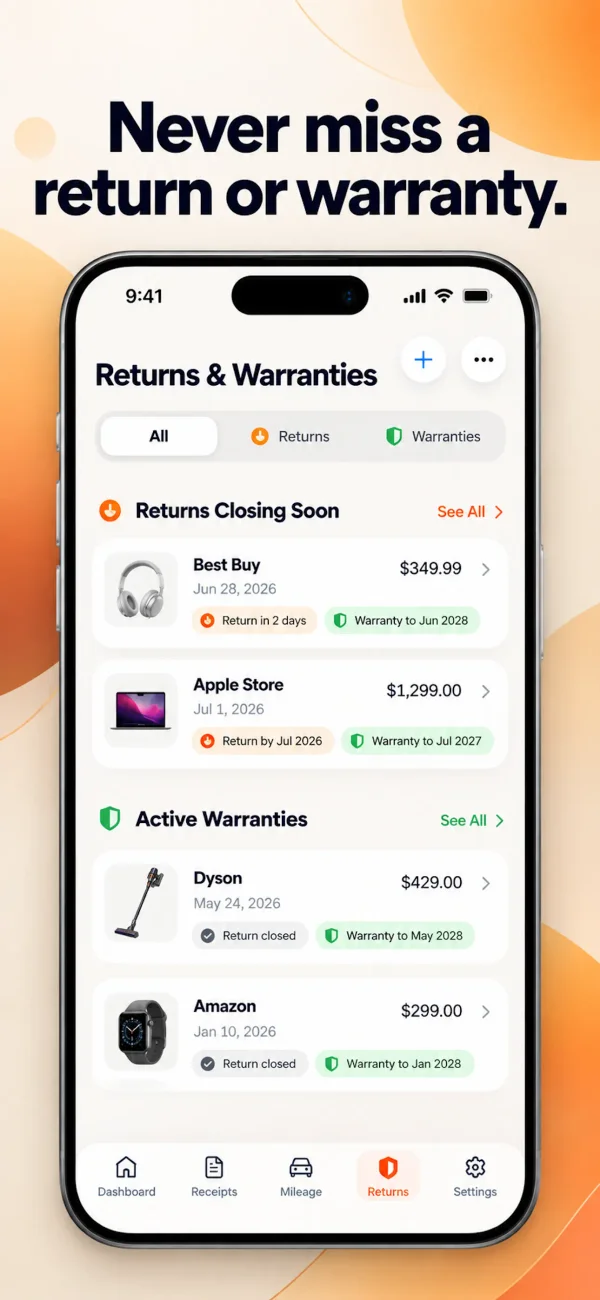
• Reports, Cash Flow, Mileage, Income, Warranties and statement review use two columns to show more at once.
• Lists, forms and chat keep a comfortable reading width instead of stretching edge to edge.
IMPROVEMENTS
• Receipt photos stay rounded and correctly framed at any size in the full-screen viewer.
• Layout polish and bug fixes throughout.
As always, everything stays on your device. No bank logins, and no data collected.
アプリのプライバシー
このアプリのデータの取り扱いについて、Mobile Innovations LLCがApp Storeで申告している内容です。
-
データの収集なし
開発元はこのアプリからデータを収集しません。
プライバシーの取り扱いは、ご利用の機能やお客様の年齢などに応じて異なる場合があります。
情報
- 販売元
- Mobile Innovations LLC
- カテゴリ
- ファイナンス
- バージョン
- 2.5
- 更新日
- 2026/10/14
- リリース
- 2026/7/8
- サイズ
- 6.3 MB
- 必要条件
- iOS 26.0以降
- 対象年齢
- 4+
- 価格
- 無料
- アプリ内課金
- あり
- 言語
- 英語
- 著作権
- © Mobile Innovations LLC
こちらもおすすめ
-
 Checkbook Register - ReconLogファイナンス
-
 Quick Checkbook Pro個人、家庭、ビジネスなどの支出管理ソフトウェアの記録に便利
-
 Pocket Register: Checkbookファイナンス
-
 Easy Check Book Registerファイナンス
-
 Quick CheckbookCheck Book Register and Ledger
-
 Accounts 3 Lite - Checkbookファイナンス
-
 Checkbook - Bills to Budgetファイナンス
-
 Balance My Checkbookファイナンス
-
 The Checkbookファイナンス
-
 ClearCheckbookファイナンス