- 対象年齢4+
- カテゴリナビゲーション
- 開発元Yusuf Can Samiloglu
- 言語英語
- サイズ18.8 MB
App Storeの公式ページにリンクしています
Download.orgはRestStop Finderのファイルを一切ホストしていません。ボタンを押すと、Yusuf Can Samilogluが公開しているApp Storeのアプリページが開きます。ページの最終確認:2026/11/18。
スクリーンショット


概要
開発元はこのテキストをお使いの言語で提供していません。
RestStop Finder puts the rest areas along US highways on one clear map, and helps you plan the drive around them.
THE MAP
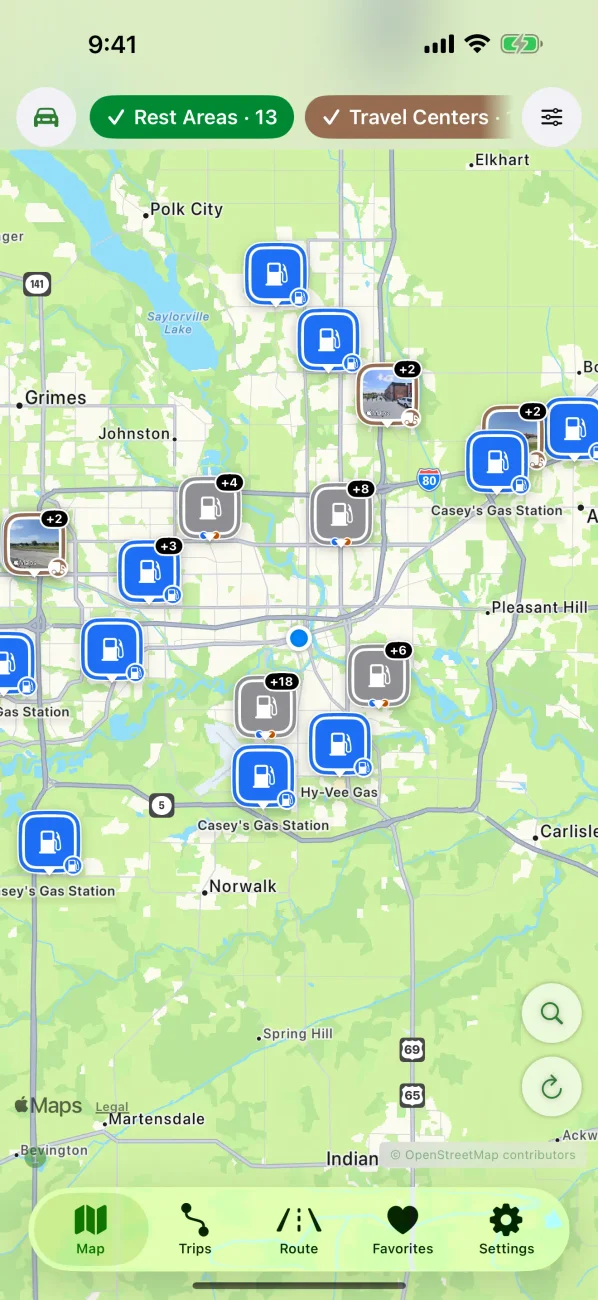
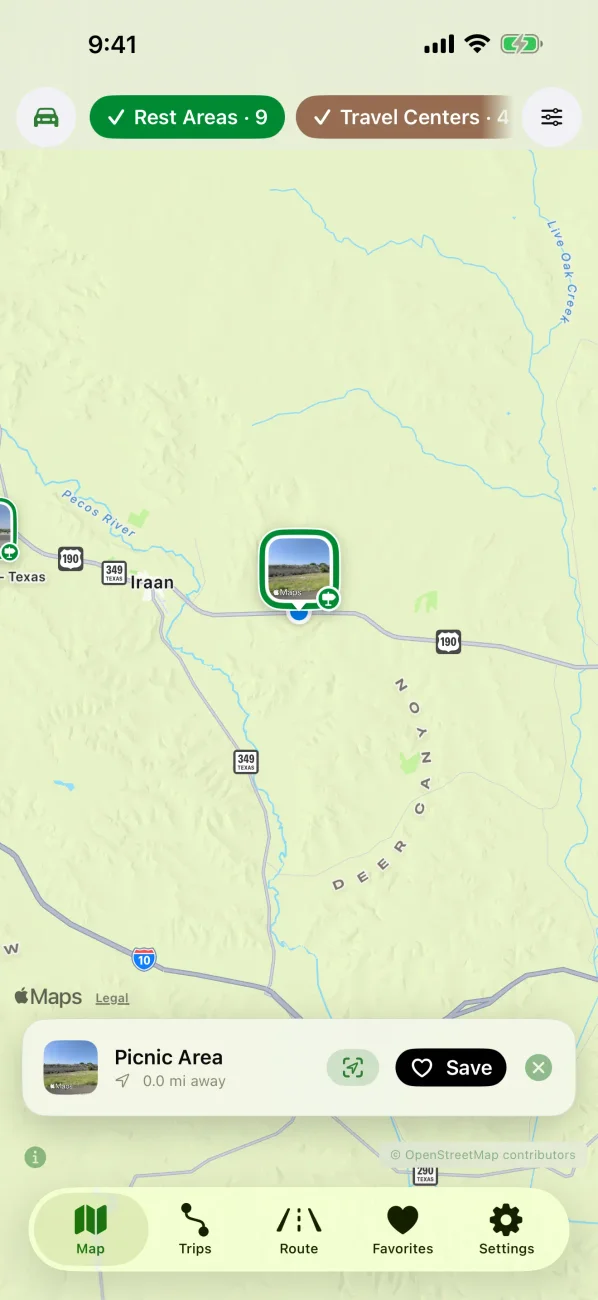
• Rest areas across the United States are built into the app, so they appear right away and still show without a connection
• Choose what to see on one bar: rest areas, travel centers, fuel, food, restrooms and lodging, each in its own color
• Your saved places stay on the map, marked with a heart
• Rest areas show their truck parking spaces where the US DOT lists them
• Tap a pin to open its place card without leaving the app: Apple's photos and ratings where Apple Maps knows the place, Look Around where Apple has street imagery, and one tap to see more in Apple Maps
• Current weather, the hourly forecast and severe-weather alerts at each rest stop, from Apple Weather
• Directions in Apple Maps, Google Maps or Waze
ROAD TRIPS
• Set a start and a destination, add up to eight stops, and reorder them by dragging
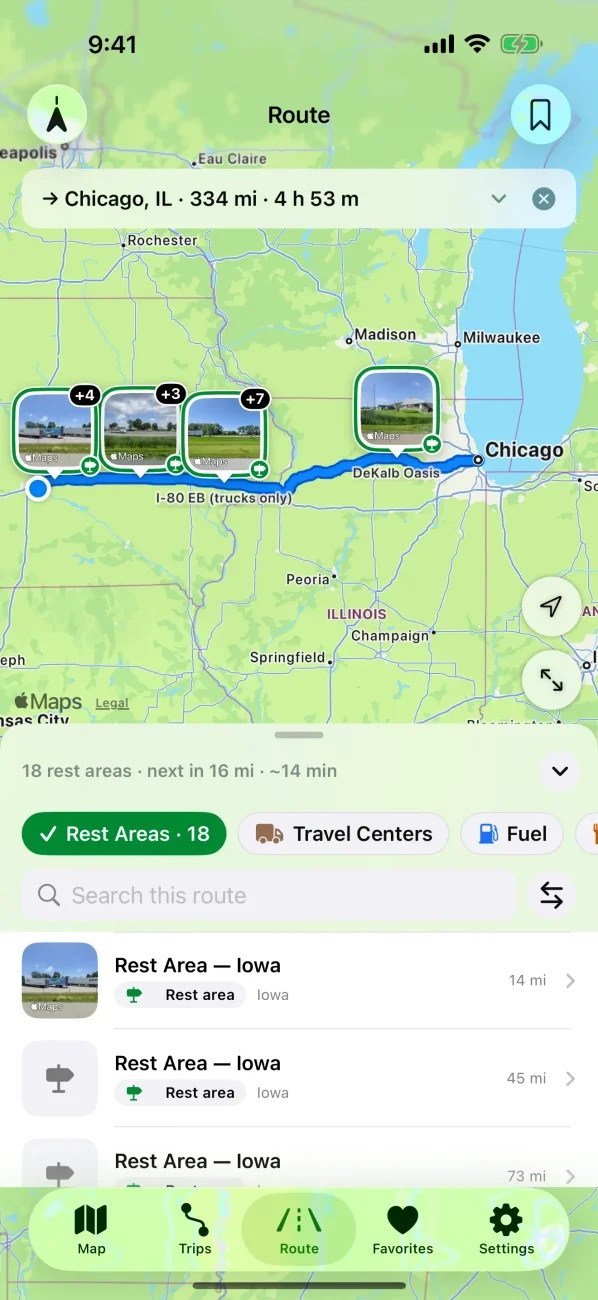
• Find rest stops, gas and food along the way, and see how far each one is off your route
• Results stay in a panel you can pull up or tuck away while the map shows the whole route
• On divided highways, rest areas on the other side are marked and listed after the ones you can reach
• See each stop's arrival time in that stop's own time zone, with sunrise and sunset when they matter
• Import a GPX or KML file from Files and keep planning here. The file stays on your device
• Add your own photos and notes, share the plan, or open the whole route in Apple Maps
CITY TRIPS
• Browse a city's top sights, food, museums, parks and more, and add places as you go
• Optimize the walking order in one tap. It never makes the walk longer, and you can undo it
CARPLAY
• Rest areas, truck and RV parking, and parking lots near you, on your car's screen, with directions
RESTSTOP PRO
Planning is free, and your first trip is too. Pro adds:
• Keep as many road and city trips as you like
• A parking layer with US DOT truck parking and parking lots, with live truck-parking space counts in Illinois
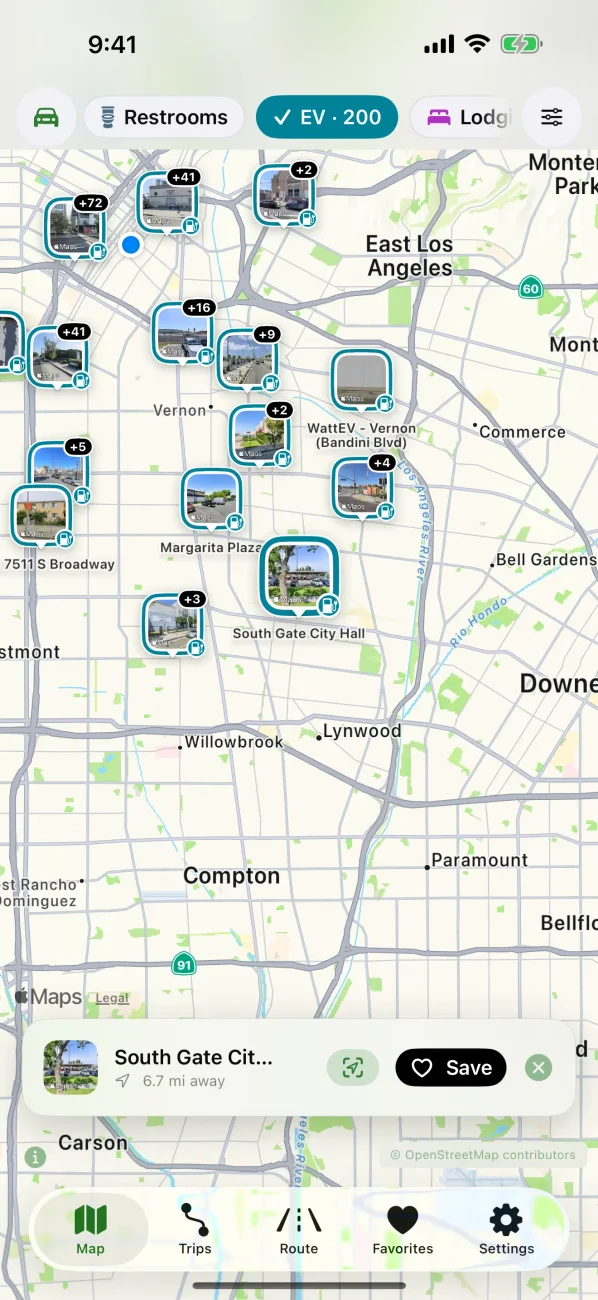
• An EV charging layer with connector types, power levels and networks
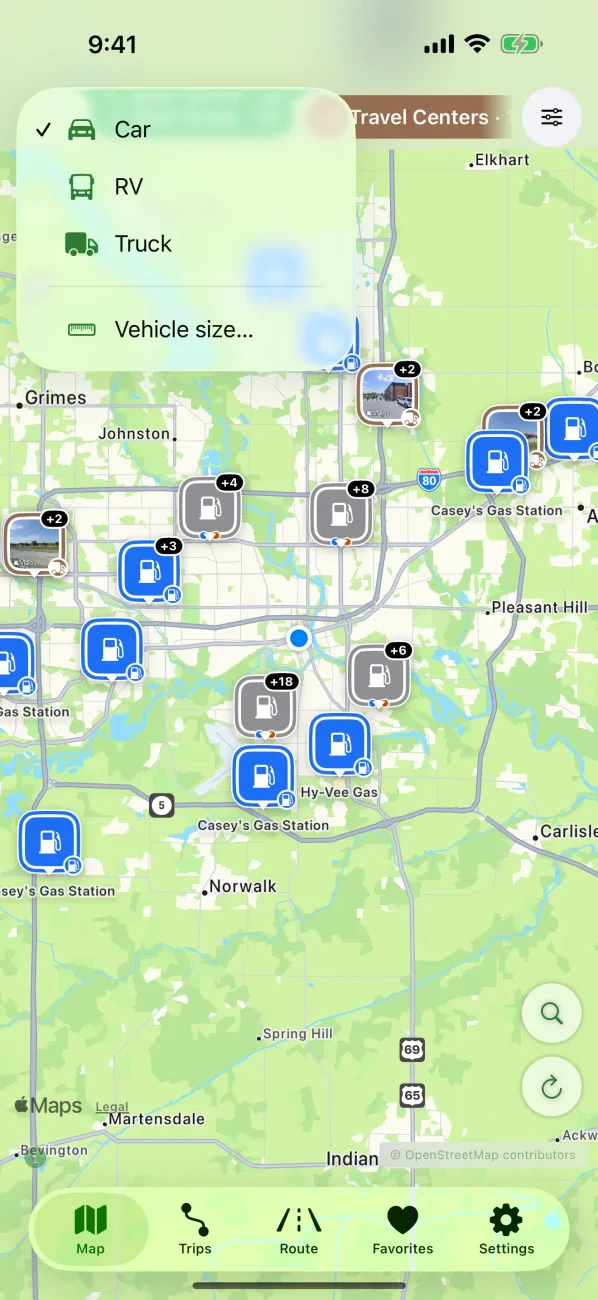
• RV and Truck modes: turn on travel centers and truck parking in one tap, then enter your vehicle's size and weight for clearance and weight warnings
• Gas, EV charging, food and lodging along your route on the Route tab
• Your ETA and next stop on the Lock Screen and in the Dynamic Island while you drive
• A Home Screen widget with your nearest rest stops
• Download the latest rest-stop data to your device
Pro is available as a monthly or yearly subscription, or as a one-time lifetime purchase. Subscriptions renew automatically until you cancel them in your Apple Account settings.
PRIVATE BY DESIGN
• No account, no ads, no tracking
• Your favorites, trips, photos and notes stay on your device
• To show what's around, the app asks public map and data services about the area you're looking at. Settings › Data & Privacy lists every one of them. Nothing is stored about you
Rest stop and parking data © OpenStreetMap contributors (ODbL), with US DOT and state feeds for truck parking and NREL for EV charging. Weather from Apple Weather.
Terms of Use: https://elly2504.github.io/reststopfinder-web/terms
Privacy Policy: https://elly2504.github.io/reststopfinder-web/privacy
新機能
バージョン 3.2.0 · 2026/10/17
Map
• One bar of color-coded categories: pick several at once, and all filters sit in one sheet
• Your saved places show on the map with a heart
• Car, RV or Truck from the bar: RV and Truck turn on travel centers and truck parking (Pro)
• Rest areas show their truck parking spaces where the US DOT lists them
• With location off, the map still shows rest areas where you last looked
• Tapping a group of pins zooms into it
Place cards
• A card opens at once with the place's name and picture, then "Photos & Ratings" opens Apple's place card with a link to Apple Maps
• Look Around and Apple Maps details are free for everyone
• The hourly forecast is free, and weather alerts name the agency that issued them
• Opening hours follow the place's own time zone and count overnight hours
• Truck and RV warnings read short tons and US heights, and say when a posted limit can't be read
Route
• Long routes no longer freeze, and results sit in a panel you can pull up or tuck away
• On divided highways, rest areas on the other side of the road are marked and listed after the ones you can reach
• Tap a pin on the route map to open its place, or a group of pins to zoom in
• No location? Type a start point
• The Lock Screen ETA starts when you start driving and ends when you park (Pro)
Trips
• Import a GPX or KML file from Files as a road trip. The file never leaves your device
• See each stop's arrival time in its own time zone, with sunrise and sunset when they matter
• Optimize the walking order of a city trip in one tap. It never gets longer, and you can undo it
• City trips: Top Sights and the other chips find far more places, and a failed search says so
• Saving waits for the route, and deleting or leaving unsaved changes asks first
Also
• Rest Stop Alerts are withdrawn while we rebuild them; the app never asks for "Always" location
• The Home Screen widget reads its own list of nearby stops and never opens your saved trips and favorites
• Settings › Data & Privacy names every service the app talks to
アプリのプライバシー
このアプリのデータの取り扱いについて、Yusuf Can SamilogluがApp Storeで申告している内容です。
-
ユーザーに関連付けられないデータ
収集される場合がありますが、ユーザーの識別情報には関連付けられません。
- 位置情報
プライバシーの取り扱いは、ご利用の機能やお客様の年齢などに応じて異なる場合があります。
情報
- 販売元
- Yusuf Can Samiloglu
- カテゴリ
- ナビゲーション
- バージョン
- 3.2.0
- 更新日
- 2026/10/17
- リリース
- 2026/3/17
- サイズ
- 18.8 MB
- 必要条件
- iOS 17.0以降
- 対象年齢
- 4+
- 価格
- 無料
- アプリ内課金
- あり
- 言語
- 英語
- 著作権
- © 2026 Yusuf Samiloglu