Retrotype: Typewriter Journal
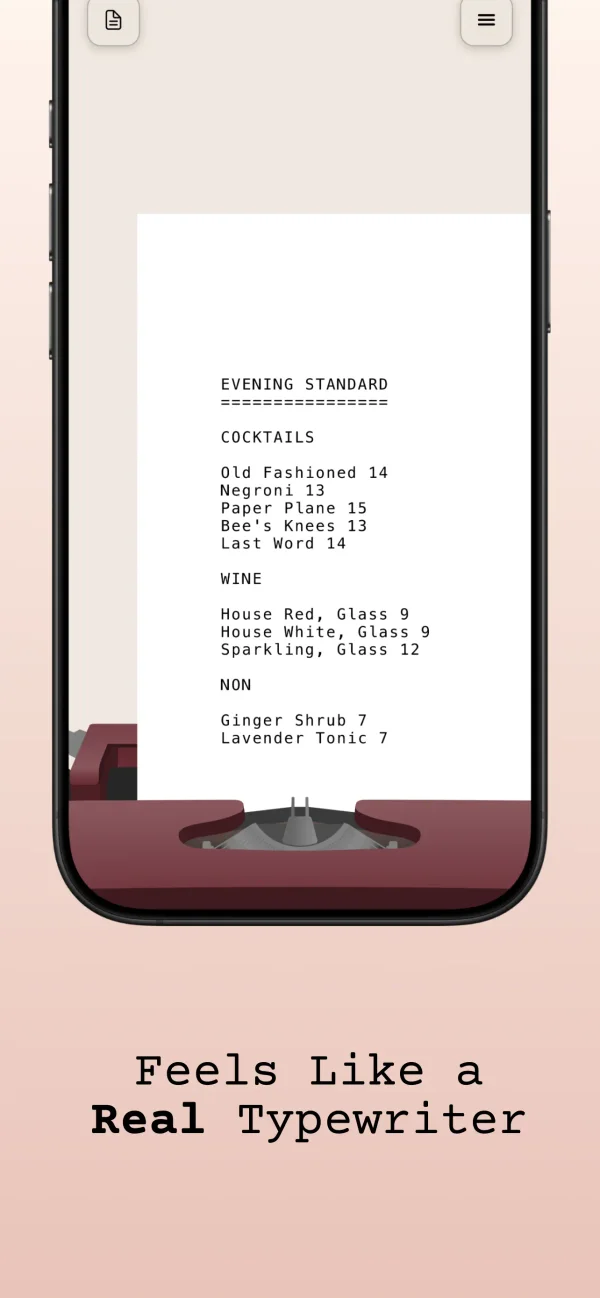
Feels like a real typewriter
iPhone, iPad向けに設計
無料 · アプリ内課金
- 対象年齢4+
- カテゴリ仕事効率化
- 開発元Good Loop Software
- 言語英語
- サイズ56.3 MB
App Storeの公式ページにリンクしています
Download.orgはRetrotype: Typewriter Journalのファイルを一切ホストしていません。ボタンを押すと、Good Loop Softwareが公開しているApp Storeのアプリページが開きます。ページの最終確認:2026/11/21。
スクリーンショット

概要
開発元はこのテキストをお使いの言語で提供していません。
Clack. Clack. Ding. Retrotype turns your iPhone, iPad or Mac into a typewriter you can feel: the paper slides under the carriage, every key has its sound and tap, and the bell rings at the margin. Free to download and type. One optional unlock, $4.99, once. No subscription.
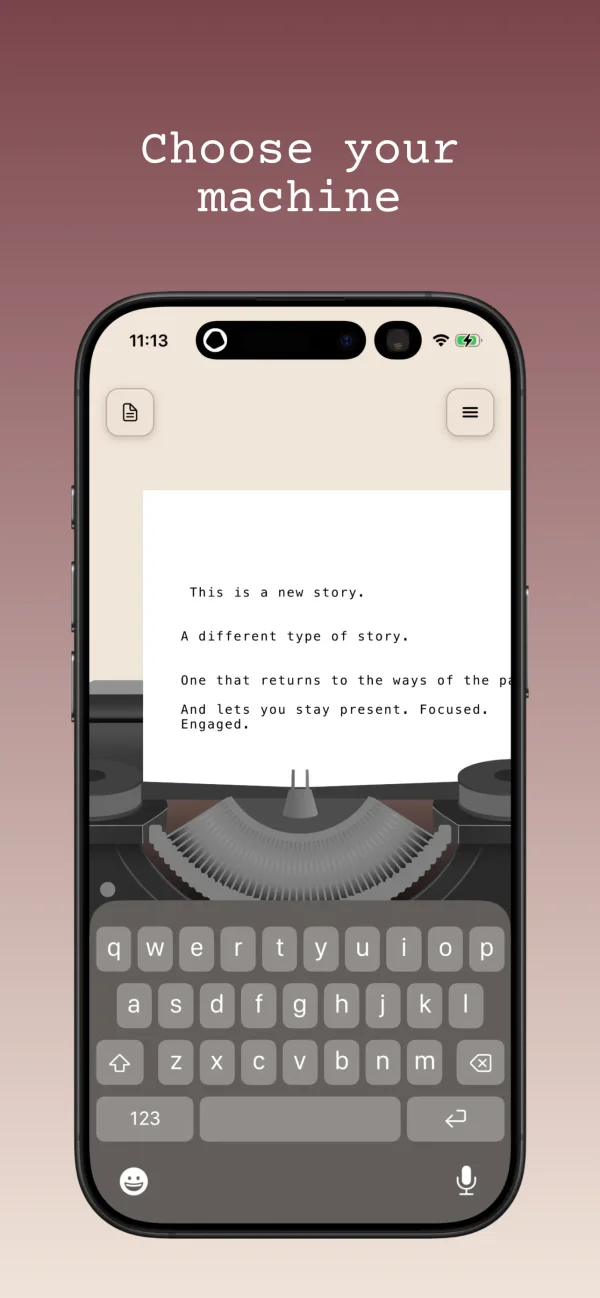
CHOOSE YOUR MACHINE
Four meticulously crafted typewriter models, each with a distinct personality:
- Clean, timeless design. The one that started it all.
- Vintage European style with warm, earthy tones.
- Mid-century curves in playful pastel palettes.
- Bold industrial form with exposed ribbon cartridges.
MAKE IT YOURS
22+ hand-picked color palettes. 12 paper themes. 5 authentic sound packs — from the sharp snap of a classic to the soft press of a modern electric. Dial in your haptics, adjust your margins, and set your bell.
FEEL EVERY KEYSTROKE
Authentic sound and haptic feedback bring every key press to life. Carriage returns, margin bells, and the steady rhythm of typing pull you into a focused flow.
WRITE ANYWHERE
Designed for iPhone, iPad, and Mac with seamless external keyboard support. Your documents are always ready.
ONE PRICE. EVERYTHING INCLUDED.
Retrotype Premium is a single purchase — no subscriptions, no recurring fees. Every model, palette, sound pack, and future update is yours forever.
Retrotype is a place to slow down, find your flow, and let words unfold one keystroke at a time.
新機能
バージョン 1.5.0 · 2026/11/15
What's new in 1.5.0
Lights off, keys on.
• Dark mode — Retrotype now follows your system, so late-night pages are easier on the eyes. Pick Light, Dark, or Automatic in Settings.
• Liquid Glass — On iOS 26, the Documents, Settings, and Upgrade panels and the corner buttons now use the system's Liquid Glass. On older iOS and Android, they keep the familiar solid look.
• Choose your typeface — Pick Standard or Courier for your paper, in Settings.
• Red ribbon — Switch the ribbon to red, and every letter keeps the ribbon color it was typed with, on screen and in print.
• Page breaks that stick — Page breaks now survive reopening a document and rewrapping when you change the font size.
• Better printing and copying — Cleaner page margins on page breaks, and copy/share that respects paragraphs.
• Free basics — Font size, sharing, typewriter height and scale, and the sound on/off toggle are now free for everyone. Print stays in the unlock, and now opens the upgrade screen instead of doing nothing.
• Better on iPad — The typewriter starts larger on iPad, and stays flush to the bottom when a hardware keyboard is attached.
• More reliable typing — Fixed dropped letters after Return and Backspace, and fixed lines retyping themselves after Return.
• Purchases — Restore now shows you an error instead of silently doing nothing, and pending purchases no longer unlock Premium early.
• Under the hood — Updated for iOS 27, with a first-launch crash fix for haptics.
Thanks for typing. Ding. — Justin
アプリのプライバシー
このアプリのデータの取り扱いについて、Good Loop SoftwareがApp Storeで申告している内容です。
-
データの収集なし
開発元はこのアプリからデータを収集しません。
プライバシーの取り扱いは、ご利用の機能やお客様の年齢などに応じて異なる場合があります。
情報
- 販売元
- Good Loop Software LLC
- カテゴリ
- 仕事効率化
- バージョン
- 1.5.0
- 更新日
- 2026/11/15
- リリース
- 2025/9/30
- サイズ
- 56.3 MB
- 必要条件
- iOS 16.4以降
- 対象年齢
- 4+
- 価格
- 無料
- アプリ内課金
- あり
- 言語
- 英語
- 著作権
- © Good Loop Software LLC
こちらもおすすめ
-
 Typewright - Typewriter仕事効率化
-
 TypePress: タイプライター執筆手描きのタイプライター
-
 Typewrite – Virtual Typewriter仕事効率化
-
 Type Notes: Classic Paper仕事効率化
-
 uFocus仕事効率化
-
 Tornleaf: Junk Journal手書きの風合いのメモ帳
-
 Emotion- Daily Journal & Notes仕事効率化
-
 Dactylo – タイプライター一文字ずつ、本を書く
-
 Platen — Paper & Ink紙とインクを楽しむタイプライター
-
 Carriage: Typewriter仕事効率化